Excel Blog:
Welcome to the September 2026 update and happy 41st birthday Excel!

New this month to Insiders of Excel for Windows and Insiders of Excel for Mac, lists, arrays in cells, and nested arrays, the ability to name a table at creation, and center across selection is now available in the merge cell menu.
Also new this month, we are expanding our model choice in Copilot with the addition of Grok models from SpaceXAI, available via the Frontier program. In addition, Anthropic Claud Fable 5.1 and OpenAI GPT-6 Astra are now available in Copilot Cowork and Copilot Studio. This continues our commitment to bring the latest AI innovation in the industry to Copilot, tuned for work and tailored to business needs.
Excel for Windows and Mac:
- Lists, arrays in cells, and nested arrays (Insiders)
- Name tables at creation (Insiders)
- Center across selection in the merge cell menu (Insiders) #FIA
Excel for iOS:
- Edit with Copilot for iPad
Excel for Windows and Mac
Lists, arrays in cells, and nested arrays (Insiders)A fundamental change in Excel now lets you have multiple values inside a single cell. With lists, you can keep those values in one cell, while also keeping them separate for filtering, calculation and more. Arrays can exist natively in cells as values or as formula results. They can be any size or shape and can even contain other arrays. In addition, there are four new functions that help you work with arrays more easily: FLATTEN, HAS, HASANY, and HASALL. Read more here >
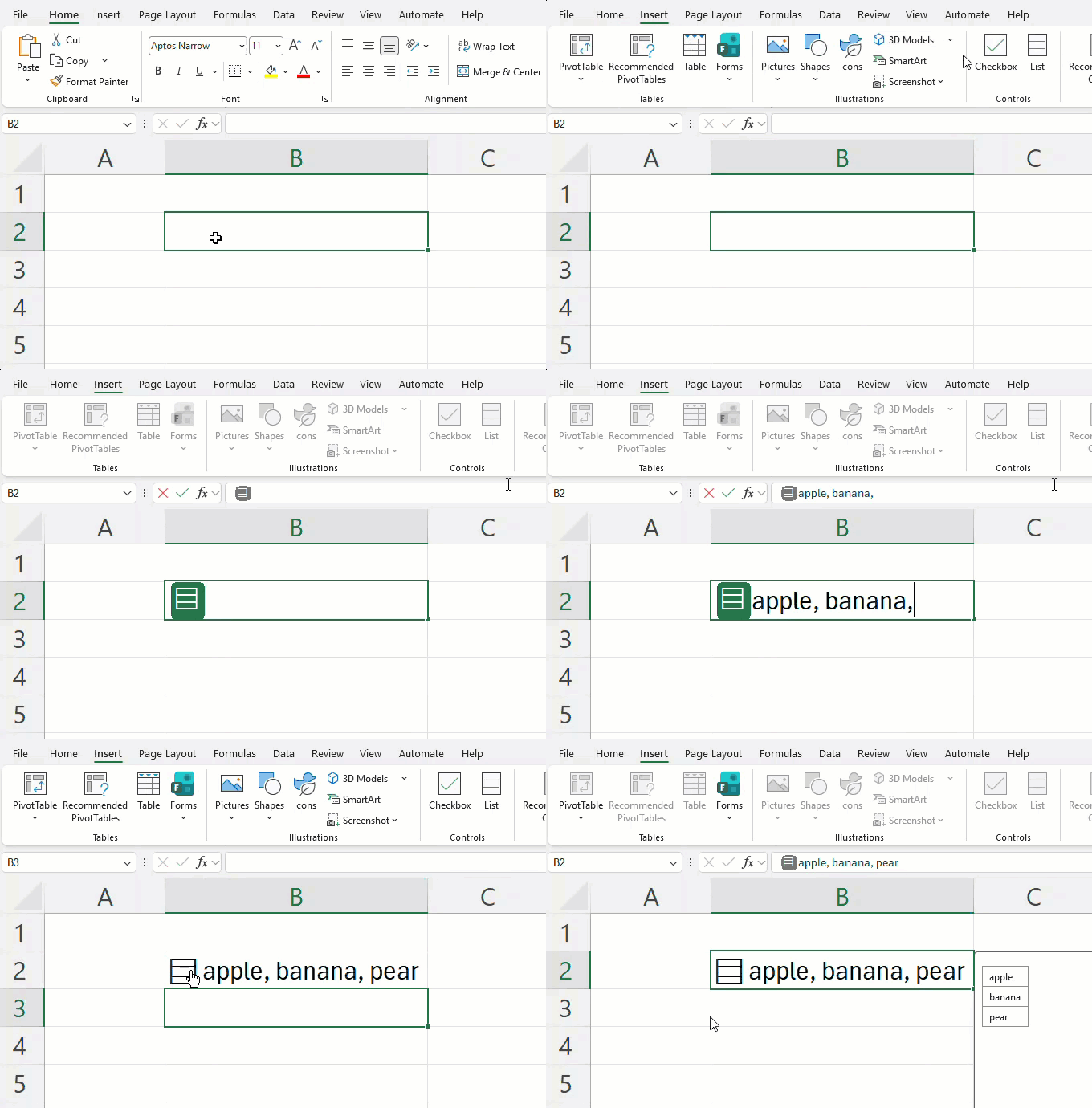
Name tables at creation (Insiders)
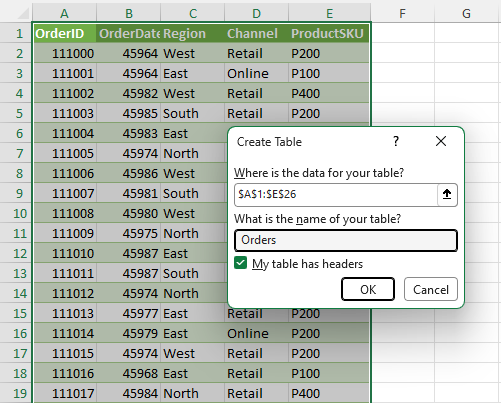
Excel’s Create Table dialog now lets you give tables meaningful names at the moment you create them. This addition makes table naming part of the natural creation flow, improving workbook navigation.
Simply press Ctrl+T or Insert > Table, enter a descriptive name, and create the table.
Center across selection button in the merge cell menu (Insiders) #FIA
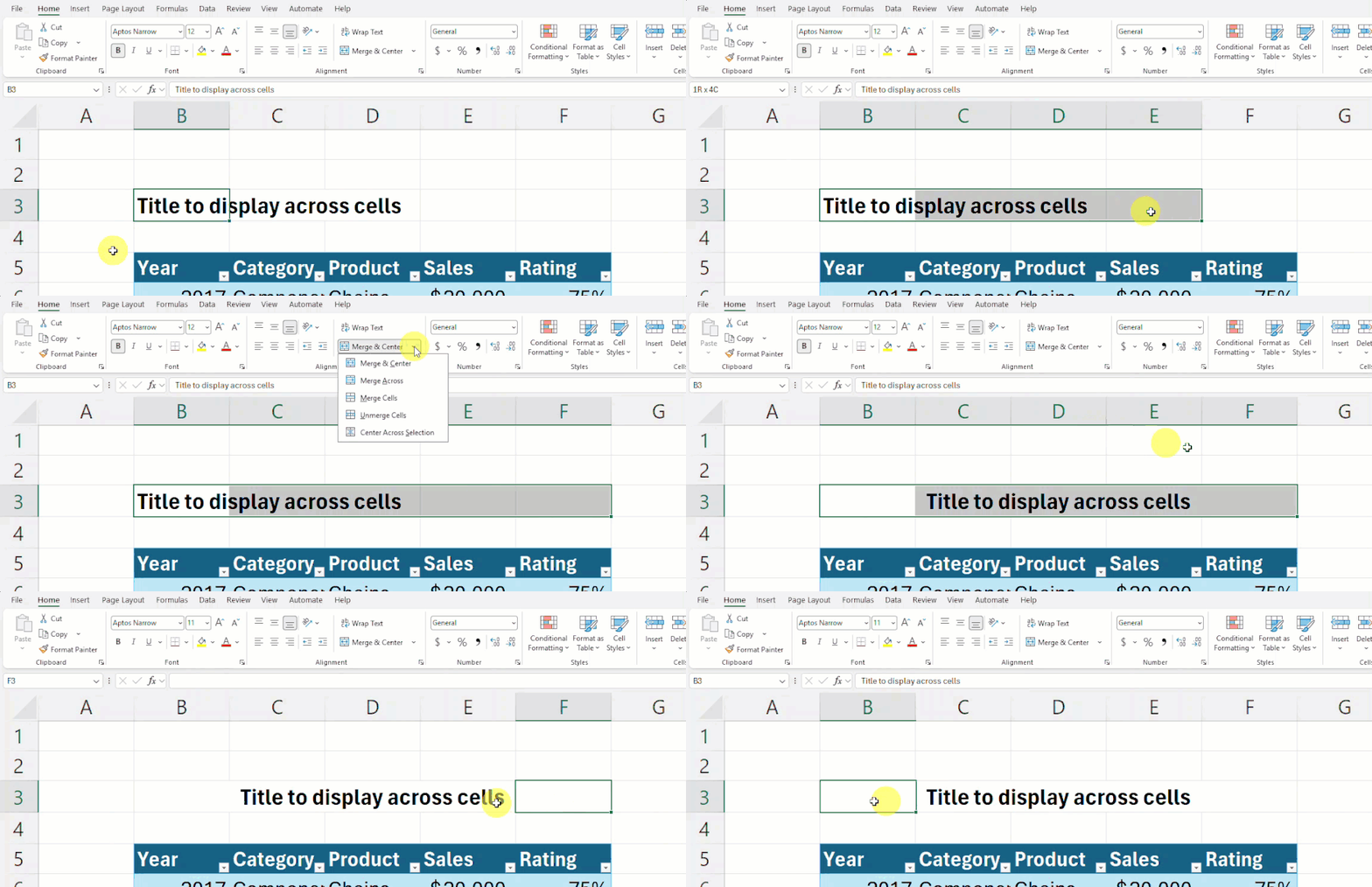
This feature makes it easier to access Center Across Selection by adding it to the Merge and Center button menu. Center Across Selection has long been a preferred way to show text across cells because it leaves cells individually selectable, while keeping the text in the top-left cell.
Excel for iOS
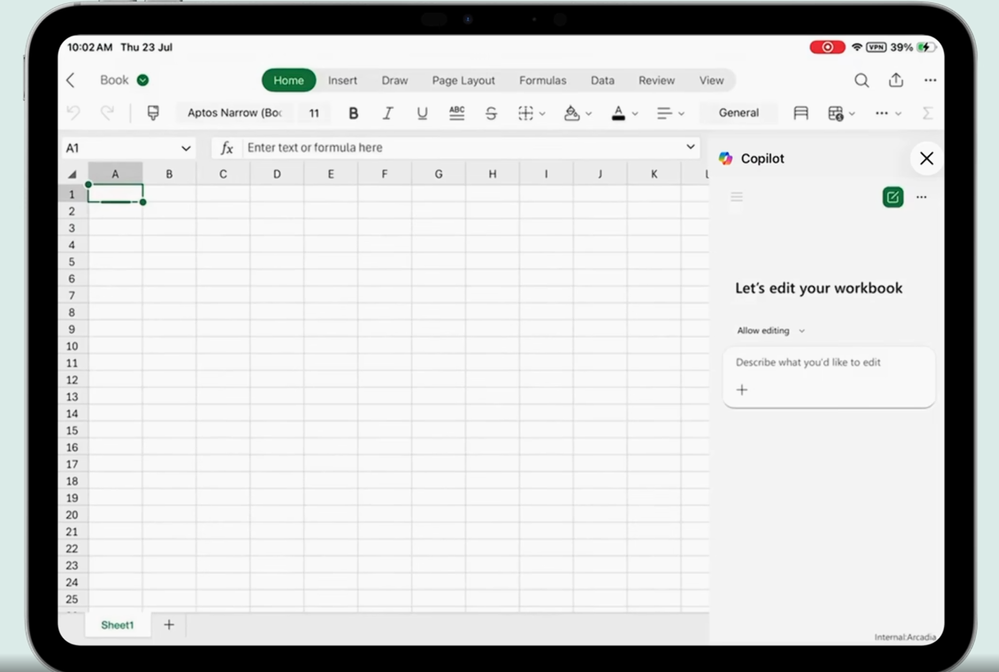
Edit with Copilot for iPadWith Edit with Copilot in Excel on iPad, the same Copilot-powered editing experience you rely on desktop is now available wherever work happens. From transforming data and creating charts to refining spreadsheets and generating insights, you can accomplish complex Excel tasks with simple prompts, all while on the go. Read more here >
Many of these features are the result of your feedback. THANK YOU! Your continued Feedback in Action (#FIA) helps improve Excel for everyone. Please let us know how you like a particular feature and what we can improve upon—"Give a compliment" or "Make a suggestion". You can also submit new ideas or vote for other ideas via Microsoft Feedback.
Subscribe to our Excel Blog and the Insiders Blog to get the latest updates. Stay connected with us and other Excel fans around the world – join our Excel Community and follow us on X, formerly Twitter.
Special thanks to our Excel MVPs David Benaim, Bill Jelen, Alan Murray, and John Michaloudis for their contribution to this month's What's New in Excel article. David publishes weekly YouTube videos and regular LinkedIn posts about the latest innovations in Excel and more. Bill is the founder and host of MrExcel.com and the author of several books about Excel. Alan is an Excel trainer, author and speaker, best known for his blog computergaga.com and YouTube channel with the same name. John is the Founder & Chief Inspirational Officer at MyExcelOnline.com where he passionately teaches thousands of professionals how to use Excel to stand out from the crowd.
Source:
What's New in Excel (September 2026) | Microsoft Community Hub
Welcome to the September 2026 edition of What's New in Excel!
 techcommunity.microsoft.com