Microsoft Copilot Blog:
Welcome to the October 2026 edition of What's New in Microsoft Copilot! Every month, we highlight new features and enhancements to keep Microsoft 365 customers up to date with Copilot features that help your users be more productive and efficient in the apps they use every day.
Let’s take a closer look at what’s new this month:
User capabilities:
- Updated Home navigation, projects, Workspaces and Autopilot in Copilot
- Role-based plugins, Outlook and Planner enhancements, and task catalog for Copilot Cowork
- File editing, audio updates, and more references for Copilot Workspaces
- Prompt Gallery in Copilot in OneDrive
- Knowledge base in SharePoint
- Accounting skills, clean data skill, and interactive canvas for Copilot in Excel
- Model update, brand kit improvements, and skills for Copilot in PowerPoint
- Legal plugin and document-specific design for Copilot in Word
- Updated experience for Copilot in Microsoft Edge
- Updates to intelligent recap and Queues app for Copilot in Teams
- New life sciences connectors for Copilot
- Copilot editing capabilities for Government Clouds
- Insights Agent & Workforce Insights Agent
- Retention configuration and Microsoft Cowork expansion for Microsoft Purview Data Loss Prevention
User capabilities
New ways to access, organize, and move forward with Copilot
Home is the starting point for work in the Copilot app, now bringing together Chat and Cowork in one place, as well as a new shared navigation pane. Chat and Cowork offer two ways to get work done. Chat can answer questions, explore ideas, take actions, and create first drafts, or Cowork can be used to delegate complex, multi-step tasks. The shared navigation pane has a new layout:- Plugins provide one place to discover and access agents, skills, and connectors.
- Automations run Cowork tasks on a schedule or when a specified event occurs, keeping routine work moving without manual prompts.
- Workspaces give teams a shared space in the Copilot app to work alongside Copilot on an ongoing workstream
- Projects keep related tasks, instructions, and context together.
- A combined Chat and Cowork conversation history with search and filters help users quickly return to the right thread.
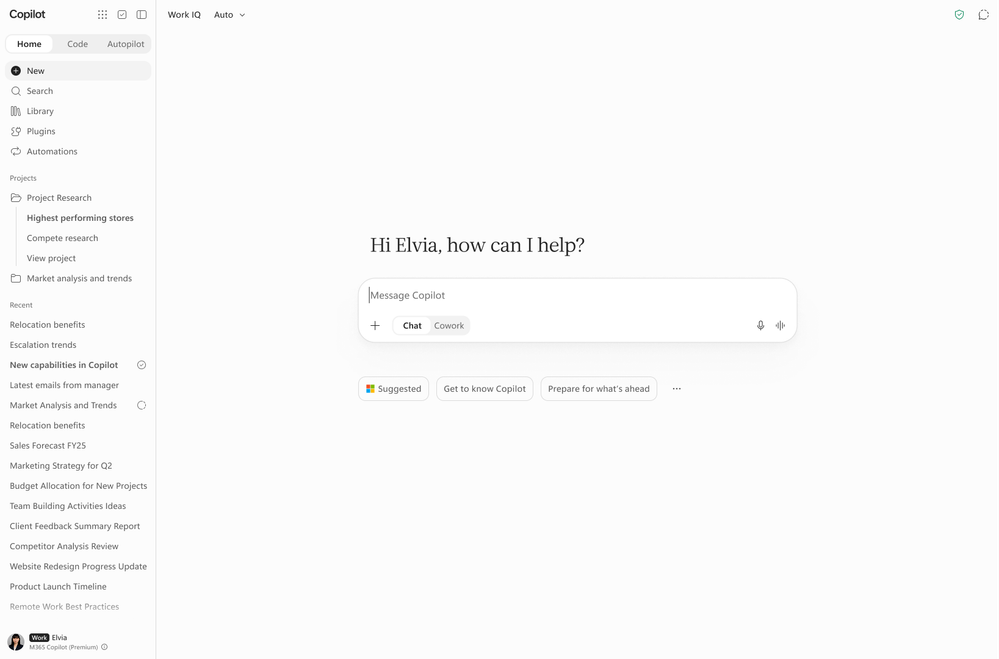
Projects provide a dedicated space for keeping related chats, tasks, instructions, and context together, so users can pick up work without rebuilding context each time. Users can set instructions that apply across the project, add files, meetings, chats, and tasks as shared context, and access files created by project tasks from a centralized Outputs view. This helps users maintain context and consistency across ongoing work while keeping each project focused on a specific topic. Learn more about using projects. This feature rolled out in Cowork in October and is rolling out in Copilot Chat in November.
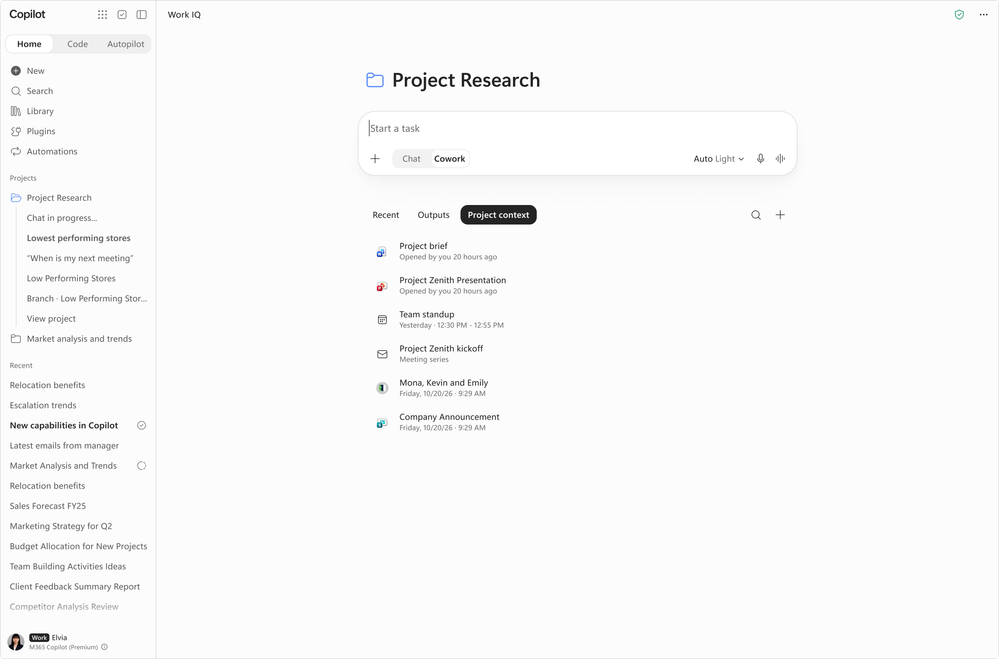
Autopilot is an always-on, cloud-based personal agent that takes work off users’ plates and keeps it moving without them having to direct every step. Users shape its responsibilities by giving it goals, while persistent context and memory help it stay connected to their priorities across Microsoft 365. With its own account, mailbox, and files, Autopilot can carry work forward, work with teammates when enabled, stay accessible through the Microsoft 365 experiences users already use, and operate across their local files and its own remote computer. Access controls, approval guardrails, and supported information-protection and compliance capabilities help protect sensitive information and keep consequential actions under human control. With Agent 365, organizations can understand who is using Autopilot, manage and govern its access, assess risks, and measure business value to guide adoption. Autopilot is rolling out in November to Frontier.

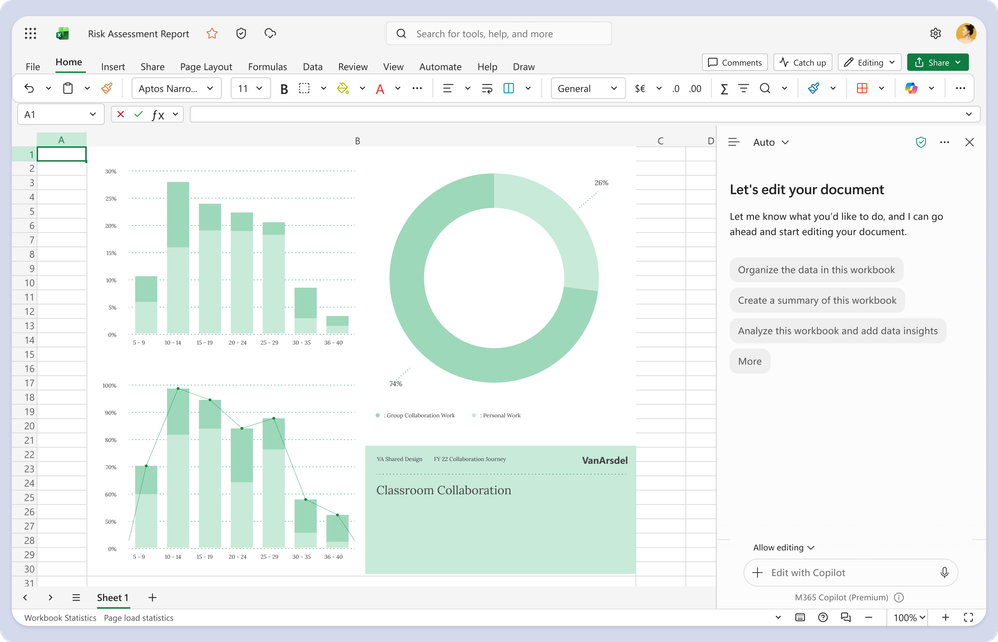
Copilot experiences in Word, Excel, and PowerPoint are getting a refreshed design, aligning to the design in the Copilot app for a consistent user experience. This refreshed design simplifies the chat and response layout and improves navigation. This feature rolled out in October.
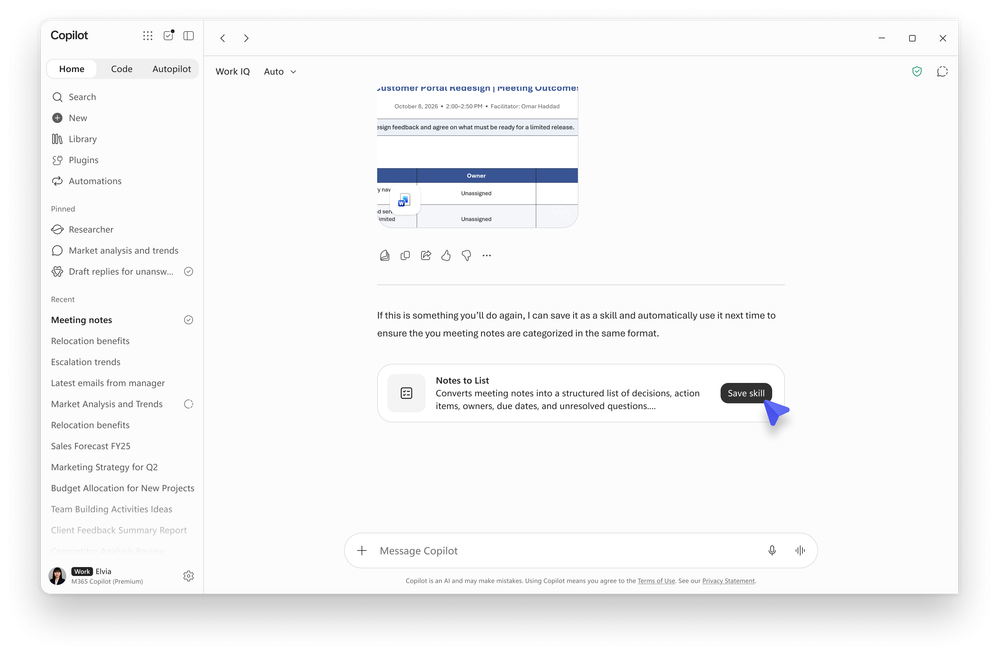
Skills help turn know-how into reusable capabilities that Copilot can apply automatically, enabling faster execution, more consistent results, and easier knowledge sharing across teams. Skills are expanding from availability in Cowork to Copilot Chat, bringing reusable expertise directly into the flow of everyday work. Users can now create their own skills directly in Copilot Chat using natural language, discover skills shared by colleagues or their organization through the Plugins section, and choose when and how skills are used in their workflows. By capturing reusable instructions and expertise, skills help teams scale consistent practices across Copilot experiences. This feature rolls out in November.
Role-based plugins, Outlook and Planner enhancements, and task catalog for Copilot Cowork
Role-based plugins in Cowork provide pre-built skills for common business processes across Sales, Service, Education, Legal, and Finance. Users can access these plugins under Roles & Industry, with skills designed for scenarios such as meeting preparation, case triage, accreditation evidence, and contract review against a playbook. This gives users a faster way to start specialized, repeatable work using a predefined workflow rather than beginning with a blank prompt. Learn more about available plugins for Copilot Cowork. This feature rolled out in October.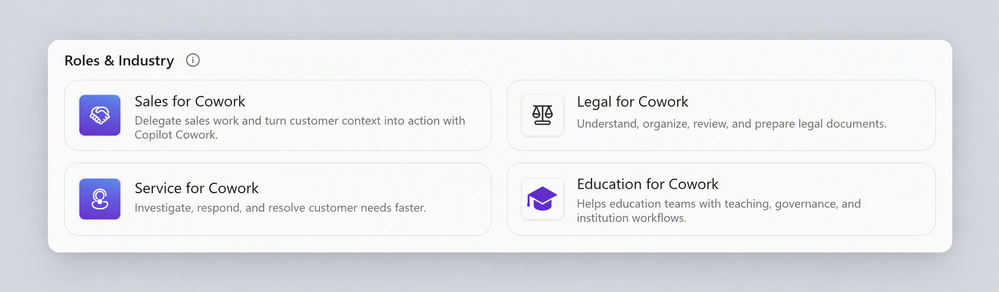
OneNote and Planner capabilities in Cowork bring users’ notes, decisions, tasks, and plans into the context Cowork works from. Cowork can now read and update notebooks with the OneNote plugin. With Planner capabilities, users can view, create, and update plans, buckets, goals, and tasks using natural language, then use that context to carry out related work across Microsoft 365. This helps users move from capturing and planning work to acting on it in one conversation, with progress written back to OneNote and Planner with their approval. These features rolled out to Frontier in October and is rolling out worldwide in November.

The task catalog in Cowork now provides suggested tasks for common scenarios across sales, marketing, customer service, and finance. Users can select a task, provide the required information, and hand it to Cowork to complete. This helps users get started with common role-based work without having to build each request from scratch. This feature rolled out in October.
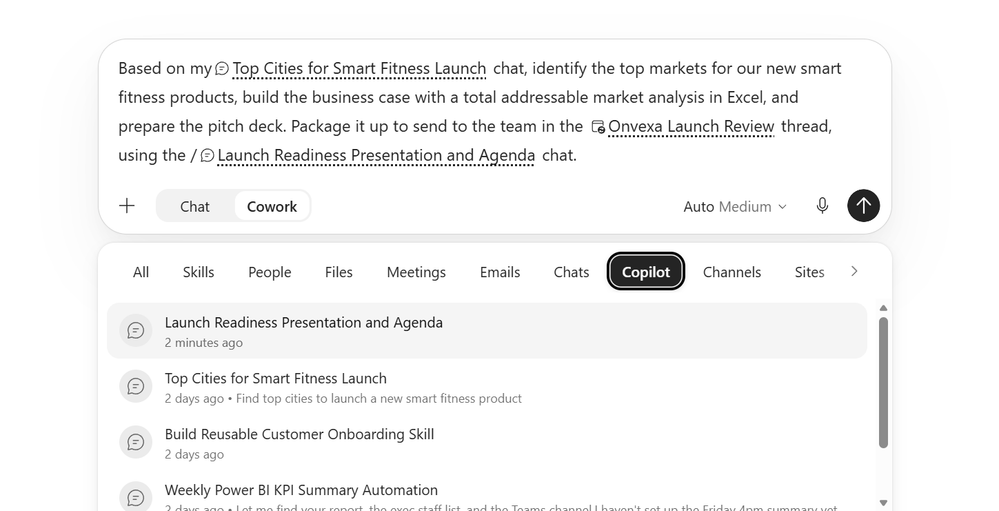
Cowork lets users reference previous Copilot Chat conversations and Cowork tasks in new requests, so they can build on earlier work without reestablishing context. Users can add a chat or task as context in their prompt, just as they would reference a file or meeting, allowing Cowork to incorporate previous decisions or outputs into the new task. This lets users easily move from an initial exploration in Chat to a more complex Cowork task or use the results of one task as the starting point for another. This feature rolled out in October.
File editing, audio updates, and more references for Copilot Workspaces
Copilot Workspaces gives teams a shared space in the Copilot app to work alongside Copilot. As the evolution of Copilot Notebooks, Copilot Workspaces brings context, team members, and working files together so teams can create, refine, and advance an ongoing workstream. Existing notebooks will become workspaces, with an updated experience designed for team collaboration. Collaborate with your team across different documents at the same time, and see what they’re working on with live cursors. This change rolled out to Frontier in October.
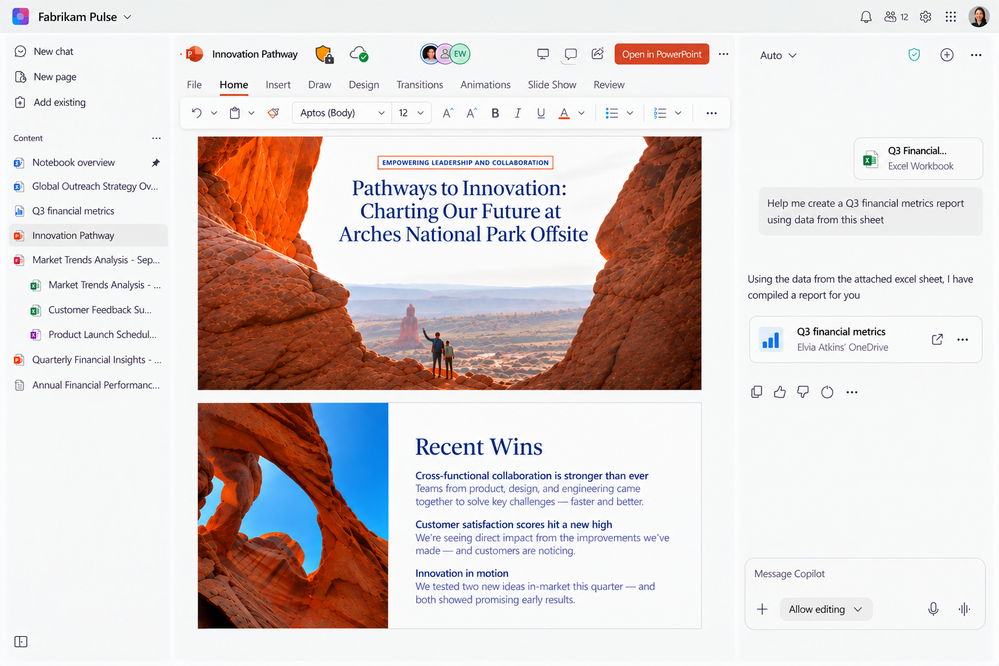
Copilot Workspaces now lets users create, edit, and collaborate on Word, Excel, and PowerPoint files directly within their workspace. Users can ask Copilot in chat to create or edit Office files, then work directly in those files using Office capabilities without leaving the notebook. This helps users keep their content and workflows together as they move from working with Copilot to refining and collaborating on Office files. This feature rolled out to Frontier in October and rolls out worldwide in January.
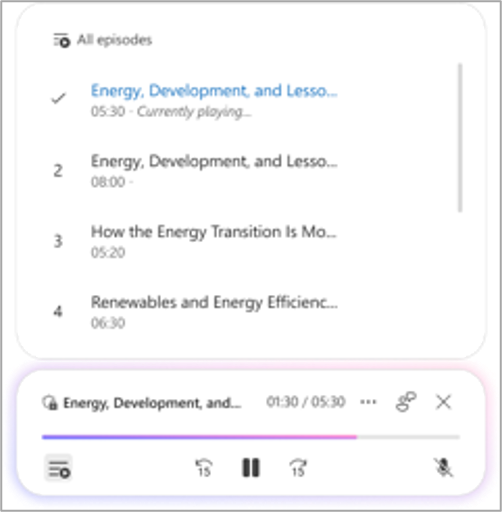
Audio Overview in Copilot Workspace adds topic-based episodes, sensitivity label support, and more supported content types. Longer overviews can now be split into topic-based episodes, and audio overviews saved to OneDrive now inherit sensitivity labels from their sources. Audio Overview can also reason over more reference types such as Outlook emails, Teams meetings and chats, OneNote and Loop pages, and plain text (.txt) files. Additionally, new audio formats such as “Critique and Debate” are now available. This feature rolled out to Frontier in October and rolls out worldwide in November.
Copilot Workspace now accepts more file types as references like JPG, PNG, CSV, and TSV files. Users can add images, structured lists, and tables to their workspaces alongside traditional documents as grounding context for Copilot. This added context helps Copilot produce more relevant presentations, reports, and briefs. This feature rolled out in October.
Prompt Gallery in Copilot in OneDrive
The new Prompt Gallery in Copilot in OneDrive gives users ready-to-use prompts for common file tasks. Users select the Copilot button in the bottom-right corner of OneDrive, choose Open Prompt Gallery, and browse prompts in categories such as Create, Analyze, Find, and Collaborate. This helps users discover what Copilot can do and get value from it faster. This feature rolled out in October.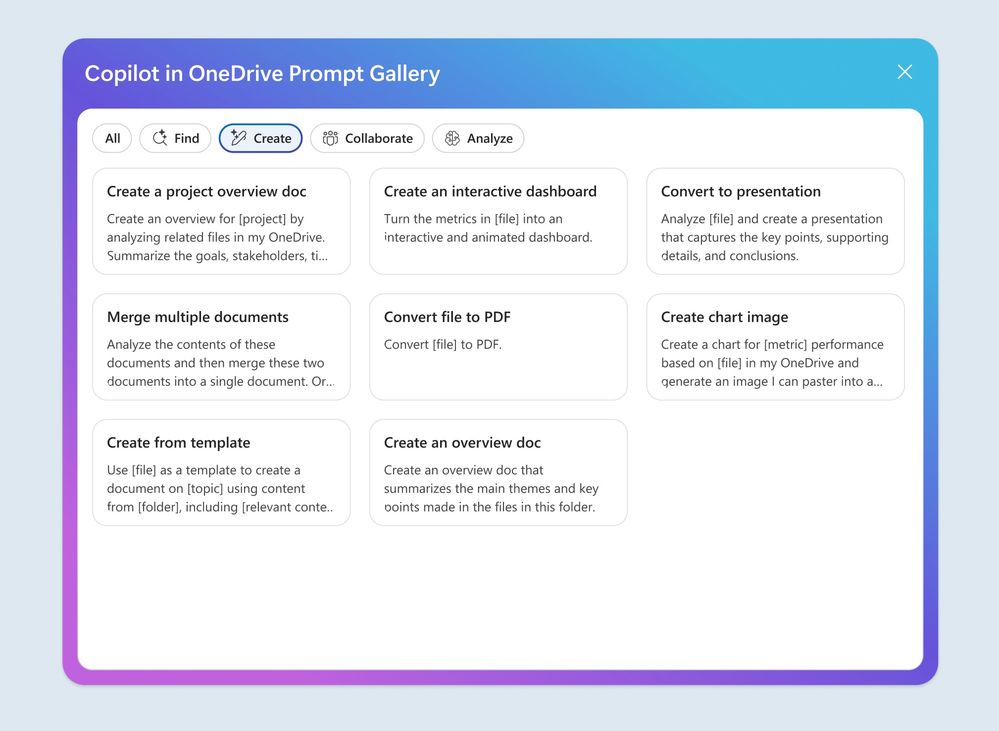
Knowledge base in SharePoint
Knowledge base in SharePoint helps organizations turn information from across Microsoft 365 into shared knowledge that people, Copilot, and agents can use. It brings together information from emails, messages, meetings, and SharePoint content to create an accessible, up-to-date knowledge base. This makes organizational knowledge easier for people to find and gives Copilot and agents relevant context to use in their work. Learn more about Introducing a team knowledge base, curated by Copilot and agents. This feature rolled out to Frontier in October.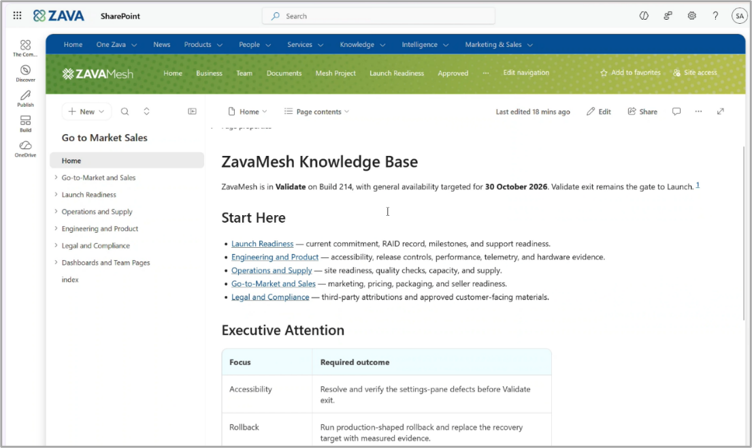
Accounting skills, clean data skill, and interactive canvas for Copilot in Excel
Accounting skills in Excel combine finance reasoning with Excel native capabilities to help accountants reconcile accounts, prepare journal entries, and analyze financial performance for reporting. Copilot works directly in the workbook, keeping changes visible and reversible so finance professionals can review the results and retain control of final decisions. The feature rolled out to Frontier in October and rolls out worldwide in November.The clean data skill in Excel helps users find data quality issues that are easy to miss. Copilot scans workbooks for problems such as duplicates, inconsistent formatting, and incorrect data types, then recommends fixes right in the file. Users review and approve every change, so your organization's analysis rests on data people can trust. This feature rolled out in October.
Interactive canvas in Excel uses Copilot to turn workbook data into a polished report of key visualizations, metrics, and insights. The canvas updates automatically as the underlying data changes, and users can change it by chatting with Copilot. Teams get a current, shareable view of their data without building reports by hand. This feature rolled out to Insiders in October and rolls out worldwide in November.
Model update, brand kit improvements, and skills for Copilot in PowerPoint
Sonnet 5.5 in PowerPoint brings a stronger design perspective to help users create polished, visually compelling presentations with Copilot. The model helps improve slide layouts, strengthen visual hierarchy, and apply templates more consistently as users turn their ideas into presentations. This helps users create more intentional, cohesive presentations that are ready to engage an audience. This feature rolled out in October.
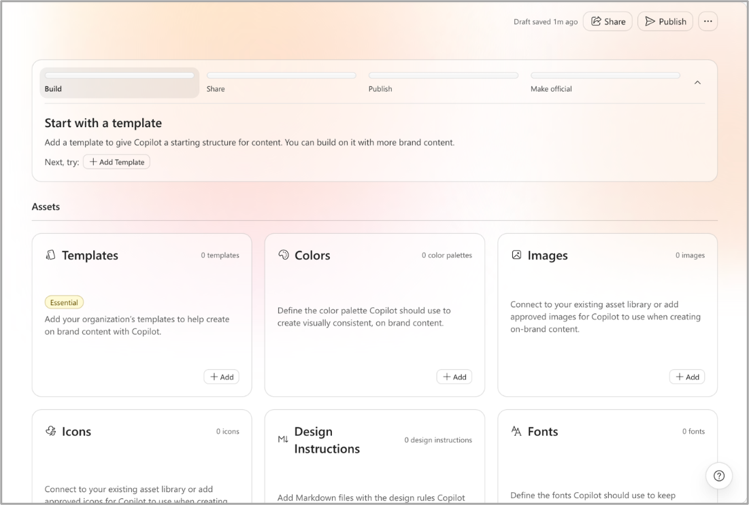
Brand Kit setup in PowerPoint is now simpler, so brand managers can create and configure Brand Kits more quickly. Streamlined asset management and improved workflows reduce the steps needed to stand up a kit. Organizations can roll out branded presentation experiences at scale with less setup effort. Learn more about creating and managing official brand kits. This feature rolled out in October.
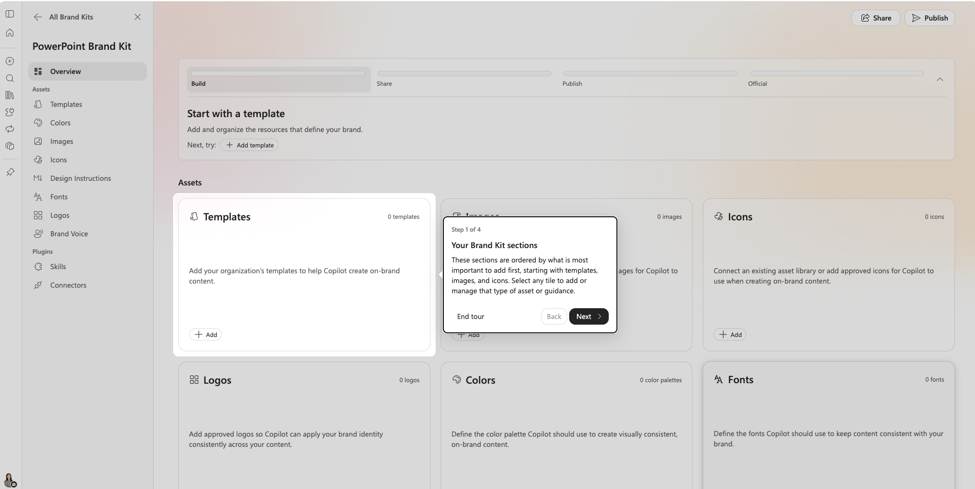
Brand managers can now publish and unpublish official Brand Kits in PowerPoint. A dedicated publish flow controls when a kit becomes available to users and lets managers take it down when needed. Organizations get more control over which brand assets employees and Copilot use in presentations. This feature rolled out in October.
Create interactive slide lets users generate interactive slides from a simple prompt or existing content. Users can create interactive ways to present information such as dashboard insights, business processes, timelines, or comparisons. This helps make complex information more accessible, engaging, and memorable for presentation audiences. This feature rolled out in October.
The template assessment skill helps users prepare PowerPoint templates for use with Brand Kits by identifying issues that could affect Copilot-generated presentations. The skill assesses a template and provides actionable recommendations for addressing potential problems before the Brand Kit is published. This helps organizations improve their templates upfront so Copilot can generate content using a Brand Kit that has already been assessed for potential issues. This feature rolled out in October.
Record a skill lets users turn frequently repeated presentation tasks into reusable skills. Users can capture a task they perform often, save it as a skill, and run it again when they need to complete the same type of work. This helps users complete repeatable presentation tasks faster and more consistently without starting from scratch each time. This feature rolled out in October.
Legal plugin and document-specific design for Copilot in Word
The legal plugin brings more than 20 purpose-built legal skills and partner-built plugins directly into Word, building on the capabilities previously introduced as Legal Agent. Legal teams can use these capabilities to draft agreements from precedents, review contracts against legal playbooks, and make precise edits and redlines directly in their documents. This helps legal teams complete more complex document workflows within Word by combining legal-specific reasoning with Word’s native capabilities. Learn more about Copilot for legal. This feature rolled out in October.Document-specific formatting and design helps users create polished, professional documents. Copilot automatically applies tailored structure, layout, formatting, and visual design based on the type of document being created. This helps users move from a blank page to a well-designed document faster, with less effort spent on formatting and layout. This feature rolled out in October.
Markdown support in Word lets users easily bring content from Markdown-based workflows into Word and continue working with it. Users can use Markdown shortcuts while writing, copy and paste between Word and Markdown while retaining formatting, and convert between .md and .docx files on the web. This helps users move more seamlessly between Markdown-based workflows and Word without having to manually recreate or reformat their content. This feature rolled out in October.

Updated experience for Copilot in Microsoft Edge
Copilot in Microsoft Edge is getting a simpler experience, with an updated icon across every Copilot entry point and a streamlined Copilot sidepane. These are user experience changes rolling out over the coming weeks, and existing security, compliance, privacy, and enterprise controls stay the same. Users get a cleaner, more consistent way to reach Copilot while organizations keep the same governance they have today. This feature rolled out in October.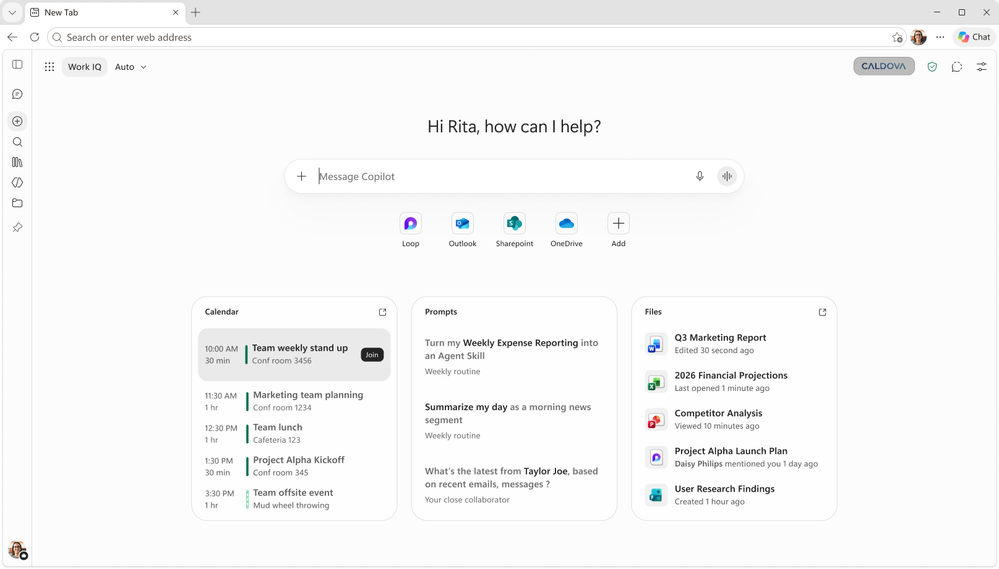
Updates to intelligent recap and Queues app for Copilot in Teams
Intelligent recap without saving a transcript lets meeting organizers turn on AI-generated meeting summaries without keeping a transcript after the meeting. Organizers with a Copilot license can turn it on or off before the meeting, licensed organizers and participants can manage it during the meeting. A recap with key decisions, action items, and highlights is available after the meeting. Organizations that cannot or prefer not to retain transcripts can still give users meeting recaps while meeting their privacy and compliance needs. This feature rolled out to Public Preview in May and rolled out worldwide in October.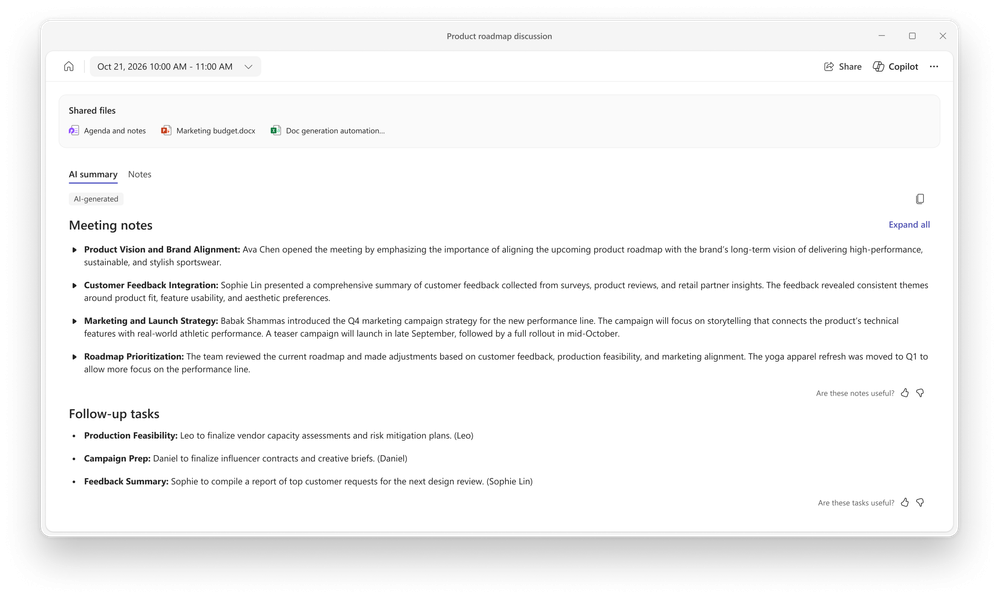
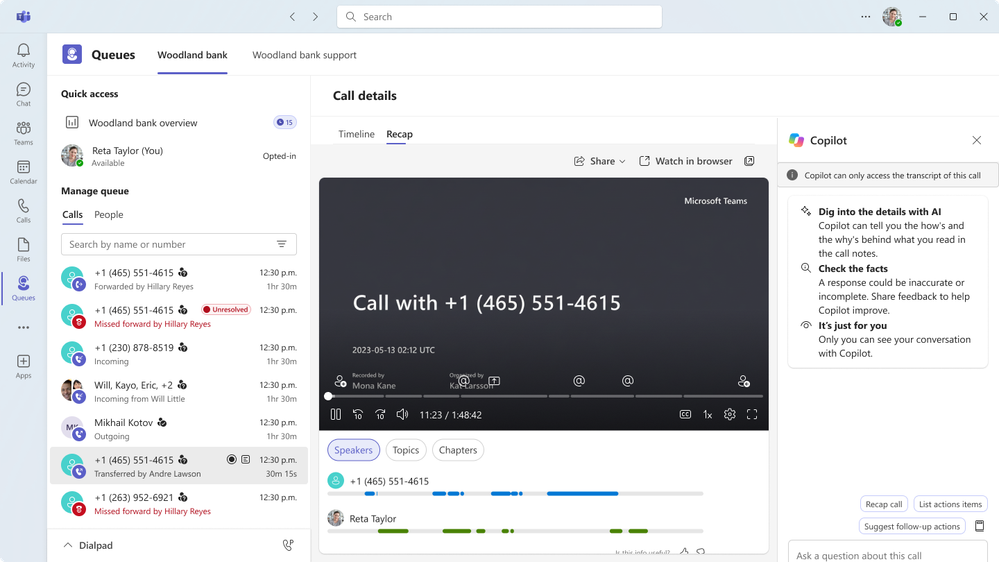
Intelligent call recaps in Queues app help users catch up on recorded or transcribed queue calls with AI-generated summary notes covering key discussion points and follow-up actions. To open a recap, users find the call record in the Queues app call history and select Recap. This feature rolled out in September.

Users can quickly catch up on calls handled through a call queue and uncover key details by using Copilot in the shared call history in Queues app for Teams Phone. After a recorded call is completed, users with Copilot can now open the call record in the shared call history, access the Copilot Chat sidecar from the Recap tab, and ask questions about the call. This feature rolled out in September.
New life sciences connectors for Copilot
New life sciences connectors expand the Microsoft Copilot connector ecosystem with trusted, industry-specific resources for researchers and other life sciences professionals. The connectors bring information across areas such as research and evidence, drug discovery, R&D, regulatory intelligence, and clinical development into Copilot, where users can find, reason over, and act on it within the flow of their work. This enables organizations to use Copilot across a broader range of specialized life sciences workflows. Find connectors, plugins and agents in the Microsoft Marketplace- Research & Evidence: Article Galaxy/Research Solutions, bioRxiv, Consensus, PubMed, Scite/Research Solutions, MedlinePlus
- Target Discovery & Biology: Open Targets, Synapse.org/Sage Bionetworks, PopHIVE
- Drug Discovery: Amass, ChEMBL, CAS, DrugBank, drug data, EDEN Basecamp Research, Inductive Bio
- Lab & Enterprise R&D Data: SciLeads
- Regulatory & Competitive Intelligence: Cortellis Regulatory Intelligence, NyquistAI, FDA Safety, Clarivate IPOne CompuMark Trademarks
- Clinical Development & Healthcare Data: ClinicalTrials.gov, NPI Registry, RxNorm, CMS Coverage, ICD-10
- Scientific Content Creation: BioRender

Copilot editing capabilities for Government Clouds
Copilot editing capabilities in PowerPoint, Word, and Excel are rolling out to Government Community Cloud (GCC). Users can ask Copilot to create and edit content directly in their files, including dashboards in Excel, overview slides in PowerPoint, tables in Word, and more, grounded in their organization’s work context. This feature rolled out in October.IT admin capabilities
Insights Agent & Workforce Insights Agent
Insights Agent lets users ask natural-language questions about agent usage in Copilot, including daily, weekly, and monthly active users, adoption trends, and agent comparisons. Insights Agent V2 (Frontier), an early-access preview, also lets agent owners explore submitted thumbs-up and thumbs-down ratings and comments for agents they own, after an admin enables feedback sharing. These insights give makers and admins inputs to evaluate adoption and identify areas to investigate. This feature rolled out in October.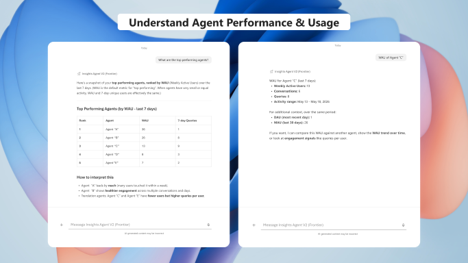
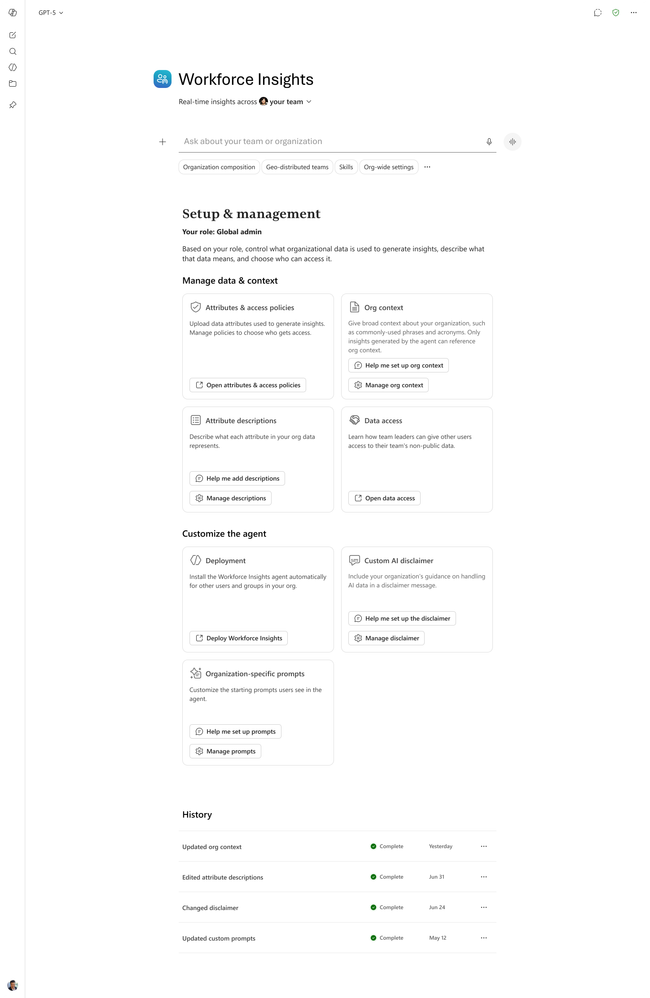
Workforce Insights Agent enables trusted, contextually relevant responses in Copilot from customers’ own organizational data. The agent provides administrators with a dedicated workspace to configure organizational definitions, data descriptions, and business context, as well as the ability to validate how AI reasons over the context in people and organizational queries. This feature rolled out to Public Preview in December 2025 and rolls out in November.
Retention configuration and Microsoft Cowork expansion for Microsoft Purview Data Loss Prevention
Admins can now configure retention for Microsoft Copilot memory in Microsoft Purview Data Lifecycle Management. Purview retention policies can now preserve saved memories, giving security and compliance teams visibility into changes for investigations, regulatory requirements, and data lifecycle governance. This feature rolled out in October.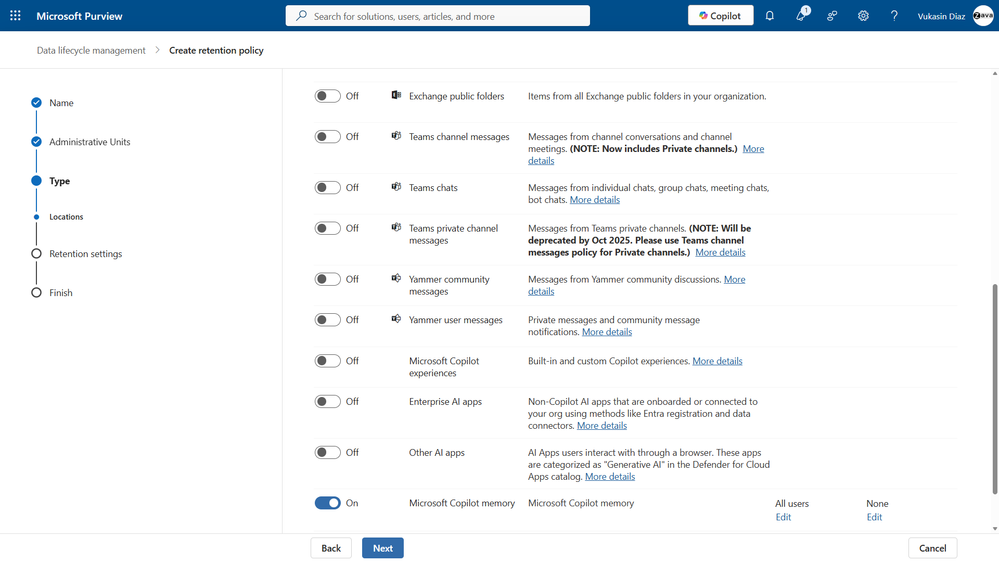
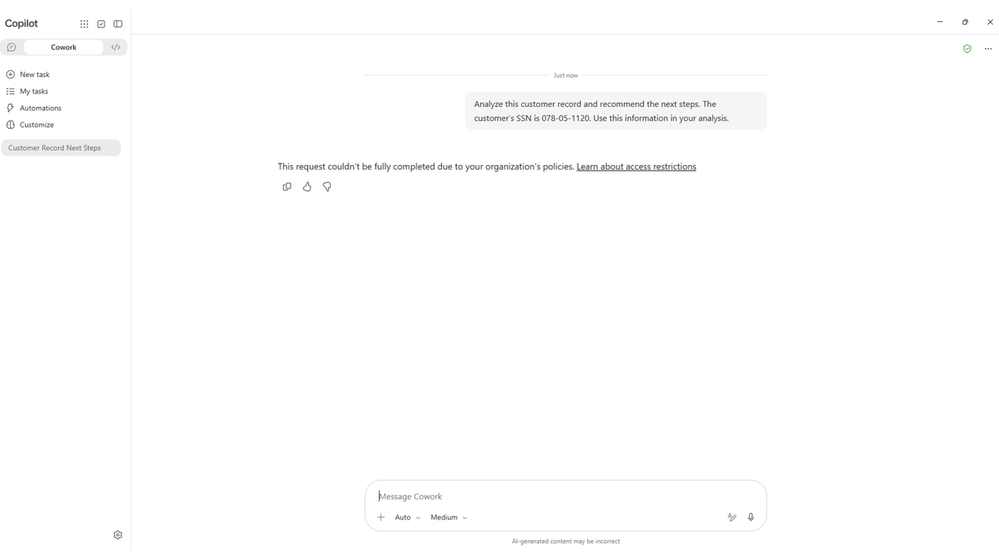
Microsoft Purview Data Loss Prevention (DLP) is expanding to Microsoft Cowork, enabling data security admins to use a single policy across Microsoft Copilot chat and Cowork. The integration gives admins controls to prevent users from referencing sensitivity-labeled content, block prompts that contain supported types of sensitive data, and stop sensitive prompts from being sent to Bing for web search. This feature rolled out to public preview in October.
Did you know? The AI at Work Roadmap is where you can get the latest updates on productivity apps and intelligent cloud services. Microsoft 365 Copilot release notes is where you can see the Microsoft 365 Copilot features that are generally available and specific to each platform. Check back regularly to see what features are in development, coming soon and generally available. Please note that the dates mentioned in this article are tentative and subject to change.
Source:

What’s New in Microsoft Copilot | October 2026 | Microsoft Community Hub
Welcome to the October 2026 edition of What's New in Microsoft Copilot!
 techcommunity.microsoft.com