win11 context menu desktop issue


fedex

New member
Local time
5:02 PM
Posts
2
OS
win 11
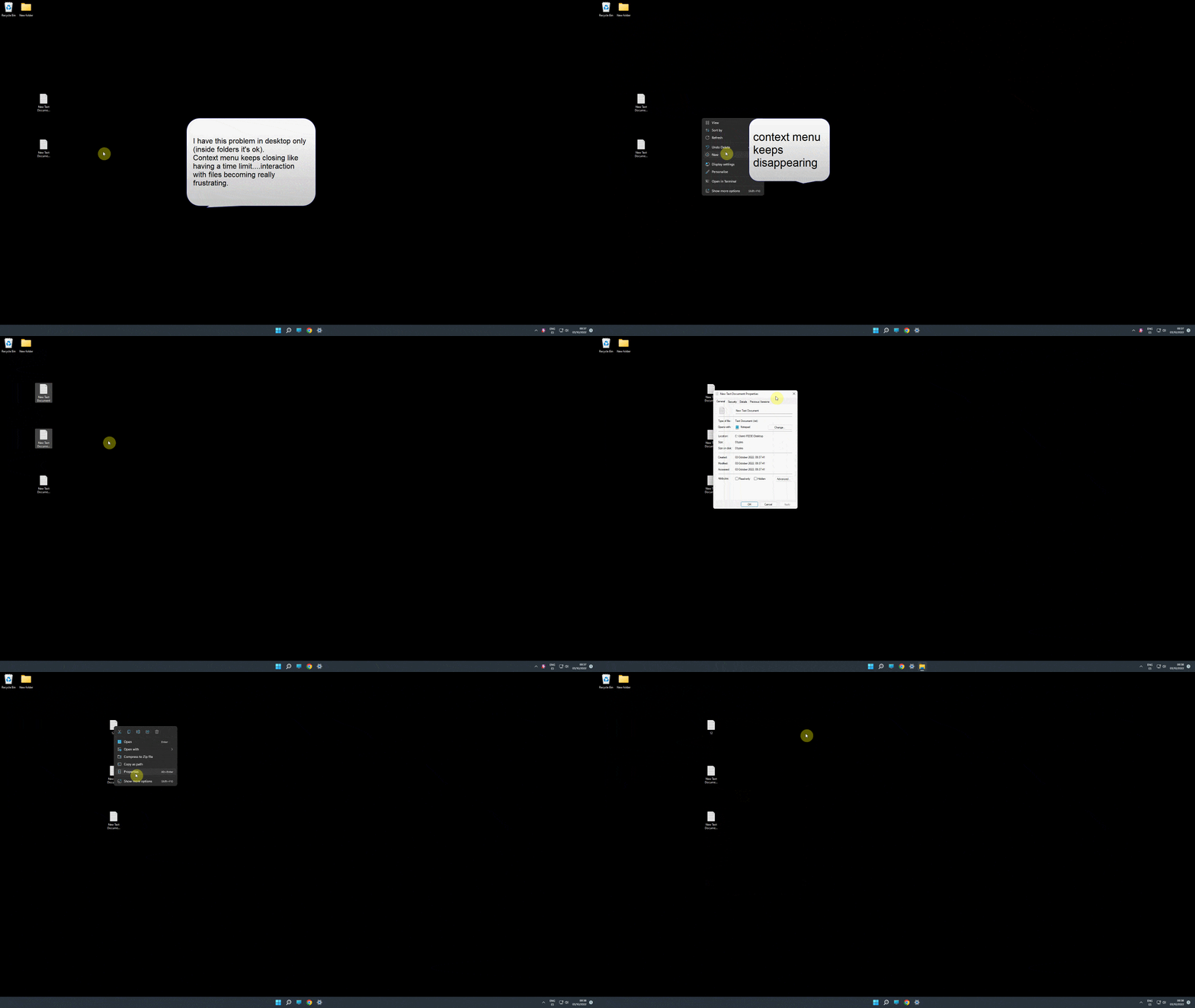
Hi, i have this strange issue with context menu but only in desktop (works normal with files inside folders).
Every action is limited by a few seconds before menu closes....
Win 11 always updated....64-bit, Windows 11 Pro version 21H2.....i experienced this issue since the beginning.

Here a gif/video of the problem...hope somebody can help me.
 
Windows Build/Version
Windows 11 Pro version 21H2 22000.978

My Computer My Computer

At a glance

win 11
OS
win 11
It works fine for me. First, if you have made any regedits or have third party software that alters the GUI, undo the changes or uninstall the software to see if it fixes the issue.

Then, if it were me, to expedite matters I would make a test local user account as administrator to see if it works properly there.(or temporarily enable the hidden administrator account to test with) This would narrow it down to a windows problem or an account problem.

New user- settings>accounts>other users>add account>
after created-go back into accounts, click drop arrow next to new account, change account type, make administrator

Enable hidden admin account-command prompt as administrator-type Net user Administrator /active: yes
to disable type Net user Administrator /active: no

If the issue doesn't exist in a new account, it would point to corruption within your user account.
 

My Computers My Computers

  • At a glance

    Windows 11 Pro 25H2 26200.8655i9-10900 10 core 20 threads32 gbnone-Intel UHD Graphics 630
    OS
    Windows 11 Pro 25H2 26200.8655
    Computer type
    PC/Desktop
    Manufacturer/Model
    Dell Optiplex 7080
    CPU
    i9-10900 10 core 20 threads
    Motherboard
    DELL 0J37VM
    Memory
    32 gb
    Graphics Card(s)
    none-Intel UHD Graphics 630
    Sound Card
    Integrated Realtek
    Monitor(s) Displays
    Benq 27
    Screen Resolution
    2560x1440
    Hard Drives
    2x1tb Solidigm m.2 nvme /External drives 512gb Samsung m.2 sata+2tb Kingston m2.nvme
    PSU
    500w
    Case
    MT
    Cooling
    Dell Premium
    Keyboard
    Logitech wired
    Mouse
    Logitech wireless
    Internet Speed
    so slow I'm too embarrassed to tell
    Browser
    #1 Edge #2 Firefox
    Antivirus
    Defender+MWB Premium
  • At a glance

    Windows 11 Pro 24H2 26200.8457AMD Ryzen 7 6800U32 gbintegrated
    Operating System
    Windows 11 Pro 24H2 26200.8457
    Computer type
    PC/Desktop
    Manufacturer/Model
    Beelink Mini PC SER5
    CPU
    AMD Ryzen 7 6800U
    Memory
    32 gb
    Graphics card(s)
    integrated
    Sound Card
    integrated
    Monitor(s) Displays
    Benq 27
    Screen Resolution
    2560x1440
    Hard Drives
    1TB Crucial nvme
    Keyboard
    Logitech wired
    Mouse
    Logitech wireless
    Internet Speed
    still too embarrassed to tell
    Browser
    Firefox
    Antivirus
    Defender
    Other Info
    System 3 is non compliant Dell 9020 i7-4770/24gb ram Win11 PRO 26200.8457
It works fine for me. First, if you have made any regedits or have third party software that alters the GUI, undo the changes or uninstall the software to see if it fixes the issue.

Then, if it were me, to expedite matters I would make a test local user account as administrator to see if it works properly there.(or temporarily enable the hidden administrator account to test with) This would narrow it down to a windows problem or an account problem.

New user- settings>accounts>other users>add account>
after created-go back into accounts, click drop arrow next to new account, change account type, make administrator

Enable hidden admin account-command prompt as administrator-type Net user Administrator /active: yes
to disable type Net user Administrator /active: no

If the issue doesn't exist in a new account, it would point to corruption within your user account.
Thanks for your reply.

No third party software that alters the GUI or regedits made here....

I tried the admin account but problem still here...
 

My Computer My Computer

At a glance

win 11
OS
win 11
Back
Top Bottom