Solved Win11 upgrade from Win10 fails no matter what I try?


darkstrike

Member
Local time
6:19 PM
Posts
10
OS
Linux Mint
Hi all,

Title says it all. I've got a laptop that I am working on that belongs to a family member...very new HP that has Win10 installed on it and they now want it upgraded to Win11. It originally came with Win11 but another family member had put Win10 on it somehow as the owners are an elderly couple and they wanted it to be familiar (their previous computer had Win10) - I don't know any of the details on that, only that it currently has Win10 and they want it upgraded to Win11. I have tried upgrading from Win10 to Win11 by:

- Installing the upgrade through Windows update
- Installing from a Win11 USB
- Downloading and installing it from the official MS Windows 11 Download tool

None work. The install goes through the blue screen, restarts to do the last bit...gets to maybe 70, 80, 90-something percent (I've never been right next to it when it reached the failure point to see exactly what percentage it fails at) and then restarts back into Windows 10 with a 0x8007001f error.

I have tried chkdsk twice, both times it says it completed successfully with no changes and that all was fine.

I have tried sfc /scannow which tells me it found issues but that not everything was repairable.

I have tried DISM CheckHealth / ScanHealth / RestoreHealth (in that order) multiple times. They say it completes successfully, but the upgrade still does not go through.

Anybody have any ideas how I can get this upgrade to complete successfully? I know there is probably a log file somewhere, but I don't know where it is and am not sure I would understand what I was looking at even if I were to read it...?

The laptop is a very new HP 15-fd0077ca wth 16GB RAM, an Intel Core i7-1355u CPU @ 1.7Ghz, Intel Iris on-board graphics, and a 512GB SSD running Win10 22H2.

Any help is greatly appreciated! I'd hate to have to install things from scratch as they have some old specialty software on here they still use that had been from their business that they no longer have an install file/disk for.

Thanks for any and all suggestions or assistance! :)
 
Windows Build/Version
Win10 22H2

My Computer My Computer

At a glance

Linux Mint
OS
Linux Mint
Computer type
PC/Desktop
Manufacturer/Model
Custom

My Computer My Computer

At a glance

Windows 11AMD Ryzen 7 5700GMicron Technology DDR4-3200 16GBNVIDIA GeForce RTX 3060
OS
Windows 11
Computer type
PC/Desktop
Manufacturer/Model
HP Pavilion
CPU
AMD Ryzen 7 5700G
Motherboard
Erica6
Memory
Micron Technology DDR4-3200 16GB
Graphics Card(s)
NVIDIA GeForce RTX 3060
Sound Card
Realtek ALC671
Monitor(s) Displays
Samsung SyncMaster U28E590
Screen Resolution
3840 x 2160
Hard Drives
SAMSUNG MZVLQ1T0HALB-000H1
Obtain the Recovery Media from HP and use that. That should return it to the as bought condition.

The "Speciality software" you will have to find out what exactly that is. Not having the install media for important Business application is not a good scenario.
 

My Computer My Computer

At a glance

Windows 11
OS
Windows 11

My Computer My Computer

At a glance

Linux Mint
OS
Linux Mint
Computer type
PC/Desktop
Manufacturer/Model
Custom
Obtain the Recovery Media from HP and use that. That should return it to the as bought condition.

The "Speciality software" you will have to find out what exactly that is. Not having the install media for important Business application is not a good scenario.
When they had put Win10 on it, they erased the whole drive, so the HP Recovery partition is no longer there.

No worries anyway as I have actually solved the problem. Turns out there were somehow two corrupted old Windows account profiles still on the computer aside from the profile they actually use. Once I deleted both of those profiles, the computer upgraded perfectly!

Very glad all is sorted out! :)

Thanks to both of you @Helmut and @FreeBooter for trying to help though!
 

My Computer My Computer

At a glance

Linux Mint
OS
Linux Mint
Computer type
PC/Desktop
Manufacturer/Model
Custom
Please run > post share links


a) upgrade_failure_info


b) tuneup_plus


c) V2 log collector


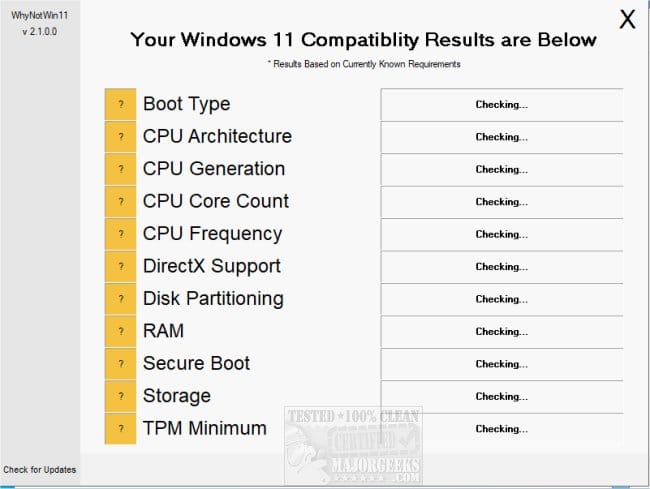
d) whynotwin11


My Computer My Computer

At a glance

Windows 10Intel(R) Core(TM) i7-4800MQ CPU @ 2.70GHz16 GB Total: Manufacturer : Samsung MemoryTyp...NVIDIA Quadro K3100M; Intel(R) HD Graphics 4600
OS
Windows 10
Computer type
Laptop
Manufacturer/Model
HP
CPU
Intel(R) Core(TM) i7-4800MQ CPU @ 2.70GHz
Motherboard
Product : 190A Version : KBC Version 94.56
Memory
16 GB Total: Manufacturer : Samsung MemoryType : DDR3 FormFactor : SODIMM Capacity : 8GB Speed : 1600
Graphics Card(s)
NVIDIA Quadro K3100M; Intel(R) HD Graphics 4600
Sound Card
IDT High Definition Audio CODEC; PNP Device ID HDAUDIO\FUNC_01&VEN_111D&DEV_76E0
Hard Drives
Model Hitachi HTS727575A9E364
Antivirus
Microsoft Defender
Other Info
Mobile Workstation
No need, but thanks anyway @zbook ! As I said in my last post, I managed to solve it! :)
 

My Computer My Computer

At a glance

Linux Mint
OS
Linux Mint
Computer type
PC/Desktop
Manufacturer/Model
Custom
What was the fix?

(missed the post)

Which commands did you run to find the problems?

Which commands did you run to fix the problems?
 

My Computer My Computer

At a glance

Windows 10Intel(R) Core(TM) i7-4800MQ CPU @ 2.70GHz16 GB Total: Manufacturer : Samsung MemoryTyp...NVIDIA Quadro K3100M; Intel(R) HD Graphics 4600
OS
Windows 10
Computer type
Laptop
Manufacturer/Model
HP
CPU
Intel(R) Core(TM) i7-4800MQ CPU @ 2.70GHz
Motherboard
Product : 190A Version : KBC Version 94.56
Memory
16 GB Total: Manufacturer : Samsung MemoryType : DDR3 FormFactor : SODIMM Capacity : 8GB Speed : 1600
Graphics Card(s)
NVIDIA Quadro K3100M; Intel(R) HD Graphics 4600
Sound Card
IDT High Definition Audio CODEC; PNP Device ID HDAUDIO\FUNC_01&VEN_111D&DEV_76E0
Hard Drives
Model Hitachi HTS727575A9E364
Antivirus
Microsoft Defender
Other Info
Mobile Workstation
Obtain the Recovery Media from HP and use that. That should return it to the as bought condition.
Oh FFS, NO!!!!! Don't do that, it'll just restore all the HP adware/bloatware that came with the device

@OP @darkstrike Just download Media Creation Tool from Microsoft and create a boot Win 11 install USB. Boot from the USB and make sure you delete all partitions then clean install Win 11

EDIT
You may need to add storage driver files to the boot USB. When you boot from installation USB and start the install process, it will tell you it can't find a storage device... that's the indication that you'll need the extra drivers
 
Last edited:

My Computers My Computers

  • At a glance

    Windows 11 2xH2 (latest update ... forever anal)Intel i5-124008GBNVIDIA GeForce GT730
    OS
    Windows 11 2xH2 (latest update ... forever anal)
    Computer type
    PC/Desktop
    Manufacturer/Model
    HP Slim S01
    CPU
    Intel i5-12400
    Memory
    8GB
    Graphics Card(s)
    NVIDIA GeForce GT730
    Sound Card
    OOBE
    Monitor(s) Displays
    Acer 32"
    Screen Resolution
    1920x1080
    Hard Drives
    512GB KIOXIA NVMe
    1TB SATA SSD
    PSU
    OOBE
    Case
    OOBE
    Cooling
    OOBE
    Keyboard
    BT
    Mouse
    BT
    Browser
    Brave FFox Chrome Opera
    Antivirus
    KIS
  • At a glance

    Windows 11 Pro 2xH2 (latest update ... 4ever ...i7-1165G7 @ 2.80GHzIntel Iris Xe Graphics
    Operating System
    Windows 11 Pro 2xH2 (latest update ... 4ever anal)
    Computer type
    Laptop
    Manufacturer/Model
    HP Pavillion 15
    CPU
    i7-1165G7 @ 2.80GHz
    Graphics card(s)
    Intel Iris Xe Graphics
    Hard Drives
    Samsung NVMe 512GB
    + numerous/multiple SSD Type C USB enclosures
    Internet Speed
    NBN FTTN 50
    Browser
    Brave
    Antivirus
    KIS
What was the fix?

(missed the post)

Which commands did you run to find the problems?

Which commands did you run to fix the problems?
No commands - I found a post in my searching by a user on reddit that mentioned a corrupted User Account profile was the cause of his issue and he had the same error code as the laptop I was working on. I know the profile I was using on the laptop WASN'T corrupt because I was booted into and doing stuff in it, so I thought that maybe there was an old screwed up one somewhere somehow. When I went into the Advanced System Properties in the Control Panel, then to User Accounts, and sure enough there was a weird profile there that didn't have a name, but said something like 'Missing Profile' (and there was no user folder for it). I deleted that. The system also had a second user profile the owners didn't use. I signed out of their main profile, tried signing into that one and got an error saying that profile couldn't load correctly, so I signed out of it and back into the working profile and deleted that one too as it was obviously corrupt.

Once I deleted both old/corrupt profiles, I restarted, checked for updates to make sure Win10 was fully up to date again, and then tried the Win11 upgrade from the downloaded Win11 Upgrade tool from the MS website. Went through without a hitch!
 

My Computer My Computer

At a glance

Linux Mint
OS
Linux Mint
Computer type
PC/Desktop
Manufacturer/Model
Custom
Oh FFS, NO!!!!! Don't do that, it'll just restore all the HP adware/bloatware that came with the device

@OP @darkstrike Just download Media Creation Tool from Microsoft and create a boot Win 11 install USB. Boot from the USB and make sure you delete all partitions then clean install Win 11

EDIT
You may need to add storage driver files to the boot USB. When you boot from installation USB and start the install process, it will tell you it can't find a storage device... that's the indication that you'll need the extra drivers
Yes, I had no intention of using the HP Recovery Partition

I had used the Win11 Upgrade tool to do the upgrade once I got it working, so all is fine now.
 

My Computer My Computer

At a glance

Linux Mint
OS
Linux Mint
Computer type
PC/Desktop
Manufacturer/Model
Custom
Nice.
 

My Computer My Computer

At a glance

Windows 10Intel(R) Core(TM) i7-4800MQ CPU @ 2.70GHz16 GB Total: Manufacturer : Samsung MemoryTyp...NVIDIA Quadro K3100M; Intel(R) HD Graphics 4600
OS
Windows 10
Computer type
Laptop
Manufacturer/Model
HP
CPU
Intel(R) Core(TM) i7-4800MQ CPU @ 2.70GHz
Motherboard
Product : 190A Version : KBC Version 94.56
Memory
16 GB Total: Manufacturer : Samsung MemoryType : DDR3 FormFactor : SODIMM Capacity : 8GB Speed : 1600
Graphics Card(s)
NVIDIA Quadro K3100M; Intel(R) HD Graphics 4600
Sound Card
IDT High Definition Audio CODEC; PNP Device ID HDAUDIO\FUNC_01&VEN_111D&DEV_76E0
Hard Drives
Model Hitachi HTS727575A9E364
Antivirus
Microsoft Defender
Other Info
Mobile Workstation
Hi all,

Title says it all. I've got a laptop that I am working on that belongs to a family member...very new HP that has Win10 installed on it and they now want it upgraded to Win11. It originally came with Win11 but another family member had put Win10 on it somehow as the owners are an elderly couple and they wanted it to be familiar (their previous computer had Win10) - I don't know any of the details on that, only that it currently has Win10 and they want it upgraded to Win11. I have tried upgrading from Win10 to Win11 by:

- Installing the upgrade through Windows update
- Installing from a Win11 USB
- Downloading and installing it from the official MS Windows 11 Download tool

None work. The install goes through the blue screen, restarts to do the last bit...gets to maybe 70, 80, 90-something percent (I've never been right next to it when it reached the failure point to see exactly what percentage it fails at) and then restarts back into Windows 10 with a 0x8007001f error.

I have tried chkdsk twice, both times it says it completed successfully with no changes and that all was fine.

I have tried sfc /scannow which tells me it found issues but that not everything was repairable.

I have tried DISM CheckHealth / ScanHealth / RestoreHealth (in that order) multiple times. They say it completes successfully, but the upgrade still does not go through.

Anybody have any ideas how I can get this upgrade to complete successfully? I know there is probably a log file somewhere, but I don't know where it is and am not sure I would understand what I was looking at even if I were to read it...?

The laptop is a very new HP 15-fd0077ca wth 16GB RAM, an Intel Core i7-1355u CPU @ 1.7Ghz, Intel Iris on-board graphics, and a 512GB SSD running Win10 22H2.

Any help is greatly appreciated! I'd hate to have to install things from scratch as they have some old specialty software on here they still use that had been from their business that they no longer have an install file/disk for.

Thanks for any and all suggestions or assistance! :)
Did you try disabling antivirus?
 

My Computers My Computers

  • At a glance

    Windows 11 Pro 25H2 (OS Build 26200.8246)Intel(R) Xeon(R) CPU E3-1535M v5 @ 2.90 Max T...64GB DDR4 ECC (Error-Correcting Code memory)NVIDIA Quadro M2000M 4GB GDDR5 & Intel(R) HD ...
    OS
    Windows 11 Pro 25H2 (OS Build 26200.8246)
    Computer type
    Laptop
    Manufacturer/Model
    Dell Precision Mobile Workstation
    CPU
    Intel(R) Xeon(R) CPU E3-1535M v5 @ 2.90 Max Turbo 3.80
    Motherboard
    00V5FJ
    Memory
    64GB DDR4 ECC (Error-Correcting Code memory)
    Graphics Card(s)
    NVIDIA Quadro M2000M 4GB GDDR5 & Intel(R) HD Graphics P530
    Sound Card
    Realtek Audio
    Monitor(s) Displays
    15.6" 4K UltraHD
    Screen Resolution
    4K UHD 3840x2160
    Hard Drives
    2TB Crucial NVMe & 2TB Seagate SATA
    PSU
    Dell 180W 19.5V-9.23A
    Keyboard
    Backlit
    Mouse
    Logitech G703 & Logitech G305
    Internet Speed
    WIFI: Intel(R) Wi-Fi 6E AX210NGW(Gig+) 160MHz Bands 2.4GHz(574Mbps), 5GHz 2.4Gbps, 6 GHz (160MHz) 2.4Gbps
    Browser
    Mozilla Firefox
    Antivirus
    Windows Defender/Microsoft Security + additional Anti Spyware, Anti Malware, etc.
    Other Info
    Thunderbolt 3
  • At a glance

    Windows 11 Pro 24H2 (OS Build 26100.6725)Dual (X2) Intel(R) Xeon(R) CPU E5-2690 0 @ 2....64GB DDR3 ECC (Error-Correcting Code memory)NVIDIA GeForce GTX 970 4GB of GDDR5
    Operating System
    Windows 11 Pro 24H2 (OS Build 26100.6725)
    Computer type
    PC/Desktop
    Manufacturer/Model
    Dell Precision Workstation T5610
    CPU
    Dual (X2) Intel(R) Xeon(R) CPU E5-2690 0 @ 2.90GHz Max Turbo 3.80
    Motherboard
    0WN7Y6
    Memory
    64GB DDR3 ECC (Error-Correcting Code memory)
    Graphics card(s)
    NVIDIA GeForce GTX 970 4GB of GDDR5
    Sound Card
    Realtek Audio & NVIDIA High Definition Audio
    Monitor(s) Displays
    3 Acer Monitors
    Screen Resolution
    1920x1080
    Hard Drives
    2 Seagate Barracuda ST2000DM008-2UB102 (RAID)
    Mouse
    Logitech G305

My Computer My Computer

At a glance

Linux Mint
OS
Linux Mint
Computer type
PC/Desktop
Manufacturer/Model
Custom
🤣 the TLDR Effect is strong in this thread
 

My Computer My Computer

At a glance

Windows 11 Pro
OS
Windows 11 Pro
🤣 the TLDR Effect is strong in this thread
Seems that way! I tried to give as much info as I could in my original post - then luckily solved it myself by chance while waiting to see if anybody had any good replies with suggestions!

Amused (though thankful people were trying to help!) that people are still replying despite the fact I said I'd solved it and marked it as solved in the 5th post :P
 

My Computer My Computer

At a glance

Linux Mint
OS
Linux Mint
Computer type
PC/Desktop
Manufacturer/Model
Custom
The laptop is a very new HP 15-fd0077ca

Unlikely it had a recovery partition. Not common nowadays.

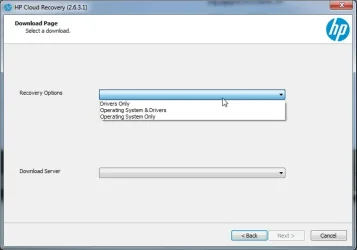
if it is of interest to anybody hp lists the supported platforms for its cloud recovery

typically downloads as two wim files one with the os the other with drivers. Can choose one or both

HP-CLOUD-RECOVERY2.webp
 

My Computers My Computers

  • At a glance

    Win7,Win11i7-97002x16gb 3600mhz
    OS
    Win7,Win11
    Computer type
    PC/Desktop
    CPU
    i7-9700
    Motherboard
    gigabyte b365m ds3h
    Memory
    2x16gb 3600mhz
    Monitor(s) Displays
    benq gw2480
    PSU
    bequiet pure power 11 400CM
    Cooling
    cryorig m9i
  • At a glance

    win7,win11i5-84002x8gb 3200
    Operating System
    win7,win11
    Computer type
    PC/Desktop
    CPU
    i5-8400
    Motherboard
    gigabyte b365m ds3h
    Memory
    2x8gb 3200
    PSU
    xfx pro 450
Hi all,

Title says it all. I've got a laptop that I am working on that belongs to a family member...very new HP that has Win10 installed on it and they now want it upgraded to Win11. It originally came with Win11 but another family member had put Win10 on it somehow as the owners are an elderly couple and they wanted it to be familiar (their previous computer had Win10) - I don't know any of the details on that, only that it currently has Win10 and they want it upgraded to Win11. I have tried upgrading from Win10 to Win11 by:

- Installing the upgrade through Windows update
- Installing from a Win11 USB
- Downloading and installing it from the official MS Windows 11 Download tool

None work. The install goes through the blue screen, restarts to do the last bit...gets to maybe 70, 80, 90-something percent (I've never been right next to it when it reached the failure point to see exactly what percentage it fails at) and then restarts back into Windows 10 with a 0x8007001f error.

I have tried chkdsk twice, both times it says it completed successfully with no changes and that all was fine.

I have tried sfc /scannow which tells me it found issues but that not everything was repairable.

I have tried DISM CheckHealth / ScanHealth / RestoreHealth (in that order) multiple times. They say it completes successfully, but the upgrade still does not go through.

Anybody have any ideas how I can get this upgrade to complete successfully? I know there is probably a log file somewhere, but I don't know where it is and am not sure I would understand what I was looking at even if I were to read it...?

The laptop is a very new HP 15-fd0077ca wth 16GB RAM, an Intel Core i7-1355u CPU @ 1.7Ghz, Intel Iris on-board graphics, and a 512GB SSD running Win10 22H2.

Any help is greatly appreciated! I'd hate to have to install things from scratch as they have some old specialty software on here they still use that had been from their business that they no longer have an install file/disk for.

Thanks for any and all suggestions or assistance! :)
Out of curiosity, how did they manage to install this specialty software on a new system without the software?
 

My Computer My Computer

At a glance

Windows 11 25H2Broadwell-e 6850K 4.5ghz @1.36v32GB Corsair LPM 3600 C16EVGA RTX 3080Ti FTW
OS
Windows 11 25H2
Computer type
PC/Desktop
Manufacturer/Model
EVGA home brew
CPU
Broadwell-e 6850K 4.5ghz @1.36v
Motherboard
EVGA X99 FTW K
Memory
32GB Corsair LPM 3600 C16
Graphics Card(s)
EVGA RTX 3080Ti FTW
Sound Card
Asus Centurion true 7.1 headset. (5 speakers in each earpeice)
Monitor(s) Displays
LG C4 55"
Screen Resolution
4K 144hz
Hard Drives
Various models of SSDs ~10TB No HDDs installed.
PSU
be quiet! BN516 Straight Power 12-1000w 80 Plus Platinum
Case
Corsair 780T modified to dual 200mm intake fans
Cooling
Corsair H110i
Keyboard
Corsair K95 Platinum
Mouse
Corsair M65 RGB Elite
Internet Speed
50Mbs
Unlikely it had a recovery partition. Not common nowadays.

if it is of interest to anybody hp lists the supported platforms for its cloud recovery

typically downloads as two wim files one with the os the other with drivers. Can choose one or both

View attachment 154870

wow i did not know this exist. Thank you! This is %100 official hp platform right? Not any third party?
 

My Computers My Computers

  • At a glance

    windows 11 home 23H2 22631.6199Intel core i7 (2nd gen) Turbo 3.10 ghz6gbAmd Radeon HD 7400m 1GB & Intel hd graphics
    OS
    windows 11 home 23H2 22631.6199
    Computer type
    Laptop
    Manufacturer/Model
    HP
    CPU
    Intel core i7 (2nd gen) Turbo 3.10 ghz
    Memory
    6gb
    Graphics Card(s)
    Amd Radeon HD 7400m 1GB & Intel hd graphics
    Sound Card
    BeatsAudio
    Hard Drives
    128gb SSD
  • At a glance

    macOS SequoiaM1 3.2 ghz8gb onboardigpu
    Operating System
    macOS Sequoia
    Computer type
    PC/Desktop
    Manufacturer/Model
    iMac 24"
    CPU
    M1 3.2 ghz
    Memory
    8gb onboard
    Graphics card(s)
    igpu
    Monitor(s) Displays
    Retina 4.5K
    Screen Resolution
    4480x2520
    Hard Drives
    512gb SSD

My Computers My Computers

  • At a glance

    Win7,Win11i7-97002x16gb 3600mhz
    OS
    Win7,Win11
    Computer type
    PC/Desktop
    CPU
    i7-9700
    Motherboard
    gigabyte b365m ds3h
    Memory
    2x16gb 3600mhz
    Monitor(s) Displays
    benq gw2480
    PSU
    bequiet pure power 11 400CM
    Cooling
    cryorig m9i
  • At a glance

    win7,win11i5-84002x8gb 3200
    Operating System
    win7,win11
    Computer type
    PC/Desktop
    CPU
    i5-8400
    Motherboard
    gigabyte b365m ds3h
    Memory
    2x8gb 3200
    PSU
    xfx pro 450

Latest Support Threads

Back
Top Bottom