- Local time
- 3:51 AM
- Posts
- 163
- OS
- Windows 11 Home
My Computer
At a glance
Windows 11 Home
- OS
- Windows 11 Home
- Computer type
- Laptop
- Manufacturer/Model
- Lenovo Yoga 7 Slim 14I110

Follow along with the video below to see how to install our site as a web app on your home screen.
Note: This feature may not be available in some browsers.

I've done that in the past and that never made a differenceSee installing the newest version of GPU driver will help.


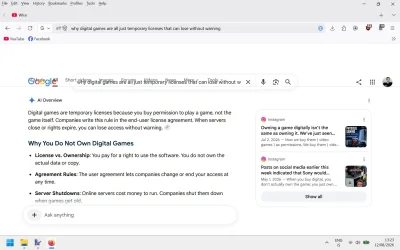
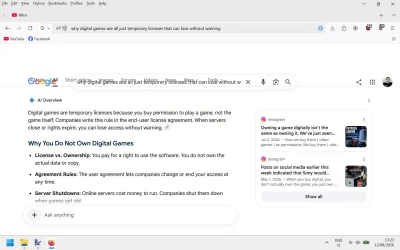
Doesn't happen for me, not in Firefox, nor in Edge either.Does anyone know why this randomly happens on google if you scroll too quickly but it fixes it self by scrolling dow gently ?
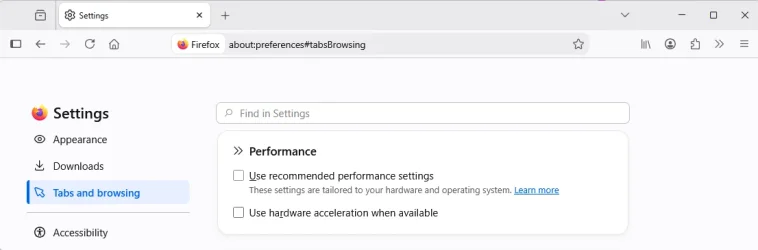
My thoughts exactly. Try turning off 'Use recommended performance settings' and 'Use hardware acceleration when available'.Have your tested with hardware acceleration disabled in FF?
Does it happen using Edge?


 maketecheasier.com
Thanks but i'm not gonna tinker with that speed.this maybe of help for scrolling in Firefox
in the address bar write about:config
this will open up the Firefox configuration settings
then follow this how to to change scrolling speeds and behaviour
How to Change the Scrolling Speed in Firefox - Make Tech Easier
Did you know that you can adjust your browser's scrolling speed? This guide shows how to modify the Firefox scroll speed.
best of luck Steve ..

It came again exactly same without trying. The effect is the same so the screenshot wont do much difference again. I only use Firefox no Chrome or Edge. uBlock and Ghostery are always turned off there. Everything is up to date Windows Update too.

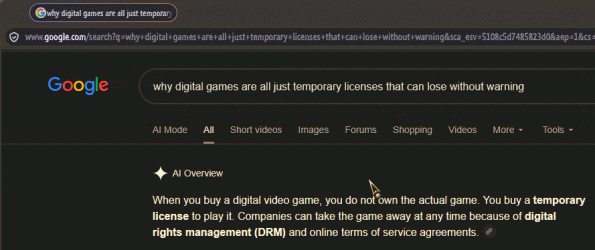
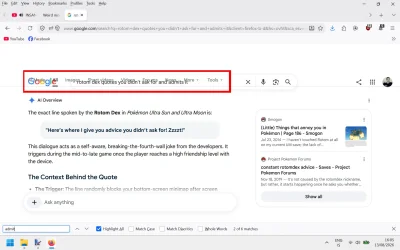
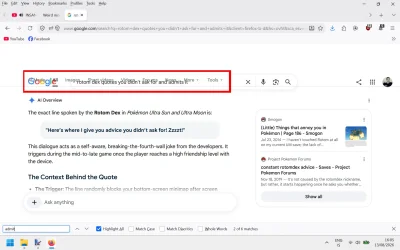
I'm using the latest version of FIrefox 153.0.4 (64-Bit) and i mentioned it several times my only extensions are uBlock and Ghostery.It looks as if your browser is not interpreting the page layout properly, the Sticky Headers look as if they are collapsing into each other...
View attachment 179493
Are you using an older version of Firefox, or, are you using an extension such as NoScript or Tampermonkey?
Nice screenshot illustration....It looks as if your browser is not interpreting the page layout properly, the Sticky Headers look as if they are collapsing into each other...
So am I, mine behaves exactly like Edwin's video.I'm using the latest version of FIrefox 153.0.4 (64-Bit)....
It would help if you tested it in Edge. If you see it in Edge too then that makes it much more likely to be your specific hardware that's the issue.I only use Firefox no Chrome or Edge.
It was a setting called true on my browser, i'll be in touch. Any specific word in it i need to track in it ?in the address bar write about:config
when this page opens in the search bar write
gfx.webrender.all
set this to enable then restart the browser
see if that gives any improvements
best of luck Steve ..
true = enableIt was a setting called true on my browser, i'll be in touch. Any specific word in it i need to track in it ?
true = enable
false = disable
my bad
best of luck Steve ..