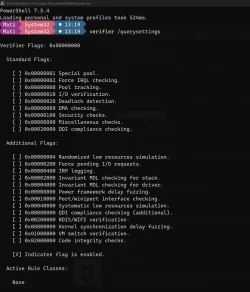
Upgrade_failure_info.bat doesn't workThey missed viewing the computer logs?
They didn't view event viewer?
How come you did not follow this step:
3) Run upgrade_failure_info > post a share link
Batch files for use in BSOD debugging - Windows 10 Help Forums
Information This thread is for use by the BSOD team to store batch files that can be used to collect additional data, fix settings or anything else that is useful in debugging BSOD problems in Windows 10. The way I see it working is the firstwww.tenforums.com
Batch files for use in BSOD debugging
Batch files and instructions for use in BSOD debugging TOCTable of Contents Part Zero Download Tips for Edge, Firefox and Chrome Part One Verify vertical scroll buffer (Height) is large enough Part Two Capture output of batch file to Clipboard Part Two-OneA From Command Prompt or Powershell...www.tenforums.com
Its 4:52 AM (i'm going to bed)

My Computer
At a glance
Windows 11 IoT LTSC Enterprise 25H213th Gen Intel(R) Core(TM) i9-13900HX64 DDR5 SDRAM (DUAL CHANNEL)NVIDIA GeForce RTX 4070 (8 GB)
- OS
- Windows 11 IoT LTSC Enterprise 25H2
- Computer type
- Laptop
- Manufacturer/Model
- Dell G16 7630
- CPU
- 13th Gen Intel(R) Core(TM) i9-13900HX
- Motherboard
- 0V4JDG
- Memory
- 64 DDR5 SDRAM (DUAL CHANNEL)
- Graphics Card(s)
- NVIDIA GeForce RTX 4070 (8 GB)