Follow along with the video below to see how to install our site as a web app on your home screen.
Note: This feature may not be available in some browsers.
Depends on what tweaks or regedits you have applied.I am using a few Tweak' programs, if this is causing issue ?
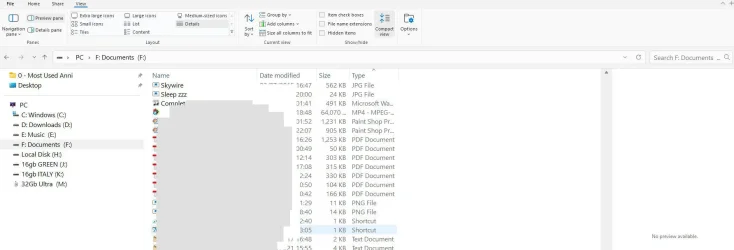
I'm not sure how / what i've done using Tweak program(s) but as a General thing, Why can i NOT get a preview of a Pic to show on Preview Pane as exampleDepends on what tweaks or regedits you have applied.
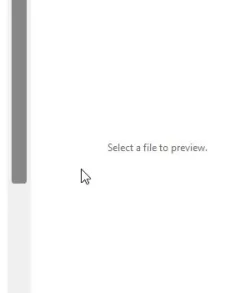
Attached is my 'View' ( If i click on a jpg say, the wording on right hand side saying 'Select a File to preview' Disappears, as does 'No Preview Available' { When clicking on a jpg icon }Maybe you have the preview pane closed. Click the word "preview" toward upper right above the pane.
Either Shexview , StartAllBack, or Winaero TweakerDo you know if you lost Preview right after making your tweaks? What tweaking program(s) did you use? By knowing what you used to make the tweaks may help someone to be able to tell you how to undo them.
If it being caused by a tweak my guess is that it was either Shexview or Winaero Tweaker. If it is caused by SAB it's a tweak I never used. Hopefully someone who uses either one of these programs will be able to help you undo the tweaks. It that works you can redo your tweaks one at a time and see what tweak caused your problem.Either Shexview , StartAllBack, or Winaero Tweaker
Hi, I think it was Winaero Tweaker , as i dont think i used anything from ShexviewIf it being caused by a tweak my guess is that it was either Shexview or Winaero Tweaker. If it is caused by SAB it's a tweak I never used. Hopefully someone who uses either one of these programs will be able to help you undo the tweaks. It that works you can redo your tweaks one at a time and see what tweak caused your problem.
Thanks , I just tried using the .reg file .. after reboot, still not able to get 'Preview Pane' to show imagesSee if this helps. It's for Win 10 but I'm sure Win 11 would be the same. How To Enable Preview Pane in Windows 10
Ive Installed Windows 11 last week, and always been unable to see 'Preview Pane' itemsI would do a System Restore to a time before this happened.
You had this problem before you made any tweaks?Ive Installed Windows 11 last week, and always been unable to see 'Preview Pane' items
I don't recall seeing preview pane showing itemsYou had this problem before you made ant tweaks?
Do you still have the install media? If you do you could try doing a repair install. Repair Install Windows 11 with an In-place UpgradeI don't recall seeing preview pane showing items
When i go to the Explorer View ..I have set 'preview Pane' .. but when i click on a jpg 'Icon' .. nothing shows on Right Hand side pane ... I am using a few Tweak' programs, if this is causing issue ?
www.elevenforum.com

www.elevenforum.com