Only post #2 step #4 was seen
Please update the progress with steps #1 - #3.
These were some findings:
a) BSODs
b) Old BIOS
1) The BIOS Version/Date American Megatrends Inc. 0904, 23/01/2024
Upgrade the BIOS: 0904 > 2107
ROG Strix Z790-F Gaming: Boost Intel CPUs with DDR5, PCIe 5.0, WiFi 7, AI Overclocking, and immersive audio. Perfect for tech enthusiasts!

rog.asus.com
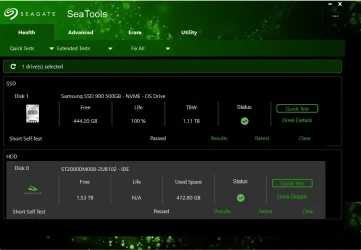
2) Run Sea Tools Long generic test (all drives) > post images or share links
SeaTools - Quick diagnostic tool that checks the health of your drive.
www.seagate.com
3) Run HD Sentinel (all drives) > post images or share links (do not run until posting results for each steps 5, 6, 7 and 8)
Hard Disk Sentinel - HDD health and temperature monitoring
a) Overview
b) Temperature
c) SMART
4) Run administrative PS: > post share links
wevtutil epl Application "$env:USERPROFILE\Desktop\application.evtx" /ow:true
wevtutil epl System "$env:USERPROFILE\Desktop\system.evtx" /ow:true
5) Read this link on Windows Driver Verifier (WDV): (Please do not run the tool until completing the steps in post #2)
Enable and Disable Driver Verifier in Windows 10
How to Enable and Disable Driver Verifier in Windows 10

www.tenforums.com
6) Create a new restore point:
This tutorial will show you how to manually create a restore point in Windows 11. Turning on system protection for a drive allows System Restore to include the drive when restore points are created so you can undo undesired system changes by reverting to a previous point in time. System...

www.elevenforum.com
7) Learn the methods to recover from BSOD caused by WDV by booting into safe mode and running one or more of these commands:
verifier /reset
verifier /bootmode resetonbootfail
(option nine and seven)
This tutorial will show you how to boot to the advanced startup (WinRE) in Windows 11. The Windows Recovery Environment (WinRE) is a companion operating system installed alongside Windows 11, typically in a separate partition, that can help with troubleshooting, recovery, or booting from...
www.elevenforum.com
8) Plan to run the tool with various customized test settings.
a) Test all non-Microsoft drivers
b) Test no Microsoft drivers
c) For the first run of WDV select the 3 customized tests displayed in the TF tutorial
9) Whenever the WDV tool is started if there is no immediate BSOD then open administrative command prompt and copy and paste:
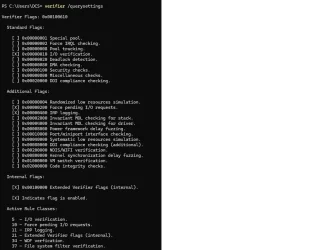
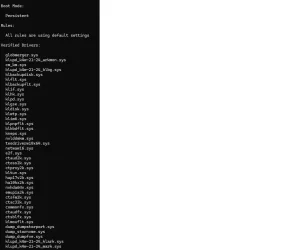
verifier /querysettings
Post a share link.
Customized tests will then be posted for the next run of WDV.
WDV can run continuously during the testing.
For any BSOD post a new V2 share link into the newest post.
Code:
HotFixID  Description     InstalledOn
--------  -----------     -----------
KB5054156 Update          02/03/2026
KB5082417 Update          20/04/2026
KB5083769 Security Update 20/04/2026
KB5088467 Security Update 20/04/2026
Code:
Event[6013]
  Log Name: System
  Source: Service Control Manager
  Date: 2026-04-23T00:37:14.0820000Z
  Event ID: 7000
  Task: N/A
  Level: Error
  Opcode: N/A
  Keyword: Classic,
  User: N/A
  User Name: N/A
  Computer: Dave
  Description:
The Windows Update service failed to start due to the following error:
The service did not respond to the start or control request in a timely fashion.
Code:
Event[2546]
  Log Name: System
  Source: volmgr
  Date: 2026-04-20T03:13:34.5530000Z
  Event ID: 46
  Task: None
  Level: Error
  Opcode: N/A
  Keyword: Classic,
  User: N/A
  User Name: N/A
  Computer: Dave
  Description:
Crash dump initialization failed!