Solved Windows Fax & Scan Support .pdf Files?


aln

Member
Local time
7:17 PM
Posts
3
OS
Windows 11 Home
I was excited to discover the Windows Fax & Scan utility, but do not see an option to scan to a .pdf file. Is such an option available, and if so, how do I get to it?
1657217423822.png
 
Windows Build/Version
21H2 Build 22000.739

My Computer My Computer

At a glance

Windows 11 Home12 GB DDR4-2933 MHz RAM (1 x 4 GB, 1 x 8 GB)12 GBAMD Radeon™ RX 550 Graphics (2 GB GDDR5 dedic...
OS
Windows 11 Home
Computer type
PC/Desktop
Manufacturer/Model
HP Pavilion Desktop TP01-2327c PC
CPU
12 GB DDR4-2933 MHz RAM (1 x 4 GB, 1 x 8 GB)
Motherboard
Stark SSID: 8860
Memory
12 GB
Graphics Card(s)
AMD Radeon™ RX 550 Graphics (2 GB GDDR5 dedicated)
Monitor(s) Displays
HP W2371d
It may require a different program, I'm using Adobe Acrobat 8 [not the free Adobe Acrobat Reader] to scan multiple pages into .pdf format. There may be cheaper programs available such as Lightning PDF, Fusion PDF, Soda PDF, etc. Adobe Acrobat has become too costly for my needs to upgrade.
 

My Computers My Computers

  • At a glance

    Win11 Pro RTM Version 24H2 Build 26100.4202Intel Core i5 11th Gen. 2.40GHz12GB
    OS
    Win11 Pro RTM Version 24H2 Build 26100.4202
    Computer type
    Laptop
    Manufacturer/Model
    Dell Vostro 3400
    CPU
    Intel Core i5 11th Gen. 2.40GHz
    Memory
    12GB
    Hard Drives
    256GB SSD NVMe M.2
  • At a glance

    Win11 Pro RTM Version 24H2 Build 26100.4202Intel Core i5 10th Gen. 2.90GHz16GBOnboard, no VGA, using a DisplayPort-to-VGA a...
    Operating System
    Win11 Pro RTM Version 24H2 Build 26100.4202
    Computer type
    PC/Desktop
    Manufacturer/Model
    Dell Vostro 5890
    CPU
    Intel Core i5 10th Gen. 2.90GHz
    Memory
    16GB
    Graphics card(s)
    Onboard, no VGA, using a DisplayPort-to-VGA adapter
    Monitor(s) Displays
    24" Dell
    Hard Drives
    512GB SSD NVMe, 4TB Seagate HDD
    Browser
    Firefox, Edge
    Antivirus
    Windows Defender/Microsoft Security
It may require a different program, I'm using Adobe Acrobat 8 [not the free Adobe Acrobat Reader] to scan multiple pages into .pdf format. There may be cheaper programs available such as Lightning PDF, Fusion PDF, Soda PDF, etc. Adobe Acrobat has become too costly for my needs to upgrade.
Thanks Berton. That's what I suspect, but thought it would be worth a shot to first reach out to the experts before looking for alternatives. I was using the app that came with my (quite old) HP G4050 Scan Jet, but it doesn't seem to be compatible with Win11. HP won't even talk to me about trouble shooting; they just say get a new scanner.
 

My Computer My Computer

At a glance

Windows 11 Home12 GB DDR4-2933 MHz RAM (1 x 4 GB, 1 x 8 GB)12 GBAMD Radeon™ RX 550 Graphics (2 GB GDDR5 dedic...
OS
Windows 11 Home
Computer type
PC/Desktop
Manufacturer/Model
HP Pavilion Desktop TP01-2327c PC
CPU
12 GB DDR4-2933 MHz RAM (1 x 4 GB, 1 x 8 GB)
Motherboard
Stark SSID: 8860
Memory
12 GB
Graphics Card(s)
AMD Radeon™ RX 550 Graphics (2 GB GDDR5 dedicated)
Monitor(s) Displays
HP W2371d
Try Paperport... my dad's favorite app
 

My Computer My Computer

At a glance

Windows 11 Pro 25H2Intel Alder lake i7 12700K32 Gb Corsair Vengeance LPX DDR4 3200 XMP2EVGA 3070ti FTW3 Ultra Gaming & Intel Arc
OS
Windows 11 Pro 25H2
Computer type
PC/Desktop
Manufacturer/Model
My Self
CPU
Intel Alder lake i7 12700K
Motherboard
Asus z690 Gaming WiFi D4, Bios Ver 4505
Memory
32 Gb Corsair Vengeance LPX DDR4 3200 XMP2
Graphics Card(s)
EVGA 3070ti FTW3 Ultra Gaming & Intel Arc
Sound Card
Via Display port
Monitor(s) Displays
Dell AW2723DF
Screen Resolution
2560 x 1440 @ 280Hz G-Sync mode
Hard Drives
WD Black SN850 1Tb NVME (Boot Drive)
WD BLACK SN850X + Heatsink 1Tb NVME
Samsung 870 Qvo 1Tb SSD,
Pioneer DVD-RW DVR-219L
WD Black SN850x NVME 2Tb x3
PSU
Corsair RM850
Case
Phanteks Enthoo Pro M Tempered Glass
Cooling
Be Quiet Shadow Rock 3
Keyboard
Logitech G Pro
Mouse
Logitech G903, Lightspeed + Powerplay Mat
Internet Speed
900Mb/900Mb Fritz!Box 7590ax v2
Browser
Firefox
Antivirus
MS Defender
Other Info
Logitech C930e webcam
Synology DS218 play 2 x 4Tb Synology HAT3300-4T
I swear by this utility - PDF24 Creator.

Not only does it create .pdf files, it has an amoury of tools to manipulate them!!
 

My Computer My Computer

At a glance

Windows 11 Pro 25H2 (Build 26200.9267)Intel Core Ultra 9 285 5.6 GHz32.00 GBIntel Integrated Graphics (128 MB)
OS
Windows 11 Pro 25H2 (Build 26200.9267)
Computer type
PC/Desktop
Manufacturer/Model
Dell Pro Max Tower T2 FCT2250
CPU
Intel Core Ultra 9 285 5.6 GHz
Motherboard
64-bit operating system, x64-based processor
Memory
32.00 GB
Graphics Card(s)
Intel Integrated Graphics (128 MB)
Sound Card
Realtek Audio
Monitor(s) Displays
Dell P2714H Monitor
Screen Resolution
1920 x 1080
Hard Drives
1 x 512GB M.2 XG10d SED KIOXIA PCIe solid state drive (Internal)
1 x 2TB Seagate ST2000DM008-2UB102 HDD (Internal)
1 x 4TB Seagate STGX4000400 External HDD
1 x 6TB WD Elements AE 2689 External HDD
PSU
500 Watts
Cooling
Air
Keyboard
Microsoft Wired Keyboard 600
Mouse
Microsoft USB Basic Optical Mouse v2.0
Browser
Firefox
Antivirus
Windows Defender + Malwarebytes Premium
Other Info
BaseBoard Manufacturer Dell Inc.
BaseBoard Product 022RY57
BaseBoard Version A01
I was excited to discover the Windows Fax & Scan utility, but do not see an option to scan to a .pdf file. Is such an option available, and if so, how do I get to it?
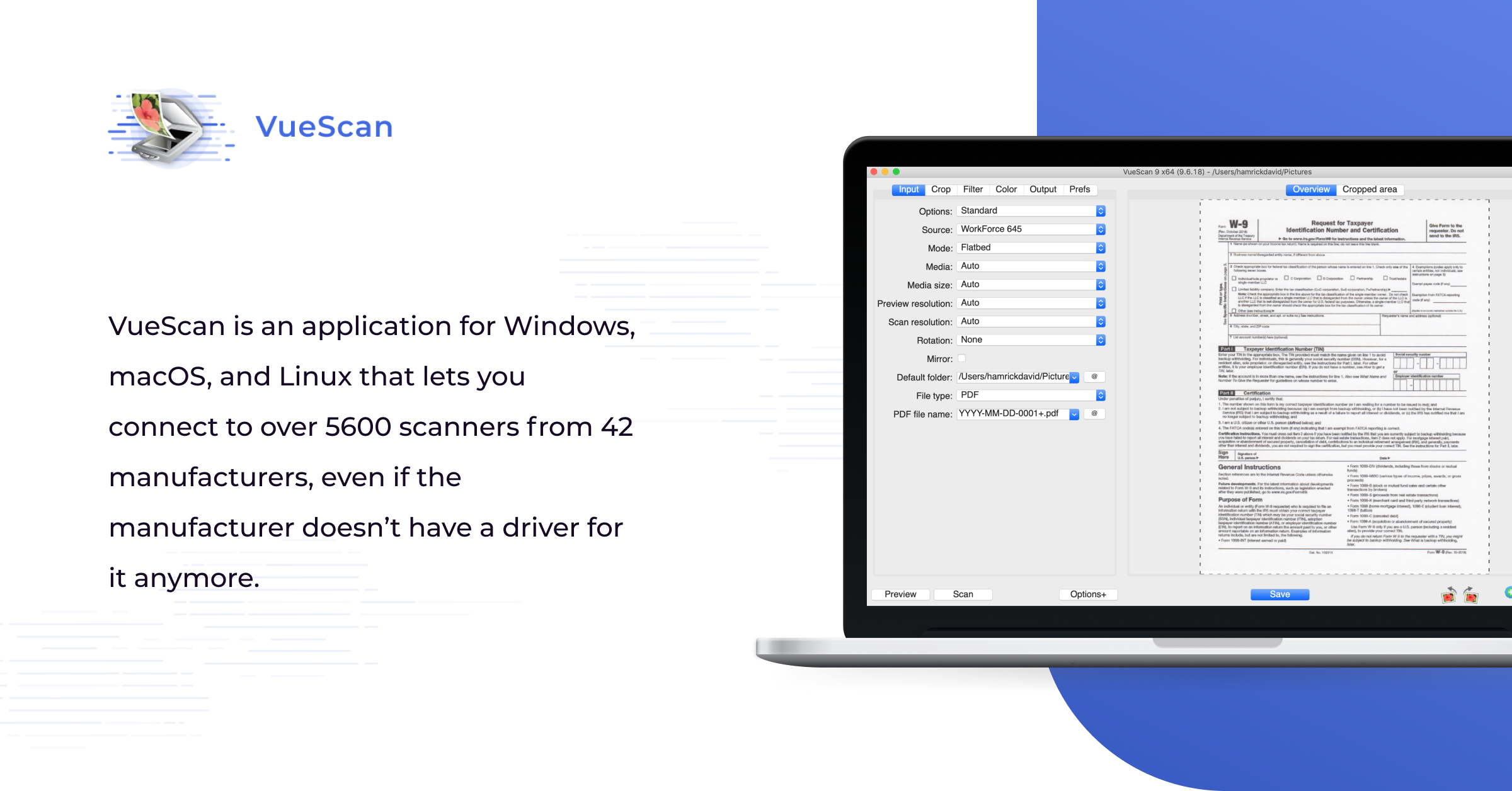
VueScan is an amazing program that allows you to scan and create a PDF no matter how old the scanner is.
You can download to try it out
See www.hamrick.com
 
Last edited:

My Computers My Computers

  • At a glance

    Windows 10Intel i840016GBNVIDIA GeForce GT710
    OS
    Windows 10
    Computer type
    PC/Desktop
    Manufacturer/Model
    Self built
    CPU
    Intel i8400
    Motherboard
    ASUS PRIME Z370-P
    Memory
    16GB
    Graphics Card(s)
    NVIDIA GeForce GT710
    Sound Card
    ASUS Xonar D2X
    Monitor(s) Displays
    Dell SE2417HGXF Full HD Gaming Monitor, 24"
    Screen Resolution
    1920 x 1080
    Hard Drives
    Samsung V-NAND SSD 860EVO
    Other spinning HDDs
    PSU
    Xilence XP420
    Cooling
    PSU fan and stock CPU fan
    Mouse
    Microsoft
    Browser
    Firefox
    Antivirus
    Avira free
  • At a glance

    Windows 11 on VMware (Release, Beta and Dev)
    Operating System
    Windows 11 on VMware (Release, Beta and Dev)
    Computer type
    PC/Desktop
Thank you all for your suggested alternatives. I'm sure there is a great option in them for me.
 

My Computer My Computer

At a glance

Windows 11 Home12 GB DDR4-2933 MHz RAM (1 x 4 GB, 1 x 8 GB)12 GBAMD Radeon™ RX 550 Graphics (2 GB GDDR5 dedic...
OS
Windows 11 Home
Computer type
PC/Desktop
Manufacturer/Model
HP Pavilion Desktop TP01-2327c PC
CPU
12 GB DDR4-2933 MHz RAM (1 x 4 GB, 1 x 8 GB)
Motherboard
Stark SSID: 8860
Memory
12 GB
Graphics Card(s)
AMD Radeon™ RX 550 Graphics (2 GB GDDR5 dedicated)
Monitor(s) Displays
HP W2371d

My Computer My Computer

At a glance

11 64i932GBNvidia GeForce RTX 2060
OS
11 64
Computer type
PC/Desktop
Manufacturer/Model
Lenovo
CPU
i9
Motherboard
Lenovo
Memory
32GB
Graphics Card(s)
Nvidia GeForce RTX 2060
Sound Card
Realtek
Monitor(s) Displays
Dell U3415W
Screen Resolution
3440 x 1440
Internet Speed
1 GB
It may require a different program, I'm using Adobe Acrobat 8 [not the free Adobe Acrobat Reader] to scan multiple pages into .pdf format. There may be cheaper programs available such as Lightning PDF, Fusion PDF, Soda PDF, etc. Adobe Acrobat has become too costly for my needs to upgrade.
If you were looking for a more affordable PDF scanner program, SwifDoo PDF is a must-have.
 

My Computer My Computer

At a glance

Windows 10
OS
Windows 10
Vuescan is supposed to work. You would have to get the standard edition for pdf scanning.
 

My Computer My Computer

At a glance

Windows 10
OS
Windows 10
I use VueScan and NAPS2 (Not Another PDF Scanner 2) NAPS2 is free and open source.
 

My Computers My Computers

  • At a glance

    Windows 11 Pro 25H2Intel Core i7-10700K16GB (8GB PC4-19200 DDR4 SDRAM x2)NVIDIA GeForce GTX 1050 TI
    OS
    Windows 11 Pro 25H2
    Computer type
    PC/Desktop
    Manufacturer/Model
    PowerSpec B746
    CPU
    Intel Core i7-10700K
    Motherboard
    ASRock Z490 Phantom Gaming 4/ax
    Memory
    16GB (8GB PC4-19200 DDR4 SDRAM x2)
    Graphics Card(s)
    NVIDIA GeForce GTX 1050 TI
    Sound Card
    Realtek Audio
    Monitor(s) Displays
    #1. LG ULTRAWIDE 34" #2. AOC Q32G2WG3 32"
    Screen Resolution
    #1. 3440 X 1440 #2. 1920 x 1080
    Hard Drives
    NVMe WDC WDS100T2B0C-00PXH0 1TB
    Samsung SSD 860 EVO 1TB
    PSU
    750 Watts (62.5A)
    Case
    PowerSpec/Lian Li ATX 205
    Keyboard
    Logitech K270
    Mouse
    Logitech M185
    Browser
    Microsoft Edge and Firefox
    Antivirus
    Webroot SecureAnywhere CE 26.1
  • At a glance

    Windows 11 Canary ChannelIntel Core i5-8400 CPU @ 2.80GHz16 MB DDR 4-2666
    Operating System
    Windows 11 Canary Channel
    Computer type
    PC/Desktop
    Manufacturer/Model
    PowerSpec G156
    CPU
    Intel Core i5-8400 CPU @ 2.80GHz
    Motherboard
    AsusTeK Prime B360M-A
    Memory
    16 MB DDR 4-2666
    Monitor(s) Displays
    23" Speptre HDMI 75Hz
    Screen Resolution
    1920x1080
    Hard Drives
    Samsung 970 EVO 500GB NVMe
    Keyboard
    Logitek K270
    Mouse
    Logitek M185
    Browser
    Firefox, Edge and Edge Canary
    Antivirus
    Windows Defender

Latest Support Threads

Back
Top Bottom