JavaScript is disabled. For a better experience, please enable JavaScript in your browser before proceeding.
You are using an out of date browser. It may not display this or other websites correctly.
You should upgrade or use an
alternative browser .
Windows File Explorer Issue
Good day fellow techies. Just updated to 23H2 and in Windows File Explorer, when you click on a folder/file and start to move it around, it now includes an image of the file or folder you are moving. Does anyone know if there's a way to disable/turn off the image from showing up while moving objects in File Explorer? This is what it looks like:
Windows Build/Version
22631.2428/23H2
Windows 11, 23H2 (Build 22631.2428) i7 32gb OSWindows 11, 23H2 (Build 22631.2428) Computer typeLaptop Manufacturer/ModelDell
I see the same thing now, when I select, then begin to drag and or move a folder or file.
What I don't have is a red outline. Did you add that to your image to highlight the issue?
What I learned and is very interesting about the 23H2 upgrade. The feature set is possibly the same as 22H2. If you're coming from that build, then you already had this change, but may have not noticed it.
Windows 11 Home 1.20 GHz 8 GB OSWindows 11 Home Computer typeLaptop Manufacturer/ModelLenovo IdeaPad Slim 3
𝐒𝐩𝐞𝐚𝐤𝐬 𝐀𝐧𝐜𝐢𝐞𝐧𝐭 𝐆𝐞𝐞𝐤
Guru
VIP
@TechnoNerd : Welcome to Eleven Forum!
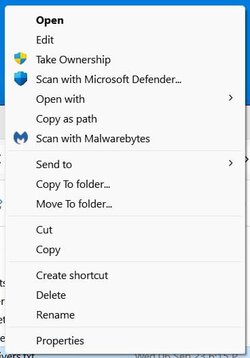
That feature isn't new to 23H2; we've had it for a while. I haven't seen a way to disable it so far. I seldom drag and drop anymore. I use Copy to Folder and Move to Folder in my context menus most of the time.
11 Pro 24H2 26100.2454 i7-9700 @ 3.00GHz 32GBDDR4 @ 2666MHz Intel HD 630 Graphics onboard
OS11 Pro 24H2 26100.2454 Computer typePC/Desktop Manufacturer/ModelLenovo ThinkCentre M920S SFF CPUi7-9700 @ 3.00GHz MotherboardLenovo 3132 Memory32GBDDR4 @ 2666MHz Graphics Card(s)Intel HD 630 Graphics onboard Sound CardRealtek HD Audio Monitor(s) DisplaysLG E2442 Screen Resolution1920x1080 Hard Drives1 x Samsung 970 EVO PLUS 500GB NVMe SSD, 1 x WD_BLACK SN770
250GB NVMe SSD (OS and programs), 1 x WD_BLACK SN770
500GB NVMe SSD (Data) CaseLenovo SFF KeyboardCherry Stream TKL JK-8600US-2 Wired MouseLogiTech M510 wireless Internet SpeedFast (for fixed wireless!) BrowserChrome, sometimes Firefox AntivirusMalwarebytes Premium & Defender (working together beautifully!)
11 Pro 24H2 26100.2454 i5-8400 @ 2.80GHz 32GB DDR4 @ 2600MHz Intel HD 630 Graphics onboard
Operating System11 Pro 24H2 26100.2454 Computer typePC/Desktop Manufacturer/ModelLenovo ThinkCentre M920S SFF CPUi5-8400 @ 2.80GHz MotherboardLenovo 3132 Memory32GB DDR4 @ 2600MHz Graphics card(s)Intel HD 630 Graphics onboard Sound CardRealtek High Definition Audio onboard Monitor(s) DisplaysLG FULL HD (1920x1080@59Hz) Screen Resolution1920 x 1080 Hard Drives1 x Samsung 970 EVO PLUS NVMe; 1 x Samsung 980 NVMe SSD CaseLenovo Think Centre SFF KeyboardCherry Stream TKL JK-8600US-2 Wired MouseLogiTech M510 wireless Internet SpeedFast (for fixed wireless!) BrowserChrome AntivirusMalwarebytes Premium and MS Defender, beautiful together
Well-known member
Guru
VIP
You have an old build, 22631.2418 Install all Windows updates and the bug should fix.
Windows 11 Pro 23H2 (5699), 25H2 (8655) Mobile DualCore Intel Core 2 Duo T7250, 2000 MHz 4GB Mobile Intel(R) GMA 4500M (Mobile 4 series)
OSWindows 11 Pro 23H2 (5699), 25H2 (8655) Computer typeLaptop Manufacturer/ModelAcer Extensa 5630EZ CPUMobile DualCore Intel Core 2 Duo T7250, 2000 MHz MotherboardAcer Extensa 5630 Memory4GB Graphics Card(s)Mobile Intel(R) GMA 4500M (Mobile 4 series) Sound CardRealtek ALC268 @ Intel 82801IB ICH9 - High Definition Audio Controller Monitor(s) Displays1 Screen Resolution1280x800 Hard DrivesSamsung SSD 850 EVO 250GB SATA Device (250 GB, SATA-III) Internet SpeedVDSL 50 Mbps BrowserMICROSOFT EDGE AntivirusWINDOWS DEFENDER Other InfoLegacy MBR installation, no TPM, no Secure Boot, no WDDM 2.0 graphics drivers, no SSE4.2, cannot get more unsupported ;) This is only my test laptop. I had installed Windows 11 here before upgrading my main PC. For my main PC I use everyday see my 2nd system specs.
Windows 11 Pro v25H2 (build 26200.8655) Intel Core-i7 3770 3.40GHz s1155 (3rd generat... 2x Kingston Hyper-X Blu 8GB DDR3-1600 GIGABYTE GeForce RTX 3050 WINDFORCE OC V2 6GB...
Operating SystemWindows 11 Pro v25H2 (build 26200.8655) Computer typePC/Desktop Manufacturer/ModelCustom-built PC CPUIntel Core-i7 3770 3.40GHz s1155 (3rd generation) MotherboardAsus P8H61 s1155 ATX Memory2x Kingston Hyper-X Blu 8GB DDR3-1600 Graphics card(s)GIGABYTE GeForce RTX 3050 WINDFORCE OC V2 6GB (GV-N3050WF2OCV2-6GD) Sound CardRealtek HD audio (ALC887) Monitor(s) DisplaysSony Bravia KDL-19L4000 19" LCD TV via VGA Screen Resolution1440x900 32-bit 60Hz Hard DrivesWD Blue SA510 2.5 1000GB SSD as system disk, Western Digital Caviar Purple 4TB SATA III (WD40PURZ) as second PSUThermaltake Litepower RGB 550W Full Wired CaseSUPERCASE MIDI-TOWER CoolingDeepcool Gamma Archer CPU cooler, 1x 8cm fan at the back KeyboardMitsumi 101-key PS/2 MouseSunnyline OptiEye PS/2 Internet Speed100Mbps BrowserMicrosoft Edge, Mozilla Firefox AntivirusMicrosoft Windows Defender Other InfoLegacy BIOS (MBR) installation, no TPM, no Secure Boot, WDDM 3.0 graphics drivers, WEI score 7.4
𝐒𝐩𝐞𝐚𝐤𝐬 𝐀𝐧𝐜𝐢𝐞𝐧𝐭 𝐆𝐞𝐞𝐤
Guru
VIP
@spapakons : I don't think it's a bug; they call these things "Features." I have the same behavior on 22631.2715.
11 Pro 24H2 26100.2454 i7-9700 @ 3.00GHz 32GBDDR4 @ 2666MHz Intel HD 630 Graphics onboard
OS11 Pro 24H2 26100.2454 Computer typePC/Desktop Manufacturer/ModelLenovo ThinkCentre M920S SFF CPUi7-9700 @ 3.00GHz MotherboardLenovo 3132 Memory32GBDDR4 @ 2666MHz Graphics Card(s)Intel HD 630 Graphics onboard Sound CardRealtek HD Audio Monitor(s) DisplaysLG E2442 Screen Resolution1920x1080 Hard Drives1 x Samsung 970 EVO PLUS 500GB NVMe SSD, 1 x WD_BLACK SN770
250GB NVMe SSD (OS and programs), 1 x WD_BLACK SN770
500GB NVMe SSD (Data) CaseLenovo SFF KeyboardCherry Stream TKL JK-8600US-2 Wired MouseLogiTech M510 wireless Internet SpeedFast (for fixed wireless!) BrowserChrome, sometimes Firefox AntivirusMalwarebytes Premium & Defender (working together beautifully!)
11 Pro 24H2 26100.2454 i5-8400 @ 2.80GHz 32GB DDR4 @ 2600MHz Intel HD 630 Graphics onboard
Operating System11 Pro 24H2 26100.2454 Computer typePC/Desktop Manufacturer/ModelLenovo ThinkCentre M920S SFF CPUi5-8400 @ 2.80GHz MotherboardLenovo 3132 Memory32GB DDR4 @ 2600MHz Graphics card(s)Intel HD 630 Graphics onboard Sound CardRealtek High Definition Audio onboard Monitor(s) DisplaysLG FULL HD (1920x1080@59Hz) Screen Resolution1920 x 1080 Hard Drives1 x Samsung 970 EVO PLUS NVMe; 1 x Samsung 980 NVMe SSD CaseLenovo Think Centre SFF KeyboardCherry Stream TKL JK-8600US-2 Wired MouseLogiTech M510 wireless Internet SpeedFast (for fixed wireless!) BrowserChrome AntivirusMalwarebytes Premium and MS Defender, beautiful together
Well-known member
Guru
VIP
Run sfc /scannow to repair system files. There are also a couple of Dism commands but I don't know the appropriate syntax.
Windows 11 Pro 23H2 (5699), 25H2 (8655) Mobile DualCore Intel Core 2 Duo T7250, 2000 MHz 4GB Mobile Intel(R) GMA 4500M (Mobile 4 series)
OSWindows 11 Pro 23H2 (5699), 25H2 (8655) Computer typeLaptop Manufacturer/ModelAcer Extensa 5630EZ CPUMobile DualCore Intel Core 2 Duo T7250, 2000 MHz MotherboardAcer Extensa 5630 Memory4GB Graphics Card(s)Mobile Intel(R) GMA 4500M (Mobile 4 series) Sound CardRealtek ALC268 @ Intel 82801IB ICH9 - High Definition Audio Controller Monitor(s) Displays1 Screen Resolution1280x800 Hard DrivesSamsung SSD 850 EVO 250GB SATA Device (250 GB, SATA-III) Internet SpeedVDSL 50 Mbps BrowserMICROSOFT EDGE AntivirusWINDOWS DEFENDER Other InfoLegacy MBR installation, no TPM, no Secure Boot, no WDDM 2.0 graphics drivers, no SSE4.2, cannot get more unsupported ;) This is only my test laptop. I had installed Windows 11 here before upgrading my main PC. For my main PC I use everyday see my 2nd system specs.
Windows 11 Pro v25H2 (build 26200.8655) Intel Core-i7 3770 3.40GHz s1155 (3rd generat... 2x Kingston Hyper-X Blu 8GB DDR3-1600 GIGABYTE GeForce RTX 3050 WINDFORCE OC V2 6GB...
Operating SystemWindows 11 Pro v25H2 (build 26200.8655) Computer typePC/Desktop Manufacturer/ModelCustom-built PC CPUIntel Core-i7 3770 3.40GHz s1155 (3rd generation) MotherboardAsus P8H61 s1155 ATX Memory2x Kingston Hyper-X Blu 8GB DDR3-1600 Graphics card(s)GIGABYTE GeForce RTX 3050 WINDFORCE OC V2 6GB (GV-N3050WF2OCV2-6GD) Sound CardRealtek HD audio (ALC887) Monitor(s) DisplaysSony Bravia KDL-19L4000 19" LCD TV via VGA Screen Resolution1440x900 32-bit 60Hz Hard DrivesWD Blue SA510 2.5 1000GB SSD as system disk, Western Digital Caviar Purple 4TB SATA III (WD40PURZ) as second PSUThermaltake Litepower RGB 550W Full Wired CaseSUPERCASE MIDI-TOWER CoolingDeepcool Gamma Archer CPU cooler, 1x 8cm fan at the back KeyboardMitsumi 101-key PS/2 MouseSunnyline OptiEye PS/2 Internet Speed100Mbps BrowserMicrosoft Edge, Mozilla Firefox AntivirusMicrosoft Windows Defender Other InfoLegacy BIOS (MBR) installation, no TPM, no Secure Boot, WDDM 3.0 graphics drivers, WEI score 7.4
Microsoft has the most confusing methods of communicating and tracking their versions.
The first URL and image I posted was from "Timeline ChangeWindows", which does a pretty good keeping up with the version change but, the site doesn't even mention build 23H2 (22621-2428)
But from this official Microsoft site it does.
support.microsoft.com
Now that you have "a version" of 23H2, the question is, will you soon receive the latest 23H2 in build 22621-2715 released on 11/04/2023.
Windows 11 Home 1.20 GHz 8 GB OSWindows 11 Home Computer typeLaptop Manufacturer/ModelLenovo IdeaPad Slim 3
𝐒𝐩𝐞𝐚𝐤𝐬 𝐀𝐧𝐜𝐢𝐞𝐧𝐭 𝐆𝐞𝐞𝐤
Guru
VIP
Run sfc /scannow to repair system files. There are also a couple of Dism commands but I don't know the appropriate syntax.
Running SFC and DISM won't "fix" what OP is seeing. It's part of Windows File Explorer now. You must have it, too, in 2715. Just clcik on a folder and start to drag it, and the folder icon will appear.
11 Pro 24H2 26100.2454 i7-9700 @ 3.00GHz 32GBDDR4 @ 2666MHz Intel HD 630 Graphics onboard
OS11 Pro 24H2 26100.2454 Computer typePC/Desktop Manufacturer/ModelLenovo ThinkCentre M920S SFF CPUi7-9700 @ 3.00GHz MotherboardLenovo 3132 Memory32GBDDR4 @ 2666MHz Graphics Card(s)Intel HD 630 Graphics onboard Sound CardRealtek HD Audio Monitor(s) DisplaysLG E2442 Screen Resolution1920x1080 Hard Drives1 x Samsung 970 EVO PLUS 500GB NVMe SSD, 1 x WD_BLACK SN770
250GB NVMe SSD (OS and programs), 1 x WD_BLACK SN770
500GB NVMe SSD (Data) CaseLenovo SFF KeyboardCherry Stream TKL JK-8600US-2 Wired MouseLogiTech M510 wireless Internet SpeedFast (for fixed wireless!) BrowserChrome, sometimes Firefox AntivirusMalwarebytes Premium & Defender (working together beautifully!)
11 Pro 24H2 26100.2454 i5-8400 @ 2.80GHz 32GB DDR4 @ 2600MHz Intel HD 630 Graphics onboard
Operating System11 Pro 24H2 26100.2454 Computer typePC/Desktop Manufacturer/ModelLenovo ThinkCentre M920S SFF CPUi5-8400 @ 2.80GHz MotherboardLenovo 3132 Memory32GB DDR4 @ 2600MHz Graphics card(s)Intel HD 630 Graphics onboard Sound CardRealtek High Definition Audio onboard Monitor(s) DisplaysLG FULL HD (1920x1080@59Hz) Screen Resolution1920 x 1080 Hard Drives1 x Samsung 970 EVO PLUS NVMe; 1 x Samsung 980 NVMe SSD CaseLenovo Think Centre SFF KeyboardCherry Stream TKL JK-8600US-2 Wired MouseLogiTech M510 wireless Internet SpeedFast (for fixed wireless!) BrowserChrome AntivirusMalwarebytes Premium and MS Defender, beautiful together
Well-known member
Guru
VIP
Last edited: Nov 15, 2023
Windows 11 Home x64 Version 25H2 Build 26200....
OSWindows 11 Home x64 Version 25H2 Build 26200.8037
𝐒𝐩𝐞𝐚𝐤𝐬 𝐀𝐧𝐜𝐢𝐞𝐧𝐭 𝐆𝐞𝐞𝐤
Guru
VIP
@Try3
I think that’s only for whether or not you can see the window’s contents while you’re moving it. The alternative is a ghostly window moving and not showing its contents.
11 Pro 24H2 26100.2454 i7-9700 @ 3.00GHz 32GBDDR4 @ 2666MHz Intel HD 630 Graphics onboard
OS11 Pro 24H2 26100.2454 Computer typePC/Desktop Manufacturer/ModelLenovo ThinkCentre M920S SFF CPUi7-9700 @ 3.00GHz MotherboardLenovo 3132 Memory32GBDDR4 @ 2666MHz Graphics Card(s)Intel HD 630 Graphics onboard Sound CardRealtek HD Audio Monitor(s) DisplaysLG E2442 Screen Resolution1920x1080 Hard Drives1 x Samsung 970 EVO PLUS 500GB NVMe SSD, 1 x WD_BLACK SN770
250GB NVMe SSD (OS and programs), 1 x WD_BLACK SN770
500GB NVMe SSD (Data) CaseLenovo SFF KeyboardCherry Stream TKL JK-8600US-2 Wired MouseLogiTech M510 wireless Internet SpeedFast (for fixed wireless!) BrowserChrome, sometimes Firefox AntivirusMalwarebytes Premium & Defender (working together beautifully!)
11 Pro 24H2 26100.2454 i5-8400 @ 2.80GHz 32GB DDR4 @ 2600MHz Intel HD 630 Graphics onboard
Operating System11 Pro 24H2 26100.2454 Computer typePC/Desktop Manufacturer/ModelLenovo ThinkCentre M920S SFF CPUi5-8400 @ 2.80GHz MotherboardLenovo 3132 Memory32GB DDR4 @ 2600MHz Graphics card(s)Intel HD 630 Graphics onboard Sound CardRealtek High Definition Audio onboard Monitor(s) DisplaysLG FULL HD (1920x1080@59Hz) Screen Resolution1920 x 1080 Hard Drives1 x Samsung 970 EVO PLUS NVMe; 1 x Samsung 980 NVMe SSD CaseLenovo Think Centre SFF KeyboardCherry Stream TKL JK-8600US-2 Wired MouseLogiTech M510 wireless Internet SpeedFast (for fixed wireless!) BrowserChrome AntivirusMalwarebytes Premium and MS Defender, beautiful together
Jack of all trades – master of none
Pro User
VIP
ExplorerPatcher (on GitHub) ➜ go to Properties ➜ File Explorer ➜ Control Interface: Windows 10 Ribbon
11 Home i7 13650HX 16GB DDR5 GeForce RTX 4060 Mobile
OS11 Home Computer typeLaptop Manufacturer/ModelAsus TUF Gaming F16 (2024) CPUi7 13650HX Memory16GB DDR5 Graphics Card(s)GeForce RTX 4060 Mobile Sound CardEastern Electric MiniMax DAC Supreme; Emotiva UMC-200; Astell & Kern AK240 Monitor(s) DisplaysSony Bravia XR-55X90J Screen Resolution3840×2160 Hard Drives512GB SSD internal
37TB external PSULi-ion Cooling2× Arc Flow Fans, 4× exhaust vents, 5× heatpipes KeyboardLogitech K800 MouseLogitech G402 Internet Speed30Mbit/s up, 500Mbit/s down BrowserFF AntivirusWhat's an antivirus?
11 Home i5 1135G7 16GB DDR4 Intel Iris Xe
Operating System11 Home Computer typeLaptop Manufacturer/ModelMedion S15450 CPUi5 1135G7 Memory16GB DDR4 Graphics card(s)Intel Iris Xe Sound CardEastern Electric MiniMax DAC Supreme; Emotiva UMC-200; Astell & Kern AK240 Monitor(s) DisplaysSony Bravia XR-55X90J Screen Resolution3840×2160 Hard Drives2TB SSD internal
37TB external PSULi-ion KeyboardLogitech K800 MouseLogitech G402 Internet Speed30Mbit/s up, 500Mbit/s down BrowserFF
Well-known member
Guru
VIP
That's probably why I didn't have this issue. I am using Windows 10 Ribbon setting in Explorer Patcher. Thanks for sharing.
Windows 11 Pro 23H2 (5699), 25H2 (8655) Mobile DualCore Intel Core 2 Duo T7250, 2000 MHz 4GB Mobile Intel(R) GMA 4500M (Mobile 4 series)
OSWindows 11 Pro 23H2 (5699), 25H2 (8655) Computer typeLaptop Manufacturer/ModelAcer Extensa 5630EZ CPUMobile DualCore Intel Core 2 Duo T7250, 2000 MHz MotherboardAcer Extensa 5630 Memory4GB Graphics Card(s)Mobile Intel(R) GMA 4500M (Mobile 4 series) Sound CardRealtek ALC268 @ Intel 82801IB ICH9 - High Definition Audio Controller Monitor(s) Displays1 Screen Resolution1280x800 Hard DrivesSamsung SSD 850 EVO 250GB SATA Device (250 GB, SATA-III) Internet SpeedVDSL 50 Mbps BrowserMICROSOFT EDGE AntivirusWINDOWS DEFENDER Other InfoLegacy MBR installation, no TPM, no Secure Boot, no WDDM 2.0 graphics drivers, no SSE4.2, cannot get more unsupported ;) This is only my test laptop. I had installed Windows 11 here before upgrading my main PC. For my main PC I use everyday see my 2nd system specs.
Windows 11 Pro v25H2 (build 26200.8655) Intel Core-i7 3770 3.40GHz s1155 (3rd generat... 2x Kingston Hyper-X Blu 8GB DDR3-1600 GIGABYTE GeForce RTX 3050 WINDFORCE OC V2 6GB...
Operating SystemWindows 11 Pro v25H2 (build 26200.8655) Computer typePC/Desktop Manufacturer/ModelCustom-built PC CPUIntel Core-i7 3770 3.40GHz s1155 (3rd generation) MotherboardAsus P8H61 s1155 ATX Memory2x Kingston Hyper-X Blu 8GB DDR3-1600 Graphics card(s)GIGABYTE GeForce RTX 3050 WINDFORCE OC V2 6GB (GV-N3050WF2OCV2-6GD) Sound CardRealtek HD audio (ALC887) Monitor(s) DisplaysSony Bravia KDL-19L4000 19" LCD TV via VGA Screen Resolution1440x900 32-bit 60Hz Hard DrivesWD Blue SA510 2.5 1000GB SSD as system disk, Western Digital Caviar Purple 4TB SATA III (WD40PURZ) as second PSUThermaltake Litepower RGB 550W Full Wired CaseSUPERCASE MIDI-TOWER CoolingDeepcool Gamma Archer CPU cooler, 1x 8cm fan at the back KeyboardMitsumi 101-key PS/2 MouseSunnyline OptiEye PS/2 Internet Speed100Mbps BrowserMicrosoft Edge, Mozilla Firefox AntivirusMicrosoft Windows Defender Other InfoLegacy BIOS (MBR) installation, no TPM, no Secure Boot, WDDM 3.0 graphics drivers, WEI score 7.4