- Local time
- 4:42 PM
- Posts
- 38
- OS
- Windows 11 Pro 26H2 (26300.9550)
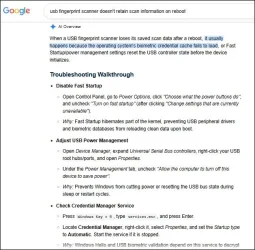
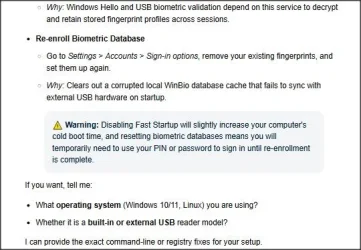
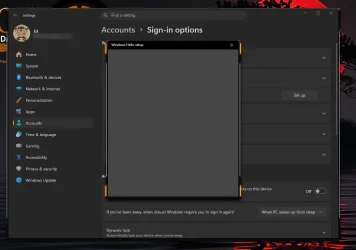
I am trying to install a biometric usb fingerprint scanner but every time I click setup all I am getting is a blank page in Windows Hello that stays open approximately thirty seconds or so then just closes on its own ???
I have tried re-installing drivers , uninstalling the device then re-booting, I have removed my Windows pin and cleared the NGC folder, nothing seems to work.
After clearing everything when I reboot , Windows does acknowledge there is a fingerprint scanner attached and offers to set it up after entering my Windows password but just skips to setting up a new pin.
Also:
For improved security only allow Windows Hello sign-in for Microsoft accounts on this device - is off
Use my sign-in info to automatically finish setting up after an update - is off
Anyone have any advice? I am stumped, I am on the lasted build of Windows 11 Pro 26H2
A
I have tried re-installing drivers , uninstalling the device then re-booting, I have removed my Windows pin and cleared the NGC folder, nothing seems to work.
After clearing everything when I reboot , Windows does acknowledge there is a fingerprint scanner attached and offers to set it up after entering my Windows password but just skips to setting up a new pin.
Also:
For improved security only allow Windows Hello sign-in for Microsoft accounts on this device - is off
Use my sign-in info to automatically finish setting up after an update - is off
Anyone have any advice? I am stumped, I am on the lasted build of Windows 11 Pro 26H2
A
My Computer
At a glance
Windows 11 Pro 26H2 (26300.9550)Intel i9-12900KCorsair Vengeance 64 GB
- OS
- Windows 11 Pro 26H2 (26300.9550)
- Computer type
- PC/Desktop
- Manufacturer/Model
- self built
- CPU
- Intel i9-12900K
- Motherboard
- Gigabyte Z790 Gaming Plus AX
- Memory
- Corsair Vengeance 64 GB
- Screen Resolution
- 1920x1080
- Browser
- Firefox
- Antivirus
- Norton 360 Deluxe