Microsoft 365 Insider Blog:
Hello, Insiders! My name is Debapriya Chhotray, and I’m a Product Manager on the PowerPoint team. I’m excited to share that you can now quickly enhance content directly within your presentation with the help of Microsoft 365 Copilot in PowerPoint for Windows and PowerPoint for the web.
Rephrase text to suit your presentation narrative with Copilot
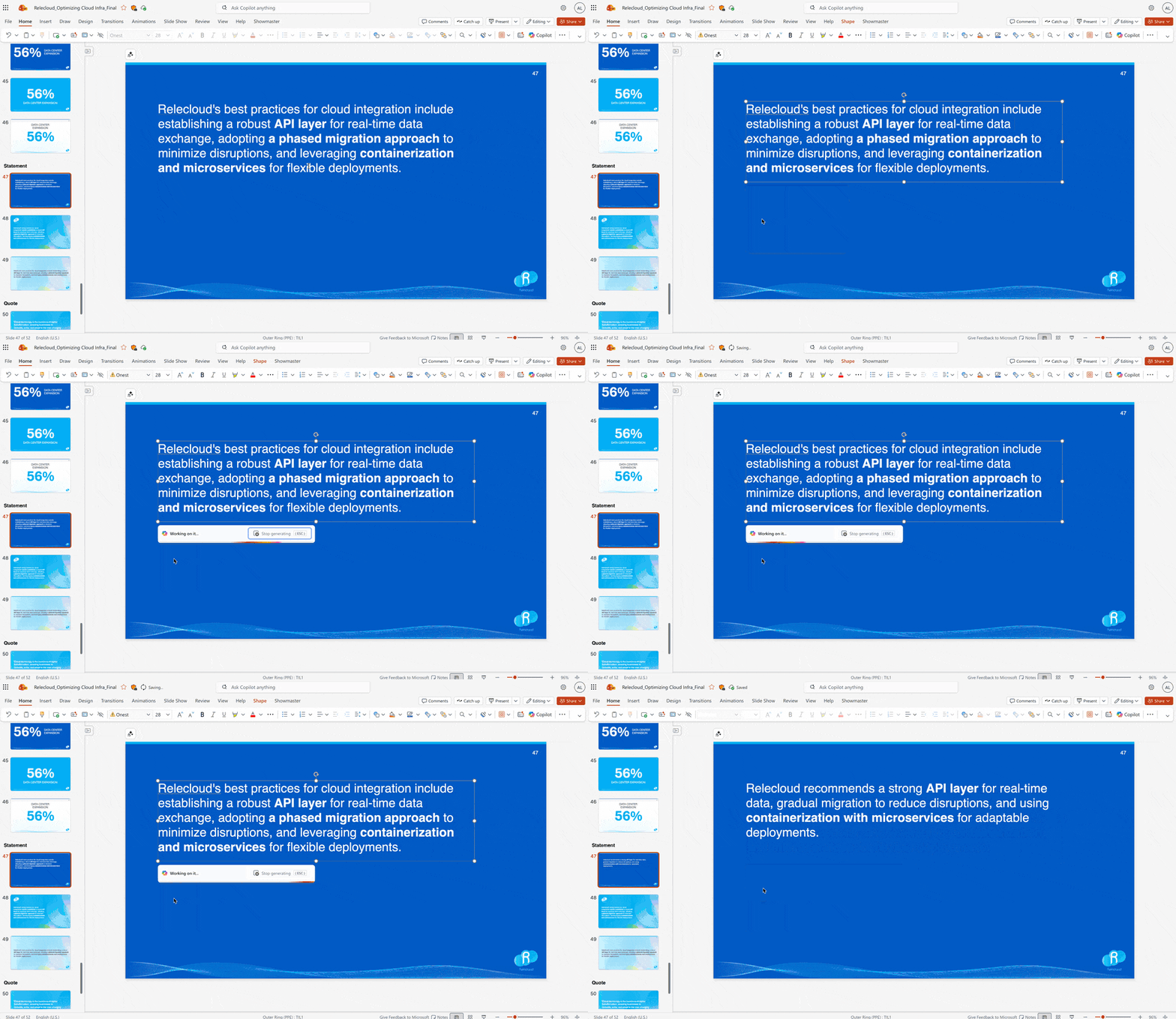
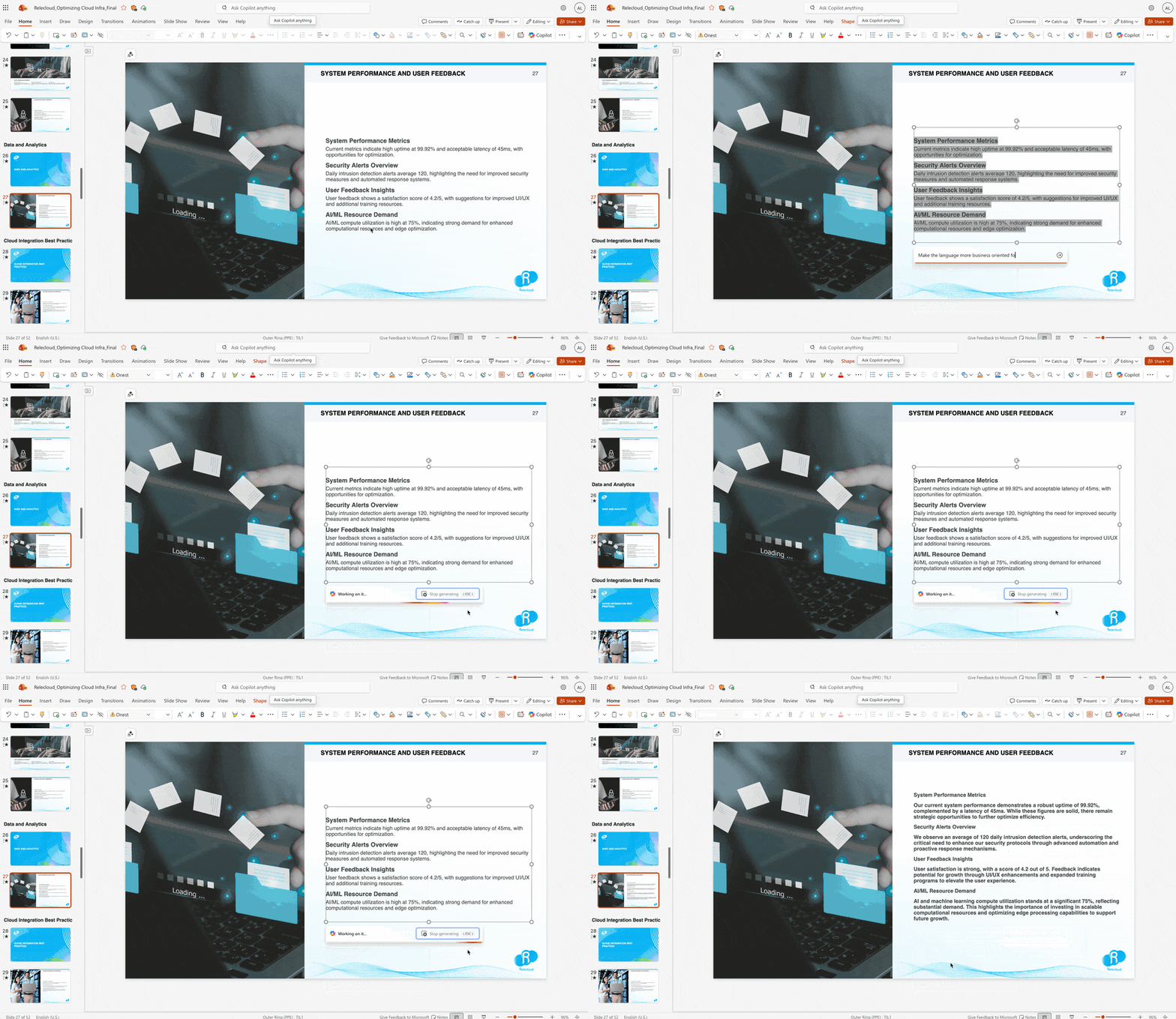
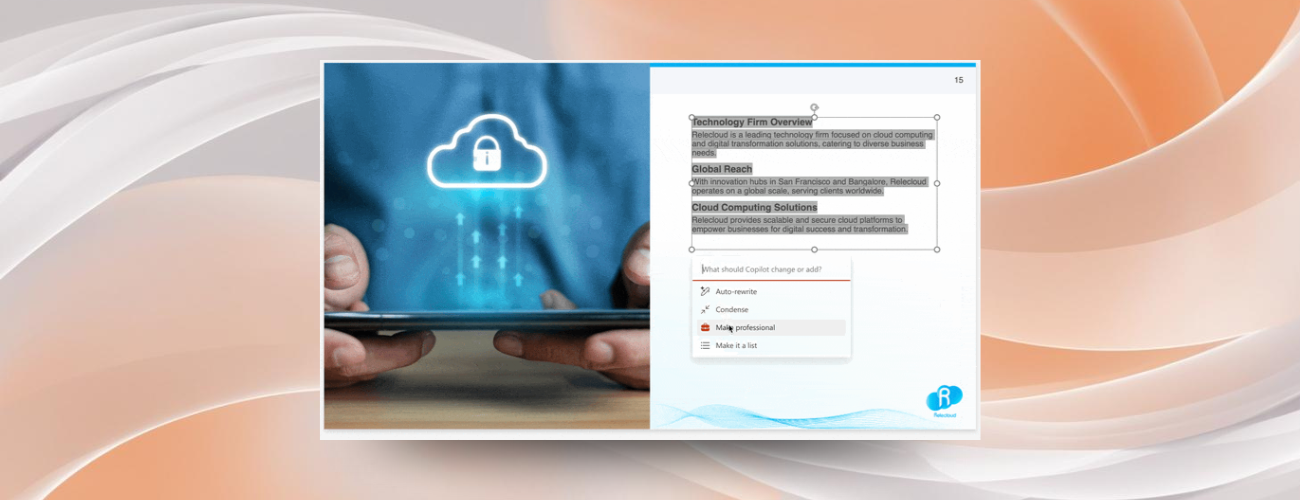
Rewriting text in your PowerPoint slides is now quicker and more intuitive thanks to the new Auto-rewrite, Condense, Make professional, and Make it a list options. With just one click, you can shorten, rephrase, or structure any written content.There is a myriad of benefits this feature provides, including:
- Save time by having Copilot polish rough notes or lengthy text in an instant.
- Tailor slides to different audiences or purposes by writing in a more professional tone.
- Enhance clarity and message impact, allowing you to focus on your overall narrative and formatting.
How it works
- Open an existing presentation in PowerPoint for Windows or PowerPoint for the web.
- Select the text box that contains the content you want to rephrase, and then select the Pen with stars icon at the bottom of the textbox.
- To refine the selected text, pick the option that best suits your needs:
- Auto-rewrite to turn rough text into structured sentences
- Condense to shorten or clean up lengthy text
- Make professional to fine-tune raw or casual writing
- Make it a list to convert paragraphs into concise bullets
- When you’re done, select Keep it to apply the changes, or type in the prompt box to further refine Copilot’s suggestions.
Scenarios to try
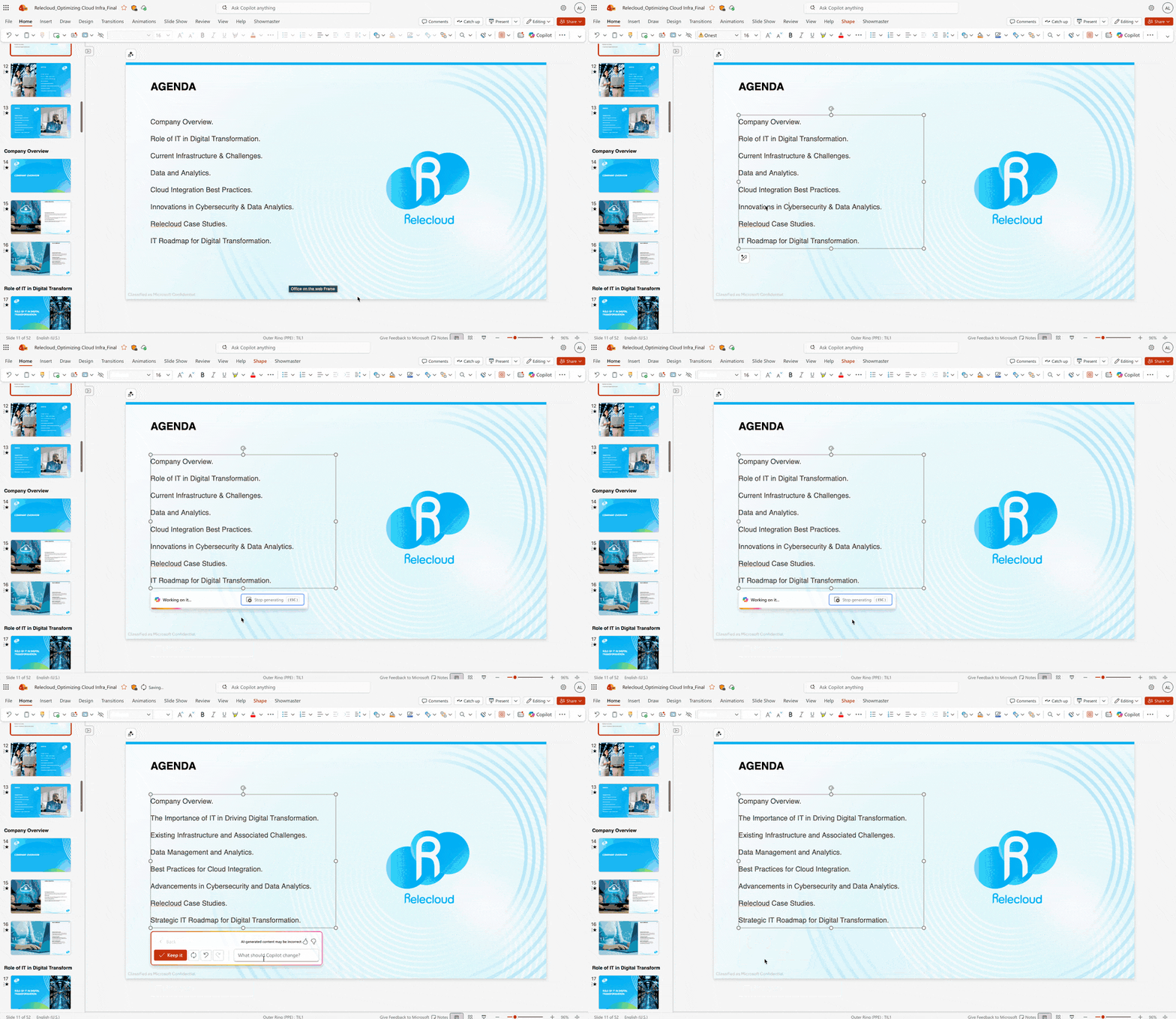
- Use Auto-rewrite to refine your presentation agenda.
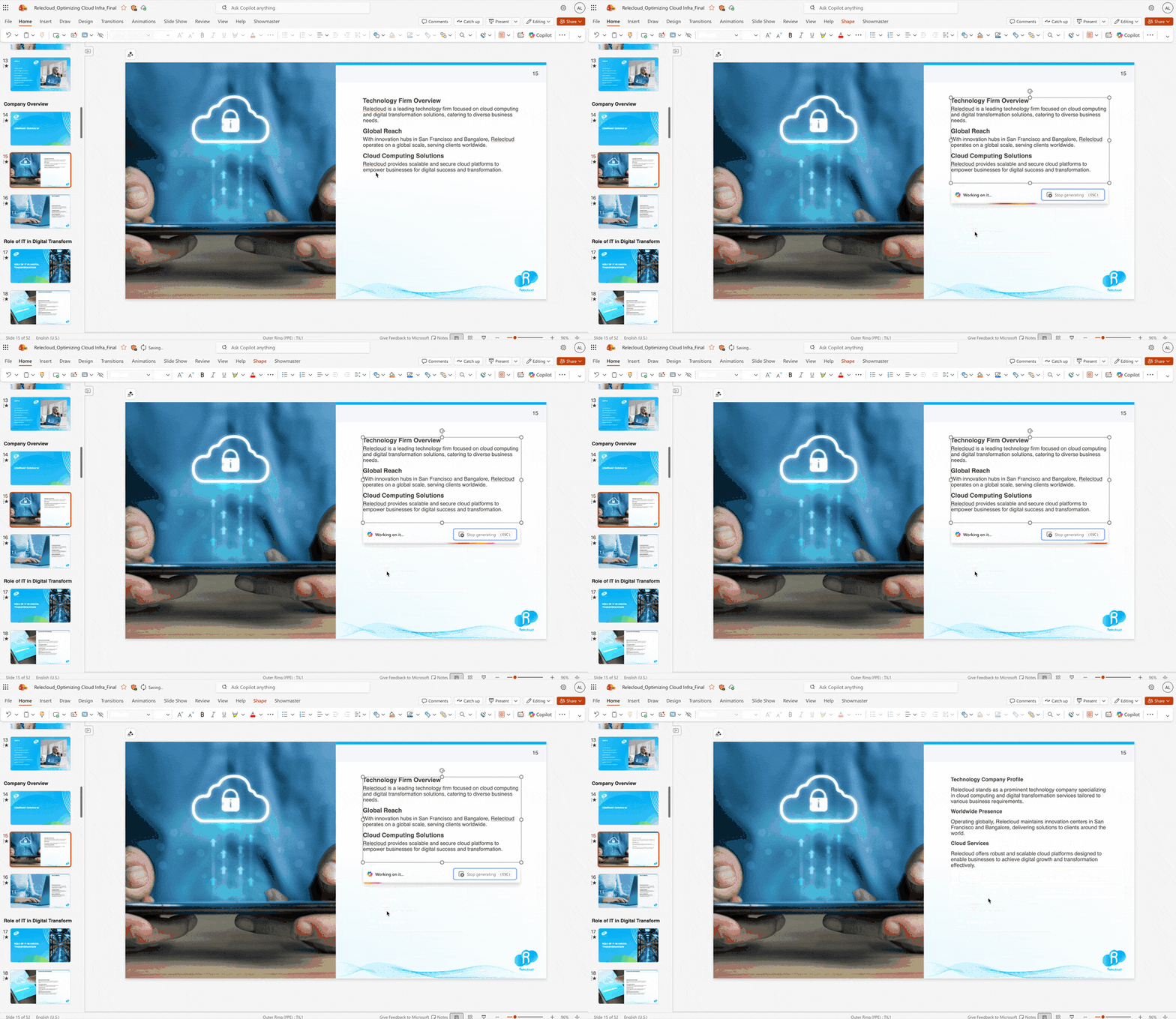
- Use Make professional to turn a rough company overview into a polished, leadership-friendly slide.
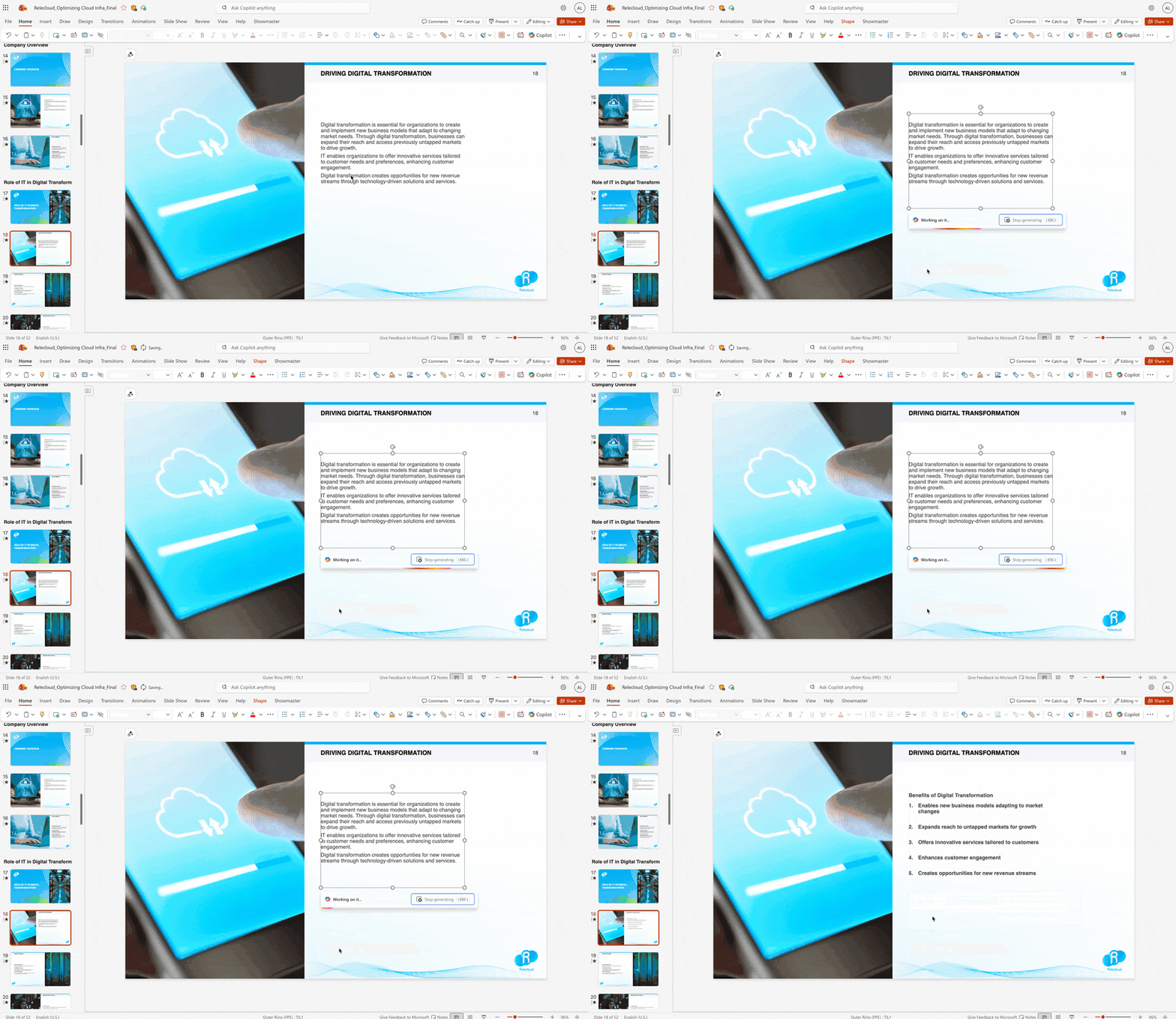
- Use Make it a list to turn paragraphs of content into a simple, easily consumable list.
- Use a custom prompt to repurpose a deck full of technical details and turn it into a business value-focused presentation for an audience of enterprise clients.
- Use Condense to shorten long sentences or paragraphs.
- Translate slide text from one language to another.
Known limitations
- Partial text selection is not yet supported. The whole textbox will be rewritten when using this feature.
Availability
This feature is available to all users with a Microsoft 365 Copilot license (get more details on licenses for consumers and for businesses) or a Premium license running PowerPoint for Windows Version 2505 (Build 18925.20138) or later, or PowerPoint for the web. It is also available for Microsoft 365 Personal and Family subscribers with credits.Feedback
We want to hear from you! Please go to Help > Feedback, or select the thumbs up or down buttons when using the rewrite feature. Source:
Rephrase text to suit your presentation narrative with Copilot
Rewriting text in your slides is now quicker and more intuitive with Microsoft 365 Copilot in PowerPoint for Windows and for the web. With just one click,...
 techcommunity.microsoft.com