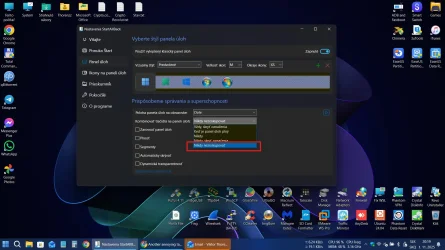
My taskbar is set to the left side of my screen, blended in with the windows icon. I have several shortcuts to files there, plus a few apps like calculator and notepad.
When I open a file, the taskbar button opens to the right side of the icons.. (that's good)
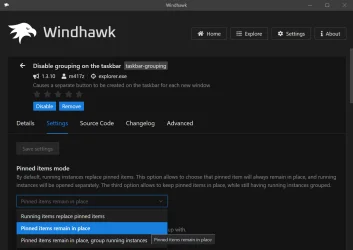
But when I open an app, the taskbar button opens in place and pushes the other icons over to the right to make room for it. (that's bad)
How do I stop this annoying behavior? I do not ever want my taskbar icons to move. Jeez, who designed this? Could you imagine having the keys on your keyboard move around as you use them?
When I open a file, the taskbar button opens to the right side of the icons.. (that's good)
But when I open an app, the taskbar button opens in place and pushes the other icons over to the right to make room for it. (that's bad)
How do I stop this annoying behavior? I do not ever want my taskbar icons to move. Jeez, who designed this? Could you imagine having the keys on your keyboard move around as you use them?
My Computer
At a glance
Windows 11 HomeAMD RYZEN 5 360032 Gb 3200MTGeForce GTX
- OS
- Windows 11 Home
- Computer type
- PC/Desktop
- CPU
- AMD RYZEN 5 3600
- Motherboard
- ASUS B450M DS3H WIFI
- Memory
- 32 Gb 3200MT
- Graphics Card(s)
- GeForce GTX
- Monitor(s) Displays
- YES
- Screen Resolution
- Enough
- Hard Drives
- SAMSUNG 990 PRO SSD 1TB NVMe
- PSU
- YES
- Case
- Thermaltake
- Cooling
- YES
- Keyboard
- Logitech K120
- Mouse
- Logitech
- Internet Speed
- 200 Mb/s - 1 Gbs
- Browser
- Firefox
- Antivirus
- Windows Defender