Any Reliable Way To Remove The Recommendations From The Start?


Pocah

Well-known member
Member
Local time
7:45 PM
Posts
131
OS
Win 11
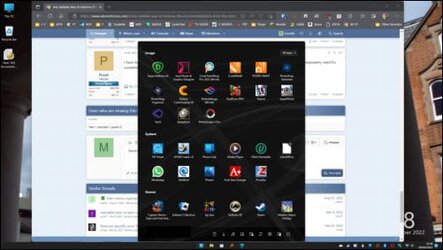
My one big complaint of Windows 11 is the Recommendations in the start menu.

Microsoft, I get it, you want to recommend stuff. The problem is that it is taking up half my display, showing me stuff I really don't want to see. It's not leaving me enough room to pin my favourite applications and folders ( without having a scroll ) SO IT'S REALLY ANNOYING!!!

I have tried a number of fixes but nothing seems to work.
 

My Computer My Computer

At a glance

Win 111270032gb3070ti
OS
Win 11
Computer type
PC/Desktop
CPU
12700
Memory
32gb
Graphics Card(s)
3070ti
Sound Card
-
Screen Resolution
3840x1600, 2560x1080
Settings > Personalisation > Start.

Slide switches On/Off.
 

My Computers My Computers

  • At a glance

    Windows 11 2xH2 (latest update ... forever anal)Intel i5-124008GBNVIDIA GeForce GT730
    OS
    Windows 11 2xH2 (latest update ... forever anal)
    Computer type
    PC/Desktop
    Manufacturer/Model
    HP Slim S01
    CPU
    Intel i5-12400
    Memory
    8GB
    Graphics Card(s)
    NVIDIA GeForce GT730
    Sound Card
    OOBE
    Monitor(s) Displays
    Acer 32"
    Screen Resolution
    1920x1080
    Hard Drives
    512GB KIOXIA NVMe
    1TB SATA SSD
    PSU
    OOBE
    Case
    OOBE
    Cooling
    OOBE
    Keyboard
    BT
    Mouse
    BT
    Browser
    Brave FFox Chrome Opera
    Antivirus
    KIS
  • At a glance

    Windows 11 Pro 2xH2 (latest update ... 4ever ...i7-1165G7 @ 2.80GHzIntel Iris Xe Graphics
    Operating System
    Windows 11 Pro 2xH2 (latest update ... 4ever anal)
    Computer type
    Laptop
    Manufacturer/Model
    HP Pavillion 15
    CPU
    i7-1165G7 @ 2.80GHz
    Graphics card(s)
    Intel Iris Xe Graphics
    Hard Drives
    Samsung NVMe 512GB
    + numerous/multiple SSD Type C USB enclosures
    Internet Speed
    NBN FTTN 50
    Browser
    Brave
    Antivirus
    KIS
Settings > Personalisation > Start.

Slide switches On/Off.
There is no option to actually remove it. What I get is a blank Recommendations that still takes up half the screen.
 

My Computer My Computer

At a glance

Win 111270032gb3070ti
OS
Win 11
Computer type
PC/Desktop
CPU
12700
Memory
32gb
Graphics Card(s)
3070ti
Sound Card
-
Screen Resolution
3840x1600, 2560x1080
There is no option to actually remove it. What I get is a blank Recommendations that still takes up half the screen.
That's right, you can't remove the section

Dunno what 3rd party look-alike rollbacks can do though (e.g. ExplorerPatcher, Winaero, etc) ?
 

My Computers My Computers

  • At a glance

    Windows 11 2xH2 (latest update ... forever anal)Intel i5-124008GBNVIDIA GeForce GT730
    OS
    Windows 11 2xH2 (latest update ... forever anal)
    Computer type
    PC/Desktop
    Manufacturer/Model
    HP Slim S01
    CPU
    Intel i5-12400
    Memory
    8GB
    Graphics Card(s)
    NVIDIA GeForce GT730
    Sound Card
    OOBE
    Monitor(s) Displays
    Acer 32"
    Screen Resolution
    1920x1080
    Hard Drives
    512GB KIOXIA NVMe
    1TB SATA SSD
    PSU
    OOBE
    Case
    OOBE
    Cooling
    OOBE
    Keyboard
    BT
    Mouse
    BT
    Browser
    Brave FFox Chrome Opera
    Antivirus
    KIS
  • At a glance

    Windows 11 Pro 2xH2 (latest update ... 4ever ...i7-1165G7 @ 2.80GHzIntel Iris Xe Graphics
    Operating System
    Windows 11 Pro 2xH2 (latest update ... 4ever anal)
    Computer type
    Laptop
    Manufacturer/Model
    HP Pavillion 15
    CPU
    i7-1165G7 @ 2.80GHz
    Graphics card(s)
    Intel Iris Xe Graphics
    Hard Drives
    Samsung NVMe 512GB
    + numerous/multiple SSD Type C USB enclosures
    Internet Speed
    NBN FTTN 50
    Browser
    Brave
    Antivirus
    KIS
That's right, you can't remove the section

Dunno what 3rd party look-alike rollbacks can do though (e.g. ExplorerPatcher, Winaero, etc) ?
I wouldn't mind if it was possible to make it smaller but it is literally taking up half my screen. The PC in question is driving a 1920x1080 TV screen that has scaling set to 125% so there isn't much screen space. The amount that Recommendations takes up is absolutely ludicrous.

It's also really stupid that the start menu can't be resized. It's enormous. It's actually the width that annoys me, it covers up everything when you open it.
 

My Computer My Computer

At a glance

Win 111270032gb3070ti
OS
Win 11
Computer type
PC/Desktop
CPU
12700
Memory
32gb
Graphics Card(s)
3070ti
Sound Card
-
Screen Resolution
3840x1600, 2560x1080
I wouldn't mind if it was possible to make it smaller but it is literally taking up half my screen. The PC in question is driving a 1920x1080 TV screen that has scaling set to 125% so there isn't much screen space. The amount that Recommendations takes up is absolutely ludicrous.

It's also really stupid that the start menu can't be resized. It's enormous. It's actually the width that annoys me, it covers up everything when you open it.
Somethig else going on there ... why 125% ?

With 27" monitor set at 100% scaling, takes up about 8% of screen (I could fit 12 of that section on my screen, 3 across x 4 vrtically). Even set to 125%, still only11% (I could fit 3 x 3 of that space).

Monitor screen size ?

Check - Graphic drivers , monitor drivers
 

My Computers My Computers

  • At a glance

    Windows 11 2xH2 (latest update ... forever anal)Intel i5-124008GBNVIDIA GeForce GT730
    OS
    Windows 11 2xH2 (latest update ... forever anal)
    Computer type
    PC/Desktop
    Manufacturer/Model
    HP Slim S01
    CPU
    Intel i5-12400
    Memory
    8GB
    Graphics Card(s)
    NVIDIA GeForce GT730
    Sound Card
    OOBE
    Monitor(s) Displays
    Acer 32"
    Screen Resolution
    1920x1080
    Hard Drives
    512GB KIOXIA NVMe
    1TB SATA SSD
    PSU
    OOBE
    Case
    OOBE
    Cooling
    OOBE
    Keyboard
    BT
    Mouse
    BT
    Browser
    Brave FFox Chrome Opera
    Antivirus
    KIS
  • At a glance

    Windows 11 Pro 2xH2 (latest update ... 4ever ...i7-1165G7 @ 2.80GHzIntel Iris Xe Graphics
    Operating System
    Windows 11 Pro 2xH2 (latest update ... 4ever anal)
    Computer type
    Laptop
    Manufacturer/Model
    HP Pavillion 15
    CPU
    i7-1165G7 @ 2.80GHz
    Graphics card(s)
    Intel Iris Xe Graphics
    Hard Drives
    Samsung NVMe 512GB
    + numerous/multiple SSD Type C USB enclosures
    Internet Speed
    NBN FTTN 50
    Browser
    Brave
    Antivirus
    KIS
That's right, you can't remove the section

Dunno what 3rd party look-alike rollbacks can do though (e.g. ExplorerPatcher, Winaero, etc) ?

Somethig else going on there ... why 125% ?

With 27" monitor set at 100% scaling, takes up about 8% of screen (I could fit 12 of that section on my screen, 3 across x 4 vrtically). Even set to 125%, still only11% (I could fit 3 x 3 of that space).

Monitor screen size ?

Check - Graphic drivers , monitor drivers

Its not a monitor its a TV and it sits a fair way away from me so the scaling makes it more readable. You are about right with the 3x4 ( I am not on that PC at the moment but it seems a fair estimate ). The issue really is that the Recommended is empty yet still takes up almost as much space. It would be much nicer if I could shrink that space.
 

My Computer My Computer

At a glance

Win 111270032gb3070ti
OS
Win 11
Computer type
PC/Desktop
CPU
12700
Memory
32gb
Graphics Card(s)
3070ti
Sound Card
-
Screen Resolution
3840x1600, 2560x1080
Its not a monitor its a TV and it sits a fair way away from me so the scaling makes it more readable. You are about right with the 3x4 ( I am not on that PC at the moment but it seems a fair estimate ). The issue really is that the Recommended is empty yet still takes up almost as much space. It would be much nicer if I could shrink that space.
With 22H2 you can reduce the recommended section.

Screenshot 2022-07-20 093956.jpg
 

My Computers My Computers

  • At a glance

    Windows 11 Home 24H2 RPIntel I3-1010016 GBNvidia GT 1030
    OS
    Windows 11 Home 24H2 RP
    Computer type
    PC/Desktop
    Manufacturer/Model
    Self-build
    CPU
    Intel I3-10100
    Motherboard
    MSI H410M-PRO
    Memory
    16 GB
    Graphics Card(s)
    Nvidia GT 1030
    Sound Card
    Motherboard default
    Monitor(s) Displays
    Philips 27 inch
    Screen Resolution
    1920x1080
    Hard Drives
    Samsung EVO 970 NVMe SSD 256 Gb
    Samsung QVO 870 SATA SSD 2 Tb
    PSU
    ATX 450W
    Keyboard
    Logitech
    Mouse
    Logitech Wireless
    Internet Speed
    930 Mb down / 120 Mb up
    Browser
    Edge
    Antivirus
    Windows Defender
    Other Info
    Microsoft Office 2021 Plus
  • At a glance

    Windows 11 HomeIntel i3-810016 GbNvidia GT 720
    Operating System
    Windows 11 Home
    Computer type
    PC/Desktop
    Manufacturer/Model
    Self-build
    CPU
    Intel i3-8100
    Motherboard
    Gigabyte Z370 D3
    Memory
    16 Gb
    Graphics card(s)
    Nvidia GT 720
    Sound Card
    Motherboard default
    Monitor(s) Displays
    Philips 27-inch
    Screen Resolution
    1920x1080
    Hard Drives
    Samsung 960 NVMe SSD 256 Gb
    Seagate 2 Tb HDD
    PSU
    ATX 450W
    Keyboard
    Microsoft
    Mouse
    Logitech Wireless
    Internet Speed
    930 Mb down / 120 Mb up
    Browser
    Edge
    Antivirus
    Windows Defender
I wouldn't mind if it was possible to make it smaller but it is literally taking up half my screen.
You just need to wait for the feature update to 22H2 due for its public release in a few months. It's currently in the Insider Release Preview channel.

start-resize-png.15170


In addition, you will also be able to make better use of the space for pins. 22H2 will bring back the ability to create groups there.


My Computers My Computers

  • At a glance

    Windows 11 HomeAMD Athlon Silver 3050U8GBRadeon Graphics
    OS
    Windows 11 Home
    Computer type
    Laptop
    Manufacturer/Model
    Acer Aspire 3 A315-23-R9VY
    CPU
    AMD Athlon Silver 3050U
    Memory
    8GB
    Graphics Card(s)
    Radeon Graphics
    Monitor(s) Displays
    laptop screen
    Screen Resolution
    1366x768 native resolution, up to 2560x1440 with Radeon Virtual Super Resolution
    Hard Drives
    1TB Samsung EVO 870 SSD (from April 2026: 250GB EVO 850)
    Internet Speed
    150 Mbps
    Browser
    Edge, Firefox
    Antivirus
    Defender
    Other Info
    fully 'Windows 11 ready' laptop. Windows 10 C: partition migrated from my old unsupported 'main machine' then upgraded to 11. A test migration ran Insider builds for 2 months. When 11 was released on 5th October 2021 it was re-imaged back to 10 and was offered the upgrade in Windows Update on 20th October. Windows Update offered the 22H2 Feature Update on 20th September 2022. It got the 23H2 Feature Update on 4th November 2023 through Windows Update, 24H2 on 3rd October 2024 through Windows Update by setting the Target Release Version for 24H2, and 25H2 on 30th September 2025 through Windows Update by setting the Target Release Version for 25H2.

    UPDATE - 11 April 2026: due to mechanical deterioration this PC has been retired from active duty. The OS with all software and files has been migrated to my System Seven in 'Other systems' to carry on as my general purpose 'main machine'.
  • At a glance

    Windows 11 ProIntel® Core™ i5-520M8GB(integrated graphics) Intel HD Graphics
    Operating System
    Windows 11 Pro
    Computer type
    Laptop
    Manufacturer/Model
    Dell Latitude E4310
    CPU
    Intel® Core™ i5-520M
    Motherboard
    0T6M8G
    Memory
    8GB
    Graphics card(s)
    (integrated graphics) Intel HD Graphics
    Screen Resolution
    1366x768
    Hard Drives
    500GB Crucial MX500 SSD
    Browser
    Firefox, Edge
    Antivirus
    Defender
    Other Info
    unsupported machine: Legacy bios, MBR, TPM 1.2, upgraded from W10 to W11 using W10/W11 hybrid install media workaround.

    In-place upgrade to 22H2 using ISO and a workaround.
    Feature Update to 23H2 by manually installing the Enablement Package.
    In-place upgrade to 24H2 using hybrid 23H2/24H2 install media.
    Upgraded to 25H2 by Enablement Package.

    Also running Insider Dev, and Canary builds and Windows 10 as native boot .vhdx.
  • My SYSTEM THREE is a Dell Latitude 5410, i7-10610U, 32GB RAM, 512GB NVMe ssd, supported device running Windows 11 Pro.

    My SYSTEM FOUR is a 2-in-1 convertible Lenovo Yoga 11e 20DA, Celeron N2930, 8GB RAM, 256GB ssd. Unsupported device: currently running Win10 Pro, plus Win11 Pro RTM and Insider Dev, Beta, and RP 24H2 as native boot vhdx.

    My SYSTEM FIVE is a Dell Latitude 3190 2-in-1, Pentium Silver N5030, 8GB RAM, 1TB NVMe ssd, supported device running Windows 11 Pro, plus Insider Beta, Dev, and Canary builds (and a few others) as a native boot .vhdx.

    My SYSTEM SIX is a Dell Latitude 5550, Core Ultra 7 165H, 64GB RAM, 1TB NVMe SSD, supported device, Windows 11 Pro 24H2, Hyper-V host machine. Updated to 25H2 on 30th September 2025.

    My SYSTEM SEVEN is a Lenovo Thinkpad T580, Intel Core i7-8650U, 16GB RAM, 512GB NVMe SSD + 2nd 512GB NVMe SSD, a supported device for Windows 11. This is my current general purpose 'main machine'. The installed Windows 11 Home from my System One has been migrated to this machine.
Oh that is excellent news. I mean I don't mind it being there ( well I do ) but at least if it is small then I live with it.
 

My Computer My Computer

At a glance

Win 111270032gb3070ti
OS
Win 11
Computer type
PC/Desktop
CPU
12700
Memory
32gb
Graphics Card(s)
3070ti
Sound Card
-
Screen Resolution
3840x1600, 2560x1080
I have to say that I absolutely hate Recommendations. Mine just fills up with mindless rubbish taking up room I desperately need for something else.
 

My Computer My Computer

At a glance

Win 111270032gb3070ti
OS
Win 11
Computer type
PC/Desktop
CPU
12700
Memory
32gb
Graphics Card(s)
3070ti
Sound Card
-
Screen Resolution
3840x1600, 2560x1080
Stardock's Start11 overcomes this. I originally got it for W.10 but it works on W.11 too.
 

Attachments

  • start11.jpg
    start11.jpg
    23.7 KB · Views: 3

My Computer My Computer

At a glance

Windows11 Home12th Gen Intel i7-1.70 GHz16.0 GBIntel UHD Graphics - Nvidia GeForce MX450
OS
Windows11 Home
Computer type
PC/Desktop
Manufacturer/Model
HP QHD AiO
CPU
12th Gen Intel i7-1.70 GHz
Motherboard
89E9 0100
Memory
16.0 GB
Graphics Card(s)
Intel UHD Graphics - Nvidia GeForce MX450
Sound Card
Realtek Audio
Monitor(s) Displays
HP 27" QHD
Screen Resolution
2560 x 1440
Hard Drives
1TB SSD (OS and programs) - 1TB HDD (Storage)
Browser
Edge
Back
Top Bottom