AOMEI Backupper created duplicate drives in my computer


artem3232

New member
Local time
9:26 AM
Posts
9
OS
win 11
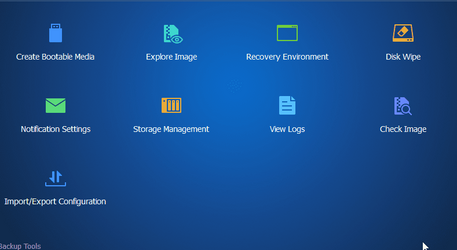
Hi please help what I have done and how to make everything back? I used aomei backupper and pressed explore image

thank you :D
 

Attachments

  • explorer_cSuDa8SV0Z.png
    explorer_cSuDa8SV0Z.png
    6.6 KB · Views: 2
  • Backupper_DRjPucmWcS.png
    Backupper_DRjPucmWcS.png
    69.7 KB · Views: 2

My Computer My Computer

At a glance

win 11
OS
win 11
Open Aomei's 'Explore Image' window/dialogue box again and you'll see the virtual drives Aomei created in order that they can be explored. Each one has a checkbox next to it. Select all those and click the 'Detach' button. The multiple drives will disappear. Alternatively, restart the computer for the same result.
 

My Computer My Computer

At a glance

Windows11 Home12th Gen Intel i7-1.70 GHz16.0 GBIntel UHD Graphics - Nvidia GeForce MX450
OS
Windows11 Home
Computer type
PC/Desktop
Manufacturer/Model
HP QHD AiO
CPU
12th Gen Intel i7-1.70 GHz
Motherboard
89E9 0100
Memory
16.0 GB
Graphics Card(s)
Intel UHD Graphics - Nvidia GeForce MX450
Sound Card
Realtek Audio
Monitor(s) Displays
HP 27" QHD
Screen Resolution
2560 x 1440
Hard Drives
1TB SSD (OS and programs) - 1TB HDD (Storage)
Browser
Edge

Latest Support Threads

Back
Top Bottom