- Local time
- 5:54 PM
- Posts
- 3,106
- OS
- Win7,Win11
Inspired by Bree, I decided to try image backup to dvd.
I hadnt used the dvd method before, so it was an interesting experiment.
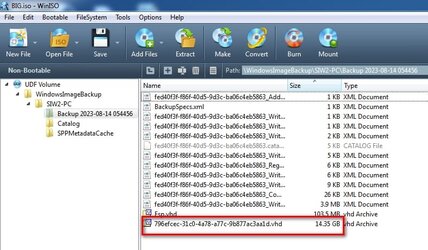
I am too lazy to dig out a physical dvdrom drive so I created it as iso files instead ( strictly speaking they are udf ).
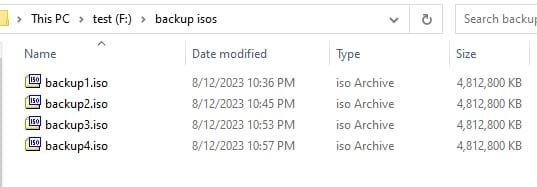
They are much smaller than a regular system image. They contain files with .vhd extension, but It is not clear how MS have done this. Assuming they were joined, I am not sure the resultant single file could be mounted.
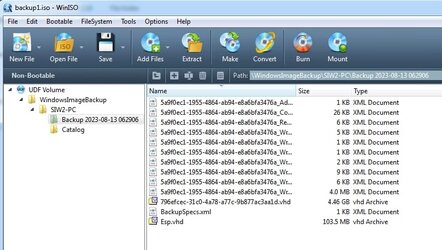
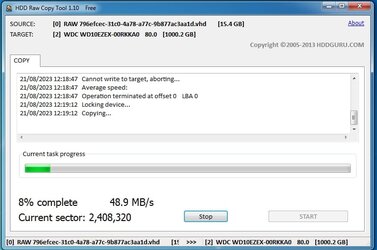
Seems to work fine
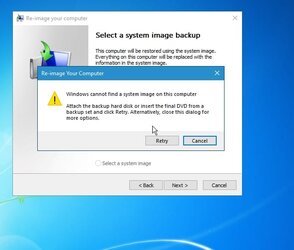
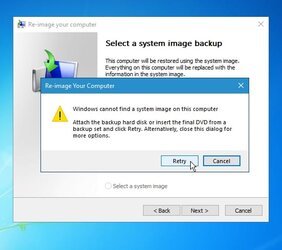
It asks to insert the final dvd
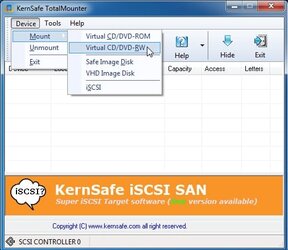
so mount the final iso
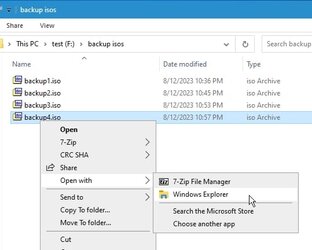
there it is mounted

clcik retry so it scans again
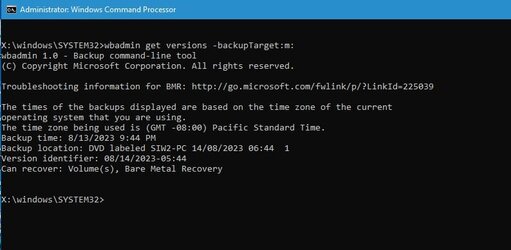
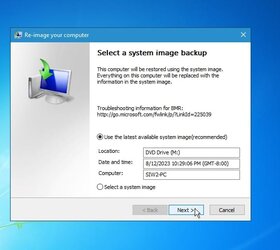
As expected it is ready to go
I hadnt used the dvd method before, so it was an interesting experiment.
I am too lazy to dig out a physical dvdrom drive so I created it as iso files instead ( strictly speaking they are udf ).
They are much smaller than a regular system image. They contain files with .vhd extension, but It is not clear how MS have done this. Assuming they were joined, I am not sure the resultant single file could be mounted.
Seems to work fine
It asks to insert the final dvd
so mount the final iso
there it is mounted
clcik retry so it scans again
As expected it is ready to go
Last edited:
My Computers
-
At a glance
Win7,Win11i7-97002x16gb 3600mhz- OS
- Win7,Win11
- Computer type
- PC/Desktop
- CPU
- i7-9700
- Motherboard
- gigabyte b365m ds3h
- Memory
- 2x16gb 3600mhz
- Monitor(s) Displays
- benq gw2480
- PSU
- bequiet pure power 11 400CM
- Cooling
- cryorig m9i
-
At a glance
win7,win11i5-84002x8gb 3200- Operating System
- win7,win11
- Computer type
- PC/Desktop
- CPU
- i5-8400
- Motherboard
- gigabyte b365m ds3h
- Memory
- 2x8gb 3200
- PSU
- xfx pro 450

 @Bree comes up with neat ideas that are always inspiring.