

- Local time
- 5:23 PM
- Posts
- 12
- OS
- Windows 11
Many programs add entries to our context menu without giving us a choice. Manually removing them does not work out long-term because an update can re-add them at any moment.
My example here is iDrive. iDrive adds a context menu entry via IDContextMenu.dll. This file is redownloaded every update if it is deleted or disabled.
IDContextMenu.dll adds/modifies this entry in the Registry.
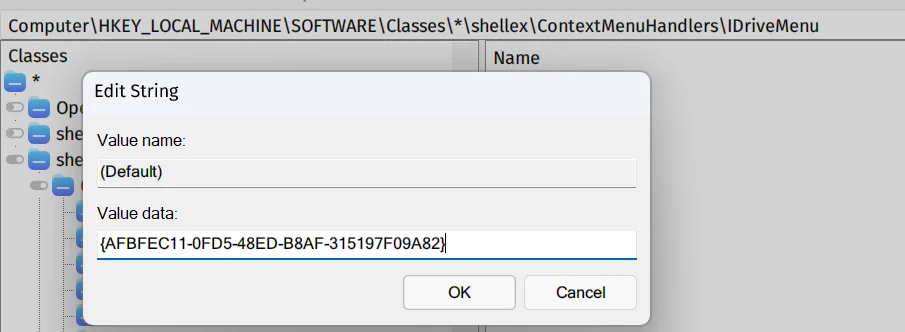
Is there a reliable way to remove it from the context menu and block it from re-adding the entry after update? Many thanks.
My example here is iDrive. iDrive adds a context menu entry via IDContextMenu.dll. This file is redownloaded every update if it is deleted or disabled.
IDContextMenu.dll adds/modifies this entry in the Registry.
Is there a reliable way to remove it from the context menu and block it from re-adding the entry after update? Many thanks.
My Computer
At a glance
Windows 11Intel Core Ultra 7 255H32GB DDR5 SDRAMIntel Arc 140T Arrow Lake 8XE
- OS
- Windows 11
- Computer type
- Laptop
- Manufacturer/Model
- Lenovo/Thinkpad P14s Intel g6
- CPU
- Intel Core Ultra 7 255H
- Motherboard
- LENOVO 21QTCTO1WW
- Memory
- 32GB DDR5 SDRAM
- Graphics Card(s)
- Intel Arc 140T Arrow Lake 8XE
- Sound Card
- Intel Arrow Lake-U/H PCH






