
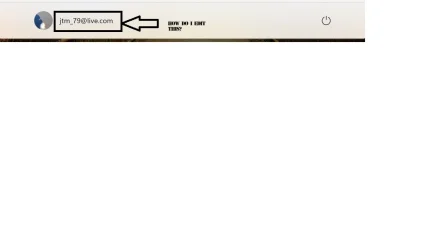
Bottom of Start menu edit!


Rbcc

Well-known member
Local time
7:46 AM
Posts
126
OS
Windows 11 pro
I am trying to edit the email address at the bottom left of Windows "start" page to read "Golden Computers". How do I do this? Johnbottom of start!.webp
 
Windows Build/Version
Windows 11 Pro 24H2 26100.2314

My Computer My Computer

At a glance

Windows 11 proI-7 2gigaherz16Gig
OS
Windows 11 pro
Computer type
Laptop
Manufacturer/Model
Asus
CPU
I-7 2gigaherz
Motherboard
Asus
Memory
16Gig
Screen Resolution
1024x768
Hard Drives
512 SSD
1) i would remove your email from the forum... just sayin

2) check Settings > Accounts > Sign in Options:
1740270930218.webp
 
Last edited:

My Computer My Computer

At a glance

Windows 11 Pro
OS
Windows 11 Pro
With an exposed email, they can be added to a spam list...
 

My Computer My Computer

At a glance

Windows 7
OS
Windows 7
has anyone ever even seen this? the setting i posted is the only thing i can think of. never seen it show on the start menu before... unless it was done manually...

Your screenshot.
100% did not say it was the sign in screen. i merely posted an option to try as a remedy. based on that logic.. am i to take it that you have a better option?
 

My Computer My Computer

At a glance

Windows 11 Pro
OS
Windows 11 Pro
Last edited:

My Computer My Computer

At a glance

Windows 11
OS
Windows 11
Computer type
Laptop
That's what is says at the bottom of the start menu, Not the sign in screen the start menu Search
 

My Computer My Computer

At a glance

Windows 11 proI-7 2gigaherz16Gig
OS
Windows 11 pro
Computer type
Laptop
Manufacturer/Model
Asus
CPU
I-7 2gigaherz
Motherboard
Asus
Memory
16Gig
Screen Resolution
1024x768
Hard Drives
512 SSD
That's what is says at the bottom of the start menu, Not the sign in screen the start menu

If it's a Microsoft account, follow the steps above. I just changed my name in the same place using those steps.
 

My Computer My Computer

At a glance

Windows 11
OS
Windows 11
Computer type
Laptop
Back
Top Bottom






