
Can't change Sleep icon on taskbar?


Flycaster

Member
Local time
1:43 PM
Posts
9
OS
Windows 11
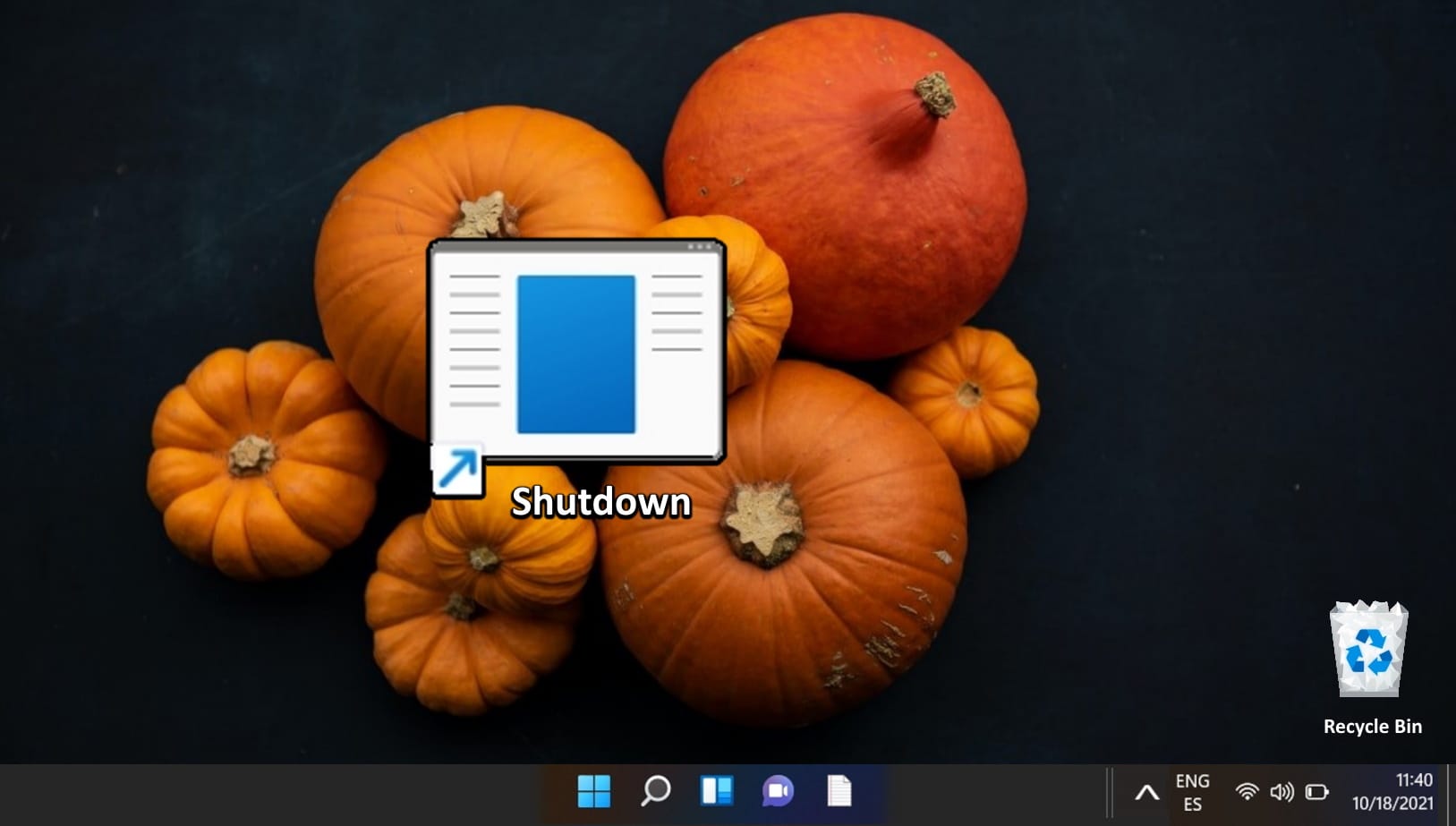
Just updated to Windows 11 (21H2) from W10. My Sleep icon on the taskbar was changed to a yellow box. I tried changing to something else (using the proper paths), but it won't change? Thanks.
 

My Computer My Computer

At a glance

Windows 117i Intel16GB630 uhd
OS
Windows 11
Computer type
PC/Desktop
Manufacturer/Model
HP TE01
CPU
7i Intel
Memory
16GB
Graphics Card(s)
630 uhd
Monitor(s) Displays
ASUS PA278QV
Hard Drives
C,D,E
Keyboard
Microsoft ARC
Mouse
Logitech MX Master 3
Internet Speed
140MB/s
Browser
Firefox
Antivirus
Window Defender, Malwarebytes, SpywareBlaster
Sleep icon?
 

My Computer My Computer

At a glance

Windows 11 Pro Beta, 11 Dev, W11 CanaryAMD Ryzen™ 9 5900HX32GBNVIDIA® GeForce RTX™ 3070 8GB GDDR6
OS
Windows 11 Pro Beta, 11 Dev, W11 Canary
Computer type
Laptop
Manufacturer/Model
Dell Alienware M15 Ryzen Edition R6
CPU
AMD Ryzen™ 9 5900HX
Memory
32GB
Graphics Card(s)
NVIDIA® GeForce RTX™ 3070 8GB GDDR6
Hard Drives
1 x Samsung 980 Pro 1TB
1 x Samsung 970 Evo Plus 1TB

My Computer My Computer

At a glance

Windows 117i Intel16GB630 uhd
OS
Windows 11
Computer type
PC/Desktop
Manufacturer/Model
HP TE01
CPU
7i Intel
Memory
16GB
Graphics Card(s)
630 uhd
Monitor(s) Displays
ASUS PA278QV
Hard Drives
C,D,E
Keyboard
Microsoft ARC
Mouse
Logitech MX Master 3
Internet Speed
140MB/s
Browser
Firefox
Antivirus
Window Defender, Malwarebytes, SpywareBlaster
My Computer My Computer

At a glance

Windows 11 Pro Beta, 11 Dev, W11 CanaryAMD Ryzen™ 9 5900HX32GBNVIDIA® GeForce RTX™ 3070 8GB GDDR6
OS
Windows 11 Pro Beta, 11 Dev, W11 Canary
Computer type
Laptop
Manufacturer/Model
Dell Alienware M15 Ryzen Edition R6
CPU
AMD Ryzen™ 9 5900HX
Memory
32GB
Graphics Card(s)
NVIDIA® GeForce RTX™ 3070 8GB GDDR6
Hard Drives
1 x Samsung 980 Pro 1TB
1 x Samsung 970 Evo Plus 1TB
That sounds like a lot of trouble ,I just go to the control panel click on power click change when computer sleeps and then it does it auto.
 

My Computers My Computers

  • At a glance

    windows Eleven HomeINTEL (R) CORE(TM) i3-8100 CPU @3.60GHz 3.60GHz8.00GB (7.86 GB usable)Integrated Intel UHD Graphics
    OS
    windows Eleven Home
    Computer type
    PC/Desktop
    Manufacturer/Model
    HP PAVILION DESKTOP 590-pOxxx
    CPU
    INTEL (R) CORE(TM) i3-8100 CPU @3.60GHz 3.60GHz
    Motherboard
    HP 843B (U3E1)
    Memory
    8.00GB (7.86 GB usable)
    Graphics Card(s)
    Integrated Intel UHD Graphics
    Sound Card
    (Realtec High Definition Audio) Intel Display Audio
    Monitor(s) Displays
    24W
    Screen Resolution
    1280x720 pixels work 1280x672 pixels
    Hard Drives
    WINDOWS(C:)BASIC NTFS 913.42 GB /WINDOWS (C) (G) BASIC-2794.52
    RECOVERY (D:) 16.85 GB?DISK PARTITION 1) ( E 260 MB0)DISK (4) R0980MB
    Cooling
    42-Celious
    Keyboard
    HP
    Mouse
    LOGITECH (M705
    Internet Speed
    5940 RPM
    Browser
    FIRE FOX 106.0.4
    Antivirus
    WINDOWS SECURITY
    Other Info
    desktop pc #2 PROCESSOR AMD A8-7410 APU WITH AMD RADEON R5 GRAPHICS 2.20 GHZ INSTALLED RAM 4.00 GB(3.45 GB USABLE) DEVICE ID 5c27474D-FCBA-4D)D-89E8-89E8-071DCOAB36AC PRODUCT ID 00325-80450-35140-AAOEM SYSTEM TYPE 64-BIT OPERATING SYSTEM,X64-BASED PROCESSOR PEN AND TOUCH WITH 10 TOUCH POINTS everything else as pc above

    #3 desktop Dell windows 10 home ver 21h1 Intel(R) Pention(R)cpu G2020@ 2.90 GHZ 2.90 GHZ 64 BIT operating System,x 64based Processor Everything else as the 2 pc's above
    Toshiba External Hard Drive--3TB:oin HDWC 130XK3J1
  • At a glance

    WindowsAMD A8-74104.00 GBAMD RADEON R5 GRAPHICS
    Operating System
    Windows
    Computer type
    PC/Desktop
    CPU
    AMD A8-7410
    Memory
    4.00 GB
    Graphics card(s)
    AMD RADEON R5 GRAPHICS

My Computer My Computer

At a glance

Windows 11Ryzen 5 Pro 4650G16 Gb DDR4 3200
OS
Windows 11
Computer type
PC/Desktop
CPU
Ryzen 5 Pro 4650G
Motherboard
Gigabyte B550M DS3H
Memory
16 Gb DDR4 3200
Monitor(s) Displays
Dell U2312HM + Dell U2412M
Screen Resolution
1920 x 1200
Hard Drives
Sandisk SSD 240 Gb
WD Blue 3.5 2Tb
Cooling
standard
Keyboard
Aukey KM-G6
Mouse
Micrsoft bluetooth
Internet Speed
3 Mbps down 0.8 Mbps up
Browser
Brave / Edge
Antivirus
Windows / Malwarebytes
I think a screenshot would be helpful. Also, did you change the original sleep icon shortcut and then add it back to the taskbar?
 

My Computers My Computers

  • At a glance

    Windows 11 Pro 25H2 RP channelRyzen 9 5900XCorsair Vengeance RGB PRO 64GB (2x32GB) DDR4 ...ASUS GeForce RTX 4070 Super OC 12GB DDR6 / ZO...
    OS
    Windows 11 Pro 25H2 RP channel
    Computer type
    PC/Desktop
    Manufacturer/Model
    Home built
    CPU
    Ryzen 9 5900X
    Motherboard
    MSI MPG X570S Edge Max WiFi
    Memory
    Corsair Vengeance RGB PRO 64GB (2x32GB) DDR4 3600 (PC4-28800) C18
    Graphics Card(s)
    ASUS GeForce RTX 4070 Super OC 12GB DDR6 / ZOTAC RTX 3060 Twin Edge OC 12GB GDDR6
    Sound Card
    Proprietary on MB / FiiO K5Pro DAC
    Monitor(s) Displays
    ViewSonic XG2530 25"/Benq XL2411P 24"/ ASUS VA24DQSB) 23.8"
    Screen Resolution
    1920x1080 240Hz/144Hz/60Hz (based on monitor setup above)
    Hard Drives
    SK hynix Gold P31 1TB PCIe NVMe Gen3 M.2 2280 Internal SSD
    ADATA XPG SX8200 Pro 1TB
    Samsung SSD 860 EVO 1TB 2.5 Inch SATA III Internal SSD
    PSU
    Corsair RM1000e
    Case
    Phanteks Enthoo Pro Full Tower Chassis with Window
    Cooling
    Corsair iCUE H60i RGB PRO XT Liquid CPU Cooler
    Keyboard
    Corsair K70
    Mouse
    Logitech MX Master 3
    Internet Speed
    ~950Mb/s download / ~700Mb/s upload
    Browser
    Edge (Chromium)
    Antivirus
    Norton 360
  • At a glance

    Windows 11 ProRyzen 7 3700X32MB DDR4I forget, but it's old. I can't see the need ...
    Operating System
    Windows 11 Pro
    Computer type
    PC/Desktop
    Manufacturer/Model
    Home Built
    CPU
    Ryzen 7 3700X
    Motherboard
    MSI B550 Gaming GEN3 Gaming Motherboard
    Memory
    32MB DDR4
    Graphics card(s)
    I forget, but it's old. I can't see the need to upgrade it.
    Sound Card
    Propietary
    Monitor(s) Displays
    ACER LED 24" (dual monitor setup)
    Screen Resolution
    1920X1080
    Hard Drives
    1TB Samsung SSD 3.5"
    Case
    Corsair
    Cooling
    Stock
    Keyboard
    Logitech
    Mouse
    Logitech
    Internet Speed
    ~750Mb/s download / ~750Mb/s upload
    Browser
    Edge
    Antivirus
    Defender and Malware Bytes
  • ASUS Vivobook 16X, 16" WUXGA(1920x1200) Business Laptop Computer, AMD Ryzen 7, 16GB DDR4 RAM, 1TB SSD, Windows 11 Pro, Wi-Fi 6, USB-C, Full-Sized Keyboard, Webcam, HDMI
My sleep icon on the taskbar only has the options sleep and unpin when I right click on it so it looks like a new shortcut would have to be created, given the icon you want and the pinned to the taskbar. I used How to Create a Windows 11 Sleep Mode Shortcut? (Not Hibernate) for instructions to do it.
Also, thanks for sharing this. My system goes into hibernation instead of sleep mode, but that's probably because of the motherboard from what I read. No big deal for me, though, since either will do. I can wait to 15-20 seconds for it to come out of hibernation.
 

My Computers My Computers

  • At a glance

    Windows 11 Pro 25H2 RP channelRyzen 9 5900XCorsair Vengeance RGB PRO 64GB (2x32GB) DDR4 ...ASUS GeForce RTX 4070 Super OC 12GB DDR6 / ZO...
    OS
    Windows 11 Pro 25H2 RP channel
    Computer type
    PC/Desktop
    Manufacturer/Model
    Home built
    CPU
    Ryzen 9 5900X
    Motherboard
    MSI MPG X570S Edge Max WiFi
    Memory
    Corsair Vengeance RGB PRO 64GB (2x32GB) DDR4 3600 (PC4-28800) C18
    Graphics Card(s)
    ASUS GeForce RTX 4070 Super OC 12GB DDR6 / ZOTAC RTX 3060 Twin Edge OC 12GB GDDR6
    Sound Card
    Proprietary on MB / FiiO K5Pro DAC
    Monitor(s) Displays
    ViewSonic XG2530 25"/Benq XL2411P 24"/ ASUS VA24DQSB) 23.8"
    Screen Resolution
    1920x1080 240Hz/144Hz/60Hz (based on monitor setup above)
    Hard Drives
    SK hynix Gold P31 1TB PCIe NVMe Gen3 M.2 2280 Internal SSD
    ADATA XPG SX8200 Pro 1TB
    Samsung SSD 860 EVO 1TB 2.5 Inch SATA III Internal SSD
    PSU
    Corsair RM1000e
    Case
    Phanteks Enthoo Pro Full Tower Chassis with Window
    Cooling
    Corsair iCUE H60i RGB PRO XT Liquid CPU Cooler
    Keyboard
    Corsair K70
    Mouse
    Logitech MX Master 3
    Internet Speed
    ~950Mb/s download / ~700Mb/s upload
    Browser
    Edge (Chromium)
    Antivirus
    Norton 360
  • At a glance

    Windows 11 ProRyzen 7 3700X32MB DDR4I forget, but it's old. I can't see the need ...
    Operating System
    Windows 11 Pro
    Computer type
    PC/Desktop
    Manufacturer/Model
    Home Built
    CPU
    Ryzen 7 3700X
    Motherboard
    MSI B550 Gaming GEN3 Gaming Motherboard
    Memory
    32MB DDR4
    Graphics card(s)
    I forget, but it's old. I can't see the need to upgrade it.
    Sound Card
    Propietary
    Monitor(s) Displays
    ACER LED 24" (dual monitor setup)
    Screen Resolution
    1920X1080
    Hard Drives
    1TB Samsung SSD 3.5"
    Case
    Corsair
    Cooling
    Stock
    Keyboard
    Logitech
    Mouse
    Logitech
    Internet Speed
    ~750Mb/s download / ~750Mb/s upload
    Browser
    Edge
    Antivirus
    Defender and Malware Bytes
  • ASUS Vivobook 16X, 16" WUXGA(1920x1200) Business Laptop Computer, AMD Ryzen 7, 16GB DDR4 RAM, 1TB SSD, Windows 11 Pro, Wi-Fi 6, USB-C, Full-Sized Keyboard, Webcam, HDMI
I think a screenshot would be helpful. Also, did you change the original sleep icon shortcut and then add it back to the taskbar?
1645015489081.png
I deleted/unpinned the original and made a new shortcut with icon I wanted and pinned that to the taskbar.
 

My Computer My Computer

At a glance

Windows 11Ryzen 5 Pro 4650G16 Gb DDR4 3200
OS
Windows 11
Computer type
PC/Desktop
CPU
Ryzen 5 Pro 4650G
Motherboard
Gigabyte B550M DS3H
Memory
16 Gb DDR4 3200
Monitor(s) Displays
Dell U2312HM + Dell U2412M
Screen Resolution
1920 x 1200
Hard Drives
Sandisk SSD 240 Gb
WD Blue 3.5 2Tb
Cooling
standard
Keyboard
Aukey KM-G6
Mouse
Micrsoft bluetooth
Internet Speed
3 Mbps down 0.8 Mbps up
Browser
Brave / Edge
Antivirus
Windows / Malwarebytes

Latest Support Threads

Back
Top Bottom




