- Local time
- 12:04 PM
- Posts
- 120
- OS
- Windows 11 Pro 64 Bit 25H2 26200 9168
Challenges Adding High-Performance Power Plan on HP OmniDesk Tower
https://www.costco.com/p/-/hp-omnid...home-32gb-memory-1tb-ssd/4000370757?langId=-1
https://www.costco.com/p/-/hp-omnid...home-32gb-memory-1tb-ssd/4000370757?langId=-1
Background
Our neighbor recently purchased the HP OmniDesk Tower featuring an AMD Ryzen 7 8700G processor, Windows 11 Home, 32GB of memory, and a 1TB SSD at Costco, motivated by a price reduction. The initial setup proceeded smoothly, with all updates successfully installed through Windows Update, as well as HP and AMD utilities.Issue with Power Options
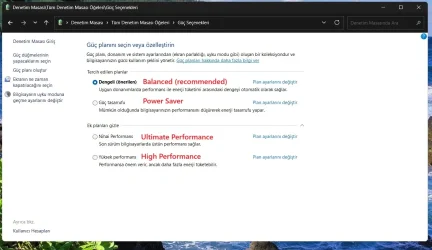
Despite the seamless setup, the neighbor encountered an issue with the system’s power options. Specifically, the high-performance plan was missing from the available power options. Attempts were made to add this plan, but these efforts were not successful.Interaction with HP Support
Seeking assistance, HP support was contacted, who then remotely accessed the computer. However, when further diagnosis required second-level support, HP requested an additional fees—even though the system was only one day old. Unhappy with this response, the neighbor declined to proceed with paid support.Attempted Solutions
Acting on technical advice, the neighbor opened the Command Prompt as an administrator and entered the command: powercfg -duplicatescheme 8c5e7fda-e8bf-4a96-9a85-a6e23a8c635c to add the High-Performance Plan. The command completed successfully according to the prompt. However, after restarting the computer, the high-performance plan was still not visible in the power options menu or under advanced settings. The only available plan remained the Balanced option.Persistence of the Issue and Outcome
This issue was not unique to a single unit; the neighbor had purchased two identical systems and experienced the same problem on both. After unsuccessful attempts to resolve the issue and being dissatisfied with support, the neighbor decided to return both systems two days after purchase. What else could have been done to add the high-performance plan to this system??My Computer
At a glance
Windows 11 Pro 64 Bit 25H2 26200 9168Intel Core I5-8250U 1.80 GHZ16 GBIntel UHD Graphics 620
- OS
- Windows 11 Pro 64 Bit 25H2 26200 9168
- Computer type
- Laptop
- Manufacturer/Model
- Asus X510UAR
- CPU
- Intel Core I5-8250U 1.80 GHZ
- Memory
- 16 GB
- Graphics Card(s)
- Intel UHD Graphics 620
- Sound Card
- Conexant
- Monitor(s) Displays
- Dell 24" ST2420
- Screen Resolution
- 1920x1080
- Hard Drives
- ADATA SU635 DDS
- Keyboard
- Logitech
- Mouse
- Logitech
- Internet Speed
- 465
- Browser
- Google Chrome, MS Edge
- Antivirus
- Norton 360
- Other Info
- Windows Feature Experience Pack 1000.26100.297