Change App Default for Files/Photos Copied from S23


TexasBandit

Well-known member
Local time
9:56 AM
Posts
54
OS
Windows 11 Pro
I recently purchased a Samsung S23. When I access files on the phone though my Windows 11 laptop, they are in Adobe format. I do not like Adobe and would like for them to be in a different format so I can easily look at them. In other words, change the default viewing app from Adobe. I cannot find a way to do it on the S23, but is there a way to change the default on my laptop? When I right click on the image on my laptop, there isn't an option "open with" as shown below.

Thanks
Howard
 

Attachments

  • Screenshot (1).png
    Screenshot (1).png
    98 KB · Views: 2

My Computer My Computer

At a glance

Windows 11 Proi7-1195G716GB DDR4 512GB SSDIris Xe
OS
Windows 11 Pro
Computer type
Laptop
Manufacturer/Model
HP
CPU
i7-1195G7
Memory
16GB DDR4 512GB SSD
Graphics Card(s)
Iris Xe
I don't own a Samsung phone, but the way I read THIS ARTICLE if you own a S23, you're locked into using Lightroom. I know nothing about Lightroom either, but according to
THIS ARTICLE ,
Lightroom can convert photos to other formats. Whether this feature is part of the premium Lightroom or the free app, I can not say for sure.
This article also says it can.
 

My Computers My Computers

  • At a glance

    Windows 11 Pro 25H2 26200.8655i9-10900 10 core 20 threads32 gbnone-Intel UHD Graphics 630
    OS
    Windows 11 Pro 25H2 26200.8655
    Computer type
    PC/Desktop
    Manufacturer/Model
    Dell Optiplex 7080
    CPU
    i9-10900 10 core 20 threads
    Motherboard
    DELL 0J37VM
    Memory
    32 gb
    Graphics Card(s)
    none-Intel UHD Graphics 630
    Sound Card
    Integrated Realtek
    Monitor(s) Displays
    Benq 27
    Screen Resolution
    2560x1440
    Hard Drives
    2x1tb Solidigm m.2 nvme /External drives 512gb Samsung m.2 sata+2tb Kingston m2.nvme
    PSU
    500w
    Case
    MT
    Cooling
    Dell Premium
    Keyboard
    Logitech wired
    Mouse
    Logitech wireless
    Internet Speed
    so slow I'm too embarrassed to tell
    Browser
    #1 Edge #2 Firefox
    Antivirus
    Defender+MWB Premium
  • At a glance

    Windows 11 Pro 24H2 26200.8457AMD Ryzen 7 6800U32 gbintegrated
    Operating System
    Windows 11 Pro 24H2 26200.8457
    Computer type
    PC/Desktop
    Manufacturer/Model
    Beelink Mini PC SER5
    CPU
    AMD Ryzen 7 6800U
    Memory
    32 gb
    Graphics card(s)
    integrated
    Sound Card
    integrated
    Monitor(s) Displays
    Benq 27
    Screen Resolution
    2560x1440
    Hard Drives
    1TB Crucial nvme
    Keyboard
    Logitech wired
    Mouse
    Logitech wireless
    Internet Speed
    still too embarrassed to tell
    Browser
    Firefox
    Antivirus
    Defender
    Other Info
    System 3 is non compliant Dell 9020 i7-4770/24gb ram Win11 PRO 26200.8457
I recently purchased a Samsung S23. When I access files on the phone though my Windows 11 laptop, they are in Adobe format. I do not like Adobe and would like for them to be in a different format so I can easily look at them. In other words, change the default viewing app from Adobe. I cannot find a way to do it on the S23, but is there a way to change the default on my laptop? When I right click on the image on my laptop, there isn't an option "open with" as shown below.

Thanks
Howard
My guess is that they are in a format that your other photo apps can't read. If you know the format you can do a search to see if there are other programs that will open the pictures. I have an S22+ and I have to admit that I was happier with my old Samsung phone. If I didn't use it to do the free phone upgrade from AT&T I would go back to it. The best phones I ever had was the Windows phones. I wish MS had put more effort into trying to make them a success. IMHO, The phones didn't fail MS. MS failed the phones.
 

My Computers My Computers

  • At a glance

    Windows 11 Pro 25H2Intel Core i7-10700K16GB (8GB PC4-19200 DDR4 SDRAM x2)NVIDIA GeForce GTX 1050 TI
    OS
    Windows 11 Pro 25H2
    Computer type
    PC/Desktop
    Manufacturer/Model
    PowerSpec B746
    CPU
    Intel Core i7-10700K
    Motherboard
    ASRock Z490 Phantom Gaming 4/ax
    Memory
    16GB (8GB PC4-19200 DDR4 SDRAM x2)
    Graphics Card(s)
    NVIDIA GeForce GTX 1050 TI
    Sound Card
    Realtek Audio
    Monitor(s) Displays
    #1. LG ULTRAWIDE 34" #2. AOC Q32G2WG3 32"
    Screen Resolution
    #1. 3440 X 1440 #2. 1920 x 1080
    Hard Drives
    NVMe WDC WDS100T2B0C-00PXH0 1TB
    Samsung SSD 860 EVO 1TB
    PSU
    750 Watts (62.5A)
    Case
    PowerSpec/Lian Li ATX 205
    Keyboard
    Logitech K270
    Mouse
    Logitech M185
    Browser
    Microsoft Edge and Firefox
    Antivirus
    Webroot SecureAnywhere CE 26.1
  • At a glance

    Windows 11 Canary ChannelIntel Core i5-8400 CPU @ 2.80GHz16 MB DDR 4-2666
    Operating System
    Windows 11 Canary Channel
    Computer type
    PC/Desktop
    Manufacturer/Model
    PowerSpec G156
    CPU
    Intel Core i5-8400 CPU @ 2.80GHz
    Motherboard
    AsusTeK Prime B360M-A
    Memory
    16 MB DDR 4-2666
    Monitor(s) Displays
    23" Speptre HDMI 75Hz
    Screen Resolution
    1920x1080
    Hard Drives
    Samsung 970 EVO 500GB NVMe
    Keyboard
    Logitek K270
    Mouse
    Logitek M185
    Browser
    Firefox, Edge and Edge Canary
    Antivirus
    Windows Defender
I just thought of something else you can try. Go to Settings > Apps > Default apps and at the top try searching for the file extension and see if there are any other programs you can choose from.
 

My Computers My Computers

  • At a glance

    Windows 11 Pro 25H2Intel Core i7-10700K16GB (8GB PC4-19200 DDR4 SDRAM x2)NVIDIA GeForce GTX 1050 TI
    OS
    Windows 11 Pro 25H2
    Computer type
    PC/Desktop
    Manufacturer/Model
    PowerSpec B746
    CPU
    Intel Core i7-10700K
    Motherboard
    ASRock Z490 Phantom Gaming 4/ax
    Memory
    16GB (8GB PC4-19200 DDR4 SDRAM x2)
    Graphics Card(s)
    NVIDIA GeForce GTX 1050 TI
    Sound Card
    Realtek Audio
    Monitor(s) Displays
    #1. LG ULTRAWIDE 34" #2. AOC Q32G2WG3 32"
    Screen Resolution
    #1. 3440 X 1440 #2. 1920 x 1080
    Hard Drives
    NVMe WDC WDS100T2B0C-00PXH0 1TB
    Samsung SSD 860 EVO 1TB
    PSU
    750 Watts (62.5A)
    Case
    PowerSpec/Lian Li ATX 205
    Keyboard
    Logitech K270
    Mouse
    Logitech M185
    Browser
    Microsoft Edge and Firefox
    Antivirus
    Webroot SecureAnywhere CE 26.1
  • At a glance

    Windows 11 Canary ChannelIntel Core i5-8400 CPU @ 2.80GHz16 MB DDR 4-2666
    Operating System
    Windows 11 Canary Channel
    Computer type
    PC/Desktop
    Manufacturer/Model
    PowerSpec G156
    CPU
    Intel Core i5-8400 CPU @ 2.80GHz
    Motherboard
    AsusTeK Prime B360M-A
    Memory
    16 MB DDR 4-2666
    Monitor(s) Displays
    23" Speptre HDMI 75Hz
    Screen Resolution
    1920x1080
    Hard Drives
    Samsung 970 EVO 500GB NVMe
    Keyboard
    Logitek K270
    Mouse
    Logitek M185
    Browser
    Firefox, Edge and Edge Canary
    Antivirus
    Windows Defender
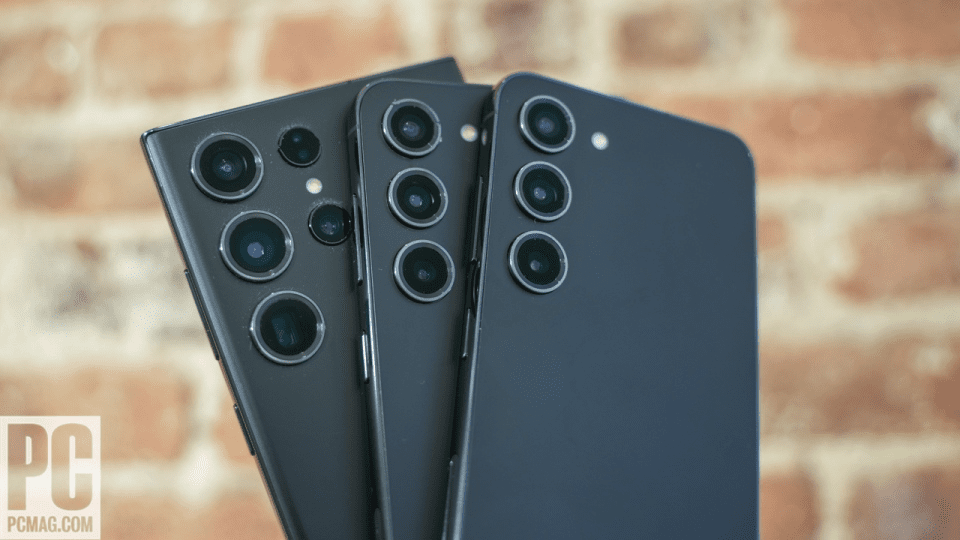
I found this article from PC magazine. It seems to explain the problem but doesn't really offer a solution appart from lightroom


My Computer My Computer

At a glance

Windows 11 Pro 25H2 26200.8655Ryzen 5 760032 Gb DDR5 6000Hz Corsair VengeanceSapphire Pulse RX 7600
OS
Windows 11 Pro 25H2 26200.8655
Computer type
PC/Desktop
Manufacturer/Model
Home built
CPU
Ryzen 5 7600
Motherboard
Gigabyte B650M Aorus Elite AX Ice
Memory
32 Gb DDR5 6000Hz Corsair Vengeance
Graphics Card(s)
Sapphire Pulse RX 7600
Sound Card
Internal Realtek
Monitor(s) Displays
Samsung 32" Odyssey G5 G50D QHD
Screen Resolution
2560 x 1440
Hard Drives
WD Black SN 770 1Tb; SanDisk SDSSDA240G ; Seagate 2Tb HDD
PSU
MSI MAG A750GL
Case
Enermax Marbleshell MS21
Cooling
Thermaltake Peerless Assassin 120 White ARGB, 3 x 120 intake, 1 x 120 exhaust
Keyboard
Aukey KM-G12
Mouse
Razer Basilisk v3 Pro 35K
Internet Speed
1 Gb/s up & 800 Mb/s down
Browser
Brave / Edge
Antivirus
Windows / Malwarebytes
The formats used by photoshop are standards for professional use, ( I personally prefer to work with the Raw .DNG format, developed by adobe but like the other adobe formats released as open formats)

There are a number of formats that are usable in non Adobe applications one of the better ones is the open source Irfanview which has basic raw adjustment and conversion capabilities

this is totally free to use and also has a wide range of conversion plugins to produce multiple formats - other plugins can add functionality to the base application.

The application's look may be a little dated but the developers concentrate on function over form, which these days is quite refreshing


The range of supported formats in Irfanview is a legend of the PC industry and although I have systems full of expensive commercial software there is also the essential copy of Irfanview
 

My Computers My Computers

  • At a glance

    Windows 11 Pro x64 [Latest Release Preview] [...AMD RYZEN 9 7950X OEM64GB [2x32GB Corsair Vengeance 560 AMD DDR5]3XS* ASUS DUAL RTX 4060 OC 8G
    OS
    Windows 11 Pro x64 [Latest Release Preview] [Win11 PRO HighEnd MUP-00005 DD]
    Computer type
    PC/Desktop
    Manufacturer/Model
    Scan 3XS to my design
    CPU
    AMD RYZEN 9 7950X OEM
    Motherboard
    *3XS*ASUS TUF B650 PLUS WIFI
    Memory
    64GB [2x32GB Corsair Vengeance 560 AMD DDR5]
    Graphics Card(s)
    3XS* ASUS DUAL RTX 4060 OC 8G
    Sound Card
    On motherboard Feeding SPDiF 5.1 system [plus local sound to each monitor]
    Monitor(s) Displays
    32" UHD 32 Bit HDR Monitor + 43" UHD 4K 32Bit HDR TV
    Screen Resolution
    2 x 3840 x 2160
    Hard Drives
    3XS Samsung 980Pro 2TB M.2 PCIe4 4 x 8TB Data + Various Externals from 1TB to 8TB, 10TB NAS
    PSU
    3XS Corsair RM850x 850w Fully Modular
    Case
    FDesign Define 7 XL BK TGL Case - Black
    Cooling
    3XS iCUE H150i ELITE Liquid Cool, Quiet Case fans
    Keyboard
    Wireless Logitec MX Keys + K830 [Depending on where I'm Sat]
    Mouse
    Wireless Logitec - MX Master 3S +
    Internet Speed
    950 MB Down 55 MB Up
    Browser
    Latest Chrome
    Antivirus
    BitDefender Total Security [Latest]
    Other Info
    Also run...
    Dell XPS 17 Laptop
    HP Laptop 8GB - Windows 10 Pro x64 HP 15.2"
    Nexus 7 Android tablet [x2]
    Samsung 10.2" tablet
    Blackview 10.2 Tablet
    Sony Z3 Android Smartphone
    Samsung S9 Plus Smartphone
    Wacom Pro Medium Pen Pad
    Wacom Pro Small Pen Pad
    Wacom ExpressKey Remote
    Loopdeck+ Graphics Controller
    Shuttle Pro v2 Control Pad
  • At a glance

    Windows 11 Pro x64 [Latest release]i7 10750H32 GBStock Intel + GTX 1650 Ti
    Operating System
    Windows 11 Pro x64 [Latest release]
    Computer type
    Laptop
    Manufacturer/Model
    Dell XPS 17 9700
    CPU
    i7 10750H
    Motherboard
    Stock
    Memory
    32 GB
    Graphics card(s)
    Stock Intel + GTX 1650 Ti
    Sound Card
    Stock 4 speaker
    Monitor(s) Displays
    Stock 17" + 32" 4K 3840 x 2160 HDR-10
    Screen Resolution
    3840 x 2400 HDR touchscreen
    Hard Drives
    2TB M2 NVMe
    PSU
    Stock
    Case
    Stock Aluminium / Carbon Fibre
    Cooling
    Stock + 2 fan cooling pad
    Keyboard
    Stock Illuminated + Logi - MX Keys
    Mouse
    Stock Trackpad +Logi Mx Master 3 or MX Ergo Trackball
    Internet Speed
    950 MB Down 55 MB Up
    Browser
    Latest Chrome
    Antivirus
    BitDefender Total Security 2021
    Other Info
    Also use an Adjustable Support for Laptop and Adjustable stand for monitor
Gosh ... thanks for all the replies folks ... much appreciated. Ironically, somehow the photos are now jpeg which is viewable on my laptop. I really can't say what fixed the issue. After trying various ways to convert to jpeg, it seemed to work suddenly. I believe all is fine now. Thanks again for all the helpful replies.

Just a side note ... the "free exchange" for an S23 is a complete farce. I took my A51 phone into an AT&T store expecting a free S23 for my A51 Samsung as indicated by their commercials and website. Wrong! They prorate the exchange based on the model. Since my phone would not turn on, they would not accept it. The commercial and their web site states the trade is a Samsung phone in ANY condition. Very misleading advertising IMO. Then I looked online to see about a trade if I could repair the A51 ... a whopping $5! So, I could spend the money to repair my A51 and get $5 whole dollars back. Yea AT&T!
 

My Computer My Computer

At a glance

Windows 11 Proi7-1195G716GB DDR4 512GB SSDIris Xe
OS
Windows 11 Pro
Computer type
Laptop
Manufacturer/Model
HP
CPU
i7-1195G7
Memory
16GB DDR4 512GB SSD
Graphics Card(s)
Iris Xe
You don't have access to all the settings when you are browsing a phone's contents. You must copy at least one image to a local folder (such as on your desktop) and then right-click, go to Open with and change it from there. It then should change for also when browsing the phone contents.
 

My Computers My Computers

  • At a glance

    Windows 11 Pro 23H2 (5699), 25H2 (8655)Mobile DualCore Intel Core 2 Duo T7250, 2000 MHz4GBMobile Intel(R) GMA 4500M (Mobile 4 series)
    OS
    Windows 11 Pro 23H2 (5699), 25H2 (8655)
    Computer type
    Laptop
    Manufacturer/Model
    Acer Extensa 5630EZ
    CPU
    Mobile DualCore Intel Core 2 Duo T7250, 2000 MHz
    Motherboard
    Acer Extensa 5630
    Memory
    4GB
    Graphics Card(s)
    Mobile Intel(R) GMA 4500M (Mobile 4 series)
    Sound Card
    Realtek ALC268 @ Intel 82801IB ICH9 - High Definition Audio Controller
    Monitor(s) Displays
    1
    Screen Resolution
    1280x800
    Hard Drives
    Samsung SSD 850 EVO 250GB SATA Device (250 GB, SATA-III)
    Internet Speed
    VDSL 50 Mbps
    Browser
    MICROSOFT EDGE
    Antivirus
    WINDOWS DEFENDER
    Other Info
    Legacy MBR installation, no TPM, no Secure Boot, no WDDM 2.0 graphics drivers, no SSE4.2, cannot get more unsupported ;) This is only my test laptop. I had installed Windows 11 here before upgrading my main PC. For my main PC I use everyday see my 2nd system specs.
  • At a glance

    Windows 11 Pro v25H2 (build 26200.8655)Intel Core-i7 3770 3.40GHz s1155 (3rd generat...2x Kingston Hyper-X Blu 8GB DDR3-1600GIGABYTE GeForce RTX 3050 WINDFORCE OC V2 6GB...
    Operating System
    Windows 11 Pro v25H2 (build 26200.8655)
    Computer type
    PC/Desktop
    Manufacturer/Model
    Custom-built PC
    CPU
    Intel Core-i7 3770 3.40GHz s1155 (3rd generation)
    Motherboard
    Asus P8H61 s1155 ATX
    Memory
    2x Kingston Hyper-X Blu 8GB DDR3-1600
    Graphics card(s)
    GIGABYTE GeForce RTX 3050 WINDFORCE OC V2 6GB (GV-N3050WF2OCV2-6GD)
    Sound Card
    Realtek HD audio (ALC887)
    Monitor(s) Displays
    Sony Bravia KDL-19L4000 19" LCD TV via VGA
    Screen Resolution
    1440x900 32-bit 60Hz
    Hard Drives
    WD Blue SA510 2.5 1000GB SSD as system disk, Western Digital Caviar Purple 4TB SATA III (WD40PURZ) as second
    PSU
    Thermaltake Litepower RGB 550W Full Wired
    Case
    SUPERCASE MIDI-TOWER
    Cooling
    Deepcool Gamma Archer CPU cooler, 1x 8cm fan at the back
    Keyboard
    Mitsumi 101-key PS/2
    Mouse
    Sunnyline OptiEye PS/2
    Internet Speed
    100Mbps
    Browser
    Microsoft Edge, Mozilla Firefox
    Antivirus
    Microsoft Windows Defender
    Other Info
    Legacy BIOS (MBR) installation, no TPM, no Secure Boot, WDDM 3.0 graphics drivers, WEI score 7.4
Thanks for the reply ... all is well now.
 

My Computer My Computer

At a glance

Windows 11 Proi7-1195G716GB DDR4 512GB SSDIris Xe
OS
Windows 11 Pro
Computer type
Laptop
Manufacturer/Model
HP
CPU
i7-1195G7
Memory
16GB DDR4 512GB SSD
Graphics Card(s)
Iris Xe
Back
Top Bottom