I had the same thing that happened after I installed this beta earlier this week - I first noticed Quicken closed down a piece at a time in the UI - very weird. So knowing this happened before, I tried running command in admin and I got this:
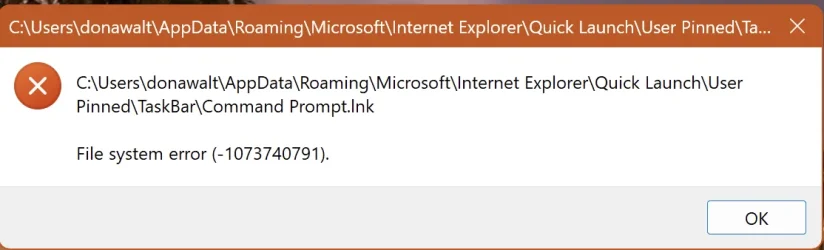
So then I tried using the Run app to do a shutdown /s - got this:
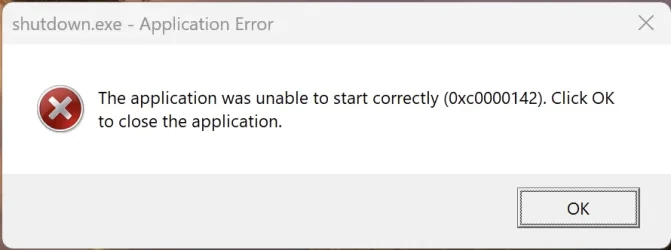
As this is a VM under Parallels, I was able to restart under Parallels, without shutting it down or restarting, and things were normal again. Something definitely is broken in this beta build.
Any ideas what to try or look for when it happens again?
So then I tried using the Run app to do a shutdown /s - got this:
As this is a VM under Parallels, I was able to restart under Parallels, without shutting it down or restarting, and things were normal again. Something definitely is broken in this beta build.
Any ideas what to try or look for when it happens again?
My Computer
At a glance
Windows 11Apple M1 Max 10 core/4 CPU assigned to Parall...64GB/24GB assigned to Parallels 17 VMApple 32 core GPU
- OS
- Windows 11
- Computer type
- Laptop
- Manufacturer/Model
- Apple MacBook Pro 16" 2021
- CPU
- Apple M1 Max 10 core/4 CPU assigned to Parallels 17 VM
- Motherboard
- Apple Silicon M1 Max
- Memory
- 64GB/24GB assigned to Parallels 17 VM
- Graphics Card(s)
- Apple 32 core GPU
- Sound Card
- Apple
- Monitor(s) Displays
- 16.2" Liquid Retina XDR
- Screen Resolution
- 3456-by-2234 native resolution at 254 psi
- Hard Drives
- 4TB SSD
- PSU
- Apple
- Case
- Apple
- Cooling
- Apple
- Keyboard
- Apple
- Mouse
- N/A; Apple Trackpad
- Internet Speed
- 1.2Gb/42Gb
- Browser
- Parallels 17 VM: MS Edge
- Antivirus
- Parallels 17 VM: MS Defender