Daily BSOD for the last several days


Tomorrow please post a new V2 share link into the newest post.
 

My Computer My Computer

At a glance

Windows 10Intel(R) Core(TM) i7-4800MQ CPU @ 2.70GHz16 GB Total: Manufacturer : Samsung MemoryTyp...NVIDIA Quadro K3100M; Intel(R) HD Graphics 4600
OS
Windows 10
Computer type
Laptop
Manufacturer/Model
HP
CPU
Intel(R) Core(TM) i7-4800MQ CPU @ 2.70GHz
Motherboard
Product : 190A Version : KBC Version 94.56
Memory
16 GB Total: Manufacturer : Samsung MemoryType : DDR3 FormFactor : SODIMM Capacity : 8GB Speed : 1600
Graphics Card(s)
NVIDIA Quadro K3100M; Intel(R) HD Graphics 4600
Sound Card
IDT High Definition Audio CODEC; PNP Device ID HDAUDIO\FUNC_01&VEN_111D&DEV_76E0
Hard Drives
Model Hitachi HTS727575A9E364
Antivirus
Microsoft Defender
Other Info
Mobile Workstation

My Computer My Computer

At a glance

Windows 11 Professional (x64) Version 25H2 (b...3.00 gigahertz Intel Core i7-9700F32gbNVIDIA GeForce RTX 2060 SUPER
OS
Windows 11 Professional (x64) Version 25H2 (build
Computer type
PC/Desktop
Manufacturer/Model
custom - ASUS motherboard
CPU
3.00 gigahertz Intel Core i7-9700F
Motherboard
ASUSTeKCOMPUTERINC.TUFZ390-PLUSGAMING(WI-FI)
Memory
32gb
Graphics Card(s)
NVIDIA GeForce RTX 2060 SUPER
Sound Card
on motherboard
Monitor(s) Displays
Samsung C32R50x
Screen Resolution
1920 x 1080
Hard Drives
CT1000MX500SSD1 1.00 TB SSD 2016E29B78BA 1 Healthy
Samsung SSD 980 PRO with Heatsink 1TB 1.00 TB NVMe S6WSNS0TB06391D _0006 2
ST1000DM010-2EP102 1.00 TB HDD ZN1FAZPY 0 Healthy
Browser
Vivaldi
Antivirus
Bitdefender
The latest logs dated 11/25/25


Last reported BSOD: 11/13/2025

Are reporting WER (but they were cleaned) > what had be done to turn then off and on?

SecureBoot : Not Enabled

(There are multiple active EF threads on updating secure boot)


Code:
Event[22281]
  Log Name: System
  Source: Service Control Manager
  Date: 2025-11-22T10:15:46.9790000Z
  Event ID: 7040
  Task: N/A
  Level: Information
  Opcode: N/A
  Keyword: Classic,
  User: S-1-5-21-2318473919-3381892624-2426068161-1001
  User Name: GAMER\deepr
  Computer: GAMER
  Description:
The start type of the Windows Error Reporting Service service was changed from disabled to auto start.


Code:
Event[22420]
  Log Name: System
  Source: Microsoft-Windows-TPM-WMI
  Date: 2025-11-22T10:33:26.4630000Z
  Event ID: 1801
  Task: N/A
  Level: Error
  Opcode: Info 
  Keyword: N/A
  User: S-1-5-18
  User Name: NT AUTHORITY\SYSTEM
  Computer: GAMER
  Description:
Secure Boot CA/keys need to be updated. This device signature information is included here.
DeviceAttributes: BaseBoardManufacturer:ASUSTeK COMPUTER INC.;FirmwareManufacturer:American Megatrends Inc.;FirmwareVersion:3006;OEMModelNumber:System Product Name;OEMModelBaseBoard:TUF Z390-PLUS GAMING (WI-FI);OEMModelSystemFamily:To be filled by O.E.M.;OEMManufacturerName:System manufacturer;OEMModelSKU:ASUS_MB_CNL;OSArchitecture:amd64;
BucketId: 008592c2629e6c80e74f971f2a24e3254163cd4f1ec207e0211fe7889111160e
BucketConfidenceLevel:
UpdateType: 0
HResult: The operation completed successfully.
 

My Computer My Computer

At a glance

Windows 10Intel(R) Core(TM) i7-4800MQ CPU @ 2.70GHz16 GB Total: Manufacturer : Samsung MemoryTyp...NVIDIA Quadro K3100M; Intel(R) HD Graphics 4600
OS
Windows 10
Computer type
Laptop
Manufacturer/Model
HP
CPU
Intel(R) Core(TM) i7-4800MQ CPU @ 2.70GHz
Motherboard
Product : 190A Version : KBC Version 94.56
Memory
16 GB Total: Manufacturer : Samsung MemoryType : DDR3 FormFactor : SODIMM Capacity : 8GB Speed : 1600
Graphics Card(s)
NVIDIA Quadro K3100M; Intel(R) HD Graphics 4600
Sound Card
IDT High Definition Audio CODEC; PNP Device ID HDAUDIO\FUNC_01&VEN_111D&DEV_76E0
Hard Drives
Model Hitachi HTS727575A9E364
Antivirus
Microsoft Defender
Other Info
Mobile Workstation
Are reporting WER (but they were cleaned) > what had be done to turn then off and on?
1 - Not sure what the question is - WER seems to be working. I don't know that the WER were "cleaned". I turned it on in services.msc

2 - I thought I had turned on Secure Boot in the startup BIOS, but I will go back and check again :).
 

My Computer My Computer

At a glance

Windows 11 Professional (x64) Version 25H2 (b...3.00 gigahertz Intel Core i7-9700F32gbNVIDIA GeForce RTX 2060 SUPER
OS
Windows 11 Professional (x64) Version 25H2 (build
Computer type
PC/Desktop
Manufacturer/Model
custom - ASUS motherboard
CPU
3.00 gigahertz Intel Core i7-9700F
Motherboard
ASUSTeKCOMPUTERINC.TUFZ390-PLUSGAMING(WI-FI)
Memory
32gb
Graphics Card(s)
NVIDIA GeForce RTX 2060 SUPER
Sound Card
on motherboard
Monitor(s) Displays
Samsung C32R50x
Screen Resolution
1920 x 1080
Hard Drives
CT1000MX500SSD1 1.00 TB SSD 2016E29B78BA 1 Healthy
Samsung SSD 980 PRO with Heatsink 1TB 1.00 TB NVMe S6WSNS0TB06391D _0006 2
ST1000DM010-2EP102 1.00 TB HDD ZN1FAZPY 0 Healthy
Browser
Vivaldi
Antivirus
Bitdefender
Disk cleanup or third party software may have deleted the Windows Error Reporting.


Code:
Windows Error Reporting:
+++ WER0 +++:
No Data
+++ WER1 +++:
No Data
+++ WER2 +++:
No Data
+++ WER3 +++:
No Data
+++ WER4 +++:
No Data
+++ WER5 +++:
No Data
+++ WER6 +++:
No Data
+++ WER7 +++:
No Data
+++ WER8 +++:
No Data
+++ WER9 +++:
No Data
 

My Computer My Computer

At a glance

Windows 10Intel(R) Core(TM) i7-4800MQ CPU @ 2.70GHz16 GB Total: Manufacturer : Samsung MemoryTyp...NVIDIA Quadro K3100M; Intel(R) HD Graphics 4600
OS
Windows 10
Computer type
Laptop
Manufacturer/Model
HP
CPU
Intel(R) Core(TM) i7-4800MQ CPU @ 2.70GHz
Motherboard
Product : 190A Version : KBC Version 94.56
Memory
16 GB Total: Manufacturer : Samsung MemoryType : DDR3 FormFactor : SODIMM Capacity : 8GB Speed : 1600
Graphics Card(s)
NVIDIA Quadro K3100M; Intel(R) HD Graphics 4600
Sound Card
IDT High Definition Audio CODEC; PNP Device ID HDAUDIO\FUNC_01&VEN_111D&DEV_76E0
Hard Drives
Model Hitachi HTS727575A9E364
Antivirus
Microsoft Defender
Other Info
Mobile Workstation
Disk cleanup or third party software may have deleted the Windows Error Reporting.


Code:
Windows Error Reporting:
+++ WER0 +++:
No Data
+++ WER1 +++:
No Data
+++ WER2 +++:
No Data
+++ WER3 +++:
No Data
+++ WER4 +++:
No Data
+++ WER5 +++:
No Data
+++ WER6 +++:
No Data
+++ WER7 +++:
No Data
+++ WER8 +++:
No Data
+++ WER9 +++:
No Data
Ahhh...I see. Sheesh. Well....am guessing my local PC guy must have deleted all without asking me. I guess we won't know until I get a Windows ERROR in the future. I DID follow the instructions to update my Secure Boot Keys, so hopefully it is working now.
 

My Computer My Computer

At a glance

Windows 11 Professional (x64) Version 25H2 (b...3.00 gigahertz Intel Core i7-9700F32gbNVIDIA GeForce RTX 2060 SUPER
OS
Windows 11 Professional (x64) Version 25H2 (build
Computer type
PC/Desktop
Manufacturer/Model
custom - ASUS motherboard
CPU
3.00 gigahertz Intel Core i7-9700F
Motherboard
ASUSTeKCOMPUTERINC.TUFZ390-PLUSGAMING(WI-FI)
Memory
32gb
Graphics Card(s)
NVIDIA GeForce RTX 2060 SUPER
Sound Card
on motherboard
Monitor(s) Displays
Samsung C32R50x
Screen Resolution
1920 x 1080
Hard Drives
CT1000MX500SSD1 1.00 TB SSD 2016E29B78BA 1 Healthy
Samsung SSD 980 PRO with Heatsink 1TB 1.00 TB NVMe S6WSNS0TB06391D _0006 2
ST1000DM010-2EP102 1.00 TB HDD ZN1FAZPY 0 Healthy
Browser
Vivaldi
Antivirus
Bitdefender
SecureBoot : Not Enabled


The time stamp on the event viewer with event ID: 1801 was 2025-11-25T12:48:20.3150000Z


The update can be done manually or via an offered Windows update.


If is done then try a reboot.


Code:
Event[23087]
  Log Name: System
  Source: Microsoft-Windows-TPM-WMI
  Date: 2025-11-25T12:48:20.3150000Z
  Event ID: 1801
  Task: N/A
  Level: Error
  Opcode: Info
  Keyword: N/A
  User: S-1-5-18
  User Name: NT AUTHORITY\SYSTEM
  Computer: GAMER
  Description:
Secure Boot CA/keys need to be updated. This device signature information is included here.
DeviceAttributes: BaseBoardManufacturer:ASUSTeK COMPUTER INC.;FirmwareManufacturer:American Megatrends Inc.;FirmwareVersion:3006;OEMModelNumber:System Product Name;OEMModelBaseBoard:TUF Z390-PLUS GAMING (WI-FI);OEMModelSystemFamily:To be filled by O.E.M.;OEMManufacturerName:System manufacturer;OEMModelSKU:ASUS_MB_CNL;OSArchitecture:amd64;
BucketId: 008592c2629e6c80e74f971f2a24e3254163cd4f1ec207e0211fe7889111160e
BucketConfidenceLevel:
UpdateType: 0
HResult: The operation completed successfully.
 

My Computer My Computer

At a glance

Windows 10Intel(R) Core(TM) i7-4800MQ CPU @ 2.70GHz16 GB Total: Manufacturer : Samsung MemoryTyp...NVIDIA Quadro K3100M; Intel(R) HD Graphics 4600
OS
Windows 10
Computer type
Laptop
Manufacturer/Model
HP
CPU
Intel(R) Core(TM) i7-4800MQ CPU @ 2.70GHz
Motherboard
Product : 190A Version : KBC Version 94.56
Memory
16 GB Total: Manufacturer : Samsung MemoryType : DDR3 FormFactor : SODIMM Capacity : 8GB Speed : 1600
Graphics Card(s)
NVIDIA Quadro K3100M; Intel(R) HD Graphics 4600
Sound Card
IDT High Definition Audio CODEC; PNP Device ID HDAUDIO\FUNC_01&VEN_111D&DEV_76E0
Hard Drives
Model Hitachi HTS727575A9E364
Antivirus
Microsoft Defender
Other Info
Mobile Workstation

My Computer My Computer

At a glance

Windows 11 Professional (x64) Version 25H2 (b...3.00 gigahertz Intel Core i7-9700F32gbNVIDIA GeForce RTX 2060 SUPER
OS
Windows 11 Professional (x64) Version 25H2 (build
Computer type
PC/Desktop
Manufacturer/Model
custom - ASUS motherboard
CPU
3.00 gigahertz Intel Core i7-9700F
Motherboard
ASUSTeKCOMPUTERINC.TUFZ390-PLUSGAMING(WI-FI)
Memory
32gb
Graphics Card(s)
NVIDIA GeForce RTX 2060 SUPER
Sound Card
on motherboard
Monitor(s) Displays
Samsung C32R50x
Screen Resolution
1920 x 1080
Hard Drives
CT1000MX500SSD1 1.00 TB SSD 2016E29B78BA 1 Healthy
Samsung SSD 980 PRO with Heatsink 1TB 1.00 TB NVMe S6WSNS0TB06391D _0006 2
ST1000DM010-2EP102 1.00 TB HDD ZN1FAZPY 0 Healthy
Browser
Vivaldi
Antivirus
Bitdefender
Two confirmation methods reported enabled:

MSinfo32

Confirm-SecureBootUEFI


1) Does option one in the tutorial also report Secure boot is on?

2) Run administrative command prompt:

reg query "HKEY_LOCAL_MACHINE\SYSTEM\CurrentControlSet\Control\SecureBoot\State"


Please post a new V2 share link into the newest post.
 
Last edited:

My Computer My Computer

At a glance

Windows 10Intel(R) Core(TM) i7-4800MQ CPU @ 2.70GHz16 GB Total: Manufacturer : Samsung MemoryTyp...NVIDIA Quadro K3100M; Intel(R) HD Graphics 4600
OS
Windows 10
Computer type
Laptop
Manufacturer/Model
HP
CPU
Intel(R) Core(TM) i7-4800MQ CPU @ 2.70GHz
Motherboard
Product : 190A Version : KBC Version 94.56
Memory
16 GB Total: Manufacturer : Samsung MemoryType : DDR3 FormFactor : SODIMM Capacity : 8GB Speed : 1600
Graphics Card(s)
NVIDIA Quadro K3100M; Intel(R) HD Graphics 4600
Sound Card
IDT High Definition Audio CODEC; PNP Device ID HDAUDIO\FUNC_01&VEN_111D&DEV_76E0
Hard Drives
Model Hitachi HTS727575A9E364
Antivirus
Microsoft Defender
Other Info
Mobile Workstation

My Computer My Computer

At a glance

Windows 11 Professional (x64) Version 25H2 (b...3.00 gigahertz Intel Core i7-9700F32gbNVIDIA GeForce RTX 2060 SUPER
OS
Windows 11 Professional (x64) Version 25H2 (build
Computer type
PC/Desktop
Manufacturer/Model
custom - ASUS motherboard
CPU
3.00 gigahertz Intel Core i7-9700F
Motherboard
ASUSTeKCOMPUTERINC.TUFZ390-PLUSGAMING(WI-FI)
Memory
32gb
Graphics Card(s)
NVIDIA GeForce RTX 2060 SUPER
Sound Card
on motherboard
Monitor(s) Displays
Samsung C32R50x
Screen Resolution
1920 x 1080
Hard Drives
CT1000MX500SSD1 1.00 TB SSD 2016E29B78BA 1 Healthy
Samsung SSD 980 PRO with Heatsink 1TB 1.00 TB NVMe S6WSNS0TB06391D _0006 2
ST1000DM010-2EP102 1.00 TB HDD ZN1FAZPY 0 Healthy
Browser
Vivaldi
Antivirus
Bitdefender
Thx.


The V2 script still reported: SecureBoot : Not Enabled


The script needs to be updated.


Code:
    # Confirm if UEFI is enabled and if SecureBoot is enabled
    $FirmwareType = Get-FirmwareType

    # If the system is not using UEFI secureboot is not enabled as it is a UEFI-specific feature
    If ( $FirmwareType -ne "UEFI" )
    {
        $SecureBoot = "Not Enabled"
    }

    Else
    {
        $ErrorActionPreference = 'SilentlyContinue'
        $SecureBoot = Confirm-SecureBootUEFI | Out-Null
        $ErrorActionPreference = 'Continue'

        If ( $SecureBoot -eq $True )
        {
            $SecureBootStatus = "Enabled"
        }
        Else
        {
            $SecureBootStatus = "Not Enabled"
        }
    }

    $FirmwareInfo =
    [PSCustomObject]@{
        "Safe Mode"    = $SafeMode
        "FastStartup"  = $FastStartup
        "FirmwareType" = $FirmwareType
        "SecureBoot"   = $SecureBootStatus
    }

    Return $FirmwareInfo
}


Code:
Safe Mode    : Normal boot
FastStartup  : Disabled
FirmwareType : UEFI
SecureBoot   : Not Enabled
 

My Computer My Computer

At a glance

Windows 10Intel(R) Core(TM) i7-4800MQ CPU @ 2.70GHz16 GB Total: Manufacturer : Samsung MemoryTyp...NVIDIA Quadro K3100M; Intel(R) HD Graphics 4600
OS
Windows 10
Computer type
Laptop
Manufacturer/Model
HP
CPU
Intel(R) Core(TM) i7-4800MQ CPU @ 2.70GHz
Motherboard
Product : 190A Version : KBC Version 94.56
Memory
16 GB Total: Manufacturer : Samsung MemoryType : DDR3 FormFactor : SODIMM Capacity : 8GB Speed : 1600
Graphics Card(s)
NVIDIA Quadro K3100M; Intel(R) HD Graphics 4600
Sound Card
IDT High Definition Audio CODEC; PNP Device ID HDAUDIO\FUNC_01&VEN_111D&DEV_76E0
Hard Drives
Model Hitachi HTS727575A9E364
Antivirus
Microsoft Defender
Other Info
Mobile Workstation
Well.....everything I have seen says it IS ON and ENABLED, so not sure what you want me to do. I did see in the BIOS a page about Secure Boot that had a few "keys", but I don't know what they are or how to do whatever needs done with them. Also, I did notice that SystemInformation always says SecureBootON, but alternately, sometimes when I run "msinfo32", it says SecureBoot OFF. Am not knowing what to do next.
UPDATE: I have read more about the "keys" and will do a RESET on them tomorrow Wednesday).
 
Last edited:

My Computer My Computer

At a glance

Windows 11 Professional (x64) Version 25H2 (b...3.00 gigahertz Intel Core i7-9700F32gbNVIDIA GeForce RTX 2060 SUPER
OS
Windows 11 Professional (x64) Version 25H2 (build
Computer type
PC/Desktop
Manufacturer/Model
custom - ASUS motherboard
CPU
3.00 gigahertz Intel Core i7-9700F
Motherboard
ASUSTeKCOMPUTERINC.TUFZ390-PLUSGAMING(WI-FI)
Memory
32gb
Graphics Card(s)
NVIDIA GeForce RTX 2060 SUPER
Sound Card
on motherboard
Monitor(s) Displays
Samsung C32R50x
Screen Resolution
1920 x 1080
Hard Drives
CT1000MX500SSD1 1.00 TB SSD 2016E29B78BA 1 Healthy
Samsung SSD 980 PRO with Heatsink 1TB 1.00 TB NVMe S6WSNS0TB06391D _0006 2
ST1000DM010-2EP102 1.00 TB HDD ZN1FAZPY 0 Healthy
Browser
Vivaldi
Antivirus
Bitdefender
It looks good per the posted results.

The V2 needs updating.


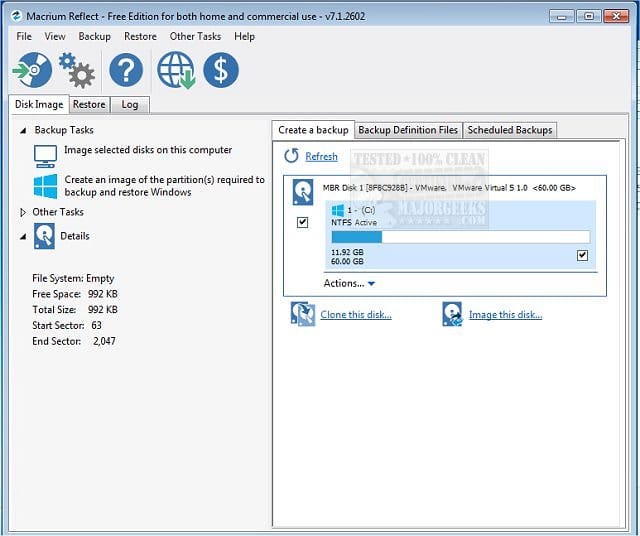
Once you've got everything set consider making free or pay backup images.

Save the backup image to another disk drive or to the cloud.

If there is malware, ransomware, registry or operating system corruption, failure to boot, etc. you then have the option to restore the image.

(Acronis, Aoemi, EaseUS, Hasleo, Macrium, Paragon, etc.)

Macrium is widely used in Ten Forums.

Macrium Software | Your Image is Everything


Backup and Restore with Macrium Reflect


My Computer My Computer

At a glance

Windows 10Intel(R) Core(TM) i7-4800MQ CPU @ 2.70GHz16 GB Total: Manufacturer : Samsung MemoryTyp...NVIDIA Quadro K3100M; Intel(R) HD Graphics 4600
OS
Windows 10
Computer type
Laptop
Manufacturer/Model
HP
CPU
Intel(R) Core(TM) i7-4800MQ CPU @ 2.70GHz
Motherboard
Product : 190A Version : KBC Version 94.56
Memory
16 GB Total: Manufacturer : Samsung MemoryType : DDR3 FormFactor : SODIMM Capacity : 8GB Speed : 1600
Graphics Card(s)
NVIDIA Quadro K3100M; Intel(R) HD Graphics 4600
Sound Card
IDT High Definition Audio CODEC; PNP Device ID HDAUDIO\FUNC_01&VEN_111D&DEV_76E0
Hard Drives
Model Hitachi HTS727575A9E364
Antivirus
Microsoft Defender
Other Info
Mobile Workstation
Last edited:

My Computer My Computer

At a glance

Windows 11 Professional (x64) Version 25H2 (b...3.00 gigahertz Intel Core i7-9700F32gbNVIDIA GeForce RTX 2060 SUPER
OS
Windows 11 Professional (x64) Version 25H2 (build
Computer type
PC/Desktop
Manufacturer/Model
custom - ASUS motherboard
CPU
3.00 gigahertz Intel Core i7-9700F
Motherboard
ASUSTeKCOMPUTERINC.TUFZ390-PLUSGAMING(WI-FI)
Memory
32gb
Graphics Card(s)
NVIDIA GeForce RTX 2060 SUPER
Sound Card
on motherboard
Monitor(s) Displays
Samsung C32R50x
Screen Resolution
1920 x 1080
Hard Drives
CT1000MX500SSD1 1.00 TB SSD 2016E29B78BA 1 Healthy
Samsung SSD 980 PRO with Heatsink 1TB 1.00 TB NVMe S6WSNS0TB06391D _0006 2
ST1000DM010-2EP102 1.00 TB HDD ZN1FAZPY 0 Healthy
Browser
Vivaldi
Antivirus
Bitdefender
Please find a flash drive that you can format and a working Windows computer.

Create a bootable Media Creation Tool (MCT) (Windows iso).


Boot to Windows Recovery Environment (RE) using the MCT / iso > command prompt

Type:

bcdedit | find "osdevice"
diskpart
lis dis
list vol
exit

copy c:\windows\system32\logfiles\srt\srttrail.txt X:

(Replace c: as needed with the partition letter seen in the bcdedit command partition drive letter result.)

(Replace X: with drive letter assign to USB flash Drive.)


My Computer My Computer

At a glance

Windows 10Intel(R) Core(TM) i7-4800MQ CPU @ 2.70GHz16 GB Total: Manufacturer : Samsung MemoryTyp...NVIDIA Quadro K3100M; Intel(R) HD Graphics 4600
OS
Windows 10
Computer type
Laptop
Manufacturer/Model
HP
CPU
Intel(R) Core(TM) i7-4800MQ CPU @ 2.70GHz
Motherboard
Product : 190A Version : KBC Version 94.56
Memory
16 GB Total: Manufacturer : Samsung MemoryType : DDR3 FormFactor : SODIMM Capacity : 8GB Speed : 1600
Graphics Card(s)
NVIDIA Quadro K3100M; Intel(R) HD Graphics 4600
Sound Card
IDT High Definition Audio CODEC; PNP Device ID HDAUDIO\FUNC_01&VEN_111D&DEV_76E0
Hard Drives
Model Hitachi HTS727575A9E364
Antivirus
Microsoft Defender
Other Info
Mobile Workstation
Hi zbook - so I can;t use a Restore Point? I just must have messed up something with saving the new Secure Boot keys - and I can definitely get into the BIOs - so can't I just fix whatever I did wrong in the BIOS?
 

My Computer My Computer

At a glance

Windows 11 Professional (x64) Version 25H2 (b...3.00 gigahertz Intel Core i7-9700F32gbNVIDIA GeForce RTX 2060 SUPER
OS
Windows 11 Professional (x64) Version 25H2 (build
Computer type
PC/Desktop
Manufacturer/Model
custom - ASUS motherboard
CPU
3.00 gigahertz Intel Core i7-9700F
Motherboard
ASUSTeKCOMPUTERINC.TUFZ390-PLUSGAMING(WI-FI)
Memory
32gb
Graphics Card(s)
NVIDIA GeForce RTX 2060 SUPER
Sound Card
on motherboard
Monitor(s) Displays
Samsung C32R50x
Screen Resolution
1920 x 1080
Hard Drives
CT1000MX500SSD1 1.00 TB SSD 2016E29B78BA 1 Healthy
Samsung SSD 980 PRO with Heatsink 1TB 1.00 TB NVMe S6WSNS0TB06391D _0006 2
ST1000DM010-2EP102 1.00 TB HDD ZN1FAZPY 0 Healthy
Browser
Vivaldi
Antivirus
Bitdefender
Please post srttrail.txt and see the ASUS link.
 

My Computer My Computer

At a glance

Windows 10Intel(R) Core(TM) i7-4800MQ CPU @ 2.70GHz16 GB Total: Manufacturer : Samsung MemoryTyp...NVIDIA Quadro K3100M; Intel(R) HD Graphics 4600
OS
Windows 10
Computer type
Laptop
Manufacturer/Model
HP
CPU
Intel(R) Core(TM) i7-4800MQ CPU @ 2.70GHz
Motherboard
Product : 190A Version : KBC Version 94.56
Memory
16 GB Total: Manufacturer : Samsung MemoryType : DDR3 FormFactor : SODIMM Capacity : 8GB Speed : 1600
Graphics Card(s)
NVIDIA Quadro K3100M; Intel(R) HD Graphics 4600
Sound Card
IDT High Definition Audio CODEC; PNP Device ID HDAUDIO\FUNC_01&VEN_111D&DEV_76E0
Hard Drives
Model Hitachi HTS727575A9E364
Antivirus
Microsoft Defender
Other Info
Mobile Workstation
The image displayed: J:\recovery\windowsRE\Winre.win\System32\Logfiles\Srt\Srttrail.txt
 

My Computer My Computer

At a glance

Windows 10Intel(R) Core(TM) i7-4800MQ CPU @ 2.70GHz16 GB Total: Manufacturer : Samsung MemoryTyp...NVIDIA Quadro K3100M; Intel(R) HD Graphics 4600
OS
Windows 10
Computer type
Laptop
Manufacturer/Model
HP
CPU
Intel(R) Core(TM) i7-4800MQ CPU @ 2.70GHz
Motherboard
Product : 190A Version : KBC Version 94.56
Memory
16 GB Total: Manufacturer : Samsung MemoryType : DDR3 FormFactor : SODIMM Capacity : 8GB Speed : 1600
Graphics Card(s)
NVIDIA Quadro K3100M; Intel(R) HD Graphics 4600
Sound Card
IDT High Definition Audio CODEC; PNP Device ID HDAUDIO\FUNC_01&VEN_111D&DEV_76E0
Hard Drives
Model Hitachi HTS727575A9E364
Antivirus
Microsoft Defender
Other Info
Mobile Workstation
Please post srttrail.txt and see the ASUS link.
I have no clue what srttrail is. I followed the ASUS instructions, but the problem appeared when I tried to save the new default keys. When I chose to do this, it showed me a list of places I didn't recognize, nor understand (see savebootvariables.jpg), so I picked the first one, When I went back to MAIN and then [F10] to SAVE, it said that I hadn't changed anything, and then I got the red error screen on the reboot.
 

My Computer My Computer

At a glance

Windows 11 Professional (x64) Version 25H2 (b...3.00 gigahertz Intel Core i7-9700F32gbNVIDIA GeForce RTX 2060 SUPER
OS
Windows 11 Professional (x64) Version 25H2 (build
Computer type
PC/Desktop
Manufacturer/Model
custom - ASUS motherboard
CPU
3.00 gigahertz Intel Core i7-9700F
Motherboard
ASUSTeKCOMPUTERINC.TUFZ390-PLUSGAMING(WI-FI)
Memory
32gb
Graphics Card(s)
NVIDIA GeForce RTX 2060 SUPER
Sound Card
on motherboard
Monitor(s) Displays
Samsung C32R50x
Screen Resolution
1920 x 1080
Hard Drives
CT1000MX500SSD1 1.00 TB SSD 2016E29B78BA 1 Healthy
Samsung SSD 980 PRO with Heatsink 1TB 1.00 TB NVMe S6WSNS0TB06391D _0006 2
ST1000DM010-2EP102 1.00 TB HDD ZN1FAZPY 0 Healthy
Browser
Vivaldi
Antivirus
Bitdefender
A startup repair failure generates a failure log.

The reported location was drive J: as per post #98.
 

My Computer My Computer

At a glance

Windows 10Intel(R) Core(TM) i7-4800MQ CPU @ 2.70GHz16 GB Total: Manufacturer : Samsung MemoryTyp...NVIDIA Quadro K3100M; Intel(R) HD Graphics 4600
OS
Windows 10
Computer type
Laptop
Manufacturer/Model
HP
CPU
Intel(R) Core(TM) i7-4800MQ CPU @ 2.70GHz
Motherboard
Product : 190A Version : KBC Version 94.56
Memory
16 GB Total: Manufacturer : Samsung MemoryType : DDR3 FormFactor : SODIMM Capacity : 8GB Speed : 1600
Graphics Card(s)
NVIDIA Quadro K3100M; Intel(R) HD Graphics 4600
Sound Card
IDT High Definition Audio CODEC; PNP Device ID HDAUDIO\FUNC_01&VEN_111D&DEV_76E0
Hard Drives
Model Hitachi HTS727575A9E364
Antivirus
Microsoft Defender
Other Info
Mobile Workstation

Latest Support Threads

Back
Top Bottom