- Local time
- 7:10 PM
- Posts
- 102
- OS
- Windows 11 Home 23H2
Hi guys.
I'm new to this forum.
I wanted to ask for help to fix the problem I have with the Details Pane in Windows 11 File Explorer.
I'll be uploading screenshots to explain in more detail what's going on.
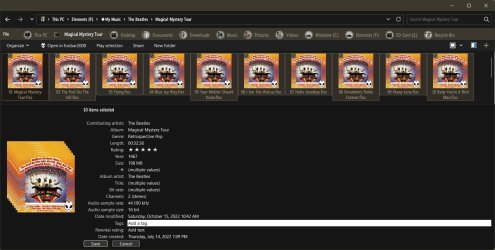
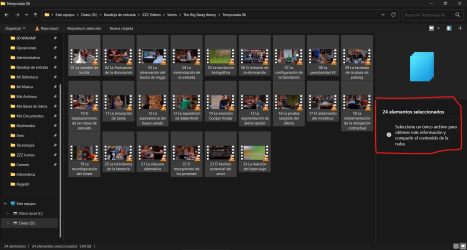
1. When I select all the files in a certain folder in File Explorer, I don't get any information in the Details Pane on the right:
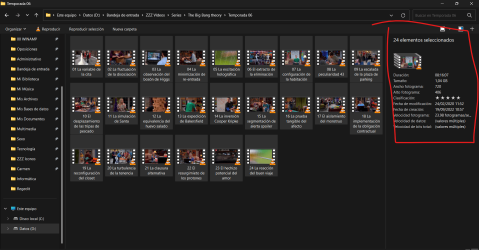
Searching the Internet for a way to solve this, I realized that if I access that same folder (I'm just using this one as an example, but it happens to me with any other folder I might use), this time all the information does appear in the Details Panel on the right:

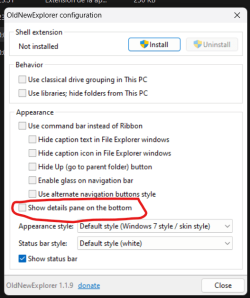
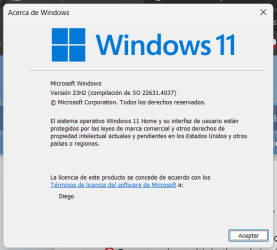
It is also a screenshot of the W11 I am currently using:

Also note that I am using StartIsBack - StartAllBack.
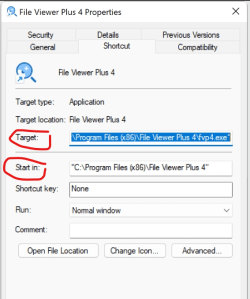
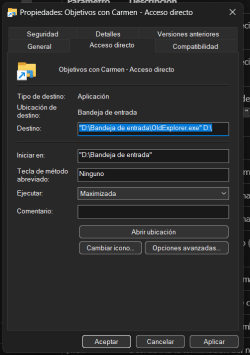
Well, I have tried to create a shortcut for the folders I want to have at hand by accessing them through the Control Panel, but this does not work either.
So, does anyone know how I could solve this problem and see the details of the selected files without having to go into the folder each time through the Control Panel?
Thank you very much.
I'm new to this forum.
I wanted to ask for help to fix the problem I have with the Details Pane in Windows 11 File Explorer.
I'll be uploading screenshots to explain in more detail what's going on.
1. When I select all the files in a certain folder in File Explorer, I don't get any information in the Details Pane on the right:
Searching the Internet for a way to solve this, I realized that if I access that same folder (I'm just using this one as an example, but it happens to me with any other folder I might use), this time all the information does appear in the Details Panel on the right:
It is also a screenshot of the W11 I am currently using:
Also note that I am using StartIsBack - StartAllBack.
Well, I have tried to create a shortcut for the folders I want to have at hand by accessing them through the Control Panel, but this does not work either.
So, does anyone know how I could solve this problem and see the details of the selected files without having to go into the folder each time through the Control Panel?
Thank you very much.
- Windows Build/Version
- 23H2
Attachments
My Computer
System One
-
- OS
- Windows 11 Home 23H2
- Computer type
- Laptop
- Manufacturer/Model
- *
- CPU
- *
- Motherboard
- *
- Memory
- *
- Graphics Card(s)
- *
- Sound Card
- *
- Monitor(s) Displays
- *
- Screen Resolution
- *
- Hard Drives
- *
- PSU
- *
- Case
- *
- Cooling
- *
- Keyboard
- *
- Mouse
- *
- Internet Speed
- *
- Browser
- *
- Antivirus
- *
- Other Info
- *