Dacrone & Garlin, thanks for that important info in Location for User account pictures?. You answered the question I asked over in Clarification needed re specifying custom user account image (thanks to glaskuter for pointing me to the thread).
I created the correctly sized png (and one bitmap) graphics, double-checked the sizes and names. They're all correct. But when I tried to change the picture in Settings (per Change Account Picture in Windows 11) , I got an error message saying the operation failed. Ironically, in Settings the picture does now appear alongside my username and the heading, "Local Account". But it doesn't show up any of the other places it's supposed to.
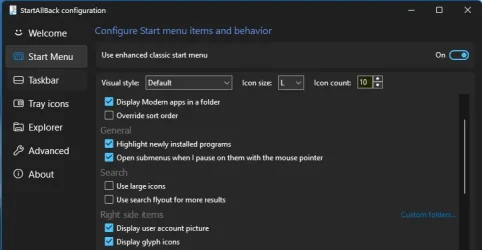
Since the settings method didn't work for me (mostly), I tried Dacrone's method of attempting the Group Policy Editor. That seems to have worked--at least now my picture is showing up at the bottom of the Start Menu now. So if someone else has a problem with the Settings method, try the Group Policy way. If you have Home Edition like I do, there are multiple ways to enable the Group Policy Editor. I used a MajorGeeks batch file (do a search for "enable Group Policy Editor MajorGeeks batch"). We'll see over the next few days of use whether they picture shows up everywhere it should.
I created the correctly sized png (and one bitmap) graphics, double-checked the sizes and names. They're all correct. But when I tried to change the picture in Settings (per Change Account Picture in Windows 11) , I got an error message saying the operation failed. Ironically, in Settings the picture does now appear alongside my username and the heading, "Local Account". But it doesn't show up any of the other places it's supposed to.
Since the settings method didn't work for me (mostly), I tried Dacrone's method of attempting the Group Policy Editor. That seems to have worked--at least now my picture is showing up at the bottom of the Start Menu now. So if someone else has a problem with the Settings method, try the Group Policy way. If you have Home Edition like I do, there are multiple ways to enable the Group Policy Editor. I used a MajorGeeks batch file (do a search for "enable Group Policy Editor MajorGeeks batch"). We'll see over the next few days of use whether they picture shows up everywhere it should.
- Windows Build/Version
- 24h2
Last edited:
My Computer
At a glance
Windows 11Intel i7-13620H 10-Core32GB DDR5GeForce RTX 4070
- OS
- Windows 11
- Computer type
- Laptop
- Manufacturer/Model
- ASUS
- CPU
- Intel i7-13620H 10-Core
- Motherboard
- ASUS TUF FX507
- Memory
- 32GB DDR5
- Graphics Card(s)
- GeForce RTX 4070
- Sound Card
- onboard
- Monitor(s) Displays
- laptop screen or Dell U3223QE
- Screen Resolution
- 1980 or 2160, depending on laptop screen or desktop monitor
- Hard Drives
- SSD
- PSU
- laptop
- Case
- laptop
- Cooling
- laptop
- Keyboard
- laptop
- Mouse
- logitech M525
- Internet Speed
- 5g
- Browser
- Firefox