Microsoft 365 Insider Blog:
Hi, Insiders! Outlook for Windows has a myriad of advanced capabilities for enhancing productivity, communication, and time management in today’s world of cloud computing, hybrid ways of working, and generative AI. Let’s dive into some of its biggest benefits and how to make the switch from classic Outlook today!
For more information, check out Margie Clinton’s recent post: Embracing the future: Transitioning to new Outlook for Windows.
Benefits of Outlook for Windows
To meet the needs of modern workflows, we’ve designed the updated Outlook for Windows with agility, consistency, and manageability in mind, making it easier to achieve stability, performance, and security – and to deliver features never before available in classic Outlook.Now, you can enjoy top-requested capabilities like:
- Pin important emails
- Sort and search for attendees
- Apply new themes and colored mailbox folders
- Add shared mailboxes as accounts
- Use Copilot-powered inbox prioritization and email drafting
- Create structured, professional, and richly formatted newsletters
- and so much more!
Why switch now
If you’re constantly on the move, switching between different devices and contexts throughout the day, you don’t need to reconfigure your settings when using the updated Outlook. This focus on consistency is something many of you have been asking for, and we’re excited to deliver it!Outlook for Windows better enables hybrid and global participation, with features such as support for up to 21 time zones; hybrid RSVP; and sorting and search for tracking attendees.
Finally, it’s deeply integrated with Windows to bring functionality that you expect of a rich, native app, including opening attachments in your default app, dragging and dropping attachments to the desktop, and sending content to OneNote. Outlook for Windows is seamlessly integrated with Microsoft Teams, without the need to install a separate add-in.
How it works
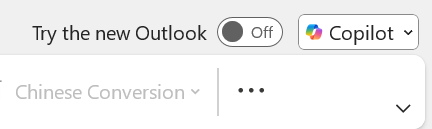
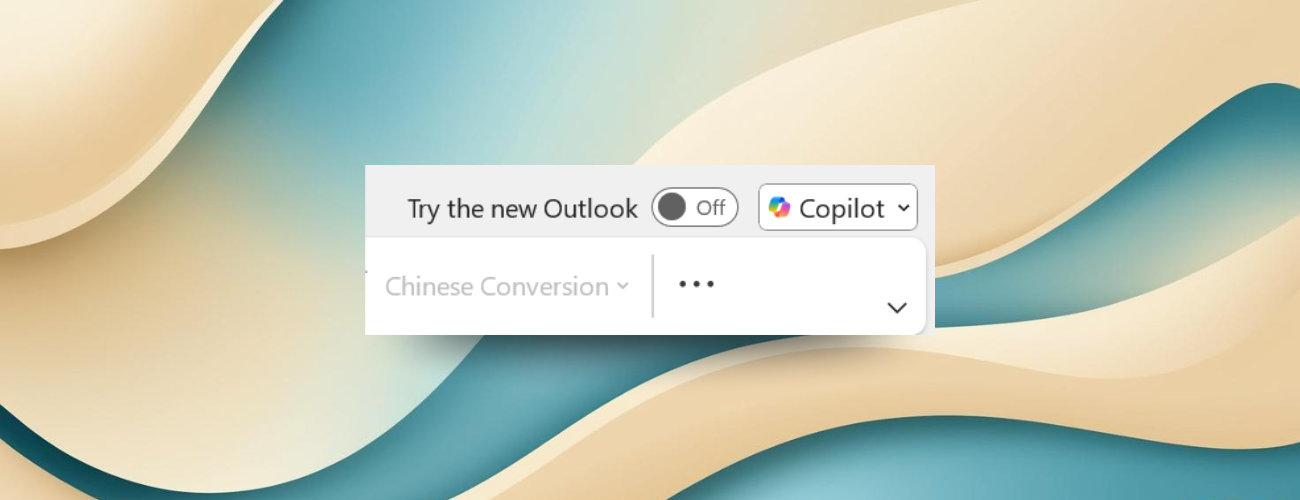
To use the updated Outlook for Windows, all you have to do is toggle on Try the new Outlook in the upper right-hand corner of your inbox and select Switch. Your settings and protocols will remain the same in the new experience!
Turn On or Off Try the new Outlook app in Windows 10 and Windows 11
This tutorial will show you how to turn on or off trying the new Outlook for Windows app on demand from the Mail and Calendar app for your account in Windows 10 and Windows 11. The new Outlook for Windows brings the latest features, intelligent assisted capabilities and a new modern and...
 www.elevenforum.com
Availability
The updated Outlook for Windows is available to all Windows 10 and higher users.The transition is intended to be gradual, allowing you ample time to explore and become comfortable with its new features!
Feedback
We continue to bring more classic capabilities and innovations every month. If a needed feature is missing, let us know! To submit your feedback, select Help > Feedback. Source:
Experience the future: Switch to new Outlook for Windows today!
New Outlook for Windows is a modern inbox experience with top-requested features like pin important emails, add shared mailboxes as accounts, and newsletters.
 techcommunity.microsoft.com

 Sound by Fosi Audio DA-2120C pushing Magnat Series 503 bookshelf speakers and a SVS SB-1000 Pro subwoofer.