
FlyOobe / Flyby11


FlyOOBE 2.4.854​

Changelog​

“We need to get beyond the arguments of slop vs sophistication…” - Satya Nadella
Agreed, but users still deserve a choice!!! The AI OOBE control has been refined and is now officially called Slopilot.
Slopilot isnt anti-AI - it's pro user choice
  • This update improves detection of AI-related (Slopilot) features across Windows 11 and adds optional deep cleanup capabilities via external tooling such as RemoveWindowsAI.
    Users can now better understand, review, and disable AI components they dont want, transparently and on their own terms
  • Improved browser detection in the Browser OOBE
  • Updated Extensions engine for better coverage and accuracy
  • Global search functionality expanded and refined across all sections
  • Improved theme detection in the Personalization OOBE
  • Minor core optimizations and internal cleanups
 

My Computer My Computer

At a glance

Windows 11 ProIntel Core i9 12900KFCorsair 64GB DDR5 Vengeance C40 5200MhzASUS GeForce RTX 3090 ROG Strix OC 24GB
OS
Windows 11 Pro
Computer type
PC/Desktop
Manufacturer/Model
Custom Build
CPU
Intel Core i9 12900KF
Motherboard
ASUS ROG Maximus Z690 Hero
Memory
Corsair 64GB DDR5 Vengeance C40 5200Mhz
Graphics Card(s)
ASUS GeForce RTX 3090 ROG Strix OC 24GB
Sound Card
OnBoard
Monitor(s) Displays
Acer Predator XB323UGP 32" QHD G-SYNC-C 144Hz 1MS IPS LED
Screen Resolution
2560 x 1440
Hard Drives
1x Samsung 980 Pro Series Gen4 250GB M.2 NVMe
1x Samsung 980 Pro Series Gen4 500GB M.2 NVMe
2x Samsung 980 Pro Series Gen4 2TB M.2 NVMe
PSU
Corsair AX1200i 1200W 80PLUS Titanium Modular
Case
Corsair 4000D Black Case w/ Tempered Glass Side Panel
Cooling
Noctua NH-U12A Chromax Black CPU Cooler, 4x Noctua 120mm Fans
Keyboard
Logitech MK545
Mouse
Logitech MX Master 3
Internet Speed
Fixed Wireless 150mbps/75mbps
Browser
Firefox
Antivirus
Kaspersky
Other Info
Thrustmaster TS-PC RACER
Fanatec CSL Elite Pedals with the Load Cell Kit
Yamaha Amp with Bose Speakers
Is there a step-by-step guide with pictures on how to use FlyOOBE?
 

My Computer My Computer

At a glance

Windows 11 Home Single Language 24H2 26100.289412
OS
Windows 11 Home Single Language 24H2 26100.2894
Computer type
PC/Desktop
Manufacturer/Model
Casper
Memory
12
Internet Speed
100 Mbpz
Browser
Vivaldi Firefox Crome
Antivirus
Defender
Last edited:

My Computer My Computer

At a glance

Windows 11 ProIntel Core i9 12900KFCorsair 64GB DDR5 Vengeance C40 5200MhzASUS GeForce RTX 3090 ROG Strix OC 24GB
OS
Windows 11 Pro
Computer type
PC/Desktop
Manufacturer/Model
Custom Build
CPU
Intel Core i9 12900KF
Motherboard
ASUS ROG Maximus Z690 Hero
Memory
Corsair 64GB DDR5 Vengeance C40 5200Mhz
Graphics Card(s)
ASUS GeForce RTX 3090 ROG Strix OC 24GB
Sound Card
OnBoard
Monitor(s) Displays
Acer Predator XB323UGP 32" QHD G-SYNC-C 144Hz 1MS IPS LED
Screen Resolution
2560 x 1440
Hard Drives
1x Samsung 980 Pro Series Gen4 250GB M.2 NVMe
1x Samsung 980 Pro Series Gen4 500GB M.2 NVMe
2x Samsung 980 Pro Series Gen4 2TB M.2 NVMe
PSU
Corsair AX1200i 1200W 80PLUS Titanium Modular
Case
Corsair 4000D Black Case w/ Tempered Glass Side Panel
Cooling
Noctua NH-U12A Chromax Black CPU Cooler, 4x Noctua 120mm Fans
Keyboard
Logitech MK545
Mouse
Logitech MX Master 3
Internet Speed
Fixed Wireless 150mbps/75mbps
Browser
Firefox
Antivirus
Kaspersky
Other Info
Thrustmaster TS-PC RACER
Fanatec CSL Elite Pedals with the Load Cell Kit
Yamaha Amp with Bose Speakers

FlyOobe 3.0.0.1​

New Features​

  • [Added] A completely new overview showing Windows settings, apps, personalization, bloatware and system tasks in one place.
  • [Added] Signature-driven Windows configuration powered by the editable Flyoobe.ini
  • [Added] Portable FlyOOBE recipes that can save, import, review and apply a complete setup on another PC
  • [Added] Recipe review mode with a visible summary and the option to discard staged changes
  • [Added] Individual Apply and Restore default actions for every supported Windows setting
  • [Added] A searchable winget app installer powered by the editable Apps.ini
  • [Added] Detection and optional removal of matching preinstalled Windows apps using Bloatware.ini
  • [Added] Browser setup with installed-browser detection and quick access to Windows default-app settings
  • [Added] Native personalization controls for Windows mode, app mode, taskbar alignment, transparency and wallpaper
  • [Added] Quick access to account, device, network and Windows Update workflows without rebuilding Windows Settings.
  • [Added] The isolated Flyby11 upgrade path for Windows 10 PCs that do not meet every Windows 11 requirement
  • [Added] Read-only checks for TPM, Secure Boot, memory, architecture, storage and Windows version before an upgrade
  • [Added] Optional AI explanations for individual settings. AI can explain a rule, but it cannot apply one
  • [Added] JSON-based localization with English and German included. More languages can be dropped into the localization folder

Improvements​

  • [Improved] The whole app now uses a much simpler native WinForms interface
  • [Improved] Navigation no longer opens a collection of separate windows; views stay inside the main window
  • [Improved] The overview now separates recommendations from personal choices instead of rating everything as good or bad
  • [Improved] Bloatware matches are scanned automatically, counted in the overview and clearly marked for review
  • [Improved] The result summary is shorter and easier to read at a glance
  • [Improved] Theme changes are sent to Windows immediately without requiring an Explorer restart
  • [Improved] Better scaling and layouts for high-DPI displays and longer translated text
  • [Improved] The codebase is split into small views and services, while the configuration stays outside the executable wherever possible

Bug Fixes​

  • [Changed] FlyOOBE no longer tries to become another giant Windows optimizer
  • [Changed] Heavy features already handled well by Windows now open the matching native Windows workflow
  • [Changed] Recommendations, app catalogs, bloatware signatures and upgrade limits live in separate editable data files
  • [Changed] Imported recipes stage their choices first, so they can be reviewed before anything is applied
  • [Fixed] Several designer, localization and navigation issues found during the FlyOOBE 3.0 rebuild

 
Last edited:

My Computer My Computer

At a glance

Windows 11 ProIntel Core i9 12900KFCorsair 64GB DDR5 Vengeance C40 5200MhzASUS GeForce RTX 3090 ROG Strix OC 24GB
OS
Windows 11 Pro
Computer type
PC/Desktop
Manufacturer/Model
Custom Build
CPU
Intel Core i9 12900KF
Motherboard
ASUS ROG Maximus Z690 Hero
Memory
Corsair 64GB DDR5 Vengeance C40 5200Mhz
Graphics Card(s)
ASUS GeForce RTX 3090 ROG Strix OC 24GB
Sound Card
OnBoard
Monitor(s) Displays
Acer Predator XB323UGP 32" QHD G-SYNC-C 144Hz 1MS IPS LED
Screen Resolution
2560 x 1440
Hard Drives
1x Samsung 980 Pro Series Gen4 250GB M.2 NVMe
1x Samsung 980 Pro Series Gen4 500GB M.2 NVMe
2x Samsung 980 Pro Series Gen4 2TB M.2 NVMe
PSU
Corsair AX1200i 1200W 80PLUS Titanium Modular
Case
Corsair 4000D Black Case w/ Tempered Glass Side Panel
Cooling
Noctua NH-U12A Chromax Black CPU Cooler, 4x Noctua 120mm Fans
Keyboard
Logitech MK545
Mouse
Logitech MX Master 3
Internet Speed
Fixed Wireless 150mbps/75mbps
Browser
Firefox
Antivirus
Kaspersky
Other Info
Thrustmaster TS-PC RACER
Fanatec CSL Elite Pedals with the Load Cell Kit
Yamaha Amp with Bose Speakers

Never got it to work for an In-Place Upgrade on an unsupported machine.

That was a few months ago.
 

My Computer My Computer

At a glance

Windows 11 Pro 26H2
OS
Windows 11 Pro 26H2
Computer type
Laptop
Manufacturer/Model
Toshiba
Antivirus
Defender

Flyoobe (Flyby11) 3.00.44 [Update]​

Changelog:

New Features

  • New spelling, same bee: The app is now styled Flyoobe instead of FlyOOBE and pronounced “Fly-oh-bee.”
  • [Added] A completely new overview showing Windows settings, apps, personalization, bloatware and system tasks in one place.
  • [Added] Signature-driven Windows configuration powered by the editable Flyoobe.ini
  • [Added] Portable FlyOOBE recipes that can save, import, review and apply a complete setup on another PC
  • [Added] Recipe review mode with a visible summary and the option to discard staged changes
  • [Added] Individual Apply and Restore default actions for every supported Windows setting
  • [Added] A searchable winget app installer powered by the editable Apps.ini
  • [Added] Detection and optional removal of matching preinstalled Windows apps using Bloatware.ini
  • [Added] Browser setup with installed-browser detection and quick access to Windows default-app settings
  • [Added] Native personalization controls for Windows mode, app mode, taskbar alignment, transparency and wallpaper
  • [Added] Quick access to account, device, network and Windows Update workflows without rebuilding Windows Settings.
  • [Added] The isolated Flyby11 upgrade path for Windows 10 PCs that do not meet every Windows 11 requirement
  • [Added] Read-only checks for TPM, Secure Boot, memory, architecture, storage and Windows version before an upgrade
  • [Added] Optional AI explanations for individual settings. AI can explain a rule, but it cannot apply one
  • [Added] JSON-based localization with English and German included. More languages can be dropped into the localization folder
Improvements
  • The whole app now uses a much simpler native WinForms interface
  • Navigation no longer opens a collection of separate windows; views stay inside the main window
  • The overview now separates recommendations from personal choices instead of rating everything as good or bad
  • Bloatware matches are scanned automatically, counted in the overview and clearly marked for review
  • The result summary is shorter and easier to read at a glance
  • Theme changes are sent to Windows immediately without requiring an Explorer restart
  • Better scaling and layouts for high-DPI displays and longer translated text
  • The codebase is split into small views and services, while the configuration stays outside the executable wherever possible
Bug Fixes
  • Flyoobe no longer tries to become another giant Windows optimizer
  • Heavy features already handled well by Windows now open the matching native Windows workflow
  • Recommendations, app catalogs, bloatware signatures and upgrade limits live in separate editable data files
  • Imported recipes stage their choices first, so they can be reviewed before anything is applied
  • Several designer, localization and navigation issues found during the Flyoobe 3.0 rebuild


My Computer My Computer

At a glance

Windows 11 ProIntel Core i9 12900KFCorsair 64GB DDR5 Vengeance C40 5200MhzASUS GeForce RTX 3090 ROG Strix OC 24GB
OS
Windows 11 Pro
Computer type
PC/Desktop
Manufacturer/Model
Custom Build
CPU
Intel Core i9 12900KF
Motherboard
ASUS ROG Maximus Z690 Hero
Memory
Corsair 64GB DDR5 Vengeance C40 5200Mhz
Graphics Card(s)
ASUS GeForce RTX 3090 ROG Strix OC 24GB
Sound Card
OnBoard
Monitor(s) Displays
Acer Predator XB323UGP 32" QHD G-SYNC-C 144Hz 1MS IPS LED
Screen Resolution
2560 x 1440
Hard Drives
1x Samsung 980 Pro Series Gen4 250GB M.2 NVMe
1x Samsung 980 Pro Series Gen4 500GB M.2 NVMe
2x Samsung 980 Pro Series Gen4 2TB M.2 NVMe
PSU
Corsair AX1200i 1200W 80PLUS Titanium Modular
Case
Corsair 4000D Black Case w/ Tempered Glass Side Panel
Cooling
Noctua NH-U12A Chromax Black CPU Cooler, 4x Noctua 120mm Fans
Keyboard
Logitech MK545
Mouse
Logitech MX Master 3
Internet Speed
Fixed Wireless 150mbps/75mbps
Browser
Firefox
Antivirus
Kaspersky
Other Info
Thrustmaster TS-PC RACER
Fanatec CSL Elite Pedals with the Load Cell Kit
Yamaha Amp with Bose Speakers
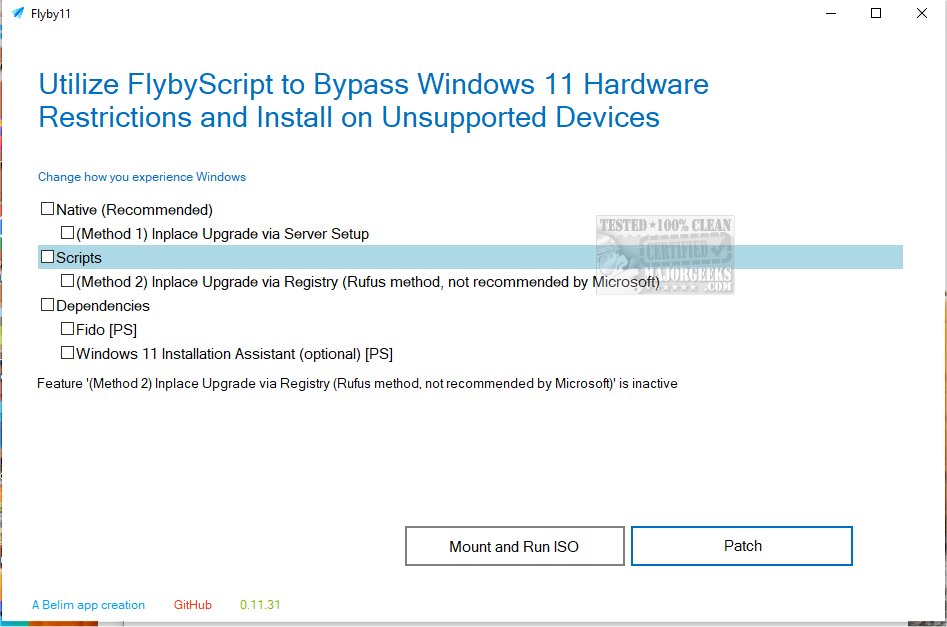
Flyoobe (Flyby11) 3.01.53 [Update]​

Changelog:

Setup Actions


Setup Actions turn Flyoobe into an expandable post-install toolbox without turning the application itself into a giant collection of hard-coded features
  • [Added] Support for local PowerShell-based Setup Actions
  • [Added] Dynamic action choices, drop-down menus and optional input fields
  • [Added] Live script output instead of making users stare at a frozen window and hope for the best
  • [Added] Recipe-safe actions that can be exported and executed as part of a recipe
  • [Added] An action importer and direct access to the local Actions folder
  • [Added] Documentation for writing and sharing custom actions
  • [Changed] Setup Actions are isolated from the Flyoobe core and can be disabled completely
  • [Changed] Actions now use their own folders and metadata instead of relying on loose scripts
  • [Changed] Script execution and live output are handled by a smaller, dedicated runner
  • [Fixed] PowerShell progress messages no longer appear as unreadable CLIXML
  • [Fixed] Script output now appears while an action is running instead of only after it has finished
A more familiar interface
  • [Added] A lightweight Explorer-style navigation bar with Back, Forward and breadcrumbs
  • [Added] Filled breadcrumb separators inspired by the Windows 7 Explorer
  • [Added] A subtle Windows 7-style blue-to-green accent
  • [Added] Native scrollbars on pages that genuinely need additional space
  • [Changed] The dense overview table was replaced with simple expandable native groups
  • [Changed] Matching recommendations stay collapsed while items needing attention remain visible
  • [Changed] Page headings, white content areas and grey command footers now follow the classic Windows layout more closely
  • [Changed] Navigation is now shared by the main window, so individual pages no longer need their own Back buttons
  • [Changed] The bottom command area now runs cleanly from left to right
  • [Changed] Everything continues to use standard Windows controls, so no custom skins and no owner-drawn imitation controls
  • [Fixed] Buttons and fields are no longer clipped when the window becomes too small
  • [Fixed] Unnecessary scrollbars no longer appear on responsive pages such as the Overview
  • [Fixed] The Settings button remains visible instead of disappearing beyond the right edge
  • [Fixed] Several inconsistent margins, headers, footers and page layouts were cleaned up
More changes
  • [Added] Support for additional Flyoobe*.ini rule databases placed in the Data folder
  • [Added] A dedicated database section in Settings showing every loaded database and its number of entries
  • [Changed] The application name is now consistently written as Flyoobe
  • [Changed] The About page now includes the unofficially official pronunciation: Fly-oh-bee
  • [Changed] Service classes and core components received clearer, more personal documentation
  • [Changed] Setup Actions, recipes and rule databases remain separate from the core wherever possible
  • [Fixed] Various dead code, redundant paths and unnecessary complexity were removed
Optional Setup Actions download
Setup Actions are provided as an optional release asset, so the main Flyoobe download stays small and focused.

To install them
  • Download the Actions asset
  • Extract the included Actions folder into Flyoobe’s Data folder
  • Open Flyoobe and go to Settings > Advanced
  • Enable Setup Actions
  • Close Settings to load the newly installed actions

 
Last edited:

My Computer My Computer

At a glance

Windows 11 ProIntel Core i9 12900KFCorsair 64GB DDR5 Vengeance C40 5200MhzASUS GeForce RTX 3090 ROG Strix OC 24GB
OS
Windows 11 Pro
Computer type
PC/Desktop
Manufacturer/Model
Custom Build
CPU
Intel Core i9 12900KF
Motherboard
ASUS ROG Maximus Z690 Hero
Memory
Corsair 64GB DDR5 Vengeance C40 5200Mhz
Graphics Card(s)
ASUS GeForce RTX 3090 ROG Strix OC 24GB
Sound Card
OnBoard
Monitor(s) Displays
Acer Predator XB323UGP 32" QHD G-SYNC-C 144Hz 1MS IPS LED
Screen Resolution
2560 x 1440
Hard Drives
1x Samsung 980 Pro Series Gen4 250GB M.2 NVMe
1x Samsung 980 Pro Series Gen4 500GB M.2 NVMe
2x Samsung 980 Pro Series Gen4 2TB M.2 NVMe
PSU
Corsair AX1200i 1200W 80PLUS Titanium Modular
Case
Corsair 4000D Black Case w/ Tempered Glass Side Panel
Cooling
Noctua NH-U12A Chromax Black CPU Cooler, 4x Noctua 120mm Fans
Keyboard
Logitech MK545
Mouse
Logitech MX Master 3
Internet Speed
Fixed Wireless 150mbps/75mbps
Browser
Firefox
Antivirus
Kaspersky
Other Info
Thrustmaster TS-PC RACER
Fanatec CSL Elite Pedals with the Load Cell Kit
Yamaha Amp with Bose Speakers

Flyoobe (Flyby11) 3.02.72​

New features​

  • [Added] An optional change log. Every single thing Flyoobe changes on your
    machine can now be written to a plain text file
    . which rule, which registry value,
    what was there before, what it is now. Same for apps installed through winget,
    preinstalled apps removed, and Setup Actions that ran. Recipes are covered
    automatically because they go through the same code
  • [Added] Switch and a direct "open the file" button under Advanced settings.
    Off by default. A tool that rewrites your registry should not also start keeping
    files about your PC unless you said so.

New rules​

  • [Added] New Updates rule category. The static half of the old Flyoobe 2
    "Windows Update Tamer" script is plain registry rules now, no PowerShell needed:
    keep the long pause window available, never reboot while someone is signed in,
    download updates but wait for a click, skip driver updates, no scheduled restart.
    Microsoft is only now getting around to fixing this
    in an Insider build. Until that actually ships, these are the switches that work today.
    Heads up: the automatic-update policies are Pro territory and Home may quietly ignore them.
  • [Added] Rule to hide the Phone Link companion pane in the Start menu.
    It arrived with KB5052094
    and now covers iPhone too,
    which is why it started turning up uninvited. Clears the pane toggle and the
    companion registration in one go.

Fixes​

  • [Fixed] Windows 10 rules no longer show up on Windows 11, or the other way round.
    OsVersion was being read and then ignored, so about ten rules sat in the list on
    machines where they could not do anything, reporting themselves as "not applied"
    forever. They get dropped when the catalog loads now, so they are never scanned or shown.
  • [Fixed] The detail text in the Overview stopped wrapping at high DPI. It was
    boxed in by a hardcoded pixel width that never scaled, so at 150% you had to drag
    the splitter just to read it. It measures itself properly now.
  • [Fixed] Improved spacing on high-DPI displays
  • [Fixed] Improved breadcrumb and navigation scaling
  • [Fixed] Added missing scrollbars when Settings content no longer fits
  • [Fixed] Improved resizing across the Overview, Browser and Settings pages
  • [Fixed] Restored native progress feedback without blocking or freezing the interface
  • [Changed] Progress indicators now sit along the upper page edge, directly below
    the main navigation

Optional Setup Actions download​

Setup Actions are provided as an optional release asset, so the main Flyoobe download stays small and focused.

To install them
  1. Download the Actions asset from the release page
  2. Extract the included Actions folder into Flyoobe’s Data folder
  3. Open Flyoobe and go to Settings > Advanced
  4. Enable Setup Actions
  5. Close Settings to load the newly installed actions


My Computer My Computer

At a glance

Windows 11 ProIntel Core i9 12900KFCorsair 64GB DDR5 Vengeance C40 5200MhzASUS GeForce RTX 3090 ROG Strix OC 24GB
OS
Windows 11 Pro
Computer type
PC/Desktop
Manufacturer/Model
Custom Build
CPU
Intel Core i9 12900KF
Motherboard
ASUS ROG Maximus Z690 Hero
Memory
Corsair 64GB DDR5 Vengeance C40 5200Mhz
Graphics Card(s)
ASUS GeForce RTX 3090 ROG Strix OC 24GB
Sound Card
OnBoard
Monitor(s) Displays
Acer Predator XB323UGP 32" QHD G-SYNC-C 144Hz 1MS IPS LED
Screen Resolution
2560 x 1440
Hard Drives
1x Samsung 980 Pro Series Gen4 250GB M.2 NVMe
1x Samsung 980 Pro Series Gen4 500GB M.2 NVMe
2x Samsung 980 Pro Series Gen4 2TB M.2 NVMe
PSU
Corsair AX1200i 1200W 80PLUS Titanium Modular
Case
Corsair 4000D Black Case w/ Tempered Glass Side Panel
Cooling
Noctua NH-U12A Chromax Black CPU Cooler, 4x Noctua 120mm Fans
Keyboard
Logitech MK545
Mouse
Logitech MX Master 3
Internet Speed
Fixed Wireless 150mbps/75mbps
Browser
Firefox
Antivirus
Kaspersky
Other Info
Thrustmaster TS-PC RACER
Fanatec CSL Elite Pedals with the Load Cell Kit
Yamaha Amp with Bose Speakers
FlyOobe 3.03.100
  • [Added] Setup rating - a base score for how far this PC follows Flyoobe's recommendations, in the shape of the old Windows Experience Index. Reachable from the first row under "Your choices" on the overview, which carries the score itself
  • [Added] The details pane lists the settings that actually differ, instead of just counting them
  • [Added] "More options" is a heading of its own now, so the link below it reads as a link
  • [Changed] The device row says what it configures instead of showing the machine name
  • [Changed] The summary line names the preinstalled apps again, and shares its text with the tree row so the two can no longer disagree
  • [Changed] Counts say what they are counting, here settings in the summary, areas in the group headers
  • [Changed] The setup tree uses the Explorer theme: arrows instead of +/- boxes, softer selection, hover highlight
  • [Changed] The search field names the page you are on "Search Control Panel", "Search Flyoobe" on the overview
  • [Added] A (x) to clear the search, shown only while there is something to clear
  • [Fixed] The settings page scrolls all the way down again
  • [Changed] Dropped the "?" from the settings header
  • [Changed] The AI section no longer talks as if explanations only exist on the tweaks page
  • [Changed] Version in the status bar without the "v"
  • [Added] French translation
  • [Added] Portuguese (Brazil) translation


My Computer My Computer

At a glance

Windows 11 ProIntel Core i9 12900KFCorsair 64GB DDR5 Vengeance C40 5200MhzASUS GeForce RTX 3090 ROG Strix OC 24GB
OS
Windows 11 Pro
Computer type
PC/Desktop
Manufacturer/Model
Custom Build
CPU
Intel Core i9 12900KF
Motherboard
ASUS ROG Maximus Z690 Hero
Memory
Corsair 64GB DDR5 Vengeance C40 5200Mhz
Graphics Card(s)
ASUS GeForce RTX 3090 ROG Strix OC 24GB
Sound Card
OnBoard
Monitor(s) Displays
Acer Predator XB323UGP 32" QHD G-SYNC-C 144Hz 1MS IPS LED
Screen Resolution
2560 x 1440
Hard Drives
1x Samsung 980 Pro Series Gen4 250GB M.2 NVMe
1x Samsung 980 Pro Series Gen4 500GB M.2 NVMe
2x Samsung 980 Pro Series Gen4 2TB M.2 NVMe
PSU
Corsair AX1200i 1200W 80PLUS Titanium Modular
Case
Corsair 4000D Black Case w/ Tempered Glass Side Panel
Cooling
Noctua NH-U12A Chromax Black CPU Cooler, 4x Noctua 120mm Fans
Keyboard
Logitech MK545
Mouse
Logitech MX Master 3
Internet Speed
Fixed Wireless 150mbps/75mbps
Browser
Firefox
Antivirus
Kaspersky
Other Info
Thrustmaster TS-PC RACER
Fanatec CSL Elite Pedals with the Load Cell Kit
Yamaha Amp with Bose Speakers
Back
Top Bottom




