AussieWayne
Member
- Local time
- 9:26 AM
- Posts
- 5
- OS
- Windows 11 Home
Hi guys I have been trying to do a fresh install of Windows 11 to my HP15s laptop.
I have recently installed a new Crucial P3 Plus 1TB M.2 SSD and 2 x 16GB RAM
I have created the Windows media creation tool on a USB (FAT 32) and when I insert this the setup commences but fails to list the Crucial C drive so cannot progress further?
After removing the media tool USB I then plug in a Hirens PE boot USB I have and boot successfully from that. I then plug back in the media tool and start the setup process and now setup displays the C drive to install to. I select the C drive and run the setup but it gets to around 75% complete then restarts the setup process again at select language etc??
When I look at the files installed on the C drive through explorer via Hirens I can see that around 24GB of files have been installed on the C drive
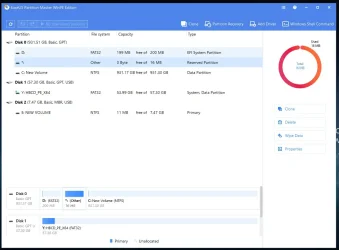
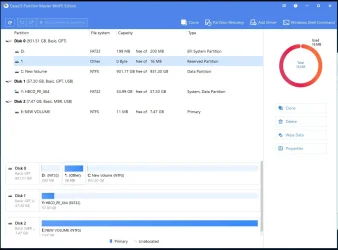
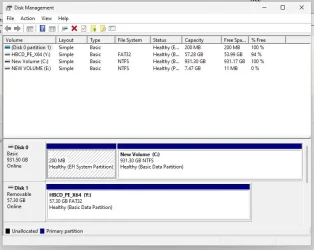
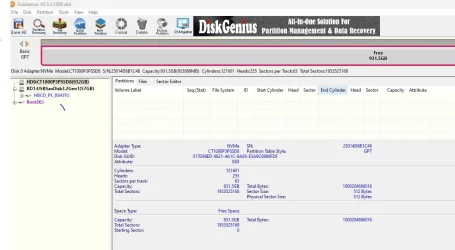
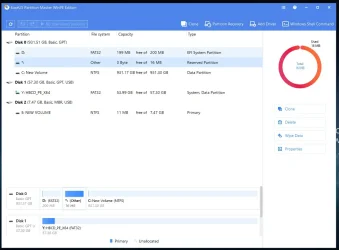
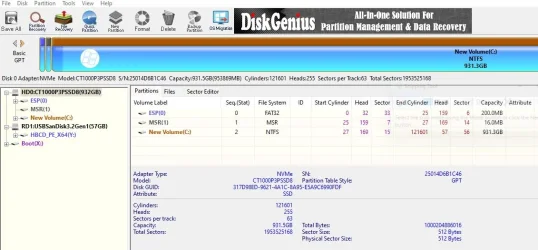
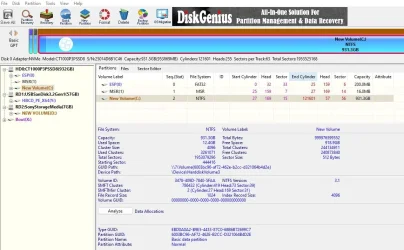
There are 2 partitions on Disk 0200mb Healthy EFI system partition and the second one assigned C: is 931.3 NTFS Healthy Basic partition
Crystal disk info shows 100% GOOD
When I remove the USBs and set the boot order to the O/S it fails to boot and says the boot is inaccessible???
Both explorer and Disk Management correctly show the C drive and the USBs plugged in at the time?
Does anyone have any idea what I might be doing incorrectly here please??
I have recently installed a new Crucial P3 Plus 1TB M.2 SSD and 2 x 16GB RAM
I have created the Windows media creation tool on a USB (FAT 32) and when I insert this the setup commences but fails to list the Crucial C drive so cannot progress further?
After removing the media tool USB I then plug in a Hirens PE boot USB I have and boot successfully from that. I then plug back in the media tool and start the setup process and now setup displays the C drive to install to. I select the C drive and run the setup but it gets to around 75% complete then restarts the setup process again at select language etc??
When I look at the files installed on the C drive through explorer via Hirens I can see that around 24GB of files have been installed on the C drive
There are 2 partitions on Disk 0200mb Healthy EFI system partition and the second one assigned C: is 931.3 NTFS Healthy Basic partition
Crystal disk info shows 100% GOOD
When I remove the USBs and set the boot order to the O/S it fails to boot and says the boot is inaccessible???
Both explorer and Disk Management correctly show the C drive and the USBs plugged in at the time?
Does anyone have any idea what I might be doing incorrectly here please??
Attachments
My Computer
At a glance
Windows 11 Home11th Gen Intel(R) Core(TM) i7-1165G7 @ 2.80GH...16GB x 2Intel iRISx
- OS
- Windows 11 Home
- Computer type
- Laptop
- Manufacturer/Model
- HP15s fq2588 TU
- CPU
- 11th Gen Intel(R) Core(TM) i7-1165G7 @ 2.80GHz 2.80 G
- Motherboard
- 87FE (HP)
- Memory
- 16GB x 2
- Graphics Card(s)
- Intel iRISx
- Screen Resolution
- 1920 x 1080
- Hard Drives
- Crucial P3 Plus 4.0 NVMe M.2 SSD
- Browser
- Chrome & Firefox
- Antivirus
- Mbam
- Other Info
- Trying to fresh install Windows 11