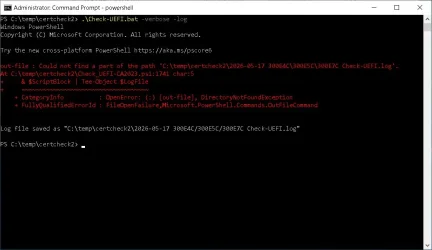
Windows PowerShell
Copyright (C) Microsoft Corporation. All rights reserved.
Try the new cross-platform PowerShell
Quiet peak, loud view
Windows 10 22H2 (19045.7291)
Secure Boot: ON
Virtualization Based Security: ON
BitLocker on (C:) ON
BIOS Firmware
-------------
SAMSUNG ELECTRONICS CO. 300E4C/300E5C/300E7C
Version: P09RAP
Date: 2013-11-01
Factory Default UEFI PK Cert
----------------------------
(NONE)
UEFI PK Cert
------------
SAMSUNG ELECTRONICS_PK
Factory Default UEFI KEK Certs
------------------------------
(NONE)
UEFI KEK Certs
--------------
Microsoft Corporation KEK CA 2011
Microsoft Corporation KEK 2K CA 2023
Phoenix Kek Example
SEC_PRODUCTION_KekRoot
Factory Default UEFI DB Certs
-----------------------------
(NONE)
UEFI DB Certs
-------------
Microsoft Corporation UEFI CA 2011
Microsoft Windows Production PCA 2011
Microsoft Option ROM UEFI CA 2023
Microsoft UEFI CA 2023
Windows UEFI CA 2023
SEC_PRODUCTION_KeyUEFI
Factory Default UEFI DBX Certs
------------------------------
(NONE)
EFI_CERT_SHA256_GUID Signatures: 0
UEFI DBX Certs
--------------
Microsoft Windows Production PCA 2011
Windows BootMgr SVN 5.0
EFI_CERT_SHA256_GUID Signatures: 282
UEFI Variables
--------------
Credential Guard: ON
EFI Files
---------
Windows Boot Manager [Windows UEFI CA 2023] is ALLOWED.
\\.\HarddiskVolume1\EFI\Microsoft\Boot\bootmgfw.efi
File Version: 28000.322, SVN 8.0
Registry: "WindowsUEFICA2023Capable" = 2
[Windows UEFI CA 2023] in UEFI DB, and Windows starting from CA 2023 Boot Manager.
SkuSiPolicy.p7b is CURRENT.
\\.\HarddiskVolume1\EFI\Microsoft\Boot\SkuSiPolicy.p7b
Version: 3.0.0.14
REQUIRED ACTION
===============
To update the DBX SVN, run the commands:
manage-bde -Protectors -Disable C: -RebootCount 1
reg add HKEY_LOCAL_MACHINE\SYSTEM\CurrentControlSet\Control\Secureboot /v AvailableUpdates /t REG_DWORD /d 0x200 /f
powershell Start-ScheduledTask -TaskName "\Microsoft\Windows\PI\Secure-Boot-Update"