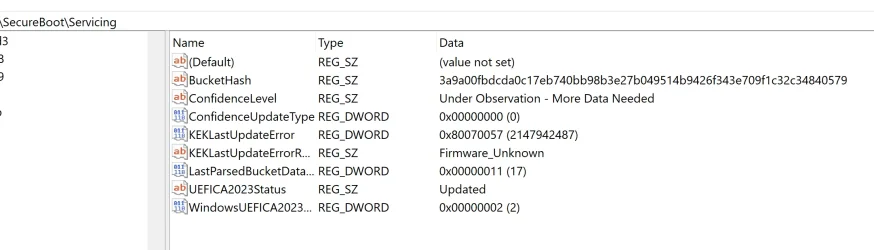
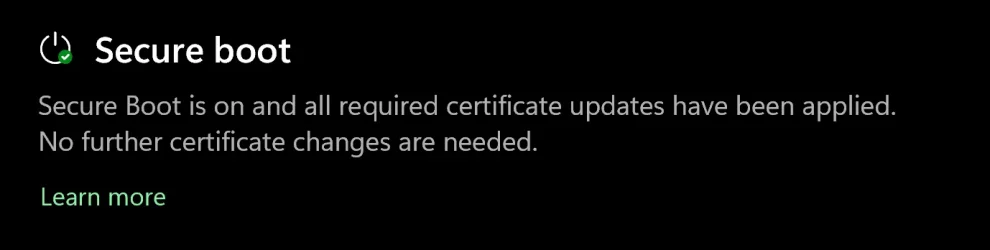
Solved garlin's PowerShell scripts for updating Secure Boot CA 2023


Some BIOS will require you to set an Admin password, before unlocking Secure Boot menus.

If you have to delete all keys, please temporarily disable BitLocker and Windows Hello PIN before making any BIOS changes. TPM will see those unrelated changes to certs, and be concerned that a security problem has occurred. To avoid Windows asking for a BitLocker recovery password, you can disable it and then enable it again after fixing the Secure Boot.
 

My Computer My Computer

At a glance

Windows 7
OS
Windows 7
hello, garlin
now that the forum it´s "calm and quiet", i´d like to thank you again for your awesome work and help us to resolve the complicated issue of the Secure Boot CA 2023 certs.,
gracias y saludos desde España,(y)(y)
fernando
 

My Computer My Computer

At a glance

windows 10 Enterprise IoT LTSCIntel(R) Core(TM) i5-6400 CPU @ 2.70GHz16GBNVIDIA GeForce GT 720 2GB
OS
windows 10 Enterprise IoT LTSC
Computer type
PC/Desktop
Manufacturer/Model
ASUS/ K31CD
CPU
Intel(R) Core(TM) i5-6400 CPU @ 2.70GHz
Memory
16GB
Graphics Card(s)
NVIDIA GeForce GT 720 2GB
Other Info
BIOS: American Megatrends Inc.
v. 1102 (12-2018)
@garlin
Hello,
I have an old Lenovo M700 Tiny with latest BIOS from 2022 with no KEK CA 2023 inside.
I downloaded the zip file and executed the Update_UEFI-CA2023.ps1 -Revoke as script suggested and after downloading all the certs and keys I did a restart.

I was in Setup mode and Secure Boot disabled.

Unfortunately after restart the PC is not giving signal to monitor, I have a completely black screen, I can not boot even in BIOS.

I can see the light on, it's not an issue of power.

What happened ?
 

My Computer My Computer

At a glance

Windows 11 Pro 25H2
OS
Windows 11 Pro 25H2
Sorry to hear you're having problems after applying the new certs. It sounds like the NVRAM is corrupted, and needs to be reset.

Can you try powering off the PC, unplugging the power cord, and opening the case? You should be able to remove the CMOS battery from the motherboard for 15-20 min. and then insert it back in. This should reset the BIOS settings.
 

My Computer My Computer

At a glance

Windows 7
OS
Windows 7
Back
Top Bottom