Network and Internet Get and Give Remote Assistance with Quick Assist app in Windows 11


Quick_Assist_banner.webp

This tutorial will show you how to use the Quick Assist app to get help or help someone over a remote connection in Windows 10 and Windows 11.

The Quick Assist app lets you get help with a computer problem from family or friends or help them out. Quick Assist uses a remote connection, so remember to only use it with people you trust, since they can see your computer screen or control your PC (if you allow it).

When you Get help using the Quick Assist app, you allow someone you trust view your screen or take control of your PC.

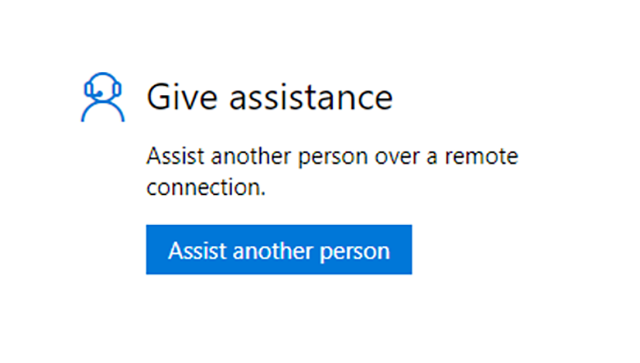
When you Help someone using the Quick Assist app, you will be asking someone you know to share their screen or request control of their PC. You will be required to sign in to the Quick Assist app with your Microsoft account.

References:


Contents


Option One

Help Someone Remotely with Quick Assist app


1 Open the Quick Assist app (Win+Ctrl+Q).

2 Click/tap on Help someone. (see screenshot below)

Quick_Assist_help_someone-1.png

3 Enter the email address for your Microsoft account, and click/tap on Next. (see screenshot below)

Quick_Assist_help_someone-3.png

4 If prompted, enter the password for your Microsoft account, and click/tap on Sign in. (see screenshot below)

Quick_Assist_help_someone-3.png

A) If you turned on two-step verification for your Microsoft account, you will now need to verify. (see screenshots below)​

Quick_Assist_help_someone-4.png
Quick_Assist_help_someone-5.png

5 Share the 6-digit code with the person you are helping so they can do steps 1 and 2 in option two below. (see screenshot below)

The person you are helping must enter the shared code before it expires in ten minutes, or you both will have to close the Quick Assist app and start over.


Quick_Assist_help_someone-6.png

6 After the person you are helping does steps 1 and 2 in option two, you will see the Connecting screen below until they allow in step 3 in option two. (see screenshot below)

Quick_Assist_help_someone-7.png

7 When you are connected and helping someone, you can use different tools in Quick Assist if you like, such as a laser pointer, annotation, chat for typing messages, and more. (see screenshots below step 8)

8 If you would like to request full control of their PC, click/tap on Request control, then wait for them to Allow it in step 4 in option two. (see screenshots below)

You can click/tap on Stop control at anytime to stop controlling their PC, and resume only screen sharing.


Quick_Assist_help_someone-8.jpg
Quick_Assist_help_someone-9.jpg

9 When you are done helping them, click/tap on Leave. (see screenshot above and below)

Quick_Assist_help_someone-10.png


Option Two

Get Help Remotely with Quick Assist app


1 Open the Quick Assist app (Win+Ctrl+Q).

2 Enter the 6-digit code shared to you from the person helping you, and click/tap on Submit. (see screenshot below)

Quick_Assist_get_help-1.png

3 Click/tap on Allow. (see screenshot below)

Quick_Assist_get_help-2.png

4 If someone helping you has requested full control of your PC, you can click/tap on Allow if wanted. (see screenshots below)

You can click/tap on Cancel control at anytime to stop allowing them full control, and resume only screen sharing.


Quick_Assist_help_someone-8.jpg
Quick_Assist_help_someone-9.jpg

5 When you are done getting helping, click/tap on Leave. (see screenshots below)

Quick_Assist_get_help-3.jpg
Quick_Assist_get_help-6.png


That's it,
Shawn Brink


Last edited:
I use "Quick Assist" a lot for cleaning peoples computer works reall good except when the program that you are using has to reboot the computer, it then kicks you off their computer ....... then it's just a matter of getting a new password to re-connect !
 

My Computer My Computer

At a glance

Windows11 23H2 (OS Build 22631.2428)2.90 gigahertz Intel Core i7-1070016214 Megabytes Usable Installed Memor
OS
Windows11 23H2 (OS Build 22631.2428)
Computer type
PC/Desktop
Manufacturer/Model
HP HP ENVY TE01
CPU
2.90 gigahertz Intel Core i7-10700
Motherboard
Board: HP 8767 A (SMVB)
Memory
16214 Megabytes Usable Installed Memor
Hard Drives
1511.52 Gigabytes Usable Hard Drive Capacity
1418.15 Gigabytes Hard Drive Free Space
Keyboard
Logitech wireless
Mouse
M 185 wireless
Internet Speed
12 ms Jitter 8 ms Download 10.5 Mbps Upload 1.7
Browser
Edge & FF
Antivirus
Windows Defender
@Brink

The illustrations for Option 1 Steps 3 & 4 are the same?
 

My Computer My Computer

At a glance

Windows 11 Pro 26H2 (Build 26300.9539)Intel Core Ultra 9 285 5.6 GHz32.00 GBIntel Integrated Graphics (128 MB)
OS
Windows 11 Pro 26H2 (Build 26300.9539)
Computer type
PC/Desktop
Manufacturer/Model
Dell Pro Max Tower T2 FCT2250
CPU
Intel Core Ultra 9 285 5.6 GHz
Motherboard
64-bit operating system, x64-based processor
Memory
32.00 GB
Graphics Card(s)
Intel Integrated Graphics (128 MB)
Sound Card
Realtek Audio
Monitor(s) Displays
Dell P2714H Monitor
Screen Resolution
1920 x 1080
Hard Drives
1 x 512GB M.2 XG10d SED KIOXIA PCIe solid state drive (Internal)
1 x 2TB Seagate ST2000DM008-2UB102 HDD (Internal)
1 x 4TB Seagate STGX4000400 External HDD
1 x 6TB WD Elements AE 2689 External HDD
PSU
500 Watts
Cooling
Air
Keyboard
Microsoft Wired Keyboard 600
Mouse
Microsoft USB Basic Optical Mouse v2.0
Browser
Firefox
Antivirus
Windows Defender + Malwarebytes Premium
Other Info
BaseBoard Manufacturer Dell Inc.
BaseBoard Product 022RY57
BaseBoard Version A01

My Computers My Computers

  • At a glance

    Windows 11 Pro for WorkstationsIntel i7-8700K 5 GHz64 GB (4x16GB) G.SKILL TridentZ RGB DDR4 3600...ASUS ROG-STRIX-GTX1080TI-O11G-GAMING (11GB GD...
    OS
    Windows 11 Pro for Workstations
    Computer type
    PC/Desktop
    Manufacturer/Model
    Custom self build
    CPU
    Intel i7-8700K 5 GHz
    Motherboard
    ASUS ROG Maximus XI Formula Z390
    Memory
    64 GB (4x16GB) G.SKILL TridentZ RGB DDR4 3600 MHz (F4-3600C18D-32GTZR)
    Graphics Card(s)
    ASUS ROG-STRIX-GTX1080TI-O11G-GAMING (11GB GDDR5X)
    Sound Card
    Integrated Digital Audio (S/PDIF)
    Monitor(s) Displays
    2 x Samsung Odyssey G75 27"
    Screen Resolution
    2560x1440
    Hard Drives
    1TB Samsung 990 PRO M.2,
    4TB Samsung 990 PRO M.2,
    TerraMaster F8 SSD Plus NAS
    PSU
    Seasonic Prime Titanium 850W
    Case
    Thermaltake Core P3 wall mounted
    Cooling
    Corsair Hydro H115i
    Keyboard
    Amazon Basics Wired Full Keyboard MD005
    Mouse
    Logitech MX Master 4
    Internet Speed
    2 Gbps Download and 100 Mbps Upload
    Browser
    Chrome and Edge
    Antivirus
    Microsoft Defender
    Other Info
    Logitech Z625 speaker system,
    Logitech BRIO 4K Pro webcam,
    HP Color LaserJet Pro MFP M477fdn,
    CyberPower CP1500PFCLCD
    Galaxy S23 Plus phone
  • At a glance

    Windows 11 ProSnapdragon X Elite (12 core) 3.42 GHz16 GB LPDDR5x-7467 MHz
    Operating System
    Windows 11 Pro
    Computer type
    Laptop
    Manufacturer/Model
    Surface Laptop 7 Copilot+ PC
    CPU
    Snapdragon X Elite (12 core) 3.42 GHz
    Memory
    16 GB LPDDR5x-7467 MHz
    Monitor(s) Displays
    15" HDR
    Screen Resolution
    2496 x 1664
    Hard Drives
    1 TB SSD
    Internet Speed
    Wi-Fi 7 and Bluetooth 5.4
    Browser
    Chrome and Edge
    Antivirus
    Microsoft Defender
I noticed that Quick Assist is back in Windows 10 and 11 natively.
I think it's been back for quite a while.
 

My Computers My Computers

  • At a glance

    Windows 11 ProIntel Core i9-10900XCorsair 64 GB (4 x 16 GB) CMW64GX4M4C3000C15 ...GIGABYTE GeForce GTX 1660 Super Mini ITX 6 GB OC
    OS
    Windows 11 Pro
    Computer type
    PC/Desktop
    Manufacturer/Model
    Stigg's Build
    CPU
    Intel Core i9-10900X
    Motherboard
    GIGABYTE X299X DESIGNARE 10G
    Memory
    Corsair 64 GB (4 x 16 GB) CMW64GX4M4C3000C15 Vengeance RGB Pro 3000Mhz DDR4
    Graphics Card(s)
    GIGABYTE GeForce GTX 1660 Super Mini ITX 6 GB OC
    Sound Card
    Realtek ALC1220
    Monitor(s) Displays
    Samsung 27" FHD LED FreeSync Gaming Monitor (LS27F350FHEXXY)
    Screen Resolution
    1920 x 1080
    Hard Drives
    Samsung 970 Pro Series 1TB M.2 2280 NVMe SSD
    Western Digital Red Pro WD8003FFBX-68B9AN0 8 TB, 7200 RPM, SATA-III
    Western Digital Red Pro WD8003FFBX-68B9AN0 8 TB, 7200 RPM, SATA-III
    PSU
    Corsair HX1200 1200W 80 Plus Platinum
    Case
    Fractal Design Define 7 Black Solid Case
    Cooling
    Noctua NH-D15 Chromax Black
    Keyboard
    Razer Ornata V2
    Mouse
    Razer DeathAdder Essential
    Internet Speed
    FTTN 100Mbps / 40Mbps
    Browser
    Mozilla Firefox
    Antivirus
    N/A
    Other Info
    Logitech BRIO 4k Ultra HD USB-C Webcam
  • At a glance

    Windows 10 ProCore i7-8750HSK Hynix 32 GB (2 x 16 GB) HMA82GS6CJR8N-VK 1...NVIDIA GeForce GTX 1070
    Operating System
    Windows 10 Pro
    Computer type
    Laptop
    Manufacturer/Model
    ASUS ROG Zephyrus M GM501GS
    CPU
    Core i7-8750H
    Motherboard
    Zephyrus M GM501GS
    Memory
    SK Hynix 32 GB (2 x 16 GB) HMA82GS6CJR8N-VK 16 GB DDR4-2666 DDR4 SDRAM
    Graphics card(s)
    NVIDIA GeForce GTX 1070
    Sound Card
    Realtek ALC294
    Monitor(s) Displays
    AU Optronics B156HAN07.1 [15.6" LCD]
    Screen Resolution
    1920 x 1080
    Hard Drives
    Samsung MZVKW512HMJP-00000 512 GB, PCI-E 3.0 x4
    Samsung SSD 860 QVO 4TB 4 TB, SATA-III
    PSU
    N/A
    Case
    N/A
    Cooling
    N/A
    Keyboard
    PC/AT Enhanced PS2 Keyboard (101/102-Key)
    Mouse
    Razer DeathAdder Essential
    Internet Speed
    FTTN 100Mbps / 40Mbps
    Browser
    Mozilla Firefox
    Antivirus
    N/A
    Other Info
    USB2.0 HD UVC Webcam
Back
Top Bottom