
Microsoft Public Sector Blog:
For decades, every new technological leap has promised to make computers more intuitive, more accessible, more human. The graphical user interface (GUI) did just that—introducing icons, windows, and mouse clicks that replaced cryptic command-line syntax. There was still Lotus Notes, FoxBASE and Word, only... better. Easier. Now, generative AI marks the next revolutionary leap in human-computer interaction. The difference? This time, it’s not just a better interface—it’s an entirely new way of engaging with machines.
Generative AI tools like Microsoft Copilot and other advanced chat-based AIs are not just products. They’re a profound shift in how we interact with information. Copilot isn’t merely an application you install and use in isolation—it’s a conversational layer that seamlessly integrates with everything you already know and use in the Microsoft ecosystem. Whether you're writing emails, analyzing data, or drafting proposals, Copilot allows you to interact naturally, removing friction from digital tasks. It’s not a tool—it’s a bridge.
From Point-and-Click to Just Ask
The GUI changed computing by making digital environments visually navigable. Instead of memorizing commands, users could click on icons and menus to perform functions. It was a breakthrough—but it was still rigid. You had to learn the interfaces, hunt for features, and adapt to its constraints.Copilot flips this paradigm on its head. Rather than navigating through menus, users simply express their needs conversationally. Want to summarize an article? Instead of searching for a function in Word, you ask Copilot. Need an Excel formula but don’t recall the syntax? Just describe the calculation you need. The layers of UI abstraction disappear, replaced with natural conversation.
“Computer? Hello, Computer?”
This brings us to one of the most delightfully prophetic moments in sci-fi history. In Star Trek IV: The Voyage Home, having travelled back in time to 1986, Scotty is asked to demonstrate the formula for transparent aluminum on a desktop computer. He instinctively tries to speak to it:"Computer?"
Dr. McCoy nudges him toward the mouse. He picks it up, holds it like a microphone, and tries again:
"Hello, computer?"
When told he must use the keyboard, his bemused response is: "How quaint."
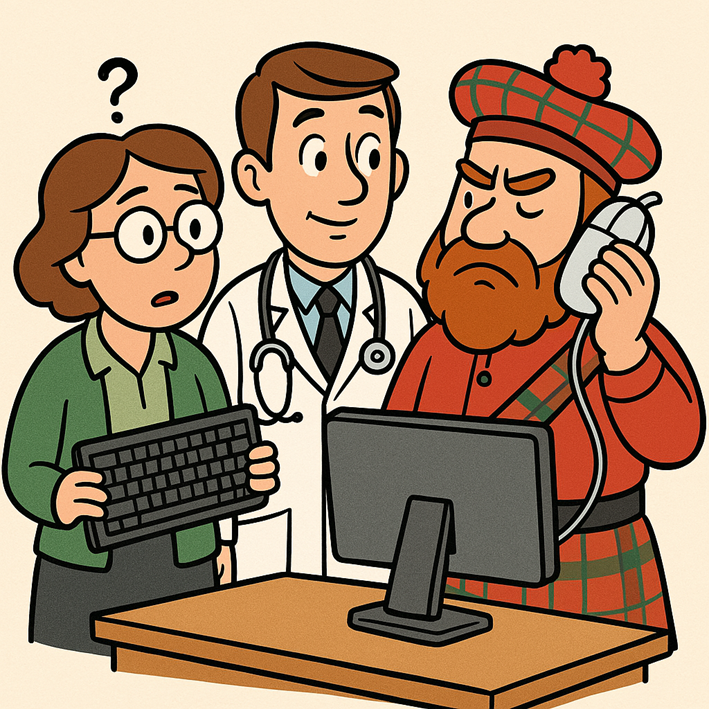
This image was created by M365 Copilot using the following prompt: "Create an image that shows three people standing over a computer. The people should be a teacher, a doctor, and a Scotsman. The Scotsman should be using a computer mouse as if it were a phone - the teacher should be holding a keyboard, looking confused. Make it a cartoon."
Microsoft's social media guidelines wouldn't let us embed the YT video, so we had AI generate the above image. That said, if you haven't seen the original click you simply must click through and watch; it's a classic, and it deserves to live in your brain rent-free:
This scene perfectly encapsulates the transition we’re undergoing now. Soon enough our own reliance upon peripherals may too become “quaint”. AI-driven interfaces like Copilot mean we can simply articulate our needs rather than click through layers of menus and options. The keyboard and mouse aren’t disappearing, but their dominance is fading in favor of natural interaction.
A Future Built with Conversations
This shift isn’t just about convenience—it’s about accessibility. For those of us who struggle with traditional interfaces we can now interact with technology conversationally. It means less time spent learning complex programs and more time getting things done. It begins to close the circle from the other side: technology adapting to humans.For our government customers the benefits are somewhat layered. Accessibility requirements have real ramifications for productivity and not every app or interface excels in this regard. Copilot provides a natural language gateway to not just find and collate information, but Copilot agents can help extend your capability by taking action on that information. Whatever way you need or prefer to interact with information and colleagues, Copilot is doing more every day to help you do it better.
The graphical interface made computing approachable. Generative AI makes it seamless. The future isn’t about learning menus, syntax, or navigation—it’s about simply asking. The future is a conversation away.
Source:

Hello? Computer? Conversational Interfaces are the Key, not the Keyboard | Microsoft Community Hub
Copilot turns clicks into conversations—just ask, and get things done. The future is a prompt away.
 techcommunity.microsoft.com






