Kamryn
New member
- Local time
- 12:10 PM
- Posts
- 2
- OS
- Windows 11; Ubuntu 24.04.4
Awhile ago, I installed Windows on a separate drive, and I already had Ubuntu on another. M.2 are cumbersome to take out, so I left it in there.
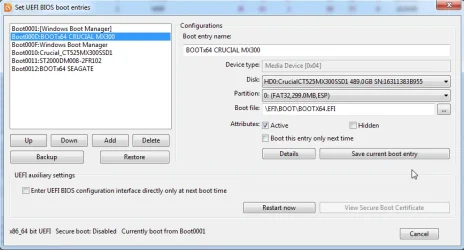
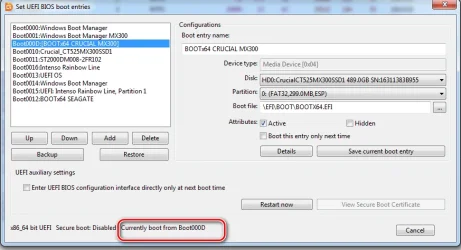
Windows will put the boot drive on another drive if one is on there, at least if it is Linux. I'm replacing the Linux drive and I really don't want to have to reinstall Windows and reload and set everything up again.
If it possible to just move the folder somewhere on the Windows drive? Right now it's located in the EFI folder for Ubuntu and it won't boot without it.
I tried taking out the Ubuntu drive, it can't boot without it. I tried rebuilding the boot, but I can't complete the whole process as it says Access is denied. If I just copy and paste the folder where it should go, will it work?
Windows will put the boot drive on another drive if one is on there, at least if it is Linux. I'm replacing the Linux drive and I really don't want to have to reinstall Windows and reload and set everything up again.
If it possible to just move the folder somewhere on the Windows drive? Right now it's located in the EFI folder for Ubuntu and it won't boot without it.
I tried taking out the Ubuntu drive, it can't boot without it. I tried rebuilding the boot, but I can't complete the whole process as it says Access is denied. If I just copy and paste the folder where it should go, will it work?
My Computer
At a glance
Windows 11; Ubuntu 24.04.4
- OS
- Windows 11; Ubuntu 24.04.4
- Computer type
- PC/Desktop
- Manufacturer/Model
- ASUS