Equalness
Member
- Local time
- 9:14 PM
- Posts
- 28
- OS
- Windows 11 Pro
The new Start Menu forced itself today on my PC, and it wouldn't disappear even after consecutive restarts. I would like to revert it without using third party tools, as those tools usually do more than just revert a setting and I don't want that (Windows 11 is so prone to files corruption/breaking nowadays).
Does anyone know of a way to achieve this? Thanks in advance.
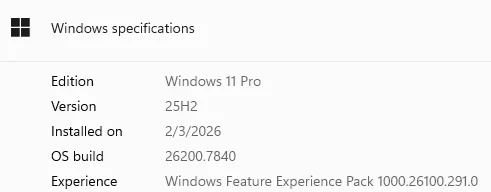
OS version:
Does anyone know of a way to achieve this? Thanks in advance.
OS version:
My Computer
At a glance
Windows 11 Pro
- OS
- Windows 11 Pro
- Computer type
- PC/Desktop