How to upgrade from Win11 21h2 to Win 11 22h2 - A guide


Hi,
MS must have locked the current 11 iso down
There is no rename or delete for that matter on the context menu
Pasting another new .dill file shows no permissions repeatedly

Guess I'll have to use rufus and a see if it's usb version can be used for inplace update.

Edit yep rufus worked.
 
Last edited:

My Computer My Computer

At a glance

Win-7-10-11Pro's10900k & 9940x & 5930kTrident-Z Royal 4000c16 2x16gb & Trident-Z 36...Titan Xp & 1080ti FTW3 & evga 980ti gaming
OS
Win-7-10-11Pro's
Computer type
PC/Desktop
Manufacturer/Model
Acer 17" Nitro 7840sn/ 2x16gb 5600c40/ 4060/ stock 1tb-os/ 4tb sn850x
CPU
10900k & 9940x & 5930k
Motherboard
z490-Apex & x299-Apex & x99-Sabertooth
Memory
Trident-Z Royal 4000c16 2x16gb & Trident-Z 3600c16 4x8gb & 3200c14 4x8gb
Graphics Card(s)
Titan Xp & 1080ti FTW3 & evga 980ti gaming
Sound Card
Onboard Realtek x3
Monitor(s) Displays
1-AOC G2460PG 24"G-Sync 144Hz/ 2nd 1-ASUS VG248QE 24"/ 3rd LG 43" series
Screen Resolution
1920-1080 not sure what the t.v is besides 43" class scales from 1920-1080 perfectly
Hard Drives
2-WD-sn850x 4tb/ 970evo+500gb/ 980 pro 2tb.
PSU
1000p2 & 1200p2 & 850p2
Case
D450 x2 & 1 Test bench in cherry Entertainment center
Cooling
Custom water loops x3 with 2x mora 360mm rads only 980ti gaming air cooled
Keyboard
G710+x3
Mouse
Redragon x3
Internet Speed
xfinity gigabyte
Browser
Firefox
Antivirus
mbam pro
As many of us has already found out, Win10 21h2 or Win 11 21h2 installed on an incompatible hardware doesn't upgrade by itself to 22h2.
You have to use the Repair install method or In-Place Upgrade, that is, run setup.exe from a mounted and tweaked Win 11 22h2 iso.
- Download Win 11 22h2 iso from here
- Right click on the Win11_22H2_x64.iso file and select Mount.
- On the virtual drive select ALL files and folders and select copy.
- Create a Win11_22H2 folder. Paste the files on it.
- Make sure "Hide known extensions" is NOT set under Explorer options.
- Go to Win11_22H2\Sources and rename appraiserres.dll to appraiserres.dll.orig
- On Win11_22H2\Sources, create a blank text file and rename to appraiserres.dll
- Run Win11_22H2\Setup.exe
- First, you must disconnect from the internet before attempting to upgrade an unsupported device to 22H2.
- Second, you must choose how Setup checks for updates as 'not for now'.

It will upgrade to Win 11 22h2

Credits to @Bree
It updated but then when a new update is offered it will not install - getting error message. As a result, I restored my previous Macrium backup file and am back to 21H2. At least I still can get newer downloads on this and not be blocked from future downloads.
 
Last edited:

My Computers My Computers

  • At a glance

    windows 10 & 11AMD Ryzen 7X64GbRadeon RX 480 8Gb
    OS
    windows 10 & 11
    Computer type
    PC/Desktop
    Manufacturer/Model
    iBuyPower (special build)
    CPU
    AMD Ryzen 7X
    Motherboard
    Asus Prime x370 Pro
    Memory
    64Gb
    Graphics Card(s)
    Radeon RX 480 8Gb
    Monitor(s) Displays
    Samsung UHD 27 inch
    Screen Resolution
    UHD
    Hard Drives
    3 Samsung 1 TB SSD each; 1 Samsung PCIe M.2 at 2 TB
  • At a glance

    Windows 11 proAMD 9 5900X32 GbNvidia GeForce RTX 3080 Ti 12 GB GDDR6X
    Operating System
    Windows 11 pro
    Computer type
    PC/Desktop
    Manufacturer/Model
    IBuyPower
    CPU
    AMD 9 5900X
    Motherboard
    Asus x570 ROG Crosshair VIII Dark Hero WI-FI 6E ARGB
    Memory
    32 Gb
    Graphics card(s)
    Nvidia GeForce RTX 3080 Ti 12 GB GDDR6X
    Sound Card
    3D PREMIUM surround sound onboard
    Monitor(s) Displays
    Samsung 32 inch UHD curved monitor
    Screen Resolution
    UHD
    Hard Drives
    Samsung 980 pro 2 tb gen 4 NVMe ssd
    PSU
    850 watt consair RM850X
    Case
    Lian Li LANCOOL ONE tempered glass RGB gaming case
    Cooling
    DEEPCOOL GAMERSTORM RGB 240 mm CASTLE 240EX liquid cooler
    Keyboard
    Ares m.2 gaming keyboard
    Mouse
    Ares m.2 gaming optical mouse
    Internet Speed
    450
    Browser
    Firefox / Edge
    Antivirus
    Windows defender
    Other Info
    With all this gaming rig I am not a gamer!
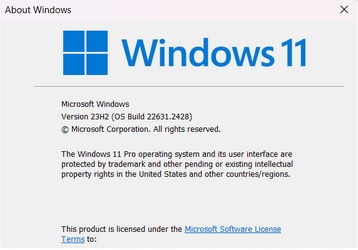
My experience: I wanted a Notebook with an ODD followed the appraiserres.dll process in this thread on an older Dell Inspiron 15 5537 Notebook to Upgrade from Win10 t0 Win11. So far it has worked, now updating to KB5031455. It took 38 minutes using the MCT to get the .iso file, did the file swap recommended here and 1.5 hours to install. Since I use Bluetooth mice I turned off the Wireless and plugged in a USB Wireless mouse, after getting Win11 loaded I reconnected the BT mouse, so far everything is good.

The main thing I did was to pull out the 500GB HDD, use hardware cloning to create a replacement HDD, installed it and booted. The cloning was a 'just-in-case' thing.

1700526100320.png
 

My Computers My Computers

  • At a glance

    Win11 Pro RTM Version 24H2 Build 26100.4202Intel Core i5 11th Gen. 2.40GHz12GB
    OS
    Win11 Pro RTM Version 24H2 Build 26100.4202
    Computer type
    Laptop
    Manufacturer/Model
    Dell Vostro 3400
    CPU
    Intel Core i5 11th Gen. 2.40GHz
    Memory
    12GB
    Hard Drives
    256GB SSD NVMe M.2
  • At a glance

    Win11 Pro RTM Version 24H2 Build 26100.4202Intel Core i5 10th Gen. 2.90GHz16GBOnboard, no VGA, using a DisplayPort-to-VGA a...
    Operating System
    Win11 Pro RTM Version 24H2 Build 26100.4202
    Computer type
    PC/Desktop
    Manufacturer/Model
    Dell Vostro 5890
    CPU
    Intel Core i5 10th Gen. 2.90GHz
    Memory
    16GB
    Graphics card(s)
    Onboard, no VGA, using a DisplayPort-to-VGA adapter
    Monitor(s) Displays
    24" Dell
    Hard Drives
    512GB SSD NVMe, 4TB Seagate HDD
    Browser
    Firefox, Edge
    Antivirus
    Windows Defender/Microsoft Security
Back
Top Bottom