
ICONS


Timmy 2 toes

Well-known member
Member
Local time
6:08 PM
Posts
503
OS
win11
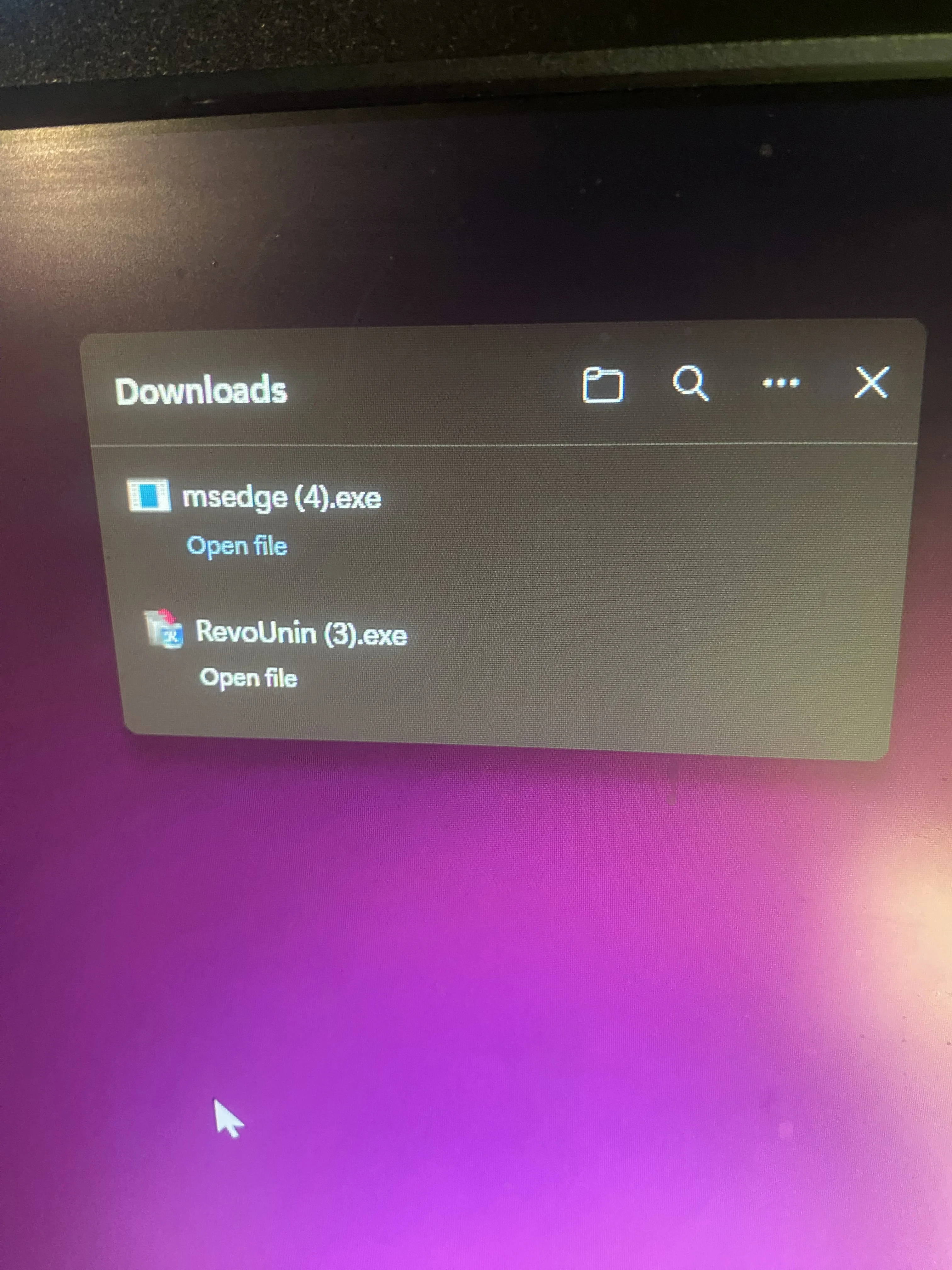
For some reason I cant move my icons around on my desktop anymore see photo when i try and release this is what I see
also right click don't work ?
Thank you
TIMMY 2 TOES
IMG_5862.webp
 

My Computers My Computers

  • At a glance

    win1113TH GEN INTEL
    OS
    win11
    Computer type
    PC/Desktop
    Manufacturer/Model
    DELL INSPRON
    CPU
    13TH GEN INTEL
    Monitor(s) Displays
    DELL
    Keyboard
    AMZN
    Browser
    EDGE
    Antivirus
    NONE
  • Computer type
    PC/Desktop
    Manufacturer/Model
    DELL
Hey T2T, have you restarted?
 

My Computers My Computers

  • At a glance

    Windows 11 Pro 26H2 26300.9457i9-10900 10 core 20 threads32 gbnone-Intel UHD Graphics 630
    OS
    Windows 11 Pro 26H2 26300.9457
    Computer type
    PC/Desktop
    Manufacturer/Model
    Dell Optiplex 7080
    CPU
    i9-10900 10 core 20 threads
    Motherboard
    DELL 0J37VM
    Memory
    32 gb
    Graphics Card(s)
    none-Intel UHD Graphics 630
    Sound Card
    Integrated Realtek
    Monitor(s) Displays
    Benq 27
    Screen Resolution
    2560x1440
    Hard Drives
    2x1tb Solidigm m.2 nvme /External drives 512gb Samsung m.2 sata+2tb Kingston m2.nvme
    PSU
    500w
    Case
    MT
    Cooling
    Dell Premium
    Keyboard
    Logitech wired
    Mouse
    Logitech wireless
    Internet Speed
    so slow I'm too embarrassed to tell
    Browser
    #1 Edge #2 Firefox
    Antivirus
    Defender+MWB Premium
  • At a glance

    Windows 11 Pro 24H2 26200.9457AMD Ryzen 7 6800U32 gbintegrated
    Operating System
    Windows 11 Pro 24H2 26200.9457
    Computer type
    PC/Desktop
    Manufacturer/Model
    Beelink Mini PC SER5
    CPU
    AMD Ryzen 7 6800U
    Memory
    32 gb
    Graphics card(s)
    integrated
    Sound Card
    integrated
    Monitor(s) Displays
    Benq 27
    Screen Resolution
    2560x1440
    Hard Drives
    1TB Crucial nvme
    Keyboard
    Logitech wired
    Mouse
    Logitech wireless
    Internet Speed
    still too embarrassed to tell
    Browser
    Firefox
    Antivirus
    Defender
  • System 3 is non compliant Dell 9020 i7-4770/24gb ram Win11 PRO 26200.9457
IF it doesn't change after a restart disconnect all extra peripherals and try mouse in a different USB port if possible.
 

My Computer My Computer

At a glance

WIN 11, WIN 10, WIN 8.1, WIN 7 U, WIN 7 PRO, ...Intel i7 6900K and i9-7960X / AMD 3800X (8 core)128 GB CORSAIR DOMINATOR PLATINUM (B DIE)NVIDIA 1070 and RTX 3070
OS
WIN 11, WIN 10, WIN 8.1, WIN 7 U, WIN 7 PRO, WIN 7 HOME (32 Bit), LINUX MINT
Computer type
PC/Desktop
Manufacturer/Model
DIY, ASUS, and DELL
CPU
Intel i7 6900K and i9-7960X / AMD 3800X (8 core)
Motherboard
ASUS X99E-WS USB 3.1 and ASUS X299 SAGE
Memory
128 GB CORSAIR DOMINATOR PLATINUM (B DIE)
Graphics Card(s)
NVIDIA 1070 and RTX 3070
Sound Card
Crystal Sound (onboard)
Monitor(s) Displays
single Samsung 30" 4K and 8" aux monitor
Screen Resolution
4K and something equally attrocious. I'll be working on this.
Hard Drives
A, B, C, D, E, F, G, H, I, J, K, L, M, N, O, P, Q, R, S, T, U, V, W

Ports X, Y, and Z are reserved for USB access and removable drives.

Drive types consist of the following: Various mechanical hard drives bearing the brand names, Seagate, Toshiba, and Western Digital. Various NVMe drives bearing the brand names Kingston, Intel, Silicon Power, Crucial, Western Digital, and Team Group. Various SATA SSDs bearing various different brand names.

RAID arrays included:

LSI RAID 10 (WD Velociraptors) 1115.72 GB
LSI RAID 10 (WD SSDS) 463.80 GB

INTEL RAID 0 (KINGSTON HYPER X) System 447.14 GB
INTEL RAID 1 TOSHIBA ENTERPRIZE class Data 2794.52 GB
INTEL RAID 1 SEAGATE HYBRID 931.51 GB
PSU
SEVERAL. I prefer my Corsair Platinum HX1000i but I also like EVGA power supplies
Case
ThermalTake Level 10 GT (among others)
Cooling
Noctua is my favorite and I use it in my main. I also own various other coolers.
Keyboard
all kinds.
Mouse
all kinds
Internet Speed
360 mbps - 1 gbps (depending)
Browser
FIREFOX
Antivirus
KASPERSKY (no apologies)
Other Info
Gave Dell touch screen with Windows 11 to daughter and got me an OTVOC. Being a PC builder I own many desktop PCs as well. I am a father of five providing PCs, laptops, and tablets for all my family, most of which I have modified, rebuilt, or simply built from scratch. I do not own a cell phone, never have, never will.
IF it doesn't change after a restart disconnect all extra peripherals and try mouse in a different USB port if possible.
restarted everything no luck
 

My Computers My Computers

  • At a glance

    win1113TH GEN INTEL
    OS
    win11
    Computer type
    PC/Desktop
    Manufacturer/Model
    DELL INSPRON
    CPU
    13TH GEN INTEL
    Monitor(s) Displays
    DELL
    Keyboard
    AMZN
    Browser
    EDGE
    Antivirus
    NONE
  • Computer type
    PC/Desktop
    Manufacturer/Model
    DELL
Auto-arrange: Right-click an empty space on your desktop (if the right-click menu works via keyboard shortcut or after a fix), go to View, and make sure Auto arrange icons is unchecked.

Align to grid: If icons snap back or won't drop where you want them, try unchecking Align icons to grid under View as well.
 

My Computer My Computer

At a glance

Windows 11
OS
Windows 11
Computer type
PC/Desktop
Manufacturer/Model
Custom Built
Auto-arrange: Right-click an empty space on your desktop (if the right-click menu works via keyboard shortcut or after a fix), go to View, and make sure Auto arrange icons is unchecked.

Align to grid: If icons snap back or won't drop where you want them, try unchecking Align icons to grid under View as well.
NOTHING happens on desktop when I right click
 

My Computers My Computers

  • At a glance

    win1113TH GEN INTEL
    OS
    win11
    Computer type
    PC/Desktop
    Manufacturer/Model
    DELL INSPRON
    CPU
    13TH GEN INTEL
    Monitor(s) Displays
    DELL
    Keyboard
    AMZN
    Browser
    EDGE
    Antivirus
    NONE
  • Computer type
    PC/Desktop
    Manufacturer/Model
    DELL
Open regedit, and go to:
HKEY_CURRENT_USER\Software\Microsoft\Windows\CurrentVersion\Explorer\Advanced
Look for the DWORD value named: AutoArrange
Double-click it and change its value data to 0 (disabled).
Restart your computer.
 

My Computer My Computer

At a glance

Windows 11
OS
Windows 11
Computer type
PC/Desktop
Manufacturer/Model
Custom Built
Open regedit, and go to:
HKEY_CURRENT_USER\Software\Microsoft\Windows\CurrentVersion\Explorer\Advanced
Look for the DWORD value named: AutoArrange
Double-click it and change its value data to 0 (disabled).
Restart your computer.
how do i open regedit
 

My Computers My Computers

  • At a glance

    win1113TH GEN INTEL
    OS
    win11
    Computer type
    PC/Desktop
    Manufacturer/Model
    DELL INSPRON
    CPU
    13TH GEN INTEL
    Monitor(s) Displays
    DELL
    Keyboard
    AMZN
    Browser
    EDGE
    Antivirus
    NONE
  • Computer type
    PC/Desktop
    Manufacturer/Model
    DELL
Press the Start button, then,
Search for: regedit
or: Registry Editor
 

My Computer My Computer

At a glance

Windows 11
OS
Windows 11
Computer type
PC/Desktop
Manufacturer/Model
Custom Built
I have a reasonable suspicion Timmy's problem is more deep seated than Auto Arrange or Align to Grid!!! :unsure:
 

My Computers My Computers

  • At a glance

    Windows 11 Pro
    OS
    Windows 11 Pro
    Computer type
    PC/Desktop
    Manufacturer/Model
    ASUS ROG Strix
  • At a glance

    Windows 11 Pro
    Operating System
    Windows 11 Pro
    Computer type
    Laptop
    Manufacturer/Model
    ASUS VivoBook
  • ASUS VivoBook 'Lite' ~ Windows 11 Home
Back
Top Bottom




