Solved Is it worthwhile to partition a 1TB SSD?


piikea

Member
Member
Local time
8:54 AM
Posts
11
Location
San Diego
OS
Windows 11 25H2 (26200.7171)
New laptop has one 1TB SSD with only the system created 512MB EFI System Partition and 1GB Recovery Partition(s). I've not used Windows 11 (25H2) until now. Considering partitioning the drive into C: (EFI, Recovery & OS) of some size and another much larger partition just for data so the backup image of the C: will be smaller vs imaging the entire 1TB SSD. W/e data I have on that partition will already be backed up elsewhere so if lost won't matter much. Did this previously w/ Win7 but wondering if W11's backup & restore functions have improved enough so that this isn't necessary these days?
 
Windows Build/Version
Windows 11 25H2 (OS Build 26200.6899)

My Computer My Computer

At a glance

Windows 11 25H2 (26200.7171)Intel Core Ultra 7 Series 2 256V 2200Mhz 8 Core16gb LPDDR5XIntegrated Intel Arc
OS
Windows 11 25H2 (26200.7171)
Computer type
Laptop
Manufacturer/Model
Acer Swift X 16 (Swift Sf16-51T)
CPU
Intel Core Ultra 7 Series 2 256V 2200Mhz 8 Core
Motherboard
Milkfish_LNV
Memory
16gb LPDDR5X
Graphics Card(s)
Integrated Intel Arc
Monitor(s) Displays
OLED
Screen Resolution
2880 x 1800
Hard Drives
1TB SSD
Considering partitioning the drive into C: (EFI, Recovery & OS)
EFI and Recovery are NOT part of C: drive. They are partitions in their own right and for dedicated purposes. Leave them alone.

BEFORE YOU DO ANYTHING, CREATE AN IMAGE/S OF YOUR EXISTING SYSTEM!!! And in tin-foil hat mode, to be doubly sure, backup your personal data separately.

You could resize C: drive and create a data partition, then move (properly!!) system user folders like Desktop, Documents, Downloads, etc to the new partition. Sometimes make backing up personal data easier - i.e. image system drives, makes smaller image file without loaded with personal data, and backup up personal data folders either in native format and/or image. All can be done either manually or automatic scheduled (e.g. overnight)

And if you choose to do regular, frequent system imaging, the recovery partition becomes superfluous and can be deleted. That recovers a whopping whole great 1GB (1/1000th) of your drive :cautious:
 

My Computers My Computers

  • At a glance

    Windows 11 2xH2 (latest update ... forever anal)Intel i5-124008GBNVIDIA GeForce GT730
    OS
    Windows 11 2xH2 (latest update ... forever anal)
    Computer type
    PC/Desktop
    Manufacturer/Model
    HP Slim S01
    CPU
    Intel i5-12400
    Memory
    8GB
    Graphics Card(s)
    NVIDIA GeForce GT730
    Sound Card
    OOBE
    Monitor(s) Displays
    Acer 32"
    Screen Resolution
    1920x1080
    Hard Drives
    512GB KIOXIA NVMe
    1TB SATA SSD
    PSU
    OOBE
    Case
    OOBE
    Cooling
    OOBE
    Keyboard
    BT
    Mouse
    BT
    Browser
    Brave FFox Chrome Opera
    Antivirus
    KIS
  • At a glance

    Windows 11 Pro 2xH2 (latest update ... 4ever ...i7-1165G7 @ 2.80GHzIntel Iris Xe Graphics
    Operating System
    Windows 11 Pro 2xH2 (latest update ... 4ever anal)
    Computer type
    Laptop
    Manufacturer/Model
    HP Pavillion 15
    CPU
    i7-1165G7 @ 2.80GHz
    Graphics card(s)
    Intel Iris Xe Graphics
    Hard Drives
    Samsung NVMe 512GB
    + numerous/multiple SSD Type C USB enclosures
    Internet Speed
    NBN FTTN 50
    Browser
    Brave
    Antivirus
    KIS
Other than messing with some of the Outlook backup features, the backup program and Disk Image programs remaining largely unchanged. In fact, Microsoft suggests not using them and suggests third party products.

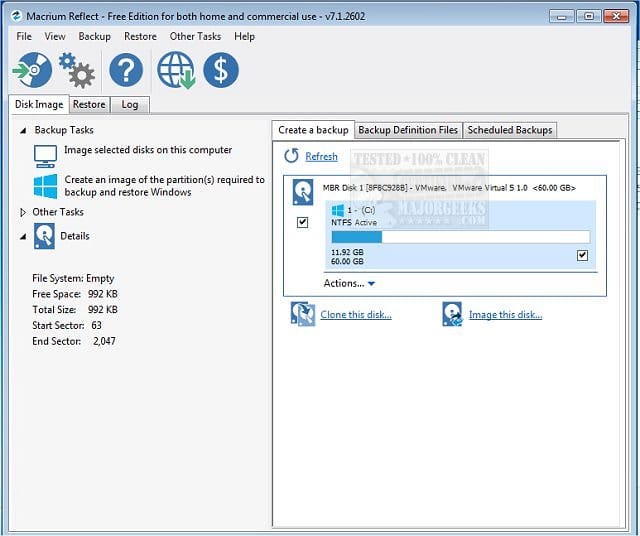
As for partitioning, if your main goal is to do that simply to save space on backups, note that you do have other options. Most back programs (yes, even disk imaging programs like Macrium Reflect), allow you to exclude files or even entire folder structures from your backup, so there really is no necessity to partition your drive differently just to exclude files from backups.
 

My Computers My Computers

  • At a glance

    Win11 Pro 25H2 (RTM+)Intel i7-14650HX32 GBNo GPU - Built-in Intel Graphics
    OS
    Win11 Pro 25H2 (RTM+)
    Computer type
    PC/Desktop
    Manufacturer/Model
    Acemagic
    CPU
    Intel i7-14650HX
    Memory
    32 GB
    Graphics Card(s)
    No GPU - Built-in Intel Graphics
    Sound Card
    Integrated
    Monitor(s) Displays
    Varies as machine will often be moved to locations with different monitors
    Screen Resolution
    Varies
    Hard Drives
    1 x 1TB Gen 4 NVMe SSD
    PSU
    120W Power Brick
    Keyboard
    Corsair K70 Max RGB Magnetic Keyboard
    Mouse
    Logitech MX Master 3
    Internet Speed
    1Gb Up / 1 Gb Down
    Browser
    Edge
    Antivirus
    Windows Defender
  • At a glance

    Win11 Pro 25H2 (RTM+)Intel i7-1255U16 GBIntel Iris Xe Graphics
    Operating System
    Win11 Pro 25H2 (RTM+)
    Computer type
    Laptop
    Manufacturer/Model
    Lenovo ThinkBook 13x Gen 2
    CPU
    Intel i7-1255U
    Memory
    16 GB
    Graphics card(s)
    Intel Iris Xe Graphics
    Sound Card
    Realtek® ALC3306-CG codec
    Monitor(s) Displays
    13.3-inch IPS Display
    Screen Resolution
    WQXGA (2560 x 1600)
    Hard Drives
    2 TB 4 x 4 NVMe SSD
    PSU
    USB-C / Thunderbolt 4 Power / Charging
    Keyboard
    Backlit, spill resistant keyboard
    Mouse
    Buttonless Glass Precision Touchpad
    Internet Speed
    1Gb Up / 1Gb Down
    Browser
    Edge
    Antivirus
    Windows Defender
    Other Info
    WiFi 6e / Bluetooth 5.1 / Facial Recognition / Fingerprint Sensor / ToF (Time of Flight) Human Presence Sensor
New laptop has one 1TB SSD with only the system created 512MB EFI System Partition and 1GB Recovery Partition(s). I've not used Windows 11 (25H2) until now. Considering partitioning the drive into C: (EFI, Recovery & OS) of some size and another much larger partition just for data so the backup image of the C: will be smaller vs imaging the entire 1TB SSD. W/e data I have on that partition will already be backed up elsewhere so if lost won't matter much. Did this previously w/ Win7 but wondering if W11's backup & restore functions have improved enough so that this isn't necessary these days?

i have my 1TB NVMe drive set up as Windows C: drive 25% of drive
then a partition D: drive where i have moved all the data folders
documents, downloads, pictures, videos etc, along with any other personal files/folders.

this way i can, if needed, re-install Windows but all my personal data is still intact
i then have 2x 1TB external drives to 1. back up system files. 2. back up personal files.

best of luck Steve ..
 

My Computers My Computers

  • At a glance

    Windows 11 HomeRyzen 7 5825u64GB DDR4 3200Ryzen 7 5825u
    OS
    Windows 11 Home
    Computer type
    PC/Desktop
    Manufacturer/Model
    HP 24" AiO
    CPU
    Ryzen 7 5825u
    Motherboard
    HP
    Memory
    64GB DDR4 3200
    Graphics Card(s)
    Ryzen 7 5825u
    Sound Card
    RealTek
    Monitor(s) Displays
    24" HP AiO
    Screen Resolution
    1920 x 1080 @60 Hz
    Hard Drives
    1TB WD Blue SN580 M2 SSD Partitioned.
    2x 1TB USB HDD External Backup/Storage.
    PSU
    90W external power brick
    Case
    24" All in One
    Cooling
    Default Air Cooling
    Keyboard
    HP WiFi UK extended
    Mouse
    HP WiFi 3 Button
    Internet Speed
    1GB full fibre
    Browser
    Edge & Firefox
    Antivirus
    AVG Internet Security/Windows Defender
    Other Info
    Mainly Open Source Software
  • At a glance

    Ubuntu 22.04.5 LTSi5 7200u16GB DDR4Intel
    Operating System
    Ubuntu 22.04.5 LTS
    Computer type
    Laptop
    Manufacturer/Model
    Dell 13" Latitude 2017
    CPU
    i5 7200u
    Motherboard
    Dell
    Memory
    16GB DDR4
    Graphics card(s)
    Intel
    Sound Card
    Intel
    Monitor(s) Displays
    13" Dell Laptop
    Hard Drives
    250GB Crucial 2.5" SSD
    Mouse
    Generic WiFi 3 button
    Internet Speed
    WiFi only
    Browser
    Firefox
    Antivirus
    ClamAV TK
    Other Info
    Mainly Open Source Software
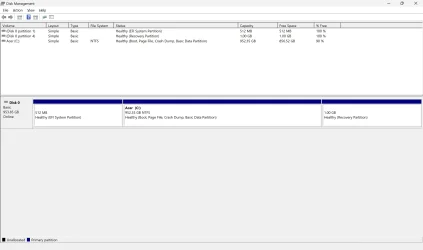
1) Please open disk management > widen each columns and rows > make sure that characters are not cutoff > upload images or post share links


2) Run disk partition information > post a share link


My Computer My Computer

At a glance

Windows 10Intel(R) Core(TM) i7-4800MQ CPU @ 2.70GHz16 GB Total: Manufacturer : Samsung MemoryTyp...NVIDIA Quadro K3100M; Intel(R) HD Graphics 4600
OS
Windows 10
Computer type
Laptop
Manufacturer/Model
HP
CPU
Intel(R) Core(TM) i7-4800MQ CPU @ 2.70GHz
Motherboard
Product : 190A Version : KBC Version 94.56
Memory
16 GB Total: Manufacturer : Samsung MemoryType : DDR3 FormFactor : SODIMM Capacity : 8GB Speed : 1600
Graphics Card(s)
NVIDIA Quadro K3100M; Intel(R) HD Graphics 4600
Sound Card
IDT High Definition Audio CODEC; PNP Device ID HDAUDIO\FUNC_01&VEN_111D&DEV_76E0
Hard Drives
Model Hitachi HTS727575A9E364
Antivirus
Microsoft Defender
Other Info
Mobile Workstation
wondering if W11's backup & restore functions have improved enough so that this isn't necessary these days?


Are you interested in only backing up important files or are you interested in backing up drivers and applications?


Was it a new second hand computer or a brand new computer?

A new laptop does not typically have a 512 MB EFI partition nor a 1 GB recovery partition.

These EFI and recovery partition sizes should be adequate for future upgrades.


A drive with GPT architecture can have up to 128 partitions.

The partition numbers and sizes can be modified for preferences.


My Computer My Computer

At a glance

Windows 10Intel(R) Core(TM) i7-4800MQ CPU @ 2.70GHz16 GB Total: Manufacturer : Samsung MemoryTyp...NVIDIA Quadro K3100M; Intel(R) HD Graphics 4600
OS
Windows 10
Computer type
Laptop
Manufacturer/Model
HP
CPU
Intel(R) Core(TM) i7-4800MQ CPU @ 2.70GHz
Motherboard
Product : 190A Version : KBC Version 94.56
Memory
16 GB Total: Manufacturer : Samsung MemoryType : DDR3 FormFactor : SODIMM Capacity : 8GB Speed : 1600
Graphics Card(s)
NVIDIA Quadro K3100M; Intel(R) HD Graphics 4600
Sound Card
IDT High Definition Audio CODEC; PNP Device ID HDAUDIO\FUNC_01&VEN_111D&DEV_76E0
Hard Drives
Model Hitachi HTS727575A9E364
Antivirus
Microsoft Defender
Other Info
Mobile Workstation
but wondering if W11's backup & restore functions have improved enough so that this isn't necessary these days?
No, nothing has been done on them. Microsoft has (deliberately) deprecated this service to the point that it is almost unusable in any reliable sense. There are multiple instances where Microsoft itself recommends 3rd party options.
 

My Computers My Computers

  • At a glance

    Windows 11 2xH2 (latest update ... forever anal)Intel i5-124008GBNVIDIA GeForce GT730
    OS
    Windows 11 2xH2 (latest update ... forever anal)
    Computer type
    PC/Desktop
    Manufacturer/Model
    HP Slim S01
    CPU
    Intel i5-12400
    Memory
    8GB
    Graphics Card(s)
    NVIDIA GeForce GT730
    Sound Card
    OOBE
    Monitor(s) Displays
    Acer 32"
    Screen Resolution
    1920x1080
    Hard Drives
    512GB KIOXIA NVMe
    1TB SATA SSD
    PSU
    OOBE
    Case
    OOBE
    Cooling
    OOBE
    Keyboard
    BT
    Mouse
    BT
    Browser
    Brave FFox Chrome Opera
    Antivirus
    KIS
  • At a glance

    Windows 11 Pro 2xH2 (latest update ... 4ever ...i7-1165G7 @ 2.80GHzIntel Iris Xe Graphics
    Operating System
    Windows 11 Pro 2xH2 (latest update ... 4ever anal)
    Computer type
    Laptop
    Manufacturer/Model
    HP Pavillion 15
    CPU
    i7-1165G7 @ 2.80GHz
    Graphics card(s)
    Intel Iris Xe Graphics
    Hard Drives
    Samsung NVMe 512GB
    + numerous/multiple SSD Type C USB enclosures
    Internet Speed
    NBN FTTN 50
    Browser
    Brave
    Antivirus
    KIS
Oh, yeah EFI & Recovery aren't part of C:. I would have to move those folders to the data drive. My intent is to image the OS, settings, apps, drivers, etc for system recovery purposes (not the data partition). So far I've only installed a few apps & done various tweaks & personalization.

Idk if I got this diskpartinfo part right r not.
 

Attachments

My Computer My Computer

At a glance

Windows 11 25H2 (26200.7171)Intel Core Ultra 7 Series 2 256V 2200Mhz 8 Core16gb LPDDR5XIntegrated Intel Arc
OS
Windows 11 25H2 (26200.7171)
Computer type
Laptop
Manufacturer/Model
Acer Swift X 16 (Swift Sf16-51T)
CPU
Intel Core Ultra 7 Series 2 256V 2200Mhz 8 Core
Motherboard
Milkfish_LNV
Memory
16gb LPDDR5X
Graphics Card(s)
Integrated Intel Arc
Monitor(s) Displays
OLED
Screen Resolution
2880 x 1800
Hard Drives
1TB SSD
The WD drive has four partitions.

Using disk management three are visible and one is hidden.


Partition ### Type Size Offset
------------- ---------------- ------- -------
Partition 1 System 512 MB 1024 KB
Partition 2 Reserved 16 MB 513 MB
Partition 3 Primary 952 GB 529 MB
Partition 4 Recovery 1024 MB 952 GB


Consider using Macrium to make backup images.

The drive could be replaced if it fails or if you prefer a different one.

An image could be restored for the whole drive.

Or you could clean install Windows 11 with its four default partitions then restore only the primary partition.


(Acronis, Aoemi, EaseUS, Hasleo, Macrium, Paragon, etc.)


These are some additional backup options:


Code:
    Disk 0 : SSD. It has 4 partition(s). Model: WD PC

    The script has found the above 1 storage device(s) in total.
=======================================================================

Microsoft DiskPart version 10.0.26100.1150

Copyright (C) Microsoft Corporation.
On computer: LAPTOP-VN828JPE

  Disk ###  Status         Size     Free     Dyn  Gpt
  --------  -------------  -------  -------  ---  ---
  Disk 0    Online          953 GB      0 B        *

  Volume ###  Ltr  Label        Fs     Type        Size     Status     Info
  ----------  ---  -----------  -----  ----------  -------  ---------  --------
  Volume 0     C   Acer         NTFS   Partition    952 GB  Healthy    Boot   
  Volume 1         ESP          FAT32  Partition    512 MB  Healthy    System 
  Volume 2         Recovery     NTFS   Partition   1024 MB  Healthy    Hidden 

Disk 0 is now the selected disk.

WD PC
Disk ID: {}
Type   : NVMe
Status : Online
Path   : 0
Target : 0
LUN ID : 0
Location Path : PCIROOT(0)#PCI(1C00)#PCI(0000)#NVME(P00T00L00)
Current Read-only State : No
Read-only  : No
Boot Disk  : Yes
Pagefile Disk  : Yes
Hibernation File Disk  : No
Crashdump Disk  : Yes
Clustered Disk  : No

  Volume ###  Ltr  Label        Fs     Type        Size     Status     Info
  ----------  ---  -----------  -----  ----------  -------  ---------  --------
  Volume 0     C   Acer         NTFS   Partition    952 GB  Healthy    Boot   
  Volume 1         ESP          FAT32  Partition    512 MB  Healthy    System 
  Volume 2         Recovery     NTFS   Partition   1024 MB  Healthy    Hidden 

  Partition ###  Type              Size     Offset
  -------------  ----------------  -------  -------
  Partition 1    System             512 MB  1024 KB
  Partition 2    Reserved            16 MB   513 MB
  Partition 3    Primary            952 GB   529 MB
  Partition 4    Recovery          1024 MB   952 GB

Partition 1 is now the selected partition.

Partition 1
Type    : c12a7328-f81f-11d2-ba4b-00a0c93ec93b
Hidden  : Yes
Required: No
Attrib  : 0000000000000000
Offset in Bytes: 1048576

  Volume ###  Ltr  Label        Fs     Type        Size     Status     Info
  ----------  ---  -----------  -----  ----------  -------  ---------  --------
* Volume 1         ESP          FAT32  Partition    512 MB  Healthy    System 

Partition 2 is now the selected partition.

Partition 2
Type    : e3c9e316-0b5c-4db8-817d-f92df00215ae
Hidden  : Yes
Required: No
Attrib  : 0000000000000000
Offset in Bytes: 537919488

There is no volume associated with this partition.

Partition 3 is now the selected partition.

Partition 3
Type    : ebd0a0a2-b9e5-4433-87c0-68b6b72699c7
Hidden  : No
Required: No
Attrib  : 0000000000000000
Offset in Bytes: 554696704

  Volume ###  Ltr  Label        Fs     Type        Size     Status     Info
  ----------  ---  -----------  -----  ----------  -------  ---------  --------
* Volume 0     C   Acer         NTFS   Partition    952 GB  Healthy    Boot   

Partition 4 is now the selected partition.

Partition 4
Type    : de94bba4-06d1-4d40-a16a-bfd50179d6ac
Hidden  : Yes
Required: Yes
Attrib  : 0X8000000000000001
Offset in Bytes: 1023135449088

  Volume ###  Ltr  Label        Fs     Type        Size     Status     Info
  ----------  ---  -----------  -----  ----------  -------  ---------  --------
* Volume 2         Recovery     NTFS   Partition   1024 MB  Healthy    Hidden 

===============================================================================

Windows Recovery Environment (Windows RE) and system reset configuration
Information:

    Windows RE status:         Enabled
    Windows RE location:       \\?\GLOBALROOT\device\harddisk0\partition4\Recovery\WindowsRE
    Boot Configuration Data (BCD) identifier: c321321f-ac88-11ef-bc34-00e04c457671
    Recovery image location:   
    Recovery image index:      0
    Custom image location:     
    Custom image index:        0

REAGENTC.EXE: Operation Successful.
    
===============================================================================

Firmware Boot Manager
---------------------
identifier              {fwbootmgr}
displayorder            {bootmgr}
                        {c95cbbef-ac88-11ef-9973-806e6f6e6963}
                        {c95cbbf0-ac88-11ef-9973-806e6f6e6963}
                        {c95cbbf1-ac88-11ef-9973-806e6f6e6963}
timeout                 0

Windows Boot Manager
--------------------
identifier              {bootmgr}
device                  partition=\Device\HarddiskVolume1
path                    \EFI\Microsoft\Boot\bootmgfw.efi
description             Windows Boot Manager
locale                  en-US
inherit                 {globalsettings}
default                 {current}
resumeobject            {c321321d-ac88-11ef-bc34-00e04c457671}
displayorder            {current}
toolsdisplayorder       {memdiag}
timeout                 30

Firmware Application (101fffff)
-------------------------------
identifier              {c95cbbef-ac88-11ef-9973-806e6f6e6963}
description             EFI USB Device

Firmware Application (101fffff)
-------------------------------
identifier              {c95cbbf0-ac88-11ef-9973-806e6f6e6963}
description             EFI DVD/CDROM

Firmware Application (101fffff)
-------------------------------
identifier              {c95cbbf1-ac88-11ef-9973-806e6f6e6963}
description             EFI Network

Windows Boot Loader
-------------------
identifier              {current}
device                  partition=C:
path                    \Windows\system32\winload.efi
description             Windows 11
locale                  en-US
inherit                 {bootloadersettings}
recoverysequence        {c321321f-ac88-11ef-bc34-00e04c457671}
displaymessageoverride  Recovery
recoveryenabled         Yes
isolatedcontext         Yes
allowedinmemorysettings 0x15000075
osdevice                partition=C:
systemroot              \Windows
resumeobject            {c321321d-ac88-11ef-bc34-00e04c457671}
nx                      OptIn
bootmenupolicy          Standard
hypervisorlaunchtype    Auto

Windows Boot Loader
-------------------
identifier              {c321321f-ac88-11ef-bc34-00e04c457671}
device                  ramdisk=[\Device\HarddiskVolume4]\Recovery\WindowsRE\Winre.wim,{c3213220-ac88-11ef-bc34-00e04c457671}
path                    \windows\system32\winload.efi
description             Windows Recovery Environment
locale                  en-us
inherit                 {bootloadersettings}
displaymessage          Recovery
osdevice                ramdisk=[\Device\HarddiskVolume4]\Recovery\WindowsRE\Winre.wim,{c3213220-ac88-11ef-bc34-00e04c457671}
systemroot              \windows
nx                      OptIn
bootmenupolicy          Standard
winpe                   Yes

Resume from Hibernate
---------------------
identifier              {c321321d-ac88-11ef-bc34-00e04c457671}
device                  partition=C:
path                    \Windows\system32\winresume.efi
description             Windows Resume Application
locale                  en-US
inherit                 {resumeloadersettings}
recoverysequence        {c321321f-ac88-11ef-bc34-00e04c457671}
recoveryenabled         Yes
isolatedcontext         Yes
allowedinmemorysettings 0x15000075
filedevice              partition=C:
custom:21000026         partition=C:
filepath                \hiberfil.sys
bootmenupolicy          Standard
debugoptionenabled      No

Windows Memory Tester
---------------------
identifier              {memdiag}
device                  partition=\Device\HarddiskVolume1
path                    \EFI\Microsoft\Boot\memtest.efi
description             Windows Memory Diagnostic
locale                  en-US
inherit                 {globalsettings}
badmemoryaccess         Yes

EMS Settings
------------
identifier              {emssettings}
bootems                 No

Debugger Settings
-----------------
identifier              {dbgsettings}
debugtype               Local

RAM Defects
-----------
identifier              {badmemory}

Global Settings
---------------
identifier              {globalsettings}
inherit                 {dbgsettings}
                        {emssettings}
                        {badmemory}

Boot Loader Settings
--------------------
identifier              {bootloadersettings}
inherit                 {globalsettings}
                        {hypervisorsettings}

Hypervisor Settings
-------------------
identifier              {hypervisorsettings}
hypervisordebugtype     Serial
hypervisordebugport     1
hypervisorbaudrate      115200

Resume Loader Settings
----------------------
identifier              {resumeloadersettings}
inherit                 {globalsettings}

Setup Ramdisk Options
---------------------
identifier              {ramdiskoptions}
description             Acer Recovery Management
ramdisksdidevice        partition=C:
ramdisksdipath          \TempHidden\SCD\boot\boot.sdi

Device options
--------------
identifier              {c3213220-ac88-11ef-bc34-00e04c457671}
description             Windows Recovery
ramdisksdidevice        partition=\Device\HarddiskVolume4
ramdisksdipath          \Recovery\WindowsRE\boot.sdi

 

My Computer My Computer

At a glance

Windows 10Intel(R) Core(TM) i7-4800MQ CPU @ 2.70GHz16 GB Total: Manufacturer : Samsung MemoryTyp...NVIDIA Quadro K3100M; Intel(R) HD Graphics 4600
OS
Windows 10
Computer type
Laptop
Manufacturer/Model
HP
CPU
Intel(R) Core(TM) i7-4800MQ CPU @ 2.70GHz
Motherboard
Product : 190A Version : KBC Version 94.56
Memory
16 GB Total: Manufacturer : Samsung MemoryType : DDR3 FormFactor : SODIMM Capacity : 8GB Speed : 1600
Graphics Card(s)
NVIDIA Quadro K3100M; Intel(R) HD Graphics 4600
Sound Card
IDT High Definition Audio CODEC; PNP Device ID HDAUDIO\FUNC_01&VEN_111D&DEV_76E0
Hard Drives
Model Hitachi HTS727575A9E364
Antivirus
Microsoft Defender
Other Info
Mobile Workstation
If you have a small OS partition (100-250GB), you can create System Backup to the same disk. Easy backup and restore.
The same goes for a reinstall without touching your data partition and keeping it safe, unless Onedrive gets hold of it.
 

My Computer My Computer

At a glance

Home26H2CanAMD Ryzen 5 8600G (07/24)2x32GB Kingston FURY DDR5 5600 MHz CL36 @5200...ASROCK Radeon RX 6600 Challenger D 8G @48FPS ...
OS
Home26H2Can
Computer type
PC/Desktop
CPU
AMD Ryzen 5 8600G (07/24)
Motherboard
ASROCK B650M-HDV/M.2 (07/24) BIOS 4.21 AGESA ComboAM5 1.3.0.1 (04/26)
Memory
2x32GB Kingston FURY DDR5 5600 MHz CL36 @5200 CL36 (07/24)
Graphics Card(s)
ASROCK Radeon RX 6600 Challenger D 8G @48FPS (08/24)
Sound Card
Creative Sound BlasterX AE-5 Plus (05/24)
Monitor(s) Displays
24" Philips 24M1N3200ZS/00 (05/24)
Screen Resolution
1920×1080@165Hz via DP1.4
Hard Drives
Kingston KC3000 NVMe 2TB (05/24)
ADATA XPG GAMMIX S11 Pro 512GB (07/19)
PSU
Seasonic Core GM 550 Gold (04/24)
Case
Fractal Design Define 7 Mini with 3x Noctua NF-P14s/12@555rpm (04/24)
Cooling
Noctua NH-U12S with Noctua NF-P12 (04/24)
Keyboard
HP Pavilion Wired Keyboard 300 (07/24) + Rabalux 76017 Parker (01/24)
Mouse
Logitech M330 Silent Plus (01/26)
Internet Speed
500/100 Mbps via RouterOS (05/21) & TCP Optimizer
Browser
Edge, Brave for YouTube, LibreWolf for FB
Antivirus
NextDNS blocking 1/3 Traffic
Other Info
Phone: Motorola Moto G86 (02/26)
Backup: Hasleo Backup Suite (PreOS)
Headphones: Sennheiser RS170 (09/10)
Chair: Huzaro Force 4.4 Grey Mesh (05/24)
Notifier: Xiaomi Mi Band 9 Milanese (10/24)
FlexCore USB-C 3.2 Gen 1 (M) to LAN (F) (08/25)

My Computers My Computers

  • At a glance

    Windows 11 2xH2 (latest update ... forever anal)Intel i5-124008GBNVIDIA GeForce GT730
    OS
    Windows 11 2xH2 (latest update ... forever anal)
    Computer type
    PC/Desktop
    Manufacturer/Model
    HP Slim S01
    CPU
    Intel i5-12400
    Memory
    8GB
    Graphics Card(s)
    NVIDIA GeForce GT730
    Sound Card
    OOBE
    Monitor(s) Displays
    Acer 32"
    Screen Resolution
    1920x1080
    Hard Drives
    512GB KIOXIA NVMe
    1TB SATA SSD
    PSU
    OOBE
    Case
    OOBE
    Cooling
    OOBE
    Keyboard
    BT
    Mouse
    BT
    Browser
    Brave FFox Chrome Opera
    Antivirus
    KIS
  • At a glance

    Windows 11 Pro 2xH2 (latest update ... 4ever ...i7-1165G7 @ 2.80GHzIntel Iris Xe Graphics
    Operating System
    Windows 11 Pro 2xH2 (latest update ... 4ever anal)
    Computer type
    Laptop
    Manufacturer/Model
    HP Pavillion 15
    CPU
    i7-1165G7 @ 2.80GHz
    Graphics card(s)
    Intel Iris Xe Graphics
    Hard Drives
    Samsung NVMe 512GB
    + numerous/multiple SSD Type C USB enclosures
    Internet Speed
    NBN FTTN 50
    Browser
    Brave
    Antivirus
    KIS
These are some WD links:

a) updates
b) diagnostics
c) Acronis
etc.


My Computer My Computer

At a glance

Windows 10Intel(R) Core(TM) i7-4800MQ CPU @ 2.70GHz16 GB Total: Manufacturer : Samsung MemoryTyp...NVIDIA Quadro K3100M; Intel(R) HD Graphics 4600
OS
Windows 10
Computer type
Laptop
Manufacturer/Model
HP
CPU
Intel(R) Core(TM) i7-4800MQ CPU @ 2.70GHz
Motherboard
Product : 190A Version : KBC Version 94.56
Memory
16 GB Total: Manufacturer : Samsung MemoryType : DDR3 FormFactor : SODIMM Capacity : 8GB Speed : 1600
Graphics Card(s)
NVIDIA Quadro K3100M; Intel(R) HD Graphics 4600
Sound Card
IDT High Definition Audio CODEC; PNP Device ID HDAUDIO\FUNC_01&VEN_111D&DEV_76E0
Hard Drives
Model Hitachi HTS727575A9E364
Antivirus
Microsoft Defender
Other Info
Mobile Workstation
I wasn't clear - I was meaning the user folders like Desktop, Documents, Downloads, etc you mentioned (not EFI & Recovery).
 

My Computer My Computer

At a glance

Windows 11 25H2 (26200.7171)Intel Core Ultra 7 Series 2 256V 2200Mhz 8 Core16gb LPDDR5XIntegrated Intel Arc
OS
Windows 11 25H2 (26200.7171)
Computer type
Laptop
Manufacturer/Model
Acer Swift X 16 (Swift Sf16-51T)
CPU
Intel Core Ultra 7 Series 2 256V 2200Mhz 8 Core
Motherboard
Milkfish_LNV
Memory
16gb LPDDR5X
Graphics Card(s)
Integrated Intel Arc
Monitor(s) Displays
OLED
Screen Resolution
2880 x 1800
Hard Drives
1TB SSD
The WD drive has four partitions.


Consider using Macrium to make backup images.

The drive could be replaced if it fails or if you prefer a different one.

An image could be restored for the whole drive.

Or you could clean install Windows 11 with its four default partitions then restore only the primary partition.
I'll have to consider all the options & decide. I want easy easy easy! Planned on using Aomei since I'm familiar w/ it (& it's free). Possibly the WD option. Not planning on using a MS account or using One Drive tho' hopefully when I sign into my msn.com email account W11 won't somehow "hijack" the machine.
 

My Computer My Computer

At a glance

Windows 11 25H2 (26200.7171)Intel Core Ultra 7 Series 2 256V 2200Mhz 8 Core16gb LPDDR5XIntegrated Intel Arc
OS
Windows 11 25H2 (26200.7171)
Computer type
Laptop
Manufacturer/Model
Acer Swift X 16 (Swift Sf16-51T)
CPU
Intel Core Ultra 7 Series 2 256V 2200Mhz 8 Core
Motherboard
Milkfish_LNV
Memory
16gb LPDDR5X
Graphics Card(s)
Integrated Intel Arc
Monitor(s) Displays
OLED
Screen Resolution
2880 x 1800
Hard Drives
1TB SSD
If you have a small OS partition (100-250GB), you can create System Backup to the same disk. Easy backup and restore.
The same goes for a reinstall without touching your data partition and keeping it safe, unless Onedrive gets hold of it.
That was my original intent - a partition of just OS (&/or w/e other system partitions are required - which I haven't quite figured out yet) of 100-200GB assuming W11 won't "grow" in size beyond that so that a backup image would then be 50-100GB at most.
 

My Computer My Computer

At a glance

Windows 11 25H2 (26200.7171)Intel Core Ultra 7 Series 2 256V 2200Mhz 8 Core16gb LPDDR5XIntegrated Intel Arc
OS
Windows 11 25H2 (26200.7171)
Computer type
Laptop
Manufacturer/Model
Acer Swift X 16 (Swift Sf16-51T)
CPU
Intel Core Ultra 7 Series 2 256V 2200Mhz 8 Core
Motherboard
Milkfish_LNV
Memory
16gb LPDDR5X
Graphics Card(s)
Integrated Intel Arc
Monitor(s) Displays
OLED
Screen Resolution
2880 x 1800
Hard Drives
1TB SSD
i have my 1TB NVMe drive set up as Windows C: drive 25% of drive
then a partition D: drive where i have moved all the data folders
documents, downloads, pictures, videos etc, along with any other personal files/folders.

this way i can, if needed, re-install Windows but all my personal data is still intact
i then have 2x 1TB external drives to 1. back up system files. 2. back up personal files.

best of luck Steve ..
Yep - I always set up my pcs pretty much like this, although I usually leave the user folders on C drive, only using them for temporary use (I regularly move any important data to D partition)

The chief driver of doing it this way is to keep image backups lean and mean, but as you say I can clean install (or restore image backups) without impacting the D partitition. Of course the data on the D partition needs to be sparately backed up, but I prefer to use syncing tools so I only need to backup difference.

I also symlink key critical data folders containing e.g. word, excel, personal data, useful batch files etc. to onedrive to automatically.

The key point about partioning is that it enables the user to develop sensible backup strategies rather than blindly backing up a lot of excess baggage e.g. I never backup downloaded movies (which are storage hungry) as they are easily redownloaded.
 

My Computer My Computer

At a glance

Windows 11 Pro + Win11 Canary VM.I9 13th gen i9-13900H 2.60 GHZ16 GB solderedIntegrated Intel Iris XE
OS
Windows 11 Pro + Win11 Canary VM.
Computer type
Laptop
Manufacturer/Model
ASUS Zenbook 14
CPU
I9 13th gen i9-13900H 2.60 GHZ
Motherboard
Yep, Laptop has one.
Memory
16 GB soldered
Graphics Card(s)
Integrated Intel Iris XE
Sound Card
Realtek built in
Monitor(s) Displays
laptop OLED screen
Screen Resolution
2880x1800 touchscreen
Hard Drives
1 TB NVME SSD (only weakness is only one slot)
PSU
Internal + 65W thunderbolt USB4 charger
Case
Yep, got one
Cooling
Stella Artois (UK pint cans - 568 ml) - extra cost.
Keyboard
Built in UK keybd
Mouse
Bluetooth , wireless dongled, wired
Internet Speed
900 mbs (ethernet), wifi 6 typical 350-450 mb/s both up and down
Browser
Edge
Antivirus
Defender
Other Info
TPM 2.0, 2xUSB4 thunderbolt, 1xUsb3 (usb a), 1xUsb-c, hdmi out, 3.5 mm audio out/in combo, ASUS backlit trackpad (inc. switchable number pad)

Macrium Reflect Home V8
Office 365 Family (6 users each 1TB onedrive space)
Hyper-V (a vm runs almost as fast as my older laptop)
Yep - I always set up my pcs pretty much like this, although I usually leave the user folders on C drive, only using them for temporary use (I regularly move any important data to D partition)

The chief driver of doing it this way is to keep image backups lean and mean, but as you say I can clean install (or restore image backups) without impacting the D partitition. Of course the data on the D partition needs to be sparately backed up, but I prefer to use syncing tools so I only need to backup difference.

I also symlink key critical data folders containing e.g. word, excel, personal data, useful batch files etc. to onedrive to automatically.

The key point about partioning is that it enables the user to develop sensible backup strategies rather than blindly backing up a lot of excess baggage e.g. I never backup downloaded movies (which are storage hungry) as they are easily redownloaded.

I also follow this procedure, and it works perfectly well for my purposes.
 

My Computers My Computers

  • At a glance

    Windows 11 Pro Optimum 24H2 OS Build 26100.7171AMD Ryzen 7 5800HSCrucial 16GoIntegrated Radeon Vega 8 Graphics
    OS
    Windows 11 Pro Optimum 24H2 OS Build 26100.7171
    Computer type
    Laptop
    Manufacturer/Model
    Asus VivobooK 15 M1502QA.302
    CPU
    AMD Ryzen 7 5800HS
    Motherboard
    ASUSTeck Computer
    Memory
    Crucial 16Go
    Graphics Card(s)
    Integrated Radeon Vega 8 Graphics
    Sound Card
    Realtek & AMD high audio definition
    Monitor(s) Displays
    SAMSUNG Curv - C24F390
    Screen Resolution
    1920*1080
    Hard Drives
    SSD NVMe 1To Crucial
    SSD 500 Go Crucial MX500
    SSD 128 Go Intel
    HDD 1To WD
    Case
    Asus vivobook
    Cooling
    Integrated Fan
    Keyboard
    Wisfox Gaming
    Mouse
    BT Tecknett
    Internet Speed
    WifFi 6 on 5 gbs fiber ftth
    Browser
    Thorium 130.0.6723.174 (Build officiel) & Zen browser Dev/béta ver.
    Antivirus
    Windows Defender
  • At a glance

    Server /Nas - dietpi v9.13 - debian Bookworm/...Ryzen 7 8845HS32GB DDR5AMD Radeon 780M 12core 2700MHz
    Operating System
    Server /Nas - dietpi v9.13 - debian Bookworm/Trixie based
    Computer type
    PC/Desktop
    Manufacturer/Model
    Beelink Mini PC SER8
    CPU
    Ryzen 7 8845HS
    Memory
    32GB DDR5
    Graphics card(s)
    AMD Radeon 780M 12core 2700MHz
    Screen Resolution
    headless
    Hard Drives
    4TB M.2 PCIe4.0 NVMe
    Cooling
    MSC2.0 cooling system
    Keyboard
    headless
    Mouse
    headless
    Internet Speed
    WiFi6 - 2.5G RJ45
    Browser
    -
    Antivirus
    -
    Other Info
    Just for fun
I also symlink key critical data folders containing e.g. word, excel, personal data, useful batch files etc. to onedrive to automatically.
Why do you find this necessary when presumably these would be included in image backups?
 

My Computer My Computer

At a glance

Windows 11 25H2 (26200.7171)Intel Core Ultra 7 Series 2 256V 2200Mhz 8 Core16gb LPDDR5XIntegrated Intel Arc
OS
Windows 11 25H2 (26200.7171)
Computer type
Laptop
Manufacturer/Model
Acer Swift X 16 (Swift Sf16-51T)
CPU
Intel Core Ultra 7 Series 2 256V 2200Mhz 8 Core
Motherboard
Milkfish_LNV
Memory
16gb LPDDR5X
Graphics Card(s)
Integrated Intel Arc
Monitor(s) Displays
OLED
Screen Resolution
2880 x 1800
Hard Drives
1TB SSD
Why do you find this necessary when presumably these would be included in image backups?
Did you not read ny posts?

The data is not in C drive and not image backed up.
 

My Computer My Computer

At a glance

Windows 11 Pro + Win11 Canary VM.I9 13th gen i9-13900H 2.60 GHZ16 GB solderedIntegrated Intel Iris XE
OS
Windows 11 Pro + Win11 Canary VM.
Computer type
Laptop
Manufacturer/Model
ASUS Zenbook 14
CPU
I9 13th gen i9-13900H 2.60 GHZ
Motherboard
Yep, Laptop has one.
Memory
16 GB soldered
Graphics Card(s)
Integrated Intel Iris XE
Sound Card
Realtek built in
Monitor(s) Displays
laptop OLED screen
Screen Resolution
2880x1800 touchscreen
Hard Drives
1 TB NVME SSD (only weakness is only one slot)
PSU
Internal + 65W thunderbolt USB4 charger
Case
Yep, got one
Cooling
Stella Artois (UK pint cans - 568 ml) - extra cost.
Keyboard
Built in UK keybd
Mouse
Bluetooth , wireless dongled, wired
Internet Speed
900 mbs (ethernet), wifi 6 typical 350-450 mb/s both up and down
Browser
Edge
Antivirus
Defender
Other Info
TPM 2.0, 2xUSB4 thunderbolt, 1xUsb3 (usb a), 1xUsb-c, hdmi out, 3.5 mm audio out/in combo, ASUS backlit trackpad (inc. switchable number pad)

Macrium Reflect Home V8
Office 365 Family (6 users each 1TB onedrive space)
Hyper-V (a vm runs almost as fast as my older laptop)
Yep - I always set up my pcs pretty much like this, although I usually leave the user folders on C drive, only using them for temporary use (I regularly move any important data to D partition)

The chief driver of doing it this way is to keep image backups lean and mean, but as you say I can clean install (or restore image backups) without impacting the D partitition. Of course the data on the D partition needs to be sparately backed up, but I prefer to use syncing tools so I only need to backup difference.

I also symlink key critical data folders containing e.g. word, excel, personal data, useful batch files etc. to onedrive to automatically.
Initially you said you leave user folders on C: - I thought the "key critical data folders" would also be on that drive - not realizing they would be on D:

w/e
 

My Computer My Computer

At a glance

Windows 11 25H2 (26200.7171)Intel Core Ultra 7 Series 2 256V 2200Mhz 8 Core16gb LPDDR5XIntegrated Intel Arc
OS
Windows 11 25H2 (26200.7171)
Computer type
Laptop
Manufacturer/Model
Acer Swift X 16 (Swift Sf16-51T)
CPU
Intel Core Ultra 7 Series 2 256V 2200Mhz 8 Core
Motherboard
Milkfish_LNV
Memory
16gb LPDDR5X
Graphics Card(s)
Integrated Intel Arc
Monitor(s) Displays
OLED
Screen Resolution
2880 x 1800
Hard Drives
1TB SSD

Latest Support Threads

Back
Top Bottom