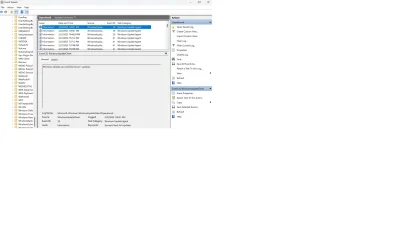
KB5035942 keeps installing daily. Why?


The blasted thing ran again this morning. Where's it coming from?
 

Attachments

  • KB run again.webp
    KB run again.webp
    75.3 KB · Views: 1

My Computer My Computer

At a glance

Win 11Pro v25H2 build 26200.7171AMD Ryzen 7 9800X3D64G DDR5 6000ASUS RTX 4070 Ti Super OC
OS
Win 11Pro v25H2 build 26200.7171
Computer type
PC/Desktop
Manufacturer/Model
DIY
CPU
AMD Ryzen 7 9800X3D
Motherboard
Gigabyte X670 Aorus Elite AX
Memory
64G DDR5 6000
Graphics Card(s)
ASUS RTX 4070 Ti Super OC
Sound Card
Soundblaster Z SE
Monitor(s) Displays
LG 24"
Screen Resolution
3480 x 2160
Hard Drives
C: drive SOLIDIGM P44 PRO 2TB SSD
D: drive SOLIDIGM P44 PRO 2TB SSD
H: drive Samsung 970 EVO Plus 2TB SSD
PSU
Corsair RM850X
Case
GameMax
Cooling
NZXT Kraken Elite 360 RGB 2024
Keyboard
Corsair
Mouse
Razor
Internet Speed
Gigabyte
Browser
Firefox
Antivirus
Norton 360
Well i guess if it annoys enough, do a inplace upgrade with a new iso from Download Windows 11
Then that update is already intergraded into the iso, and won't need to download/install it.
Also the Get-WindowsUpdatesLog should work again propperly.
 

My Computer My Computer

At a glance

Windows 11
OS
Windows 11
Computer type
PC/Desktop
I will try the inplace upgrade but have to go for an endoscopy, the perfect end to a crappy week. Will let you know tomorrow after the upgrade.
 

My Computer My Computer

At a glance

Win 11Pro v25H2 build 26200.7171AMD Ryzen 7 9800X3D64G DDR5 6000ASUS RTX 4070 Ti Super OC
OS
Win 11Pro v25H2 build 26200.7171
Computer type
PC/Desktop
Manufacturer/Model
DIY
CPU
AMD Ryzen 7 9800X3D
Motherboard
Gigabyte X670 Aorus Elite AX
Memory
64G DDR5 6000
Graphics Card(s)
ASUS RTX 4070 Ti Super OC
Sound Card
Soundblaster Z SE
Monitor(s) Displays
LG 24"
Screen Resolution
3480 x 2160
Hard Drives
C: drive SOLIDIGM P44 PRO 2TB SSD
D: drive SOLIDIGM P44 PRO 2TB SSD
H: drive Samsung 970 EVO Plus 2TB SSD
PSU
Corsair RM850X
Case
GameMax
Cooling
NZXT Kraken Elite 360 RGB 2024
Keyboard
Corsair
Mouse
Razor
Internet Speed
Gigabyte
Browser
Firefox
Antivirus
Norton 360
I will try the inplace upgrade but have to go for an endoscopy, the perfect end to a crappy week. Will let you know tomorrow after the upgrade.
Good luck with that! Hope you get to see some beautiful "Coral" on the monitor, if you stay awake. And if the "Coral" does not look good, i wishes you the best.
 

My Computer My Computer

At a glance

Windows 11
OS
Windows 11
Computer type
PC/Desktop
I will try the inplace upgrade but have to go for an endoscopy, the perfect end to a crappy week. Will let you know tomorrow after the upgrade.
Good luck, had to do a BPH in '18.
 

My Computers My Computers

  • At a glance

    Win11 Pro RTM Version 24H2 Build 26100.4202Intel Core i5 11th Gen. 2.40GHz12GB
    OS
    Win11 Pro RTM Version 24H2 Build 26100.4202
    Computer type
    Laptop
    Manufacturer/Model
    Dell Vostro 3400
    CPU
    Intel Core i5 11th Gen. 2.40GHz
    Memory
    12GB
    Hard Drives
    256GB SSD NVMe M.2
  • At a glance

    Win11 Pro RTM Version 24H2 Build 26100.4202Intel Core i5 10th Gen. 2.90GHz16GBOnboard, no VGA, using a DisplayPort-to-VGA a...
    Operating System
    Win11 Pro RTM Version 24H2 Build 26100.4202
    Computer type
    PC/Desktop
    Manufacturer/Model
    Dell Vostro 5890
    CPU
    Intel Core i5 10th Gen. 2.90GHz
    Memory
    16GB
    Graphics card(s)
    Onboard, no VGA, using a DisplayPort-to-VGA adapter
    Monitor(s) Displays
    24" Dell
    Hard Drives
    512GB SSD NVMe, 4TB Seagate HDD
    Browser
    Firefox, Edge
    Antivirus
    Windows Defender/Microsoft Security
The blasted thing ran again this morning. Where's it coming from?
Follow up after deleting reg key 2068527244. After deleting key, KB5035349 was "installed" which is an old update. All was good for 4 days then back came old friend KB5035942. Deleted key again and on reboot KB5035349 came back but on further reboot KB5035349 is gone and KB5035942 is back updating every day! I don't care as other than this weird happening system is error free and faultless. Web search shows this recurring update is happening everywhere!
 

My Computer My Computer

At a glance

Windows 11 25H2Intel(R) Core(TM) i5-6600 CPU @ 3.30GHz16 GBIntel 530 On Board
OS
Windows 11 25H2
Computer type
PC/Desktop
Manufacturer/Model
Self Built
CPU
Intel(R) Core(TM) i5-6600 CPU @ 3.30GHz
Motherboard
Gigabyte B150
Memory
16 GB
Graphics Card(s)
Intel 530 On Board
Sound Card
Realtek On Board
Monitor(s) Displays
Samsung
Hard Drives
Samsung 850 SSD
PSU
be quite Straight Power 11
Case
be quite Pure Base 600
Keyboard
MS USB
Mouse
Logitech Wireless
Internet Speed
550 m/b/s
Browser
Edge
Antivirus
Windows Security
You'd think that if this is happening everywhere, MS would do something to stop it. Seems that MS has lost its place of excellence and is just throwing out whatever it wants irregardless of the consequences. Still working on the OS re-install. Will get back. BTW, I've never dealt deep into the runnings of the OS but would there be some kind of trace I could put on to see when KB5035942 runs?
 

My Computer My Computer

At a glance

Win 11Pro v25H2 build 26200.7171AMD Ryzen 7 9800X3D64G DDR5 6000ASUS RTX 4070 Ti Super OC
OS
Win 11Pro v25H2 build 26200.7171
Computer type
PC/Desktop
Manufacturer/Model
DIY
CPU
AMD Ryzen 7 9800X3D
Motherboard
Gigabyte X670 Aorus Elite AX
Memory
64G DDR5 6000
Graphics Card(s)
ASUS RTX 4070 Ti Super OC
Sound Card
Soundblaster Z SE
Monitor(s) Displays
LG 24"
Screen Resolution
3480 x 2160
Hard Drives
C: drive SOLIDIGM P44 PRO 2TB SSD
D: drive SOLIDIGM P44 PRO 2TB SSD
H: drive Samsung 970 EVO Plus 2TB SSD
PSU
Corsair RM850X
Case
GameMax
Cooling
NZXT Kraken Elite 360 RGB 2024
Keyboard
Corsair
Mouse
Razor
Internet Speed
Gigabyte
Browser
Firefox
Antivirus
Norton 360
Don't know it the powershell command Get-WindowsUpdatesLogs yet.
But otherwise open eventvwr:
Go to "Applications and Services Logs" -> "Microsoft" -> "Windows" -> "WindowsUpdateClient" -> Operational and see if you got any error there and post them back.
 

My Computer My Computer

At a glance

Windows 11
OS
Windows 11
Computer type
PC/Desktop
No errors:
 

Attachments

  • Update Notification.webp
    Update Notification.webp
    123.2 KB · Views: 1

My Computer My Computer

At a glance

Win 11Pro v25H2 build 26200.7171AMD Ryzen 7 9800X3D64G DDR5 6000ASUS RTX 4070 Ti Super OC
OS
Win 11Pro v25H2 build 26200.7171
Computer type
PC/Desktop
Manufacturer/Model
DIY
CPU
AMD Ryzen 7 9800X3D
Motherboard
Gigabyte X670 Aorus Elite AX
Memory
64G DDR5 6000
Graphics Card(s)
ASUS RTX 4070 Ti Super OC
Sound Card
Soundblaster Z SE
Monitor(s) Displays
LG 24"
Screen Resolution
3480 x 2160
Hard Drives
C: drive SOLIDIGM P44 PRO 2TB SSD
D: drive SOLIDIGM P44 PRO 2TB SSD
H: drive Samsung 970 EVO Plus 2TB SSD
PSU
Corsair RM850X
Case
GameMax
Cooling
NZXT Kraken Elite 360 RGB 2024
Keyboard
Corsair
Mouse
Razor
Internet Speed
Gigabyte
Browser
Firefox
Antivirus
Norton 360
OK, after reinstalling Windows yesterday, I come back to find that KB5035942 ran again this morning, so a reinstall did nothing. This somehow must be tied to my Microsoft User ID, the only thing I can figure.

Anyone have any ideas?
 

My Computer My Computer

At a glance

Win 11Pro v25H2 build 26200.7171AMD Ryzen 7 9800X3D64G DDR5 6000ASUS RTX 4070 Ti Super OC
OS
Win 11Pro v25H2 build 26200.7171
Computer type
PC/Desktop
Manufacturer/Model
DIY
CPU
AMD Ryzen 7 9800X3D
Motherboard
Gigabyte X670 Aorus Elite AX
Memory
64G DDR5 6000
Graphics Card(s)
ASUS RTX 4070 Ti Super OC
Sound Card
Soundblaster Z SE
Monitor(s) Displays
LG 24"
Screen Resolution
3480 x 2160
Hard Drives
C: drive SOLIDIGM P44 PRO 2TB SSD
D: drive SOLIDIGM P44 PRO 2TB SSD
H: drive Samsung 970 EVO Plus 2TB SSD
PSU
Corsair RM850X
Case
GameMax
Cooling
NZXT Kraken Elite 360 RGB 2024
Keyboard
Corsair
Mouse
Razor
Internet Speed
Gigabyte
Browser
Firefox
Antivirus
Norton 360
Did you reinstall with a 24H2 ISO? or a 23H2 if the later, it could still run.
 

My Computer My Computer

At a glance

Windows 11
OS
Windows 11
Computer type
PC/Desktop
24H2 build 26100.3194
 

My Computer My Computer

At a glance

Win 11Pro v25H2 build 26200.7171AMD Ryzen 7 9800X3D64G DDR5 6000ASUS RTX 4070 Ti Super OC
OS
Win 11Pro v25H2 build 26200.7171
Computer type
PC/Desktop
Manufacturer/Model
DIY
CPU
AMD Ryzen 7 9800X3D
Motherboard
Gigabyte X670 Aorus Elite AX
Memory
64G DDR5 6000
Graphics Card(s)
ASUS RTX 4070 Ti Super OC
Sound Card
Soundblaster Z SE
Monitor(s) Displays
LG 24"
Screen Resolution
3480 x 2160
Hard Drives
C: drive SOLIDIGM P44 PRO 2TB SSD
D: drive SOLIDIGM P44 PRO 2TB SSD
H: drive Samsung 970 EVO Plus 2TB SSD
PSU
Corsair RM850X
Case
GameMax
Cooling
NZXT Kraken Elite 360 RGB 2024
Keyboard
Corsair
Mouse
Razor
Internet Speed
Gigabyte
Browser
Firefox
Antivirus
Norton 360
Might also want to look for solutions for the KB5030509 issue, as this is also a configuration update, and people reporting the same behaivor. Some say its tied to AMD cpu. Can you check if your chipset drivers all up to date for motherboard...
 

My Computer My Computer

At a glance

Windows 11
OS
Windows 11
Computer type
PC/Desktop
Updated BIOS to FB3i and AMD chipset drivers to 7.01.08.129. I also can't see where KB5030509 was installed. The last KB shown in the update lists was a KB 5034...
 

My Computer My Computer

At a glance

Win 11Pro v25H2 build 26200.7171AMD Ryzen 7 9800X3D64G DDR5 6000ASUS RTX 4070 Ti Super OC
OS
Win 11Pro v25H2 build 26200.7171
Computer type
PC/Desktop
Manufacturer/Model
DIY
CPU
AMD Ryzen 7 9800X3D
Motherboard
Gigabyte X670 Aorus Elite AX
Memory
64G DDR5 6000
Graphics Card(s)
ASUS RTX 4070 Ti Super OC
Sound Card
Soundblaster Z SE
Monitor(s) Displays
LG 24"
Screen Resolution
3480 x 2160
Hard Drives
C: drive SOLIDIGM P44 PRO 2TB SSD
D: drive SOLIDIGM P44 PRO 2TB SSD
H: drive Samsung 970 EVO Plus 2TB SSD
PSU
Corsair RM850X
Case
GameMax
Cooling
NZXT Kraken Elite 360 RGB 2024
Keyboard
Corsair
Mouse
Razor
Internet Speed
Gigabyte
Browser
Firefox
Antivirus
Norton 360
On the new windows install, does the Get-WindowsUpdateLog work in powershell (run as admin)
 

My Computer My Computer

At a glance

Windows 11
OS
Windows 11
Computer type
PC/Desktop
No. Issue command and get back PS Users prompt and a splash 'Open with.....'. Tried notepad and get spinner, then nothing.

Must have something wrong with my USER ID. Tried to get the logs on my wife's Win 11 Pro and the command works like a charm.


WHOA here. Just checked my User Account in the control panel and it has my ID set as 'Standard' even though my ID shows Administrator. Tried to set the ID to Admin but it wouldn't let me.
 
Last edited:

My Computer My Computer

At a glance

Win 11Pro v25H2 build 26200.7171AMD Ryzen 7 9800X3D64G DDR5 6000ASUS RTX 4070 Ti Super OC
OS
Win 11Pro v25H2 build 26200.7171
Computer type
PC/Desktop
Manufacturer/Model
DIY
CPU
AMD Ryzen 7 9800X3D
Motherboard
Gigabyte X670 Aorus Elite AX
Memory
64G DDR5 6000
Graphics Card(s)
ASUS RTX 4070 Ti Super OC
Sound Card
Soundblaster Z SE
Monitor(s) Displays
LG 24"
Screen Resolution
3480 x 2160
Hard Drives
C: drive SOLIDIGM P44 PRO 2TB SSD
D: drive SOLIDIGM P44 PRO 2TB SSD
H: drive Samsung 970 EVO Plus 2TB SSD
PSU
Corsair RM850X
Case
GameMax
Cooling
NZXT Kraken Elite 360 RGB 2024
Keyboard
Corsair
Mouse
Razor
Internet Speed
Gigabyte
Browser
Firefox
Antivirus
Norton 360
Getting back with trying to run the Get-WindowsUpdateLog command from Powershell, I turned on the Admin ID, signed out of my session and signed on Admin and Admin couldn't run the command either.

I can get on my wife's Win 11 Pro and her ID can execute the command as many times as I want. So what's different between the 2 PCs? Her ID is Administrator, the same as mine. I can sign her out, sign back in with my ID and execute the command on her PC so it seems that the problem isn't probably ID related.

So, clearly, it has to do with the way something is set up on my PC, but I have no idea what.

Anyone with ideas?
 

My Computer My Computer

At a glance

Win 11Pro v25H2 build 26200.7171AMD Ryzen 7 9800X3D64G DDR5 6000ASUS RTX 4070 Ti Super OC
OS
Win 11Pro v25H2 build 26200.7171
Computer type
PC/Desktop
Manufacturer/Model
DIY
CPU
AMD Ryzen 7 9800X3D
Motherboard
Gigabyte X670 Aorus Elite AX
Memory
64G DDR5 6000
Graphics Card(s)
ASUS RTX 4070 Ti Super OC
Sound Card
Soundblaster Z SE
Monitor(s) Displays
LG 24"
Screen Resolution
3480 x 2160
Hard Drives
C: drive SOLIDIGM P44 PRO 2TB SSD
D: drive SOLIDIGM P44 PRO 2TB SSD
H: drive Samsung 970 EVO Plus 2TB SSD
PSU
Corsair RM850X
Case
GameMax
Cooling
NZXT Kraken Elite 360 RGB 2024
Keyboard
Corsair
Mouse
Razor
Internet Speed
Gigabyte
Browser
Firefox
Antivirus
Norton 360
Well KB 5035942 finally stopped updating daily! Two days ago it installed automatically along with KB 5035349 which is over 12 months old but it seems they both finally installed correctly. Why? Who Knows. Also at the same time File Explorer menu 3 dot menu opens down at last and System, About was updated.
 

My Computer My Computer

At a glance

Windows 11 25H2Intel(R) Core(TM) i5-6600 CPU @ 3.30GHz16 GBIntel 530 On Board
OS
Windows 11 25H2
Computer type
PC/Desktop
Manufacturer/Model
Self Built
CPU
Intel(R) Core(TM) i5-6600 CPU @ 3.30GHz
Motherboard
Gigabyte B150
Memory
16 GB
Graphics Card(s)
Intel 530 On Board
Sound Card
Realtek On Board
Monitor(s) Displays
Samsung
Hard Drives
Samsung 850 SSD
PSU
be quite Straight Power 11
Case
be quite Pure Base 600
Keyboard
MS USB
Mouse
Logitech Wireless
Internet Speed
550 m/b/s
Browser
Edge
Antivirus
Windows Security
I found an entry in the Setup log from 2/25/2025 that showed the package that would have installed KB5035942 failed (see attached). Shortly after, my problem with KB5035942 installing every day started. It CONTINUES to run EVERY DAY!!! However, I cannot find ANY entry in the logs that say KB5035942 has run, yet it messes up my applications every day.

Can the install failure back in February set some kind of 'external trigger' somewhere, say Microsoft, that says 'OK there was a failure, run this until it installs'? It seems to me that this is being set off externally for some reason. Please, someone help stop this nightmare.
 

Attachments

  • KB5035943 install error 2 25 25.webp
    KB5035943 install error 2 25 25.webp
    92.4 KB · Views: 2

My Computer My Computer

At a glance

Win 11Pro v25H2 build 26200.7171AMD Ryzen 7 9800X3D64G DDR5 6000ASUS RTX 4070 Ti Super OC
OS
Win 11Pro v25H2 build 26200.7171
Computer type
PC/Desktop
Manufacturer/Model
DIY
CPU
AMD Ryzen 7 9800X3D
Motherboard
Gigabyte X670 Aorus Elite AX
Memory
64G DDR5 6000
Graphics Card(s)
ASUS RTX 4070 Ti Super OC
Sound Card
Soundblaster Z SE
Monitor(s) Displays
LG 24"
Screen Resolution
3480 x 2160
Hard Drives
C: drive SOLIDIGM P44 PRO 2TB SSD
D: drive SOLIDIGM P44 PRO 2TB SSD
H: drive Samsung 970 EVO Plus 2TB SSD
PSU
Corsair RM850X
Case
GameMax
Cooling
NZXT Kraken Elite 360 RGB 2024
Keyboard
Corsair
Mouse
Razor
Internet Speed
Gigabyte
Browser
Firefox
Antivirus
Norton 360
I found an entry in the Setup log from 2/25/2025 that showed the package that would have installed KB5035942 failed (see attached). Shortly after, my problem with KB5035942 installing every day started. It CONTINUES to run EVERY DAY!!! However, I cannot find ANY entry in the logs that say KB5035942 has run, yet it messes up my applications every day.

Can the install failure back in February set some kind of 'external trigger' somewhere, say Microsoft, that says 'OK there was a failure, run this until it installs'? It seems to me that this is being set off externally for some reason. Please, someone help stop this nightmare.
I think that KB 5035349 has to be installed prior to KB5035942. Unfortunately its not available on the Microsoft update catalogue for some reason and was on a gradual roll out. So gradual that it took 13 months to download onto my PC! But with both those KB'S on my system I no longer get the daily update of KB5035942, finally. Now over 4 days without any issue.
 

My Computer My Computer

At a glance

Windows 11 25H2Intel(R) Core(TM) i5-6600 CPU @ 3.30GHz16 GBIntel 530 On Board
OS
Windows 11 25H2
Computer type
PC/Desktop
Manufacturer/Model
Self Built
CPU
Intel(R) Core(TM) i5-6600 CPU @ 3.30GHz
Motherboard
Gigabyte B150
Memory
16 GB
Graphics Card(s)
Intel 530 On Board
Sound Card
Realtek On Board
Monitor(s) Displays
Samsung
Hard Drives
Samsung 850 SSD
PSU
be quite Straight Power 11
Case
be quite Pure Base 600
Keyboard
MS USB
Mouse
Logitech Wireless
Internet Speed
550 m/b/s
Browser
Edge
Antivirus
Windows Security

Latest Support Threads

Back
Top Bottom