Win Update KB5043178 Windows 11 Cumulative Update Preview build 26100.1882 (24H2) - Sept. 30


UPDATE 10/8:


 Microsoft Support:

September 30, 2024 - KB5043178 (OS Build 26100.1882) Preview​

For information about Windows update terminology, see the article about the types of Windows updates and the monthly quality update types.

Note Follow @WindowsUpdate to find out when new content is published to the Windows release health dashboard.

Important: Windows 11, version 24H2 targets Copilot+ PCs and devices that previously used Windows Insider 24H2 builds.

Highlights

Note: Below is a summary of the key issues that this update addresses when you install this KB. If there are new features, it lists them as well. The bold text within the brackets indicates the item or area of the change we are documenting.

Gradual rollout​

These might not be available to all users because they will roll out gradually.
  • [Settings] New! There is a new energy recommendation to turn off high dynamic range (HDR). This helps to conserve energy on devices that have HDR displays. Go to Settings > Power & battery > Energy recommendations.

  • [Battery life] New! When your device's battery power is running low, a pop-up window will appear that asks you to plug in your device. This occurs when the battery level reaches 20% and while Energy Saver is set to “Always On”.

  • [Start menu] New! The "Sign out" option is now on the account manager when you open the Start menu. To change to a different user, select the ellipses (...). A list of other users appears to make it easier to switch.

  • [Taskbar] New! You can now share local files directly from the search results that appear in the Search box on the taskbar.

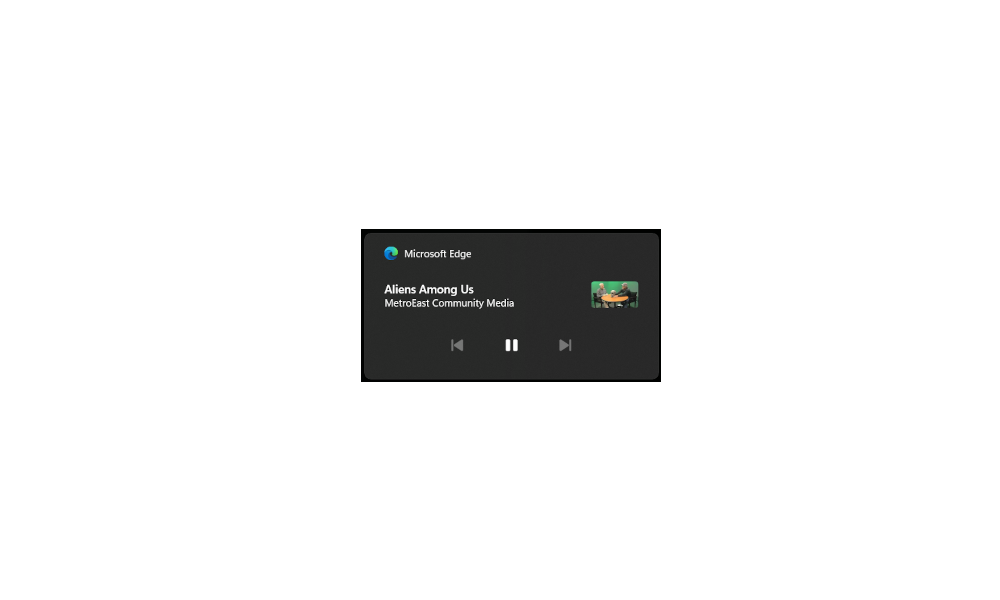
  • [Lock screen] New! Media controls now show in the lower part of the lock screen at its center when media is playing.

  • [Mouse] New! This update adds the option to turn off enhanced mouse pointer precision to Settings > Bluetooth & Devices > Mouse. There is also a new option to change the direction in which the mouse scrolls.

Normal rollout​

  • [Copilot Pro subscription] New! You can now manage your Copilot Pro subscription in Settings. Sign in to your Microsoft account and go to Settings>Accounts.
  • [Screen readers] The NonVisual Desktop Access (NVDA) app and other screen readers fail to narrate all the screen content from some apps. This occurs when those apps run with administrator privileges.

Improvements​

This non-security update includes quality improvements. Below is a summary of the key issues that this update addresses when you install this KB. If there are new features, it lists them as well. The bold text within the brackets indicates the item or area of the change we are documenting.
  • [Open Source Software] This update adds attributions to credits.txt files for Rust OSS components.
  • [Input Method Editor (IME)] When a combo box has input focus, a memory leak might occur when you close that window.
  • [WebView2 apps] They do not detect input from Xbox 360 and Bluetooth controllers.
  • [Task Manager]
    • Its Settings page might have a white background when it should not.
    • It stops responding when you switch from a high contrast theme to a normal theme.
If you installed earlier updates, only the new updates contained in this package will be downloaded and installed on your device.

Windows 11 servicing stack update (KB5043117) - 26100.1881​

This update makes quality improvements to the servicing stack, which is the component that installs Windows updates. Servicing stack updates (SSU) ensure that you have a robust and reliable servicing stack so that your devices can receive and install Microsoft updates.

Known issues in this update

Applies toSymptomWorkaround
All usersWe’re aware of an issue where players on Arm devices are unable to download and play Roblox via the Microsoft Store on Windows.Players on Arm devices can play Roblox by downloading the title directly from www.Roblox.com.

How to get this update

Before you install this update

Microsoft combines the latest servicing stack update (SSU) for your operating system with the latest cumulative update (LCU). For general information about SSUs, see Servicing stack updates and Servicing Stack Updates (SSU): Frequently Asked Questions.

Install this update

To install this update, use one of the following Windows and Microsoft release channels.

AvailableNext Step
Yes (Windows Update)Go to Settings > Update & Security > Windows Update. In the Optional updates available area, you will find the link to download and install the update.
Yes (MSU)Before you install this update
To get the standalone package(s) for this update, go to the Microsoft Update Catalog website. This KB contains one or more MSU files that must be installed in order.

Install this update
Method 1: Install all MSU files together

Download all MSU files for KB5043178 from Microsoft Update Catalog and place them in the same folder (for example, C:/Packages). Use Deployment Image Servicing and Management (DISM.exe) to install the target update. DISM will use the folder specified in PackagePath to discover and install one or more prerequisite MSU files as needed.

Updating Windows PC
To apply this update to a running Windows PC, run the following command from an elevated Command Prompt:

DISM /Online /Add-Package /PackagePath:c:\packages\Windows11.0-KB5043178-x64.msu

Or, run the following command from an elevated Windows PowerShell prompt:

Add-WindowsPackage -Online -PackagePath "c:\packages\Windows11.0-KB5043178-x64.msu"

Updating Windows Installation media
To apply this update to Windows Installation media, see Update Windows installation media with Dynamic Update.

To add this update to a mounted image, run the following command from an elevated Command Prompt:

DISM /Image:mountdir /Add-Package /PackagePath:Windows11.0-KB5043178-x64.msu

Or, run the following command from an elevated Windows PowerShell prompt:

Add-WindowsPackage -Path "c:\offline" -PackagePath "Windows11.0-KB5043178-x64.msu" -PreventPending

If you want to remove the LCU

To remove the LCU after installing the combined SSU and LCU package, use the DISM/Remove-Package command line option with the LCU package name as the argument. You can find the package name by using this command: DISM /online /get-packages.

Running Windows Update Standalone Installer (wusa.exe) with the /uninstall switch on the combined package will not work because the combined package contains the SSU. You cannot remove the SSU from the system after installation.

File information

For a list of the files that are provided in this update, download the file information for cumulative update 5043178.

For a list of the files that are provided in the servicing stack update, download the file information for the SSU (KB5043117) - version 26100.1881.


 Source:


Check Windows Updates


UUP Dump:

64-bit ISO download:

ARM64 ISO download:

 
Last edited:

My Computers My Computers

  • At a glance

    Win 11 Home ♦♦♦26200.8875 ♦♦♦♦♦♦♦25H2AMD Ryzen 7 3700XG.Skill (F4-3200C14D-16GTZKW)EVGA RTX 2070 (08G-P4-2171-KR)
    OS
    Win 11 Home ♦♦♦26200.8875 ♦♦♦♦♦♦♦25H2
    Computer type
    PC/Desktop
    Manufacturer/Model
    Built by Ghot® [May 2020]
    CPU
    AMD Ryzen 7 3700X
    Motherboard
    Asus Pro WS X570-ACE (BIOS 5302)
    Memory
    G.Skill (F4-3200C14D-16GTZKW)
    Graphics Card(s)
    EVGA RTX 2070 (08G-P4-2171-KR)
    Sound Card
    Realtek ALC1220P / ALC S1220A
    Monitor(s) Displays
    Dell U3011 30"
    Screen Resolution
    2560 x 1600
    Hard Drives
    2x Samsung 860 EVO 500GB,
    WD 4TB Black FZBX - SATA III,
    WD 8TB Black FZBX - SATA III,
    DRW-24B1ST CD/DVD Burner
    PSU
    PC Power & Cooling 750W Quad EPS12V
    Case
    Cooler Master ATCS 840 Tower
    Cooling
    CM Hyper 212 EVO (push/pull)
    Keyboard
    Ducky DK9008 Shine II Blue LED
    Mouse
    Logitech Optical M-100
    Internet Speed
    300/300
    Browser
    Firefox (latest)
    Antivirus
    Bitdefender Total Security
    Other Info
    Speakers: Klipsch Pro Media 2.1
  • At a glance

    Windows XP Pro 32bit w/SP3AMD Athlon 64 X2 5000+ (OC'd @ 3.2Ghz)TWIN2X2048-6400C4DHX (2 x 1GB, DDR2 800)EVGA 256-P2-N758-TR GeForce 8600GT SSC
    Operating System
    Windows XP Pro 32bit w/SP3
    Computer type
    PC/Desktop
    Manufacturer/Model
    Built by Ghot® (not in use)
    CPU
    AMD Athlon 64 X2 5000+ (OC'd @ 3.2Ghz)
    Motherboard
    ASUS M2N32-SLI Deluxe Wireless Edition
    Memory
    TWIN2X2048-6400C4DHX (2 x 1GB, DDR2 800)
    Graphics card(s)
    EVGA 256-P2-N758-TR GeForce 8600GT SSC
    Sound Card
    Onboard
    Monitor(s) Displays
    ViewSonic G90FB Black 19" Professional (CRT)
    Screen Resolution
    up to 2048 x 1536
    Hard Drives
    WD 36GB 10,000rpm Raptor SATA
    Seagate 80GB 7200rpm SATA
    Lite-On LTR-52246S CD/RW
    Lite-On LH-18A1P CD/DVD Burner
    PSU
    PC Power & Cooling Silencer 750 Quad EPS12V
    Case
    Generic Beige case, 80mm fans
    Cooling
    ZALMAN 9500A 92mm CPU Cooler
    Keyboard
    Logitech Classic Keybooard 200
    Mouse
    Logitech Optical M-BT96a
    Internet Speed
    300/300
    Browser
    Firefox 3.x ??
    Antivirus
    Symantec (Norton)
    Other Info
    Still assembled, still runs. Haven't turned it on for 15 years?
Well, I know that's true for me. :D
I'm a big believer in Windows Sleep Therapy. For those who don't believe, then maybe you're not sleeping long enough. :D
 

My Computers My Computers

  • At a glance

    Windows 11 ProIntel Core i9-10900XCorsair 64 GB (4 x 16 GB) CMW64GX4M4C3000C15 ...GIGABYTE GeForce GTX 1660 Super Mini ITX 6 GB OC
    OS
    Windows 11 Pro
    Computer type
    PC/Desktop
    Manufacturer/Model
    Stigg's Build
    CPU
    Intel Core i9-10900X
    Motherboard
    GIGABYTE X299X DESIGNARE 10G
    Memory
    Corsair 64 GB (4 x 16 GB) CMW64GX4M4C3000C15 Vengeance RGB Pro 3000Mhz DDR4
    Graphics Card(s)
    GIGABYTE GeForce GTX 1660 Super Mini ITX 6 GB OC
    Sound Card
    Realtek ALC1220
    Monitor(s) Displays
    Samsung 27" FHD LED FreeSync Gaming Monitor (LS27F350FHEXXY)
    Screen Resolution
    1920 x 1080
    Hard Drives
    Samsung 970 Pro Series 1TB M.2 2280 NVMe SSD
    Western Digital Red Pro WD8003FFBX-68B9AN0 8 TB, 7200 RPM, SATA-III
    Western Digital Red Pro WD8003FFBX-68B9AN0 8 TB, 7200 RPM, SATA-III
    PSU
    Corsair HX1200 1200W 80 Plus Platinum
    Case
    Fractal Design Define 7 Black Solid Case
    Cooling
    Noctua NH-D15 Chromax Black
    Keyboard
    Razer Ornata V2
    Mouse
    Razer DeathAdder Essential
    Internet Speed
    FTTN 100Mbps / 40Mbps
    Browser
    Mozilla Firefox
    Antivirus
    N/A
    Other Info
    Logitech BRIO 4k Ultra HD USB-C Webcam
  • At a glance

    Windows 10 ProCore i7-8750HSK Hynix 32 GB (2 x 16 GB) HMA82GS6CJR8N-VK 1...NVIDIA GeForce GTX 1070
    Operating System
    Windows 10 Pro
    Computer type
    Laptop
    Manufacturer/Model
    ASUS ROG Zephyrus M GM501GS
    CPU
    Core i7-8750H
    Motherboard
    Zephyrus M GM501GS
    Memory
    SK Hynix 32 GB (2 x 16 GB) HMA82GS6CJR8N-VK 16 GB DDR4-2666 DDR4 SDRAM
    Graphics card(s)
    NVIDIA GeForce GTX 1070
    Sound Card
    Realtek ALC294
    Monitor(s) Displays
    AU Optronics B156HAN07.1 [15.6" LCD]
    Screen Resolution
    1920 x 1080
    Hard Drives
    Samsung MZVKW512HMJP-00000 512 GB, PCI-E 3.0 x4
    Samsung SSD 860 QVO 4TB 4 TB, SATA-III
    PSU
    N/A
    Case
    N/A
    Cooling
    N/A
    Keyboard
    PC/AT Enhanced PS2 Keyboard (101/102-Key)
    Mouse
    Razer DeathAdder Essential
    Internet Speed
    FTTN 100Mbps / 40Mbps
    Browser
    Mozilla Firefox
    Antivirus
    N/A
    Other Info
    USB2.0 HD UVC Webcam
Hi guys, after updating to 24h2 Build 26100.1882 this error popup every time I boot into windows. Does anyone know how to resolve this issue? Thanks..

01.jpg
 

My Computer My Computer

At a glance

Windows 11Intel I5-11400Adata XPG 2x8gb DDR4-3600Gigagbyte GTX 1080
OS
Windows 11
Computer type
PC/Desktop
Manufacturer/Model
Personal Build
CPU
Intel I5-11400
Motherboard
MSI MAG B560M MORTAR
Memory
Adata XPG 2x8gb DDR4-3600
Graphics Card(s)
Gigagbyte GTX 1080
Sound Card
NA
Monitor(s) Displays
Samsung UHD 4K TV
Screen Resolution
3840x2160
Hard Drives
1TB M.2 NVME ssd
PSU
FSP 600w
Case
ANTEC Tower

My Computer My Computer

At a glance

Windows 11Intel I5-11400Adata XPG 2x8gb DDR4-3600Gigagbyte GTX 1080
OS
Windows 11
Computer type
PC/Desktop
Manufacturer/Model
Personal Build
CPU
Intel I5-11400
Motherboard
MSI MAG B560M MORTAR
Memory
Adata XPG 2x8gb DDR4-3600
Graphics Card(s)
Gigagbyte GTX 1080
Sound Card
NA
Monitor(s) Displays
Samsung UHD 4K TV
Screen Resolution
3840x2160
Hard Drives
1TB M.2 NVME ssd
PSU
FSP 600w
Case
ANTEC Tower
Looks like that driver needs to be added to defender as excluded from scans.

You can download the latest HwInfo from here. Choose the “Installer” (first one)


My Computers My Computers

  • At a glance

    Windows 11 Pro 25H2 Build 26200.8894Intel(R) Core(TM) i7-4770K CPU @ 3.50GHz32.0 GB of I forget and the box is in storage.Gigabyte nVidia GeForce GTX 1660 Super OC 6GB
    OS
    Windows 11 Pro 25H2 Build 26200.8894
    Computer type
    PC/Desktop
    Manufacturer/Model
    Sin-built 2013
    CPU
    Intel(R) Core(TM) i7-4770K CPU @ 3.50GHz
    Motherboard
    ASUS ROG Maximus VI Formula
    Memory
    32.0 GB of I forget and the box is in storage.
    Graphics Card(s)
    Gigabyte nVidia GeForce GTX 1660 Super OC 6GB
    Sound Card
    ROG SupremeFX Formula 8-Channel High Definition Audio
    Monitor(s) Displays
    5 x LG 25MS500-B - 1 x 24MK430H-B - 1 x Wacom Pro 22" Touch Screen Tablet
    Screen Resolution
    All over the place
    Hard Drives
    Too many to list. OS on Samsung 1TB 870 QVO SATA
    PSU
    Silverstone 1500
    Case
    NZXT Phantom 820 Full-Tower Case
    Cooling
    Noctua NH-D15 Elite Class Dual Tower CPU Cooler / 6 x EziDIY 120mm / 2 x Corsair 140mm somethings / 1 x 140mm Thermaltake something / 2 x 200mm Corsair.
    Keyboard
    Corsair K95 / Logitech diNovo Edge Wireless
    Mouse
    Logitech: G402 / G502 / Mx Masters / Mx Air Cordless
    Internet Speed
    2000/500Mbps
    Browser
    All sorts
    Antivirus
    Kaspersky Premium
    Other Info
    ㅤㅤㅤㅤㅤㅤㅤㅤㅤㅤㅤㅤㅤㅤㅤㅤㅤㅤㅤㅤㅤㅤㅤㅤㅤㅤㅤㅤㅤㅤㅤㅤㅤㅤㅤㅤㅤㅤㅤㅤ⠀⠀⠀⠀⠀⠀⠀⠀⠀⠀
    TP-Link BE9300 WiFi 7 Bluetooth 5.4 (Archer TBE550E)
    TP-Link TX201 V1 2.5GB Lan

    Grandstream HT812 - VoIP
    ASUS DSL-AX82U - Mesh
    ASUS RT-AC68U - Mesh
    ASUS RT-BE88U Router

    Brother MFC-L2880DW Printer

    I’m on a horse.
  • At a glance

    Windows 11 Pro 25H2 Build 26200.8894 (Wifes)13th Generation Intel® Core™ i5-1340P Process...16GB LPDDR5-52001x Intel® Iris® Xe Graphics
    Operating System
    Windows 11 Pro 25H2 Build 26200.8894 (Wifes)
    Computer type
    Laptop
    Manufacturer/Model
    LENOVO Yoga 7 14IRL8 - Type 82YL
    CPU
    13th Generation Intel® Core™ i5-1340P Processor(Core™ i5-1340P)
    Memory
    16GB LPDDR5-5200
    Graphics card(s)
    1x Intel® Iris® Xe Graphics
    Sound Card
    Optimized with Dolby Atmos®
    Screen Resolution
    QHD 2880 x 1800 OLED
    Hard Drives
    M.2 512 GB SSD PCIe
    Mouse
    Logiteck MX Master 3S
    Internet Speed
    2000/500
    Antivirus
    Defender / Malwarebytes
    Other Info
    …still on a horse.


    Wireless Network: Wi-Fi 6E 2x2 AX; Bluetooth® 5.1 or above
    Ports: 1x 1 Novo button; 2 in 1 Audio Combo jack; Micro SD Card Reader; HDMI 1.4b; 2 x USB Type-C (TBT4)
    USB 3.2 Gen 2 DP 1.4a
    PD 3.0); 1 x USB 3.2 Gen1 Type A
    Camera
    1x 1080P FHD IR/RGB Hybrid with Privacy Shutter and Dual Array Microphone
    Graphics
    1x Intel® Iris® Xe Graphics
    Monitor
    14" WUXGA
    Form Factor
    Convertible Notebook
  • Windows 11 Pro 25H2 Build 26200.8894 (Wifes)

    Yoga 7 2-in-1 14IML9 - Type 83DJ

    Processor: Intel® Core™ Ultra 7 155H Processor(Core™ Ultra 7 155H)

    Memory: 32GB LPD5X-7467

    Hard Drive: 1 TB SSD PCIe

    Wireless Network: 1x Wi-Fi 6E 2x2 AX; Bluetooth® 5.1 or above

    Ports: 1 x HDMI 2.1 TMDS; 1 x Novo Button; 1 x Combo Audio Jack
    2 x USB-C (USB 4.0)
    1 x USB-A 3.2 Gen 1

    Camera: 1080P FHD IR Hybrid with Dual Microphone

    Graphics: Intel® Arc™ Graphics

    Monitor: 14" 2.8K

    ...Where's my horse?
Hi guys, after updating to 24h2 Build 26100.1882 this error popup every time I boot into windows. Does anyone know how to resolve this issue? Thanks..

View attachment 111008
I had the same issue for a different driver, ALSys.sys. Upgrading the app concerned fixed it.

on first startup in 24H2 my desktop was filled with compatibility warnings that a driver couldn't be loaded. All were for ALSysIO.sys, used by CoreTemp from Alcpu. I was using an old version, updating to the latest CoreTemp v1.18.1 sorted that out.
 

My Computers My Computers

  • At a glance

    Windows 11 HomeAMD Athlon Silver 3050U8GBRadeon Graphics
    OS
    Windows 11 Home
    Computer type
    Laptop
    Manufacturer/Model
    Acer Aspire 3 A315-23-R9VY
    CPU
    AMD Athlon Silver 3050U
    Memory
    8GB
    Graphics Card(s)
    Radeon Graphics
    Monitor(s) Displays
    laptop screen
    Screen Resolution
    1366x768 native resolution, up to 2560x1440 with Radeon Virtual Super Resolution
    Hard Drives
    1TB Samsung EVO 870 SSD (from April 2026: 250GB EVO 850)
    Internet Speed
    150 Mbps
    Browser
    Edge, Firefox
    Antivirus
    Defender
    Other Info
    fully 'Windows 11 ready' laptop. Windows 10 C: partition migrated from my old unsupported 'main machine' then upgraded to 11. A test migration ran Insider builds for 2 months. When 11 was released on 5th October 2021 it was re-imaged back to 10 and was offered the upgrade in Windows Update on 20th October. Windows Update offered the 22H2 Feature Update on 20th September 2022. It got the 23H2 Feature Update on 4th November 2023 through Windows Update, 24H2 on 3rd October 2024 through Windows Update by setting the Target Release Version for 24H2, and 25H2 on 30th September 2025 through Windows Update by setting the Target Release Version for 25H2.

    UPDATE - 11 April 2026: due to mechanical deterioration this PC has been retired from active duty. The OS with all software and files has been migrated to my System Seven in 'Other systems' to carry on as my general purpose 'main machine'.

    I've now clean installed 25H2 and used Garlin's scripts to update Secure Boot to CA 2023 and revoke the PCA 2011 certificates. It's new role is to test secure boot issues.
  • At a glance

    Windows 11 ProIntel® Core™ i5-520M8GB(integrated graphics) Intel HD Graphics
    Operating System
    Windows 11 Pro
    Computer type
    Laptop
    Manufacturer/Model
    Dell Latitude E4310
    CPU
    Intel® Core™ i5-520M
    Motherboard
    0T6M8G
    Memory
    8GB
    Graphics card(s)
    (integrated graphics) Intel HD Graphics
    Screen Resolution
    1366x768
    Hard Drives
    500GB Crucial MX500 SSD
    Browser
    Firefox, Edge
    Antivirus
    Defender
    Other Info
    unsupported machine: Legacy bios, MBR, TPM 1.2, upgraded from W10 to W11 using W10/W11 hybrid install media workaround.

    In-place upgrade to 22H2 using ISO and a workaround.
    Feature Update to 23H2 by manually installing the Enablement Package.
    In-place upgrade to 24H2 using hybrid 23H2/24H2 install media.
    Upgraded to 25H2 by Enablement Package.

    Also running Insider Dev, and Canary builds and Windows 10 as native boot .vhdx.
  • My SYSTEM THREE is a Dell Latitude 5410, i7-10610U, 32GB RAM, 512GB NVMe ssd, supported device running Windows 11 Pro.

    My SYSTEM FOUR is a 2-in-1 convertible Lenovo Yoga 11e 20DA, Celeron N2930, 8GB RAM, 256GB ssd. Unsupported device: currently running Win10 Pro, plus Win11 Pro RTM and Insider Dev, Beta, and RP 24H2 as native boot vhdx.

    My SYSTEM FIVE is a Dell Latitude 3190 2-in-1, Pentium Silver N5030, 8GB RAM, 1TB NVMe ssd, supported device running Windows 11 Pro, plus Insider Beta, Dev, and Canary builds (and a few others) as a native boot .vhdx.

    My SYSTEM SIX is a Dell Latitude 5550, Core Ultra 7 165H, 64GB RAM, 1TB NVMe SSD, supported device, Windows 11 Pro 24H2, Hyper-V host machine. Updated to 25H2 on 30th September 2025.

    My SYSTEM SEVEN is a Lenovo Thinkpad T580, Intel Core i7-8650U, 16GB RAM, 512GB NVMe SSD + 2nd 512GB NVMe SSD, a supported device for Windows 11. This is my current general purpose 'main machine'. The installed Windows 11 Home from my System One has been migrated to this machine.
Looks like that driver needs to be added to defender as excluded from scans.

You can download the latest HwInfo from here. Choose the “Installer” (first one)

Yes my error is gone after installing HWinfo, thanks to antspants.
 

My Computer My Computer

At a glance

Windows 11Intel I5-11400Adata XPG 2x8gb DDR4-3600Gigagbyte GTX 1080
OS
Windows 11
Computer type
PC/Desktop
Manufacturer/Model
Personal Build
CPU
Intel I5-11400
Motherboard
MSI MAG B560M MORTAR
Memory
Adata XPG 2x8gb DDR4-3600
Graphics Card(s)
Gigagbyte GTX 1080
Sound Card
NA
Monitor(s) Displays
Samsung UHD 4K TV
Screen Resolution
3840x2160
Hard Drives
1TB M.2 NVME ssd
PSU
FSP 600w
Case
ANTEC Tower

My Computer My Computer

At a glance

Windows 11 EducationIntel® Core™ i9-13900K Desktop Processor 16 (...G.Skill Ripjaws V Series 32gb (2x16gb) DDR4 3...Asus Dual Geforce Rtx™ 3060 TI Edition 8gb Gddr6
OS
Windows 11 Education
Computer type
PC/Desktop
CPU
Intel® Core™ i9-13900K Desktop Processor 16 (8P+8E)
Motherboard
Asus TUF Gaming Z790-PLUS WIFI D4
Memory
G.Skill Ripjaws V Series 32gb (2x16gb) DDR4 3600mhz
Graphics Card(s)
Asus Dual Geforce Rtx™ 3060 TI Edition 8gb Gddr6
Monitor(s) Displays
BenQ EW3270U 31.5” 3840x2160 UHD 16:9 HDR LED 4K LG 27UK850-W 27'' 4K UHD IPS LED Monitor with HDR10
Screen Resolution
3840x2160
Hard Drives
Samsung 990 with heatsink PRO PCIe 4.0 Gen 4 NVMe® SSD 1TB
WD_BLACK SN850X NVMe M.2 2280 1TB PCI-Express 4.0
Crucial T500 2TB Gen4
Samsung 970 Evo M.2 2280 2tb Pcie Gen3. X4
PSU
Corsair AXi Series AX860i Digital 860W 80 PLUS PSU
Case
Fractal Meshify C ATX Mid Tower Case
Keyboard
Logi MX Keys
Mouse
Logi M705
Internet Speed
400 mbs
Browser
Firefox
Antivirus
Eset NOD32
Other Info
Love fast boots
After updating(using ISO), a crap load of divers "can't be loaded" and upon restart loading circle freeze.
The only thing that saved my butt, was booting to Macrium's recovery partition.
This is all my fault, because of just waiting for it to come through Windows update, I snagged the ISO.
 
Last edited:

My Computers My Computers

  • At a glance

    Win10 Pro, Win10 Pro N, Win10 Home, Windows 8...Intel Core i9 9900K32 GB Quad Kit, G.Skill Trident Z RGB Series ...ASUS GeForce RTX 3090 ROG Strix O24G, 24576 M...
    OS
    Win10 Pro, Win10 Pro N, Win10 Home, Windows 8.1 Pro, Ubuntu
    Computer type
    PC/Desktop
    Manufacturer/Model
    ۞ΞЖ†ԘΜΞ۞
    CPU
    Intel Core i9 9900K
    Motherboard
    ASUS ROG Maximus X Hero
    Memory
    32 GB Quad Kit, G.Skill Trident Z RGB Series schwarz, DDR4-3866, 18-19-19-39-2T
    Graphics Card(s)
    ASUS GeForce RTX 3090 ROG Strix O24G, 24576 MB GDDR6X
    Sound Card
    (1) HD Webcam C270 (2) NVIDIA High Definition Audio (3) Realtek High Definition Audio
    Monitor(s) Displays
    BenQ BL2711U(4K) and a hp 27vx(1080p)
    Hard Drives
    C: Samsung 960 EVO NVMe M.2 SSD
    E: & O: Libraries & OneDrive-> Samsung 850 EVO 1TB
    D: Hyper-V VM's -> Samsung PM951 Client M.2 512Gb SSD
    G: System Images -> Samsung 860 Pro 2TB
    PSU
    Corsair HX1000i High Performance ATX Power Supply 80+ Platinum
    Case
    Phanteks Enthoo Pro TG
    Cooling
    Thermaltake Floe Riing RGB TT Premium-Edition 360mm and 2x120 Phantek& Halo front, and 1x140 Phanteks
    Keyboard
    Trust GTX THURA
    Mouse
    Trust GTX 148
    Internet Speed
    25+/5+ (+usually faster)
    Browser
    Edge; Chrome;
    Antivirus
    Windows Defender of course & Malwarebytes Anti-Exploit as an added layer between browser & OS
    Other Info
    Router: FRITZ!Box 7590 AX V2
    Sound system: SHARP HT-SBW460 Dolby Atmos Soundbar
    Webcam: Logitech BRIO ULTRA HD PRO WEBCAM 4K webcam with HDR
  • At a glance

    Windoes 10 HomeIntel Ii 6700K32GB DDR4 Corsair Vengeance Blue 3000MHzZOTAC GAMING GeForce RTX 1080 Ti AMP Extreme ...
    Operating System
    Windoes 10 Home
    Computer type
    PC/Desktop
    Manufacturer/Model
    Hyrican
    CPU
    Intel Ii 6700K
    Motherboard
    MSI Z170A PC MATE
    Memory
    32GB DDR4 Corsair Vengeance Blue 3000MHz
    Graphics card(s)
    ZOTAC GAMING GeForce RTX 1080 Ti AMP Extreme Core
    Sound Card
    Connected via HDMI from graics card to home theater system
    Monitor(s) Displays
    Samsung 50" Crystal UHD 4K TU7179 (2020)
    Screen Resolution
    4K
    Hard Drives
    two 256GB San Disk SSD Plus
    PSU
    Corsair 650W CX650M (80+ Bronze)
    Case
    Inwin 303
    Cooling
    Arctic Freezer i11 for CPU and 3 Corsair fans on top ans 3 on the bottom
    Keyboard
    Old generic from Lenovo
    Mouse
    Old generic from Lenovo
    Internet Speed
    25/5
    Browser
    Edge, Chrome
    Antivirus
    Windows Security(Defender)
Is this version the final release to public ?
is it safe to unroll manually? or should i wait?
will i brake something? :p

1727966138069.png
 

My Computer My Computer

At a glance

Windows 11 Pro (Currently 25H2)Intel Core i7 5820k32GB RAMNvidia RTX 5090
OS
Windows 11 Pro (Currently 25H2)
Computer type
PC/Desktop
CPU
Intel Core i7 5820k
Motherboard
Asus X99A
Memory
32GB RAM
Graphics Card(s)
Nvidia RTX 5090
Sound Card
Intergraded
Monitor(s) Displays
Samsung OdysseyG7
Screen Resolution
4K HDR
Hard Drives
2x Samsung M2 990Pro 4TB
PSU
Corsair RM1000X
Case
Fractal Design
Cooling
In & Outtake Noctua 3000 RPMs
Keyboard
Razer Black widow
Mouse
Razer Naga Trinity
Internet Speed
1000Mbit
Browser
Edge
Antivirus
Custom
I can't install KB5043178. I get error 0x800f0825.
How are you installing? Are you installing it manually or by using Windows update? If you are installing manually, be aware that you first need to install KB5043080 since that is a Checkpoint update and KB5043178 is only an incremental update.
 

My Computers My Computers

  • At a glance

    Win11 Pro 25H2 (RTM+)Intel i7-14650HX32 GBNo GPU - Built-in Intel Graphics
    OS
    Win11 Pro 25H2 (RTM+)
    Computer type
    PC/Desktop
    Manufacturer/Model
    Acemagic
    CPU
    Intel i7-14650HX
    Memory
    32 GB
    Graphics Card(s)
    No GPU - Built-in Intel Graphics
    Sound Card
    Integrated
    Monitor(s) Displays
    Varies as machine will often be moved to locations with different monitors
    Screen Resolution
    Varies
    Hard Drives
    1 x 1TB Gen 4 NVMe SSD
    PSU
    120W Power Brick
    Keyboard
    Corsair K70 Max RGB Magnetic Keyboard
    Mouse
    Logitech MX Master 3
    Internet Speed
    1Gb Up / 1 Gb Down
    Browser
    Edge
    Antivirus
    Windows Defender
  • At a glance

    Win11 Pro 25H2 (RTM+)Intel i7-1255U16 GBIntel Iris Xe Graphics
    Operating System
    Win11 Pro 25H2 (RTM+)
    Computer type
    Laptop
    Manufacturer/Model
    Lenovo ThinkBook 13x Gen 2
    CPU
    Intel i7-1255U
    Memory
    16 GB
    Graphics card(s)
    Intel Iris Xe Graphics
    Sound Card
    Realtek® ALC3306-CG codec
    Monitor(s) Displays
    13.3-inch IPS Display
    Screen Resolution
    WQXGA (2560 x 1600)
    Hard Drives
    2 TB 4 x 4 NVMe SSD
    PSU
    USB-C / Thunderbolt 4 Power / Charging
    Keyboard
    Backlit, spill resistant keyboard
    Mouse
    Buttonless Glass Precision Touchpad
    Internet Speed
    1Gb Up / 1Gb Down
    Browser
    Edge
    Antivirus
    Windows Defender
    Other Info
    WiFi 6e / Bluetooth 5.1 / Facial Recognition / Fingerprint Sensor / ToF (Time of Flight) Human Presence Sensor
After updating(using ISO), a crap load of divers "can't be loaded" and upon restart loading circle freeze.
The only thing that saved my butt, was booting to Macrium's recovery partition.
This is all my fault, because of just waiting for it to come through Windows update, I snagged the ISO.
Yeah well MS do make it clear they will temporarily withold the WU update if they detect anything on your pc that could be incompatible.

For mass produced oem pcs, this is rarely an issue and updating via iso is usually fine.

However custom built pcs are more likely to have an issue.

As ever, one should always make an image backup first before attempting upgrade (I ignore the "who needs image backups brigade").
 

My Computer My Computer

At a glance

Windows 11 Pro + Win11 Canary VM.I9 13th gen i9-13900H 2.60 GHZ16 GB solderedIntegrated Intel Iris XE
OS
Windows 11 Pro + Win11 Canary VM.
Computer type
Laptop
Manufacturer/Model
ASUS Zenbook 14
CPU
I9 13th gen i9-13900H 2.60 GHZ
Motherboard
Yep, Laptop has one.
Memory
16 GB soldered
Graphics Card(s)
Integrated Intel Iris XE
Sound Card
Realtek built in
Monitor(s) Displays
laptop OLED screen
Screen Resolution
2880x1800 touchscreen
Hard Drives
1 TB NVME SSD (only weakness is only one slot)
PSU
Internal + 65W thunderbolt USB4 charger
Case
Yep, got one
Cooling
Stella Artois (UK pint cans - 568 ml) - extra cost.
Keyboard
Built in UK keybd
Mouse
Bluetooth , wireless dongled, wired
Internet Speed
900 mbs (ethernet), wifi 6 typical 350-450 mb/s both up and down
Browser
Edge
Antivirus
Defender
Other Info
TPM 2.0, 2xUSB4 thunderbolt, 1xUsb3 (usb a), 1xUsb-c, hdmi out, 3.5 mm audio out/in combo, ASUS backlit trackpad (inc. switchable number pad)

Macrium Reflect Home V8
Office 365 Family (6 users each 1TB onedrive space)
Hyper-V (a vm runs almost as fast as my older laptop)
How are you installing? Are you installing it manually or by using Windows update? If you are installing manually, be aware that you first need to install KB5043080 since that is a Checkpoint update and KB5043178 is only an incremental update.
I get the same error whether using Windows Update or attempting to install the files manually using DISM.
 

My Computers My Computers

  • At a glance

    Windows 11 build 26200.8728 / WSL 2 running U...Intel i7-1355U16GBIntel Iris XE
    OS
    Windows 11 build 26200.8728 / WSL 2 running Ubuntu
    Computer type
    Laptop
    Manufacturer/Model
    Dell Inspiron 14 5430
    CPU
    Intel i7-1355U
    Motherboard
    Dell 0GMW80
    Memory
    16GB
    Graphics Card(s)
    Intel Iris XE
    Sound Card
    Realtek
    Monitor(s) Displays
    Dell 14", LG 32" Curved Wide screen monitor and LG Ultrawide 26"
    Screen Resolution
    1920 x 1200 @ 60Hz, 1920 x 1080 @ 100Hz and 2560 x 1080 @ 60Hz
    Hard Drives
    Samsung 990 Pro 1TB NVME Gen 4 M.2 SSD
    PSU
    Dell
    Case
    Dell
    Cooling
    Dell
    Keyboard
    Dell KM3322W
    Mouse
    Dell Trackpad or Dell KM3322W
    Internet Speed
    900mb down / 400mb up FTTP
    Browser
    Edge 149.0.4022.80
    Antivirus
    Windows Defender
    Other Info
    Windows 365
    1TB OneDrive
    Outlook Classic
    Visual Studio Code running in WSL
    Python 3.14
    Samsung Magician
    Garmin Express
    Dell TB16 Thunderbolt dock
    WSL
    WEI Score: 8.3
  • At a glance

    Windows 11Core i5 - 1035G48GBIntel Iris Plus
    Operating System
    Windows 11
    Computer type
    Tablet
    Manufacturer/Model
    Microsoft Surface Pro 7
    CPU
    Core i5 - 1035G4
    Motherboard
    Microsoft
    Memory
    8GB
    Graphics card(s)
    Intel Iris Plus
    Monitor(s) Displays
    Surface touch
    Screen Resolution
    2736 x 1824
    Hard Drives
    128GB
    PSU
    Microsoft
    Case
    Microsoft Keyboard
    Cooling
    None
    Keyboard
    Microsoft Surface Keyboard
    Mouse
    Microsoft Arc Intellimouse
    Internet Speed
    900mb / 400mb FTTP
    Browser
    Edge
    Antivirus
    Windows Defender
I get the same error whether using Windows Update or attempting to install the files manually using DISM.
You use DISM to install Windows updates??

Bear in mind that I was talking specifically about the installation of the updates, not the base OS.
 

My Computers My Computers

  • At a glance

    Win11 Pro 25H2 (RTM+)Intel i7-14650HX32 GBNo GPU - Built-in Intel Graphics
    OS
    Win11 Pro 25H2 (RTM+)
    Computer type
    PC/Desktop
    Manufacturer/Model
    Acemagic
    CPU
    Intel i7-14650HX
    Memory
    32 GB
    Graphics Card(s)
    No GPU - Built-in Intel Graphics
    Sound Card
    Integrated
    Monitor(s) Displays
    Varies as machine will often be moved to locations with different monitors
    Screen Resolution
    Varies
    Hard Drives
    1 x 1TB Gen 4 NVMe SSD
    PSU
    120W Power Brick
    Keyboard
    Corsair K70 Max RGB Magnetic Keyboard
    Mouse
    Logitech MX Master 3
    Internet Speed
    1Gb Up / 1 Gb Down
    Browser
    Edge
    Antivirus
    Windows Defender
  • At a glance

    Win11 Pro 25H2 (RTM+)Intel i7-1255U16 GBIntel Iris Xe Graphics
    Operating System
    Win11 Pro 25H2 (RTM+)
    Computer type
    Laptop
    Manufacturer/Model
    Lenovo ThinkBook 13x Gen 2
    CPU
    Intel i7-1255U
    Memory
    16 GB
    Graphics card(s)
    Intel Iris Xe Graphics
    Sound Card
    Realtek® ALC3306-CG codec
    Monitor(s) Displays
    13.3-inch IPS Display
    Screen Resolution
    WQXGA (2560 x 1600)
    Hard Drives
    2 TB 4 x 4 NVMe SSD
    PSU
    USB-C / Thunderbolt 4 Power / Charging
    Keyboard
    Backlit, spill resistant keyboard
    Mouse
    Buttonless Glass Precision Touchpad
    Internet Speed
    1Gb Up / 1Gb Down
    Browser
    Edge
    Antivirus
    Windows Defender
    Other Info
    WiFi 6e / Bluetooth 5.1 / Facial Recognition / Fingerprint Sensor / ToF (Time of Flight) Human Presence Sensor
I can't install KB5043178. I get error 0x800f0825.
Fix for this:
1)Disable the option: Get the latest updates as they are soon as available.
2)Restart machine
3)Search for updates. (it will find and install an update and also it will installed without restart)
4)It will show a the preview update (KB5043178) also and give the option to install it. After the install restart the machine.
5)Enable the option at step 1.
 

My Computers My Computers

  • At a glance

    Windows 11 Pro latestAMD Ryzen 5 5700x32 gb 3200 mhz xmp (4x8)msi rtx3060 8gb
    OS
    Windows 11 Pro latest
    Computer type
    PC/Desktop
    CPU
    AMD Ryzen 5 5700x
    Motherboard
    Msi b550 gaming gen3
    Memory
    32 gb 3200 mhz xmp (4x8)
    Graphics Card(s)
    msi rtx3060 8gb
    Sound Card
    Audigy RX
    Monitor(s) Displays
    Philips 222V8LA/00
    Screen Resolution
    1980x1080
    Hard Drives
    MX500 Crucial
    PSU
    corsair cv 750
    Case
    q-tech
    Cooling
    amd wraith stealth
    Keyboard
    k81 gigabyte force
    Mouse
    zeroground daito
    Internet Speed
    100-10
    Browser
    Mozilla
    Antivirus
    Windows defender
  • At a glance

    windows 11 pro latesti5-2520M8Gb ddr3 1333 mhzhd3000
    Operating System
    windows 11 pro latest
    Computer type
    Laptop
    Manufacturer/Model
    Lenovo T420
    CPU
    i5-2520M
    Memory
    8Gb ddr3 1333 mhz
    Graphics card(s)
    hd3000
    Sound Card
    on board
    Screen Resolution
    1366x768
    Hard Drives
    Team group lite 3d 240gb
    Internet Speed
    100-10
    Antivirus
    defender
Fix for this:
1)Disable the option: Get the latest updates as they are soon as available.
2)Restart machine
3)Search for updates. (it will find and install an update and also it will installed without restart)
4)It will show a the preview update (KB5043178) also and give the option to install it. After the install restart the machine.
5)Enable the option at step 1.


Back on 26100.1742 ...and followed your directions.
This time instead of KB5043178 coming up... KB5043080 came up.

Will post results... it installed and is asking for a restart. Be right back.

It installed no problem. I'm still on .1742 ...checking updates again.
Without even clicking "Check for Updates" it did and found KB5043178

I still have "Get the latest updates" set to OFF. It's downloading...

Installed and asking for a restart... brb...


Image1.png


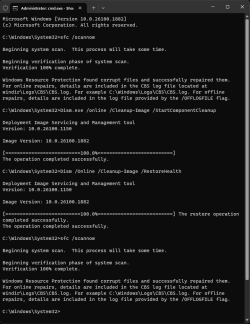
Now I'm gonna check SFC and DISM... Component Cleanup
SFC found errors and repaired them. Gonna reboot and try it again.

Still found errors and repaired.

Trying Dism.exe /online /Cleanup-Image /StartComponentCleanup ...now.

Ok... that went to 100%, then dropped back to 70% on the same line, then completed successfully.

Now I'm gonna try.... Dism /Online /Cleanup-Image /RestoreHealth

That worked fine. So I'll run SFC one more time...

Still found and repaired errors, even after DISM..... Restore Helath.


Image1.png


26100.1742 notes...

I removed the Recovery partition long ago. This put it back, so I removed it again.
It added Microsoft Teams and Outlook, so I removed those with REVO.
Removed Windows.old with Disk Cleanup.
Had to re-add "Turn off display" to my right click context menu.
Had to re-remove "Pin to quick access" from Recycle Bin right click menu.
Had to turn off System Restore... again.
Turned UAC, Telemetry and Download Drivers... back on. Turned them OFF again with Winaero
Turned the GIANT shortcut arrows back on, and I used the guide at Winaero to set them back to the "classic" small arrows.
Also removed my Scroll Bar width edit, which I just set back to -330.
.1742 also changed it so all the Winaero links, open in EDGE. I fixed that too.
Last but not least... removed Home from the Navigation pane in File Explorer.
 
Last edited:

My Computers My Computers

  • At a glance

    Win 11 Home ♦♦♦26200.8875 ♦♦♦♦♦♦♦25H2AMD Ryzen 7 3700XG.Skill (F4-3200C14D-16GTZKW)EVGA RTX 2070 (08G-P4-2171-KR)
    OS
    Win 11 Home ♦♦♦26200.8875 ♦♦♦♦♦♦♦25H2
    Computer type
    PC/Desktop
    Manufacturer/Model
    Built by Ghot® [May 2020]
    CPU
    AMD Ryzen 7 3700X
    Motherboard
    Asus Pro WS X570-ACE (BIOS 5302)
    Memory
    G.Skill (F4-3200C14D-16GTZKW)
    Graphics Card(s)
    EVGA RTX 2070 (08G-P4-2171-KR)
    Sound Card
    Realtek ALC1220P / ALC S1220A
    Monitor(s) Displays
    Dell U3011 30"
    Screen Resolution
    2560 x 1600
    Hard Drives
    2x Samsung 860 EVO 500GB,
    WD 4TB Black FZBX - SATA III,
    WD 8TB Black FZBX - SATA III,
    DRW-24B1ST CD/DVD Burner
    PSU
    PC Power & Cooling 750W Quad EPS12V
    Case
    Cooler Master ATCS 840 Tower
    Cooling
    CM Hyper 212 EVO (push/pull)
    Keyboard
    Ducky DK9008 Shine II Blue LED
    Mouse
    Logitech Optical M-100
    Internet Speed
    300/300
    Browser
    Firefox (latest)
    Antivirus
    Bitdefender Total Security
    Other Info
    Speakers: Klipsch Pro Media 2.1
  • At a glance

    Windows XP Pro 32bit w/SP3AMD Athlon 64 X2 5000+ (OC'd @ 3.2Ghz)TWIN2X2048-6400C4DHX (2 x 1GB, DDR2 800)EVGA 256-P2-N758-TR GeForce 8600GT SSC
    Operating System
    Windows XP Pro 32bit w/SP3
    Computer type
    PC/Desktop
    Manufacturer/Model
    Built by Ghot® (not in use)
    CPU
    AMD Athlon 64 X2 5000+ (OC'd @ 3.2Ghz)
    Motherboard
    ASUS M2N32-SLI Deluxe Wireless Edition
    Memory
    TWIN2X2048-6400C4DHX (2 x 1GB, DDR2 800)
    Graphics card(s)
    EVGA 256-P2-N758-TR GeForce 8600GT SSC
    Sound Card
    Onboard
    Monitor(s) Displays
    ViewSonic G90FB Black 19" Professional (CRT)
    Screen Resolution
    up to 2048 x 1536
    Hard Drives
    WD 36GB 10,000rpm Raptor SATA
    Seagate 80GB 7200rpm SATA
    Lite-On LTR-52246S CD/RW
    Lite-On LH-18A1P CD/DVD Burner
    PSU
    PC Power & Cooling Silencer 750 Quad EPS12V
    Case
    Generic Beige case, 80mm fans
    Cooling
    ZALMAN 9500A 92mm CPU Cooler
    Keyboard
    Logitech Classic Keybooard 200
    Mouse
    Logitech Optical M-BT96a
    Internet Speed
    300/300
    Browser
    Firefox 3.x ??
    Antivirus
    Symantec (Norton)
    Other Info
    Still assembled, still runs. Haven't turned it on for 15 years?
The sfc error is a bug. You can't fix it.
The tip above is only for the update that can't install.
 

My Computers My Computers

  • At a glance

    Windows 11 Pro latestAMD Ryzen 5 5700x32 gb 3200 mhz xmp (4x8)msi rtx3060 8gb
    OS
    Windows 11 Pro latest
    Computer type
    PC/Desktop
    CPU
    AMD Ryzen 5 5700x
    Motherboard
    Msi b550 gaming gen3
    Memory
    32 gb 3200 mhz xmp (4x8)
    Graphics Card(s)
    msi rtx3060 8gb
    Sound Card
    Audigy RX
    Monitor(s) Displays
    Philips 222V8LA/00
    Screen Resolution
    1980x1080
    Hard Drives
    MX500 Crucial
    PSU
    corsair cv 750
    Case
    q-tech
    Cooling
    amd wraith stealth
    Keyboard
    k81 gigabyte force
    Mouse
    zeroground daito
    Internet Speed
    100-10
    Browser
    Mozilla
    Antivirus
    Windows defender
  • At a glance

    windows 11 pro latesti5-2520M8Gb ddr3 1333 mhzhd3000
    Operating System
    windows 11 pro latest
    Computer type
    Laptop
    Manufacturer/Model
    Lenovo T420
    CPU
    i5-2520M
    Memory
    8Gb ddr3 1333 mhz
    Graphics card(s)
    hd3000
    Sound Card
    on board
    Screen Resolution
    1366x768
    Hard Drives
    Team group lite 3d 240gb
    Internet Speed
    100-10
    Antivirus
    defender
The sfc error is a bug. You can't fix it.
The tip above is only for the update that can't install.


I realize that. But...

MS aint the boss.png


Time to make a new backup... bbiaf. :cool:


Ok... made the backup after running my cleaning steps.
Then I ran CCleaner's Registry cleaner. It found a lot of things. But, it also found a lot when I clean installed Win 10, and when I did an In-Place upgrade from Win 10 to Win 11.
Computer rebooted OK.

I noticed, before running the reg cleaner, that Disk Cleanup is a bit different. Button that should be in RED box is missing.

Image1.png


Final note (for now)... I'm gonna make another backup after running CCleaner's reg cleaner.


So far... 24H2 is 2.1GB smaller than 23H2.

More notes...

MS added Share back to my context menus... removed.
MS set all PDFs to open with EDGE... fixed, set back to Sumatra PDF
MS removed my audio settings in VLC (when playing video on TV), fixed.


Ok... that's it, I'm done for today. :-)


_________________________________________________________________________________________________________________

Anyone having issues updating to 26100.1882 ...see post #124 above.
Credit to @boombastik
_________________________________________________________________________________________________________________
 
Last edited:

My Computers My Computers

  • At a glance

    Win 11 Home ♦♦♦26200.8875 ♦♦♦♦♦♦♦25H2AMD Ryzen 7 3700XG.Skill (F4-3200C14D-16GTZKW)EVGA RTX 2070 (08G-P4-2171-KR)
    OS
    Win 11 Home ♦♦♦26200.8875 ♦♦♦♦♦♦♦25H2
    Computer type
    PC/Desktop
    Manufacturer/Model
    Built by Ghot® [May 2020]
    CPU
    AMD Ryzen 7 3700X
    Motherboard
    Asus Pro WS X570-ACE (BIOS 5302)
    Memory
    G.Skill (F4-3200C14D-16GTZKW)
    Graphics Card(s)
    EVGA RTX 2070 (08G-P4-2171-KR)
    Sound Card
    Realtek ALC1220P / ALC S1220A
    Monitor(s) Displays
    Dell U3011 30"
    Screen Resolution
    2560 x 1600
    Hard Drives
    2x Samsung 860 EVO 500GB,
    WD 4TB Black FZBX - SATA III,
    WD 8TB Black FZBX - SATA III,
    DRW-24B1ST CD/DVD Burner
    PSU
    PC Power & Cooling 750W Quad EPS12V
    Case
    Cooler Master ATCS 840 Tower
    Cooling
    CM Hyper 212 EVO (push/pull)
    Keyboard
    Ducky DK9008 Shine II Blue LED
    Mouse
    Logitech Optical M-100
    Internet Speed
    300/300
    Browser
    Firefox (latest)
    Antivirus
    Bitdefender Total Security
    Other Info
    Speakers: Klipsch Pro Media 2.1
  • At a glance

    Windows XP Pro 32bit w/SP3AMD Athlon 64 X2 5000+ (OC'd @ 3.2Ghz)TWIN2X2048-6400C4DHX (2 x 1GB, DDR2 800)EVGA 256-P2-N758-TR GeForce 8600GT SSC
    Operating System
    Windows XP Pro 32bit w/SP3
    Computer type
    PC/Desktop
    Manufacturer/Model
    Built by Ghot® (not in use)
    CPU
    AMD Athlon 64 X2 5000+ (OC'd @ 3.2Ghz)
    Motherboard
    ASUS M2N32-SLI Deluxe Wireless Edition
    Memory
    TWIN2X2048-6400C4DHX (2 x 1GB, DDR2 800)
    Graphics card(s)
    EVGA 256-P2-N758-TR GeForce 8600GT SSC
    Sound Card
    Onboard
    Monitor(s) Displays
    ViewSonic G90FB Black 19" Professional (CRT)
    Screen Resolution
    up to 2048 x 1536
    Hard Drives
    WD 36GB 10,000rpm Raptor SATA
    Seagate 80GB 7200rpm SATA
    Lite-On LTR-52246S CD/RW
    Lite-On LH-18A1P CD/DVD Burner
    PSU
    PC Power & Cooling Silencer 750 Quad EPS12V
    Case
    Generic Beige case, 80mm fans
    Cooling
    ZALMAN 9500A 92mm CPU Cooler
    Keyboard
    Logitech Classic Keybooard 200
    Mouse
    Logitech Optical M-BT96a
    Internet Speed
    300/300
    Browser
    Firefox 3.x ??
    Antivirus
    Symantec (Norton)
    Other Info
    Still assembled, still runs. Haven't turned it on for 15 years?
This is...quite the update.

After the initial reboot, my PC wouldn't boot. After a forced reboot, I got kicked to the BIOS with an "incompatible settings" message. Can't remember the last time that happened. Had to load optimized defaults just to get back to Windows.
 

My Computer My Computer

At a glance

Windows 11 ProAMD Ryzen 7 9800X3D64 GB Corsair Dominator Titanium 6600ASUS ROG Astral GeForce RTX 5090 BTF OC
OS
Windows 11 Pro
Computer type
PC/Desktop
Manufacturer/Model
Custom
CPU
AMD Ryzen 7 9800X3D
Motherboard
MSI x670e Gaming Plus Wifi
Memory
64 GB Corsair Dominator Titanium 6600
Graphics Card(s)
ASUS ROG Astral GeForce RTX 5090 BTF OC
Sound Card
Integrated
Monitor(s) Displays
Samsung Odyssey G9 OLED 49"
Screen Resolution
5120x1440 240Hz
Hard Drives
1 TB PNY XLR8 NVMe SSD (Boot drive), 960 GB ADATA SSD, 1 TB Samsung SSD, 2 TB Samsung SSD, 2 TB Samsung SSD, 2 TB Crucial P5 NVMe SSD, 10 TB WD MyBook external HDD, 10 TB Seagate external HDD, 15 TB WD MyBook external HDD
PSU
Corsair RM1200x Shift
Case
Corsair 5000D Airflow
Cooling
iCue Link Titan 360 RX RGB
Keyboard
Corsair K100 RGB
Mouse
Razer Naga Pro v2 wireless
Internet Speed
2 Gig
Browser
Chrome
Antivirus
Windows Defender
Back
Top Bottom