UPDATE 8/12:

 www.elevenforum.com
Important: Secure Boot certificates used by most Windows devices are set to expire starting in June 2026. This might affect the ability of certain personal and business devices to boot securely if not updated in time. To avoid disruption, we recommend reviewing the guidance and taking action to update certificates in advance. For details and preparation steps, see Windows Secure Boot certificate expiration and CA updates.
To learn about Windows update terminology, see the pages on types of Windows updates and monthly quality update types. For an overview, see the update history page for Windows 11, version 24H2.
Follow @WindowsUpdate to find out when new content is published to the Windows release health dashboard.
Note: Experience seamless device migration with Windows Backup for Organizations, now available for a limited public preview. This feature ensures a smooth transition to Windows 11 for new or reimaged Microsoft Entra joined devices. To learn more, see Announcing Windows Backup for Organizations.
Microsoft combines the latest servicing stack update (SSU) for your operating system with the latest cumulative update (LCU). For general information about SSUs, see Servicing stack updates and Servicing Stack Updates (SSU): Frequently Asked Questions.
Install this update
To install this update, use one of the following Windows and Microsoft release channels.
1 This latest cumulative update includes updates for AI components. Even though the AI component updates are included in the update, the AI components are only applicable to Windows Copilot+ PCs and will not install on Windows PC or Windows Server.
If you want to remove the LCU
To remove the LCU after installing the combined SSU and LCU package, use the DISM/Remove-Package command line option with the LCU package name as the argument. You can find the package name by using this command: DISM /online /get-packages.
Running Windows Update Standalone Installer (wusa.exe) with the /uninstall switch on the combined package will not work because the combined package contains the SSU. You cannot remove the SSU from the system after installation.
File information
For a list of the files provided in this update, download the file information for cumulative update 5062660.
For a list of the files provided in the servicing stack update, download the file information for the SSU (KB5064485) - version 26100.4765.
 support.microsoft.com
Check Windows Updates
UUP Dump:
64-bit ISO download:

ARM64 ISO download:
 www.elevenforum.com
KB5063878 Windows 11 Cumulative Update build 26100.4946 (24H2) - Aug. 12
UPDATE 8/29: https://www.elevenforum.com/t/kb5064081-windows-11-cumulative-update-preview-build-26100-5074-24h2-aug-29.39322/ Microsoft Support: August 12, 2025 - KB5063878 (OS Build 26100.4946) Windows Secure Boot certificate expiration Important: Secure Boot certificates used by most...
www.elevenforum.com
Windows Blogs:
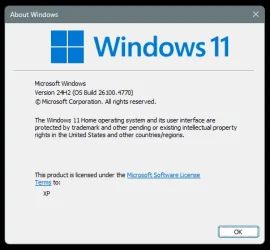
July 22, 2025 - KB5062660 (OS Build 26100.4770) Preview
Windows Secure Boot certificate expirationImportant: Secure Boot certificates used by most Windows devices are set to expire starting in June 2026. This might affect the ability of certain personal and business devices to boot securely if not updated in time. To avoid disruption, we recommend reviewing the guidance and taking action to update certificates in advance. For details and preparation steps, see Windows Secure Boot certificate expiration and CA updates.
To learn about Windows update terminology, see the pages on types of Windows updates and monthly quality update types. For an overview, see the update history page for Windows 11, version 24H2.
Follow @WindowsUpdate to find out when new content is published to the Windows release health dashboard.
Note: Experience seamless device migration with Windows Backup for Organizations, now available for a limited public preview. This feature ensures a smooth transition to Windows 11 for new or reimaged Microsoft Entra joined devices. To learn more, see Announcing Windows Backup for Organizations.
Highlights
Gradual rollout
A gradual rollout distributes a release update over a period of time, rather than all at once. This means that users receive the updates at different times, and it might not be immediately available to all users.- [Recall]
- New! Recall is now available in the European Economic Area (EEA). For more info, see Retrace your steps with Recall. In the EEA, Recall supports exporting snapshots to share with trusted third-party apps and websites. When saving snapshots is turned on for the first time, a unique Recall export code appears. This code is required to decrypt exported snapshots and is shown only once during initial setup. Microsoft doesn’t store or recover this code. To export, go to Settings > Privacy & Security > Recall & Snapshots > Advanced Settings and authenticate with Windows Hello. Choose to export past snapshots (from the last 7 days, 30 days, or all) or start a continuous export. Third-party apps can access exported snapshots only when both the export code and folder path are provided. If you lose or compromise the export code, reset Recall to generate a new one.

Use Recall with Snapshots in Windows 11
This tutorial will show you how to use Recall with snapshots of your activity to find and jump back into what you have seen before on your Windows 11 Copilot+ PC. Recall is an experience exclusive to Copilot+ PCs that will help you easily find and remember things you've seen using natural...
www.elevenforum.com
- New! For all Recall users worldwide, you can now reset Recall and delete all its data. Go to Settings > Privacy & Security > Recall & Snapshots to find a new advanced settings page. There, you’ll see a reset button that deletes all your snapshots and restores Recall to its default settings.

Reset Recall in Windows 11
This tutorial will show you how to reset Recall to default for your account on Windows 11 Copilot+ PCs. Recall utilizes Windows AI Foundry to help you find anything you've seen on your PC. Search using any clues you remember or use the timeline to scroll through your past activity, including...
www.elevenforum.com
- New! Recall is now available in the European Economic Area (EEA). For more info, see Retrace your steps with Recall. In the EEA, Recall supports exporting snapshots to share with trusted third-party apps and websites. When saving snapshots is turned on for the first time, a unique Recall export code appears. This code is required to decrypt exported snapshots and is shown only once during initial setup. Microsoft doesn’t store or recover this code. To export, go to Settings > Privacy & Security > Recall & Snapshots > Advanced Settings and authenticate with Windows Hello. Choose to export past snapshots (from the last 7 days, 30 days, or all) or start a continuous export. Third-party apps can access exported snapshots only when both the export code and folder path are provided. If you lose or compromise the export code, reset Recall to generate a new one.
- [Click to Do]

Use Click to Do in Windows 11
This tutorial will show you how to use Click to Do to perform AI actions with text and images for your account on a Windows 11 Copilot+ PC. Click to Do (preview) helps you get things done faster by identifying text and images on your screen that you can take actions with. Click to Do analyzes...
www.elevenforum.com
- New! 1 Practice in Reading Coach is a new Click to Do text action that helps you improve reading fluency and pronunciation. Select text on your screen, choose Practice in Reading Coach, and read the text aloud. Reading Coach gives you feedback and shows where to improve. To use this feature, install the free Microsoft Reading Coach app from the Microsoft Store.
- New! 1 Read with Immersive Reader is a new text action in Click to Do that displays text in a focused, distraction-free environment. It helps improve reading and writing for all skill levels and abilities. You can adjust text size, spacing, font, and background theme, have text read aloud, break words into syllables, and highlight parts of speech. The picture dictionary shows images for unfamiliar words. To use this feature, install the free Microsoft Reading Coach application from the Microsoft Store.
- New! 1 With the Draft with Copilot in Word text action, you can quickly turn any recognized text into a full draft. Whether it’s a sentence in an email or a snippet on your screen, press Win + Click on the recognized text, then select Draft with Copilot in Word. No more blank pages. No more writer’s block. Just momentum. To use “Draft with Copilot in Word” a Microsoft 365 Copilot subscription is required.
- New! 1 Click to Do on Copilot+ PCs now supports actions through Microsoft Teams. When you select an email address recognized by Click to Do on your screen, you can choose to send a Teams message or schedule a Teams meeting. These options make it easy to ask a question or set up time to talk without interrupting your workflow.
- [Settings]
- New! 1 The new agent in Settings is part of the Copilot+ PC experience and is designed to address one of the most common frustrations: finding and changing settings on your PC. You can describe what you need help with, such as “how to control my PC by voice” or “my mouse pointer is too small,” and the agent will suggest steps to resolve the issue. The agent uses AI on your PC to understand your request and, with your permission, can automate and complete tasks for you. This experience is rolling out to Snapdragon-powered Copilot+ PCs, with support for AMD and Intel™-powered PCs coming soon. It currently works only if your primary display language is set to English.

Find a Setting in Settings app in Windows 11
This tutorial will show you how to search to find a setting within the Settings app in Windows 11. Microsoft designed Settings to be beautiful, easy to use and inclusive of all your Microsoft experiences in Windows 11. Settings has left-handed navigation that persists between pages, and...
www.elevenforum.com
- New! On non-Copilot+ PCs, the Settings app now shows the Search box at the top center to make searching easier and more consistent.
- Fixed: If your PC is set to ‘Do nothing’ when you close the lid (under Settings > System > Power and Battery) and the Settings window is left open when you close the lid, reopening the lid might cause the Settings window to stop responding. It might become unresponsive to input or resizing and instead just display your accent color.
- Fixed: Settings might stop responding when you try to save Wi-Fi network credentials.
- New! 1 The new agent in Settings is part of the Copilot+ PC experience and is designed to address one of the most common frustrations: finding and changing settings on your PC. You can describe what you need help with, such as “how to control my PC by voice” or “my mouse pointer is too small,” and the agent will suggest steps to resolve the issue. The agent uses AI on your PC to understand your request and, with your permission, can automate and complete tasks for you. This experience is rolling out to Snapdragon-powered Copilot+ PCs, with support for AMD and Intel™-powered PCs coming soon. It currently works only if your primary display language is set to English.
- [Windows Resiliency Initiative] The following changes are part of the Windows Resiliency Initiative announced at Ignite 2024:
- New! Quick machine recovery is now available. When enabled, it automatically detects and fixes widespread issues on Windows 11 devices using the Windows Recovery Environment (WinRE). This reduces downtime and avoids the need for manual fixes. If a device experiences a widespread boot issue, it enters WinRE, connects to the internet, and Microsoft can deliver a targeted fix through Windows Update. IT admins can enable or customize this experience for their organization through the Intune Settings Catalog UI using the RemoteRemediationCSP. There is also a dedicated quick machine recovery settings page available under System > Recovery > Quick machine recovery. Today, it’s enabled by default for home users.

Enable or Disable Quick Machine Recovery in Windows 11
This tutorial will show you how to enable or disable Quick Machine Recovery in Windows 11. Quick machine recovery (QMR) is a feature that enables the recovery of Windows devices when they encounter critical errors that prevent them from booting. QMR automatically detects, diagnoses, and...
www.elevenforum.com
- New! A more streamlined interface appears during an unexpected restart. This updated design aligns with Windows 11’s visual style and helps you return to work faster. The screen displays a more readable layout while keeping the technical details visible. This screen appears with a black background.
- New! Quick machine recovery is now available. When enabled, it automatically detects and fixes widespread issues on Windows 11 devices using the Windows Recovery Environment (WinRE). This reduces downtime and avoids the need for manual fixes. If a device experiences a widespread boot issue, it enters WinRE, connects to the internet, and Microsoft can deliver a targeted fix through Windows Update. IT admins can enable or customize this experience for their organization through the Intune Settings Catalog UI using the RemoteRemediationCSP. There is also a dedicated quick machine recovery settings page available under System > Recovery > Quick machine recovery. Today, it’s enabled by default for home users.
- [Start menu] New! We are adding a Boolean option to the Configure Start Pins policy to allow admins to apply Start menu pins once. This means that a user will receive admin pins on day 0 but can then make any changes to their Start pinned layout and have those changes safeguarded. These changes can be optionally applied through the existing configuration Service Provider (CSP).
- [Snap] New! Improvements make it easier to learn and use Snap in Windows 11. Inline messages now appear when you accidentally open the Snap Bar by dragging an app to the upper center of your desktop or open the Snap menu by hovering over the Minimize or Maximize button. These messages provide helpful tips on Snap app windows and show keyboard shortcuts.

Snap windows into Layouts in Windows 11
This tutorial will show you different ways to Snap windows into zone layouts for your account in Windows 11. You can use Snap windows in Windows 11 to automatically resize and arrange all your open windows into zone layouts using the mouse (drag), keyboard, or the Snap Assist feature. Snap...
www.elevenforum.com
- [Windows Search] New! Windows Search settings are now easier to find. Instead of two separate pages for settings (“Search permissions” and “Searching Windows”), you can find everything in one place under Settings > Privacy & security > Search. This new page has a modern look and a better layout, so you can quickly view and manage all your Windows Search settings.
- [Input] New! The Gamepad layout of the Windows touch keyboard now includes enhanced controller navigation and improved focus handling for child keys, menus, word suggestions, language switching, and settings. A new Gamepad keyboard, designed for gaming, also supports PIN sign-in on the Windows lock screen. It offers controller shortcuts for quick PIN entry and full navigation for those who prefer not to use shortcuts.

Change Touch Keyboard Layout in Windows 11
This tutorial will show you how to change the touch keyboard layout for your account in Windows 11. Windows 11 includes a touch keyboard you can click/tap on to enter text. This can be handy if you have a PC with a touchscreen without a physical keyboard. There are four different layouts you...
www.elevenforum.com
- [File Explorer]
- Fixed: If you open More options in File Explorer to view the full list of folders for the current path, the dropdown menu might not display completely, making the bottom part inaccessible.
- Fixed: File operation progress dialogs might stop appearing when displayed from apps.
- Fixed: Syncing more SharePoint sites to File Explorer might slow performance when navigating folders or opening the context menu. This can also affect how quickly files launch.
- [Desktop icons] Fixed: If you have an app pinned to your desktop and it updates, the app icon might not display correctly and instead show a white page.
- [Notifications] Fixed: When you select a Windows notification, it might not bring the related app to the foreground as expected—for example, this can happen with Outlook notifications.
Improvements
Normal rollout
This preview update contains fixes and quality improvements from KB5062553 (released July 8, 2025) and KB5064489 (released July 13. 2025). The following summary outlines key issues addressed by the KB update after you install it. Also, included are available new features. The bold text within the brackets indicates the item or area of the change.- [Authentication] Fixed: This update addresses an issue that affects the Local Security Authority Subsystem Service (LSASS). LSASS might stop responding during machine password changes with specific audit settings.
- [File Explorer] Fixed: File Explorer Home might unexpectedly only display a single folder (for example, Desktop), rather than the expected content with recent files and more.
- [File system] Fixed: This update addresses an issue in the Resilient File System (ReFS) where using backup applications on large files could occasionally result in system memory becoming fully exhausted.
- [Graphics] An issue where external graphics cards connected through Thunderbolt weren’t always recognized in some cases.
- [Input (know issue)]
- Fixed: An issue when using the Microsoft Changjie IME (input method editor) for Traditional Chinese might cause problems such as not being able to form or select words, unresponsive spacebar or blank key, incorrect word output, or a broken candidate window display. This can occur after installing KB5062553.
- Fixed: This update addresses an issue that affects Phonetic input methods, including the Hindi Phonetic Input keyboard and the Marathi Phonetic keyboard, which might not work correctly after installing KB5062553.
- [Stability issue] This update addresses an issue observed in rare cases after installing the May 2025 security update and subsequent updates causing devices to experience stability issues. Some devices became unresponsive and stopped responding in specific scenarios.
- [Windows Firewall] Fixed: This update addresses an issue found in Event Viewer as Event 2042 for Windows Firewall with Advanced Security. The event appears as "Config Read Failed" with the message "More data is available." For more information about this issue, see "Error events are logged for Windows Firewall" in the Windows Health Dashboard.
AI Components
This release updates the following AI components:| AI Component | Version |
|---|---|
| Image Search | 1.2507.793.0 |
| Content Extraction | 1.2507.793.0 |
| Semantic Analysis | 1.2507.793.0 |
Windows 11 servicing stack update (KB5064485)- 26100.4765
This update makes quality improvements to the servicing stack, which is the component that installs Windows updates. Servicing stack updates (SSU) ensure that you have a robust and reliable servicing stack so that your devices can receive and install Microsoft updates. To learn more about SSUs, see Simplifying on-premises deployment of servicing stack updates.Known issues in this update
Microsoft is not currently aware of any issues with this update.How to get this update
Before you install this updateMicrosoft combines the latest servicing stack update (SSU) for your operating system with the latest cumulative update (LCU). For general information about SSUs, see Servicing stack updates and Servicing Stack Updates (SSU): Frequently Asked Questions.
Install this update
To install this update, use one of the following Windows and Microsoft release channels.
| Available | Next Step |
|---|---|

| Open Start > Settings Update & Security > Windows Update. In the Optional updates available area, you will find the link to download and install available updates. Check for optional updates |
| Yes 1 | Before you install this update To get the standalone package(s) for this update, go to the Microsoft Update Catalog website. This KB contains one or more MSU files that require installation in a specific order. Install this update Method 1: Install all MSU files together Download all MSU files for KB5062660 from Microsoft Update Catalog and place them in the same folder (for example, C:/Packages). Use Deployment Image Servicing and Management (DISM.exe) to install the target update. DISM will use the folder specified in PackagePath to discover and install one or more prerequisite MSU files as needed. Updating Windows PC To apply this update to a running Windows PC, run the following command from an elevated Command Prompt: DISM /Online /Add-Package /PackagePath:c:\packages\Windows11.0-KB5062660-x64.msuOr, run the following command from an elevated Windows PowerShell prompt: Add-WindowsPackage -Online -PackagePath "c:\packages\Windows11.0-KB5062660-x64.msu"Or use Windows Update Standalone Installer to install the target update. Updating Windows Installation media To apply this update to Windows Installation media, see Update Windows installation media with Dynamic Update. Note: When downloading other Dynamic Update packages, ensure they match the same month as this KB. If the SafeOS Dynamic Update or Setup Dynamic Update is not available for the same month as this KB, use the most recently published version of each. To add this update to a mounted image, run the following command from an elevated Command Prompt: DISM /Image:mountdir /Add-Package /PackagePath:Windows11.0-KB5062660-x64.msuOr, run the following command from an elevated Windows PowerShell prompt: Add-WindowsPackage -Path "c:\offline" -PackagePath "Windows11.0-KB5062660-x64.msu" -PreventPendingMethod 2: Install each MSU file individually, in order Download and install each MSU file individually either using DISM or Windows Update Standalone Installer in the following order:
|
1 This latest cumulative update includes updates for AI components. Even though the AI component updates are included in the update, the AI components are only applicable to Windows Copilot+ PCs and will not install on Windows PC or Windows Server.
If you want to remove the LCU
To remove the LCU after installing the combined SSU and LCU package, use the DISM/Remove-Package command line option with the LCU package name as the argument. You can find the package name by using this command: DISM /online /get-packages.
Running Windows Update Standalone Installer (wusa.exe) with the /uninstall switch on the combined package will not work because the combined package contains the SSU. You cannot remove the SSU from the system after installation.
File information
For a list of the files provided in this update, download the file information for cumulative update 5062660.
For a list of the files provided in the servicing stack update, download the file information for the SSU (KB5064485) - version 26100.4765.
Source:
July 22, 2025—KB5062660 (OS Build 26100.4770) Preview | Microsoft Support
July 22, 2025—KB5062660 (OS Build 26100.4770) Preview
support.microsoft.com
Check Windows Updates
UUP Dump:
64-bit ISO download:
Select language for Windows 11, version 24H2 (26100.4770) amd64
Select language for Windows 11, version 24H2 (26100.4770) amd64 on UUP dump. UUP dump lets you download Unified Update Platform files, like Windows Insider updates, directly from Windows Update.
uupdump.net
ARM64 ISO download:
Select language for Windows 11, version 24H2 (26100.4770) arm64
Select language for Windows 11, version 24H2 (26100.4770) arm64 on UUP dump. UUP dump lets you download Unified Update Platform files, like Windows Insider updates, directly from Windows Update.
uupdump.net
UUP Dump - Download Windows Insider ISO
UUP Dump is the most practical and easy way to get ISO images of any Insider Windows 10 or Windows 11 version, as soon as Microsoft has released a new build. UUP Dump creates a download configuration file according to your choices, downloads necessary files directly from Microsoft servers, and...
www.elevenforum.com
Last edited: