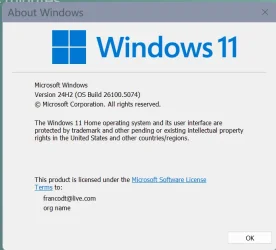
Win Update KB5064081 Windows 11 Cumulative Update Preview build 26100.5074 (24H2) - Aug. 29


UPDATE 9/09:


 Microsoft Support:

August 29, 2025 - KB5064081 (OS Build 26100.5074) Preview​

Windows Secure Boot certificate expiration

Important: Secure Boot certificates used by most Windows devices are set to expire starting in June 2026. This might affect the ability of certain personal and business devices to boot securely if not updated in time. To avoid disruption, we recommend reviewing the guidance and taking action to update certificates in advance. For details and preparation steps, see Windows Secure Boot certificate expiration and CA updates.

To learn about Windows update terminology, see the pages on types of Windows updates and monthly quality update types. For an overview, see the update history page for Windows 11, version 24H2.

Follow @WindowsUpdate to find out when new content is published to the Windows release health dashboard.

Highlights

Gradual rollout​

A gradual rollout distributes a release update over a period of time instead of all at once. This means that users receive the update at different times, and it might not be immediately available to all users.
  • [Recall] New! Recall opens to a personalized homepage that puts your recent activity and top-used apps and websites front and center, making it easy to pick up where you left off. After turning on snapshot collection, the homepage highlights key productivity features like Recent Snapshots, which show the latest snapshots to help you quickly resume tasks, and Top Apps and Websites, which display the three apps and websites you’ve used most in the past 24 hours. You can set filters in Settings to control which apps and websites are saved in snapshots. A new navigation bar on the leftmost side of the screen provides quick access to Home, Timeline, Feedback, and Settings.

  • [Click to Do] New! When you launch Click to Do for the first time, you'll see a quick interactive tutorial. It shows how to complete tasks faster by demonstrating actions on both text and images—such as summarizing large blocks of text or removing image backgrounds. To revisit the tutorial later, select More options > Start tutorial.
  • [General] New! When an app requests access to location, camera, microphone, or other device capabilities, Windows shows a redesigned system dialog box. To emphasize the privacy prompt, the screen dims slightly, and the prompt appears at the center of the screen.
  • [Taskbar]
    • New! The larger clock with seconds is now back in the notification center, displayed above the date and calendar. To turn this option on, go to Settings > Time & language > Date & time, and turn on Show time in the Notification Center.

    • Fixed: If you accidentally click and drag your mouse across the taskbar preview thumbnail, the preview might stop working.
  • [Search on the Taskbar]
    • New! When you use Search from the Windows taskbar, a new grid view will help you more quickly and accurately identify the desired image within your search.
    • New! Search on the taskbar now provides clearer status information. If your search results are incomplete while your PC is organizing files in the background, Windows shows a notice with a link to check progress. You can dismiss the notice when you're done. There is also a status for files and folders, so you can easily tell whether they’re available online (cloud) or stored on your device.

  • [Lock screen] New! More widget options and support for lock screen widget personalization (previously referred to as “Weather and more”) are rolling out. After initial launch with Windows Insiders in the European Economic Area (EEA), these updates are expanding to all regions. You can add, remove, and rearrange lock screen widgets such as Weather, Watchlist, Sports, Traffic, and more. Any widget that supports the small sizing option can be added. To customize your lock screen widgets, go to Settings > Personalization > Lock screen.

  • [File Explorer]
    • New! Dividers now separate top-level icons in the File Explorer context menu.
    • New! When you're signed in with a work or school account (Entra ID), File Explorer will display people icons in the Activity column and the Recommended section at the top of File Explorer Home. Hover over or select a person's icon to open their Microsoft 365 Live Persona Card, which shows who they are and how they're connected to the file.

    • Fixed: If you try to use the unblock open in Properties for a file, it still shows as blocked when you open Properties the next time.
  • [Windows Hello]
    • New! As part of the enhanced passkey features released in September 2023, you’ll see a redesigned Windows Hello interface. These modernized visual updates support fast, clear communication that appear across multiple authentication flows, including the Windows sign-in screen, passkey, Recall, the Microsoft Store, and more.

      The Windows security credential experience for passkey offers a cleaner, more intuitive interface designed to support fast, secure sign-in. You can now easily switch between authentication options such as passkeys or connected devices.
    • Fixed: Windows Hello might recognize your face on the login screen, however it would still fail and then prompt you to enter your pin. If you continue experiencing issues, you might need to go to the Facial Recognition section under Settings > Accounts >Sign-in options and select Improve recognition.
    • Improved: Fingerprint login after standby is now more robust.
  • [Settings]
    • New!  Windows activation and expiration prompts match the Windows 11 design and appear as system notifications when action is required. There also have been improvements to messaging under Settings > System > Activation.
    • New! You can go to Settings > Privacy & security > Text and Image Generation to see which third-party apps have recently used generative AI models provided by Windows. You can also choose which apps are permitted to use them—putting you in charge of your device’s AI experience.

    • New! As part of the Copilot+ PC experience, the agent in Settings helps you quickly find and change settings. Initially available on Snapdragon®-powered Copilot+ PCs, agent in Settings now supports AMD- and Intel™-powered Copilot+ PCs. It currently works only when your primary display language is set to English.

    • Fixed: Settings might crash if you attempt to add a security key under Settings > Account > Sign-in options.
  • [Task Manager] New! Task Manager now uses standard metrics to show CPU workload consistently across all pages, aligning with industry standards and third-party tools. If you prefer the previous view, you can enable a new optional column called CPU Utility in the Details tab to display the earlier CPU usage value shown on the Processes page.

  • [Widgets]
    • New! Multiple dashboards are now available in your Widgets Board. This gives you more space for your favorite widgets and helps you stay informed with a feed that connects you to current events. A new navigation bar on the left side makes it easy to switch between your widget’s dashboard and other views like the Discover feed. After initial launch in the EEA, these updates are expanding to all regions.
    • New! A new visual experience is available for the Discover feed on the Widgets Board. The layout is more organized, personalized, and engaging. Copilot-curated stories are now included, offering a well-rounded view of each topic with summaries, videos, and images from trusted MSN premium publishers. To customize your feed, go to Widgets > Discover dashboard > Personalization settings.

  • [Windows Backup for Organizations] New! Windows Backup for Organizations is now generally available! Experience seamless device transitions with enterprise-grade backup and restore. Whether you're refreshing your organization’s devices, upgrading to Windows 11, or deploying AI-powered PCs, this solution helps sustain productivity with minimal disruption, ensuring business continuity and organizational resilience.

  • [PowerShell 2.0] Starting in August 2025, Windows 11, version 24H2, will no longer include Windows PowerShell 2.0. This legacy component was introduced in Windows 7 and officially deprecated in 2017. Most users won’t be affected, as newer versions such as PowerShell 5.1 and PowerShell 7.x remain available and supported. If you use older scripts or tools that depend on PowerShell 2.0, update them to avoid compatibility issues.

  • [Live captions] Fixed: Changing the opacity of live captions in Settings > Accessibility > Captions > Caption Style, has no effect.
  • [Input]
    • Fixed: Attempting to type Chinese with an IME after copying something with CTRL + C can result in the first character not displaying.
    • Fixed: An underlying issue related to textinputframework.dll could result in certain apps like Sticky Notes and Notepad crashing.
  • [dbgcore.dll] Fixed: An underlying issue with dbgcore.dll could result in certain apps, including explorer.exe, crashing.
  • [Kerberos] Fixed: There might be an underlying crash in Kerberos when attempting to access a cloud file share.
  • [Login] Improved: Addressed some underlying cases which could lead to you seeing a blank white screen, or a screen saying, "just a moment", for a few minutes when logging into your PC.
  • [Miracast] Fixed: An issue where, on certain devices, audio would initially play but stop a few seconds after casting to a TV.
 
Last edited:
1756491476775.webp
 

My Computer

System One

  • OS
    Windows 11 Pro 25H2
    Computer type
    PC/Desktop
    CPU
    i7 10700K
    Motherboard
    MSI Z590 Gaming Carbon Wifi
    Memory
    ddr4 16gb
    Graphics Card(s)
    nvidia 1080 8GB
    Screen Resolution
    1920x1080p
Suddenly it made a LOCAL STATION ( G: ) but I removed it. And for what? (PC is running normally)
 

My Computer

System One

  • OS
    Windows 11
    Computer type
    PC/Desktop
    Manufacturer/Model
    Cooler master
    CPU
    I5
    Motherboard
    Gigabyte
    Memory
    Too much haha!
    Graphics Card(s)
    NVidia 1060
It took almost half hour to download and install this update.
 

My Computer

System One

  • OS
    26200.8037
    Computer type
    PC/Desktop
    CPU
    i5-11400F
    Motherboard
    Gigabyte
    Memory
    32GB
    Graphics Card(s)
    Geforce GT-1030
    Keyboard
    Logitech K400
    Mouse
    Logitech M720
    Internet Speed
    600 Mb
    Browser
    Edge
1756492176117.webp
 

My Computer

System One

  • OS
    W11 Pro and Insider Dev
    Computer type
    PC/Desktop
    Manufacturer/Model
    Home brewed
    CPU
    AMD Ryzen 9 7900x
    Motherboard
    ASROCK b650 PRO RS
    Memory
    2x16GB Kingston 6000MHz, Cl 32 @ 6200MHz Cl30
    Graphics Card(s)
    Gigabyte Rx 6600XT Gaming OC 8G Pro
    Sound Card
    MB, Realtek Ac1220p
    Monitor(s) Displays
    3 x 27"
    Screen Resolution
    1080p
    Hard Drives
    Kingston KC3000. 1TBSamsung 970 evo Plus 500GB, Crucial P1 NVMe 1TB, Lexar NVMe 2 TB, Silicon Power M.2 SATA 500GB
    PSU
    Seasonic 750W
    Case
    Custom Raidmax
    Cooling
    Arctic Liquid Freezer III 360mm
    Internet Speed
    20/19 mbps
Desktop went fine.

1756492313095.webp

Still installing on laptop.
 

My Computers

System One System Two

  • OS
    Windows 11 Pro
    Computer type
    PC/Desktop
    Manufacturer/Model
    Self Built
    CPU
    Intel Core i9 14900k, Intel UHD 770 integrated
    Motherboard
    Gigabyte Z790 Aorus Master X
    Memory
    32gb G.Skill Trident Z5 7200
    Graphics Card(s)
    Gigabyte RTX 4090 Gaming OC
    Sound Card
    EVGA Nu Audio, Razer Kraken V3 Pro, Realtek Onboard
    Monitor(s) Displays
    Dell U4025QW nano IPS monitor, Samsung Odyssey G75F, Wisecoco 12.6" IPS sensor panel
    Screen Resolution
    5120X2160 x 2 1920x515
    Hard Drives
    WD Black SN8100, Samsung 990 Pro x 3, WD BLACK SN850x, WD Black 8tb HD
    PSU
    FSP Hydro PTM Pro 1350w
    Case
    Thermaltake Level 20 XT
    Cooling
    ARCTIC Liquid Freezer III 420 ARGB in push/pull, Antec Prism X 120mm ARGB Fans x 15
    Keyboard
    Razer Blackwidow V4 Pro
    Mouse
    Razer Basilik V3 Pro on Razer Firefly V2 mouse pad.
    Internet Speed
    950 Mbps cable primary, 6Mbps secondary vdsl
    Browser
    Chrome primary, FF-Edge-IE secondary
    Antivirus
    Norton 360 Premium
    Other Info
    I sit on a Libernovo Omni chair.😍 Sound by Fosi Audio DA-2120C pushing Magnat Series 503 bookshelf speakers and a SVS SB-1000 Pro subwoofer.
  • Operating System
    Windows 11 Pro
    Computer type
    Laptop
    Manufacturer/Model
    2023 Acer Predator Helios 18
    CPU
    Intel 14900HX
    Motherboard
    factory
    Memory
    32gb ddr 5 5600
    Graphics card(s)
    Nvidia RTX 4090 mobile
    Sound Card
    onboard
    Monitor(s) Displays
    18" 250hz IPS
    Screen Resolution
    2560X1600
    Hard Drives
    Samsung 9100 Pro, 990 Pro
    PSU
    factory 330W
    Case
    factory
    Cooling
    factory
    Keyboard
    individual key argb
    Mouse
    touchpad
    Internet Speed
    WiFi 7, 2.5gb ethernet
    Browser
    Chrome primary, FF-IE and Edge secondary
    Antivirus
    Norton 360 Premium
    Other Info
    Acer will not allow WD Black SN8100 to function in m.2 slot 0 and Crucial T710 ssd's to function in either slot.
v24H2 build 26100.5074
installed fine for me too..
just required a second restart after reaching 100%.
 

My Computers

System One System Two

  • OS
    Windows 11 Pro (x64)(v25H2)(26200.8524)
    Computer type
    PC/Desktop
    Manufacturer/Model
    [Self-built](custom-build)(June 2020)
    CPU
    AMD Ryzen 9 3900X 12-Core/24-threads
    Motherboard
    Asus PRIME X570-PRO (BIOS_r5044 [01/04/2026])
    Memory
    64GB, 2x G.Skill 32GB (PC3200)(DDR4-2137)
    Graphics Card(s)
    ASUS PRIME GeForce RTX 5070 12GB OC Edition, GPU by NVIDIA.
    Sound Card
    Realtek® ALC1220A 8-Channel High Definition Audio CODEC
    Monitor(s) Displays
    24" DELL Gaming Monitor - G2422HS - DisplayPort used
    Screen Resolution
    1920x1080p at 165Hz (16:9 Aspect Ratio)
    Hard Drives
    2TB Samsung 980 Pro (NVMe)(SSD)
    4TB Samsung 990 Pro (NVMe)(SSD)
    2TB Samsung 870 EVO (SSD)

    NVMe 2TB
    -- OS(Win11 Pro x64),
    -- programs,
    -- programming(MS Visual Studios 2022 Community Ed.),
    -- music

    NVMe 4TB
    video game installs.

    #3 FILE Server!
    PSU
    Thermaltake TOUGHPOWER DPS G RGB Titanium Certified 1250Watt
    Case
    Corsair Graphite Series 780T Full Tower PC Case
    Cooling
    AMD Wraith cooler (stock) & 3x Corsair case fans
    Keyboard
    Redragon K580 VATA RGB LED Backlit Mechanical Gaming Keyboard (brown switches).
    Mouse
    Redragon M602 RGB Wired USB Gaming mouse
    Internet Speed
    2,100Mbps Download, 300Mbps Upload
    Browser
    Firefox & Google Chrome
    Antivirus
    n/a aka "ABOVE TOP SECRET!" lol ;)
    Other Info
    My System is the ULTIMATE GAMING RIG ^_^
    TP-Link BE9300 Tri-Band Wi-Fi 7 Wireless 2.5Gigabit Router
    Model Archer BE550 (v1.0)
    Arris S34 Cable Modem
    Nvidia GFX Drivers: (v596.49)
    Realtek UAD Drivers: (v6.0.9977.1)
    Realtek LAN Drivers:(v1125.29.50.202)(2026-04-19)
    Intel LAN Drivers: (v14.01.24.00)(2025-10-03)
  • Operating System
    Windows 11 Pro x64
    Computer type
    Laptop
    Manufacturer/Model
    DELL G15 Ryzen edition, model 5515
    CPU
    AMD Ryzen 7 5800H
    Motherboard
    DELL G15 Ryzen edition
    Memory
    32GB GSkill DDR4 2x 16GB sticks
    Graphics card(s)
    Ryzen 7 5800H integrated AMD Radeon Graphics and Nvidia GeForce 3060 6GB
    Sound Card
    Realtek ALC3254 with Nahimic 3D Audio for Gamers
    Monitor(s) Displays
    built-in
    Screen Resolution
    1920x1080
    Hard Drives
    512GB NVMe SSD, 1TB Samsung 970 EVO NVMe SSD
    PSU
    unknown
    Case
    laptop
    Keyboard
    built-in
    Mouse
    Logitech B100 USB
    Internet Speed
    2,100Mbps download, 300Mbps upload
    Browser
    Firefox & Google Chrome
Three computers updated to 26100.5074.

As always, no problems and all running smoothly.
 

My Computers

System One System Two

  • OS
    Windows 11 Pro
    Computer type
    Laptop
    Manufacturer/Model
    Dell XPS 16 DA16260
    CPU
    Intel Series 3 Core Ultra X9 388H
    Memory
    64GB LPDDR5x 9600 MT/s
    Graphics Card(s)
    Intel Arc graphics B390 Panther Lake
    Monitor(s) Displays
    16" 3.2K Tandem OLED Infinity Edge
    Screen Resolution
    3200 x 2000 16:10 236 PPI
    Hard Drives
    1 Terabyte M.2 PCIe NVMe SSD
    Case
    Black Anodized Aluminum
    Cooling
    Vapor Chamber Cooling
    Mouse
    None
    Internet Speed
    942 Mbps Netgear Mesh + 2 Satellites
    Browser
    Microsoft Edge (Chromium)
    Antivirus
    Windows Security (Defender)
    Other Info
    NPU delivering 67 TOPS
    Microsoft 365 subscription
    Microsoft OneDrive 1TB Cloud
    Microsoft Visual Studio
    Microsoft Visual Studio Code
    Microsoft Sysinternals Suite
    Microsoft BitLocker
    Microsoft Copilot
    Dell Support Assist
    Dell Command | Update
    Macrium Reflect X subscription
    1Password Password Manager
    Amazon Kindle for PC
    Lightroom/Photoshop subscription
    Interactive Brokers Trader Workstation
  • Operating System
    Windows 11 Pro
    Computer type
    Laptop
    Manufacturer/Model
    Microsoft Surface Laptop 7
    CPU
    Snapdragon® X Elite (12 Core) with Hexagon NPU delivering 45 TOPS
    Memory
    32GB LPDDR5x 8448 MT/s
    Graphics card(s)
    Integrated Adreno GPU
    Sound Card
    Omnisonic speakers with Dolby Atmos spatial sound
    Monitor(s) Displays
    13.8″ PixelSense Flow touchscreen 120 Hz 600 NIT
    Screen Resolution
    2304 × 1536 (201 PPI), 3:2 aspect ratio
    Hard Drives
    1 TB PCIe NVMe Gen 4 SSD
    Case
    Black Anodized Aluminum
    Cooling
    Vapor Chamber Cooling
    Mouse
    None
    Internet Speed
    942 Mbps Netgear Mesh + 2 Satellites
    Browser
    Microsoft Edge (Chromium)
    Antivirus
    Windows Security (Defender)
    Other Info
    Microsoft 365 subscription (Office)
    Microsoft OneDrive 1TB Cloud
    Microsoft Visual Studio 2026
    Microsoft Visual Studio Code
    Interactive Brokers Trader Workstation
    Lightroom/Photoshop subscription
    1Password Password Manager
    Microsoft Sysinternals
    Amazon Kindle for PC
    Microsoft BitLocker
    Microsoft Copilot
  • Like
Reactions: x_1
 

My Computers

System One System Two

  • OS
    Windows 11 Pro for Workstations
    Computer type
    PC/Desktop
    Manufacturer/Model
    Custom self build
    CPU
    Intel i7-8700K 5 GHz
    Motherboard
    ASUS ROG Maximus XI Formula Z390
    Memory
    64 GB (4x16GB) G.SKILL TridentZ RGB DDR4 3600 MHz (F4-3600C18D-32GTZR)
    Graphics Card(s)
    ASUS ROG-STRIX-GTX1080TI-O11G-GAMING (11GB GDDR5X)
    Sound Card
    Integrated Digital Audio (S/PDIF)
    Monitor(s) Displays
    2 x Samsung Odyssey G75 27"
    Screen Resolution
    2560x1440
    Hard Drives
    1TB Samsung 990 PRO M.2,
    4TB Samsung 990 PRO M.2,
    TerraMaster F8 SSD Plus NAS
    PSU
    Seasonic Prime Titanium 850W
    Case
    Thermaltake Core P3 wall mounted
    Cooling
    Corsair Hydro H115i
    Keyboard
    Amazon Basics Wired Full Keyboard MD005
    Mouse
    Logitech MX Master 4
    Internet Speed
    2 Gbps Download and 100 Mbps Upload
    Browser
    Chrome and Edge
    Antivirus
    Microsoft Defender
    Other Info
    Logitech Z625 speaker system,
    Logitech BRIO 4K Pro webcam,
    HP Color LaserJet Pro MFP M477fdn,
    CyberPower CP1500PFCLCD
    Galaxy S23 Plus phone
  • Operating System
    Windows 11 Pro
    Computer type
    Laptop
    Manufacturer/Model
    Surface Laptop 7 Copilot+ PC
    CPU
    Snapdragon X Elite (12 core) 3.42 GHz
    Memory
    16 GB LPDDR5x-7467 MHz
    Monitor(s) Displays
    15" HDR
    Screen Resolution
    2496 x 1664
    Hard Drives
    1 TB SSD
    Internet Speed
    Wi-Fi 7 and Bluetooth 5.4
    Browser
    Chrome and Edge
    Antivirus
    Microsoft Defender
The .net update was successful. but the KB5064081 update failed on my desktop twice. Upon a third try. it's hanging at 100% installation. I haven't attempted to install it on my laptop (system 1) yet. I may have to get the update from the Microsoft Update Catalog.
 

My Computers

System One System Two

  • OS
    Windows 11 Pro 25H2
    Computer type
    PC/Desktop
    Manufacturer/Model
    Geekom AX7 Pro
    CPU
    AMD Ryzen 9 7940HS
    Memory
    32 GB
    Graphics Card(s)
    Radeon 780M Graphics
    Monitor(s) Displays
    Dell S2425H 24"
    Screen Resolution
    1920 x 1080
    Hard Drives
    2 TB NVMe SSD
    Internet Speed
    100 Mbs
    Browser
    Microsoft Edge / Firefox
    Antivirus
    F-Secure Security Suite
  • Operating System
    Windows 11 Pro 25H2
    Computer type
    PC/Desktop
    Manufacturer/Model
    Dell Inspiron 3910
    CPU
    12th Gen Intel Core i7-12700 processor (12-Core, 25M Cache, 2.1GHz to 4.8GHz)
    Motherboard
    Dell 0KHP4K
    Memory
    16 GB
    Graphics card(s)
    Intel(R) UHD Graphics 770 with shared graphics memory
    Monitor(s) Displays
    Dell 27" Monitor S2721DS,
    Screen Resolution
    QHD 2560 x 1440 @ 75 Hz
    Hard Drives
    1TB M.2, PCIe NVMe, SSD
    Internet Speed
    100 Mbps
    Browser
    Edge
    Antivirus
    F-Secure Security Suite
I keep getting this error on every retry.

1756493542866.webp
 

My Computer

System One

  • OS
    Windows 11 Pro 25H2
    Computer type
    PC/Desktop
    Manufacturer/Model
    Dell XPS 8930
    CPU
    Intel I9-9900K
    Memory
    64GB
    Graphics Card(s)
    NVIDIA RTX 2060
    Sound Card
    NVIDIA High Definition Audio
    Monitor(s) Displays
    4k Samsung
    Screen Resolution
    3840 x 2160
    Hard Drives
    512GB NVMe, ADATA SU 800, 2TB HDD
The .net update was successful. but the KB5064081 update failed on my desktop twice. Upon a third try. it's hanging at 100% installation. I haven't attempted to install it on my laptop (system 1) yet. I may have to get the update from the Microsoft Update Catalog.
After hanging for almost an hour, the update finally succeeded.
 

My Computers

System One System Two

  • OS
    Windows 11 Pro 25H2
    Computer type
    PC/Desktop
    Manufacturer/Model
    Geekom AX7 Pro
    CPU
    AMD Ryzen 9 7940HS
    Memory
    32 GB
    Graphics Card(s)
    Radeon 780M Graphics
    Monitor(s) Displays
    Dell S2425H 24"
    Screen Resolution
    1920 x 1080
    Hard Drives
    2 TB NVMe SSD
    Internet Speed
    100 Mbs
    Browser
    Microsoft Edge / Firefox
    Antivirus
    F-Secure Security Suite
  • Operating System
    Windows 11 Pro 25H2
    Computer type
    PC/Desktop
    Manufacturer/Model
    Dell Inspiron 3910
    CPU
    12th Gen Intel Core i7-12700 processor (12-Core, 25M Cache, 2.1GHz to 4.8GHz)
    Motherboard
    Dell 0KHP4K
    Memory
    16 GB
    Graphics card(s)
    Intel(R) UHD Graphics 770 with shared graphics memory
    Monitor(s) Displays
    Dell 27" Monitor S2721DS,
    Screen Resolution
    QHD 2560 x 1440 @ 75 Hz
    Hard Drives
    1TB M.2, PCIe NVMe, SSD
    Internet Speed
    100 Mbps
    Browser
    Edge
    Antivirus
    F-Secure Security Suite
The .net update was successful. but the KB5064081 update failed on my desktop twice. Upon a third try. it's hanging at 100% installation. I haven't attempted to install it on my laptop (system 1) yet. I may have to get the update from the Microsoft Update Catalog.
I keep getting this error on every retry.

View attachment 143752
Both my machines failed as well, doing repair installs as we speak to see if I get it that way.
 

My Computers

System One System Two

  • OS
    Windows 11 25H2
    Computer type
    Laptop
    Manufacturer/Model
    Alienware 18 Area-51
    CPU
    Intel Core Ultra 9 275HX (24-Core)
    Motherboard
    Alienware
    Memory
    64GB DDR5 6400MT/s
    Graphics Card(s)
    NVIDIA GeForce RTX 5080 and Intel UHD Graphics
    Sound Card
    Onboard, Realtek high-performance Audio chips (ALC3329 & ALC1708))
    Monitor(s) Displays
    300HZ 18-inch QHD 500 nit Comfort View+
    Screen Resolution
    2560 x 1600
    Hard Drives
    2TB NVMe M.2 PCIe Gen 5 SSD
    Case
    Magnesium Alloy
    Cooling
    Advanced Cryo-Tech Quad-Fan Cooling system & large vapor chamber
    Keyboard
    Cherry MX ultra low profile mechanical keyboard with per key AlienFX RGB lighting
    Mouse
    Logitech MX Master 4
    Browser
    Vivaldi (main), Firefox, Chrome, Edge
    Antivirus
    MS Defender and Malwarebytes Free
  • Operating System
    Windows 11 25H2
    Computer type
    Laptop
    Manufacturer/Model
    Microsoft Surface Laptop 7
    CPU
    Qualcomm Snapdragon X Elite (12 Core) ARM based CPU
    Motherboard
    Microsoft Corp.
    Memory
    16GB LPDDR5
    Graphics card(s)
    Qualcomm Adreno X1-85
    Sound Card
    Omnisonic speakers with Dolby Atmos spatial sound
    Monitor(s) Displays
    120 Hz 13.8-inch 600 nit PixelSense Flow touchscreen
    Screen Resolution
    2304x1536
    Hard Drives
    1TB NVMe Gen 4 SSD
    Case
    Anodized Aluminum
    Cooling
    Traditional active cooling fan system
    Keyboard
    Mechanical QWERTY, backlit when in use
    Mouse
    Logitech MX Master 4 and Surface Arc Mouse
    Browser
    Vivaldi (main), Firefox, Chrome, Edge
    Antivirus
    MS Defender and Malwarebytes Free
ARM update failed to install. First patch update failure on this machine. I am trying the usual things. (Pausing ESET antivirus didn't help. Now running SFC /Scannow which is proceeding extremely slowly. Haven't tried updating my desktop yet.
 

My Computers

System One System Two

  • OS
    Linux Mint (22.3) and Windows 11
    Computer type
    PC/Desktop
    Manufacturer/Model
    Home built
    CPU
    Ryzen 3900x
    Motherboard
    Gigabyte Aorus Master x570 rel 1.0
    Memory
    32GB (2x16) @ 3600 MHz Corsair Vengeance LPX
    Graphics Card(s)
    Asus Geforce RTX 5060 Ti Dual OC 16 GB
    Sound Card
    No separate sound card.
    Monitor(s) Displays
    Dell U2718Q
    Screen Resolution
    3840x2160
    Hard Drives
    1TB WD-Black SN850; 1TB Samsung Sata 850 Evo; 4 TB WD Blue Sata SA510 2.5''; 4TB Samsung Sata SSD 870 EVO 2.5".
    PSU
    Be Quiet Dark Power Pro 11 750W
    Case
    Lian Li PC-8FIB
    Cooling
    CPU: Noctua NH-U12A; Case: BeQuiet + Lian Li fans.
    Keyboard
    Steelseries Apex 7 brown keys.
    Mouse
    Logitech (wired) G403
    Internet Speed
    940 Mb/s down; 105 Mb/s up
    Browser
    Firefox
    Other Info
    Pioneer blu-ray optical drive.
  • Operating System
    Windows 11 Home (ARM version) (latest update)
    Computer type
    Laptop
    Manufacturer/Model
    Samsung Galaxy Book4 Edge 14" Copilot+ PC
    CPU
    Qualcomm Snapdragon X Elite X1E-80-100
    Memory
    16 GB LPDDR5
    Graphics card(s)
    Qualcomm Adreno
    Monitor(s) Displays
    Touch screen 14" AMOLED monitor
    Screen Resolution
    2880x1800
    Hard Drives
    512 GB eUFS
    Internet Speed
    930 Mb/s (Wifi)
    Browser
    Firefox
    Antivirus
    Eset Internet Security
    Other Info
    NPU Qualcomm Hexagon

My Computers

System One System Two

  • OS
    Windows 11 25H2
    Computer type
    Laptop
    Manufacturer/Model
    Alienware 18 Area-51
    CPU
    Intel Core Ultra 9 275HX (24-Core)
    Motherboard
    Alienware
    Memory
    64GB DDR5 6400MT/s
    Graphics Card(s)
    NVIDIA GeForce RTX 5080 and Intel UHD Graphics
    Sound Card
    Onboard, Realtek high-performance Audio chips (ALC3329 & ALC1708))
    Monitor(s) Displays
    300HZ 18-inch QHD 500 nit Comfort View+
    Screen Resolution
    2560 x 1600
    Hard Drives
    2TB NVMe M.2 PCIe Gen 5 SSD
    Case
    Magnesium Alloy
    Cooling
    Advanced Cryo-Tech Quad-Fan Cooling system & large vapor chamber
    Keyboard
    Cherry MX ultra low profile mechanical keyboard with per key AlienFX RGB lighting
    Mouse
    Logitech MX Master 4
    Browser
    Vivaldi (main), Firefox, Chrome, Edge
    Antivirus
    MS Defender and Malwarebytes Free
  • Operating System
    Windows 11 25H2
    Computer type
    Laptop
    Manufacturer/Model
    Microsoft Surface Laptop 7
    CPU
    Qualcomm Snapdragon X Elite (12 Core) ARM based CPU
    Motherboard
    Microsoft Corp.
    Memory
    16GB LPDDR5
    Graphics card(s)
    Qualcomm Adreno X1-85
    Sound Card
    Omnisonic speakers with Dolby Atmos spatial sound
    Monitor(s) Displays
    120 Hz 13.8-inch 600 nit PixelSense Flow touchscreen
    Screen Resolution
    2304x1536
    Hard Drives
    1TB NVMe Gen 4 SSD
    Case
    Anodized Aluminum
    Cooling
    Traditional active cooling fan system
    Keyboard
    Mechanical QWERTY, backlit when in use
    Mouse
    Logitech MX Master 4 and Surface Arc Mouse
    Browser
    Vivaldi (main), Firefox, Chrome, Edge
    Antivirus
    MS Defender and Malwarebytes Free
Offered update this morning - installed clean

Running Tuneup_Plus and then game testing....

EDIT - 12:48PM: Tuneup_Plus ran clean - no errors
 
Last edited:

My Computer

System One

  • OS
    Windows 11 Pro 25H2 (26200.8457)
    Computer type
    PC/Desktop
    Manufacturer/Model
    Pre-built
    CPU
    AMD Ryzen 7 7800X3D
    Motherboard
    MSI Pro B650-VC WiFi
    Memory
    32gb Team Group (T-Force) DDR5-6000
    Graphics Card(s)
    Zotac nVidia GeForce RTX 4070 SUPER - 12gb
    Sound Card
    Sound BlasterX G6
    Monitor(s) Displays
    Koorui G2421V and ViewSonic VX2453
    Screen Resolution
    P:2560x1440 S:1920x1080
    Hard Drives
    WD Blue SN5000 - 500gb NVME
    WD Blue SN580 - 2TB NVME
    Seagate 4TB HDD - ST4000VN008-2DR166
    Keyboard
    Mountain Everest
    Mouse
    Logitech G502 Hero
    Internet Speed
    T-Mobile Home Internet
    Browser
    Firefox
    Other Info
    QNAP TS-469 Pro NAS
    TP-Link W7200 (2 unit mesh network)
    Elgato Streamdeck
Ok, installed on both machines after repair installs but now no longer being offered the 25H2 update, grrrr.
 

Attachments

  • Screenshot 2025-08-29 121745.webp
    Screenshot 2025-08-29 121745.webp
    32.8 KB · Views: 2

My Computers

System One System Two

  • OS
    Windows 11 25H2
    Computer type
    Laptop
    Manufacturer/Model
    Alienware 18 Area-51
    CPU
    Intel Core Ultra 9 275HX (24-Core)
    Motherboard
    Alienware
    Memory
    64GB DDR5 6400MT/s
    Graphics Card(s)
    NVIDIA GeForce RTX 5080 and Intel UHD Graphics
    Sound Card
    Onboard, Realtek high-performance Audio chips (ALC3329 & ALC1708))
    Monitor(s) Displays
    300HZ 18-inch QHD 500 nit Comfort View+
    Screen Resolution
    2560 x 1600
    Hard Drives
    2TB NVMe M.2 PCIe Gen 5 SSD
    Case
    Magnesium Alloy
    Cooling
    Advanced Cryo-Tech Quad-Fan Cooling system & large vapor chamber
    Keyboard
    Cherry MX ultra low profile mechanical keyboard with per key AlienFX RGB lighting
    Mouse
    Logitech MX Master 4
    Browser
    Vivaldi (main), Firefox, Chrome, Edge
    Antivirus
    MS Defender and Malwarebytes Free
  • Operating System
    Windows 11 25H2
    Computer type
    Laptop
    Manufacturer/Model
    Microsoft Surface Laptop 7
    CPU
    Qualcomm Snapdragon X Elite (12 Core) ARM based CPU
    Motherboard
    Microsoft Corp.
    Memory
    16GB LPDDR5
    Graphics card(s)
    Qualcomm Adreno X1-85
    Sound Card
    Omnisonic speakers with Dolby Atmos spatial sound
    Monitor(s) Displays
    120 Hz 13.8-inch 600 nit PixelSense Flow touchscreen
    Screen Resolution
    2304x1536
    Hard Drives
    1TB NVMe Gen 4 SSD
    Case
    Anodized Aluminum
    Cooling
    Traditional active cooling fan system
    Keyboard
    Mechanical QWERTY, backlit when in use
    Mouse
    Logitech MX Master 4 and Surface Arc Mouse
    Browser
    Vivaldi (main), Firefox, Chrome, Edge
    Antivirus
    MS Defender and Malwarebytes Free
OOPS! That was my recovery station that I just wiped. Oh well.
 

My Computer

System One

  • OS
    Windows 11
    Computer type
    PC/Desktop
    Manufacturer/Model
    Cooler master
    CPU
    I5
    Motherboard
    Gigabyte
    Memory
    Too much haha!
    Graphics Card(s)
    NVidia 1060
It has been long time downloading and install too but at first it fails then retry install again so it successful but there one more takes me ages...:yawn:
 

My Computer

System One

  • OS
    Windows 11 25H2
    Computer type
    PC/Desktop
    Manufacturer/Model
    MSI
    CPU
    i9 285K
    Motherboard
    MSI Z890 MEG ACE
    Memory
    Corsair Vengeance RGB 48GB DDR 9200mt/s 2 x 24gb
    Graphics Card(s)
    NVIDIA RTX 4080 Foundation Editon 16 GB
    Sound Card
    EVGA NU Audio
    Monitor(s) Displays
    Acer Predator X35 35-inch Curved G-Sync Ultimate 200Hz
    Screen Resolution
    3440 x 1440 G-Sync
    Hard Drives
    M.2 Samsung Pro 1100 1TB
    M.2 Samsung Pro 990 1TB HDD 1TB
    PSU
    EVGA SuperNOVA 1300 X3
    Case
    EVGA case D77
    Cooling
    EVGA CLCx 380 Liquid / Water CPU Cooler
    Keyboard
    EVGA Z10
    Mouse
    EVGA Torq X10
    Internet Speed
    900 mb/s
    Browser
    Mircosoft Edges Google and Bing
    Antivirus
    Kaspersky Internet
    Other Info
    Logitech Z906 THX 5.1 Surround Sound Speakers SPDIF

My Computers

System One System Two

  • OS
    Windows 11 Pro
    Computer type
    PC/Desktop
    Manufacturer/Model
    Self Built
    CPU
    Intel Core i9 14900k, Intel UHD 770 integrated
    Motherboard
    Gigabyte Z790 Aorus Master X
    Memory
    32gb G.Skill Trident Z5 7200
    Graphics Card(s)
    Gigabyte RTX 4090 Gaming OC
    Sound Card
    EVGA Nu Audio, Razer Kraken V3 Pro, Realtek Onboard
    Monitor(s) Displays
    Dell U4025QW nano IPS monitor, Samsung Odyssey G75F, Wisecoco 12.6" IPS sensor panel
    Screen Resolution
    5120X2160 x 2 1920x515
    Hard Drives
    WD Black SN8100, Samsung 990 Pro x 3, WD BLACK SN850x, WD Black 8tb HD
    PSU
    FSP Hydro PTM Pro 1350w
    Case
    Thermaltake Level 20 XT
    Cooling
    ARCTIC Liquid Freezer III 420 ARGB in push/pull, Antec Prism X 120mm ARGB Fans x 15
    Keyboard
    Razer Blackwidow V4 Pro
    Mouse
    Razer Basilik V3 Pro on Razer Firefly V2 mouse pad.
    Internet Speed
    950 Mbps cable primary, 6Mbps secondary vdsl
    Browser
    Chrome primary, FF-Edge-IE secondary
    Antivirus
    Norton 360 Premium
    Other Info
    I sit on a Libernovo Omni chair.😍 Sound by Fosi Audio DA-2120C pushing Magnat Series 503 bookshelf speakers and a SVS SB-1000 Pro subwoofer.
  • Operating System
    Windows 11 Pro
    Computer type
    Laptop
    Manufacturer/Model
    2023 Acer Predator Helios 18
    CPU
    Intel 14900HX
    Motherboard
    factory
    Memory
    32gb ddr 5 5600
    Graphics card(s)
    Nvidia RTX 4090 mobile
    Sound Card
    onboard
    Monitor(s) Displays
    18" 250hz IPS
    Screen Resolution
    2560X1600
    Hard Drives
    Samsung 9100 Pro, 990 Pro
    PSU
    factory 330W
    Case
    factory
    Cooling
    factory
    Keyboard
    individual key argb
    Mouse
    touchpad
    Internet Speed
    WiFi 7, 2.5gb ethernet
    Browser
    Chrome primary, FF-IE and Edge secondary
    Antivirus
    Norton 360 Premium
    Other Info
    Acer will not allow WD Black SN8100 to function in m.2 slot 0 and Crucial T710 ssd's to function in either slot.
Ok, installed on both machines after repair installs but now no longer being offered the 25H2 update, grrrr.
Same here. This one is in the R.P. Channel.

Edition Windows 11 Pro
Version 24H2
Installed on ‎8/‎29/‎2025
OS build 26100.5074
Experience Windows Feature Experience Pack 1000.26100.234.0

Now this.
1756497678804.webp
 

My Computer

System One

  • OS
    Windows 11 Pro 25H2
    Computer type
    PC/Desktop
    Manufacturer/Model
    Dell XPS 8930
    CPU
    Intel I9-9900K
    Memory
    64GB
    Graphics Card(s)
    NVIDIA RTX 2060
    Sound Card
    NVIDIA High Definition Audio
    Monitor(s) Displays
    4k Samsung
    Screen Resolution
    3840 x 2160
    Hard Drives
    512GB NVMe, ADATA SU 800, 2TB HDD
Back
Top Bottom