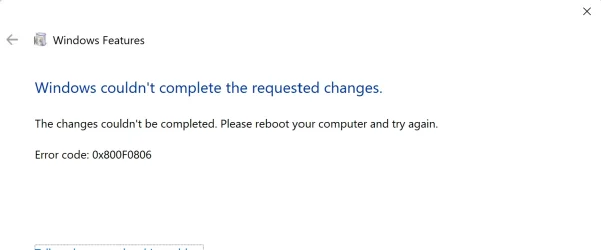
I always open the CMD & run an SFC (DISM if needed) as admin. I'm good - This is the 1 month I got Tuesdays downloads without any errors..1. Open Command Prompt as Administrator
- Press Win + X, then click Command Prompt (Admin) or Windows Terminal (Admin)
2. Run SFC Scan
- Type:- Wait for the scan to complete (can take 10–15 minutes)Code:sfc /scannow
- If issues are found but not fixed, proceed to step 3
3. Restore Health with DISM
- Type:- This may take 15–30 minutes (or less) depending on system stateCode:DISM /Online /Cleanup-Image /RestoreHealth
4. Re-run SFC (Optional) again to confirm repairs
- Type:Code:sfc /scannow
My Computer
At a glance
Windows 11 26H2 (OS Build 26300.9818)Processor: 11th Gen Intel(R) Core(TM) i5-1135...12GBIntel R Iris R XE Graphics family
- OS
- Windows 11 26H2 (OS Build 26300.9818)
- Computer type
- Laptop
- Manufacturer/Model
- Dell
- CPU
- Processor: 11th Gen Intel(R) Core(TM) i5-1135G7 @ 2.40G
- Motherboard
- 64-bit operating system Dell 0XMF7W
- Memory
- 12GB
- Graphics Card(s)
- Intel R Iris R XE Graphics family
- Sound Card
- Cirrus Speakers High Definition Audio
- Monitor(s) Displays
- Generic PnP monitor
- Screen Resolution
- 1920 x 1080
- Hard Drives
- NVMe 670p SSDPEKNU512GZ NVMe I NTEL 512GB
- Case
- cheap
- Mouse
- Logitech wireless mouse
- Internet Speed
- 16 Mps download
- Browser
- Google Chrome
- Antivirus
- Security: Microsoft Defender & Malwarebytes Premium (with browser guard)
- Other Info
- Dell model: Inspiron 15 3511