- Local time
- 10:00 AM
- Posts
- 81
- OS
- Windows 11 Home
Hey Guys,
After updating to "2025-10 Cumulative Update for Windows 11 Version 24H2 for x64-based Systems (KB5066835) (26100.6899)", the option "Advanced Startup" to access safe mode no longer works.
It does restart and gets to the screen below, but I cannot select any option. It is like the screen is frozen or my keyboard and mouse stopped working.
Obs.: I already ran "SFC/scannow" and "Dism.exe /Online /Cleanup-Image /RestoreHealth".

After updating to "2025-10 Cumulative Update for Windows 11 Version 24H2 for x64-based Systems (KB5066835) (26100.6899)", the option "Advanced Startup" to access safe mode no longer works.
It does restart and gets to the screen below, but I cannot select any option. It is like the screen is frozen or my keyboard and mouse stopped working.
Obs.: I already ran "SFC/scannow" and "Dism.exe /Online /Cleanup-Image /RestoreHealth".
- Windows Build/Version
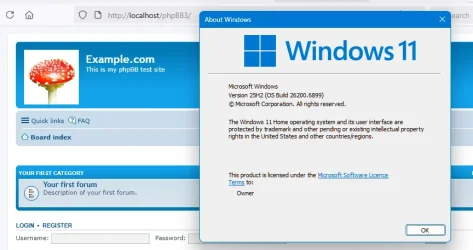
- Version 24H2 (OS Build 26100.6899)
My Computer
At a glance
Windows 11 HomeAMD Ryzen 7 7700Kingstone Fury 4x8 32GB DDR5 6000MT/sXFX SPEEDSTER MERC 310 AMD Radeon™ RX 7900 XT
- OS
- Windows 11 Home
- Computer type
- PC/Desktop
- CPU
- AMD Ryzen 7 7700
- Motherboard
- ASUS TUF GAMING B650M-PLUS WIFI
- Memory
- Kingstone Fury 4x8 32GB DDR5 6000MT/s
- Graphics Card(s)
- XFX SPEEDSTER MERC 310 AMD Radeon™ RX 7900 XT
- Screen Resolution
- 2k
- Hard Drives
- Samsung SSD 990 PRO
SAMSUNG MZVLQ512HBLU-00B
- PSU
- CORSAIR RM750e
- Case
- LIAN LI & DAN A3-mATX