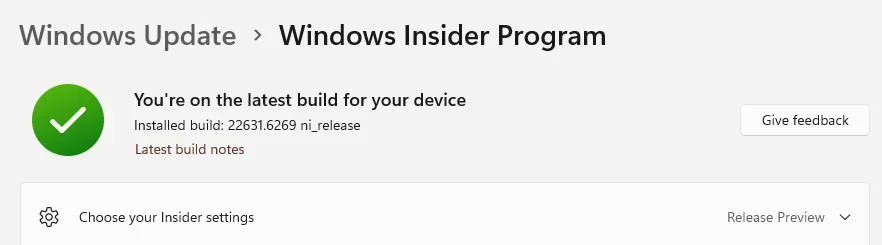
UPDATE 12/09:
 www.elevenforum.com
To view the latest updates about this release, visit the Windows release health dashboard or the update history page for Windows 11, version 23H2.
 www.elevenforum.com
Learn more
This non-security update includes quality improvements. The following summary outlines key issues addressed by the KB after you install it. Also, included are available new features. The bold text within the brackets indicates the item or area of the change.
Microsoft combines the latest servicing stack update (SSU) for your operating system with the latest cumulative update (LCU). For general information about SSUs, see Servicing stack updates and Servicing Stack Updates (SSU): Frequently Asked Questions.
Install this update
To install this update, use one of the following Windows and Microsoft release channels.
If you want to remove the LCU
To remove the LCU after installing the combined SSU and LCU package, use the DISM/Remove-Package command line option with the LCU package name as the argument. You can find the package name by using this command: DISM /online /get-packages.
Running Windows Update Standalone Installer (wusa.exe) with the /uninstall switch on the combined package will not work because the combined package contains the SSU. You cannot remove the SSU from the system after installation.
File information
For a list of the files provided in this update, download the file information for cumulative update 5070312.
For a list of the files provided in the servicing stack update, download the file information for the SSU (KB5071963) - versions 22621.6265.
 support.microsoft.com
Check Windows Updates
UUP Dump:
64-bit ISO download:

ARM64 ISO download:
 www.elevenforum.com
KB5071417 Windows 11 Cumulative Update build 22631.6345 (23H2) - Dec. 9
Microsoft Support: December 9, 2025 - KB5071417 (OS Build 22631.6345) This cumulative update for Windows 11, version 23H2 (KB5071417), includes the latest security fixes and improvements, along with non-security updates from last month’s optional preview release. To learn more about differences...
www.elevenforum.com
Microsoft Support:
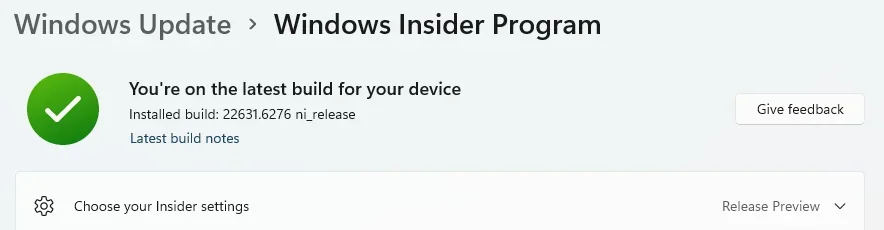
November 20, 2025 - KB5070312 (OS Build 22631.6276) Preview
This non-security update for Windows 11, version 23H2 (KB5070312), improves functionality, performance, and reliability. To learn more about differences between security updates, optional non-security preview updates, Out-of-band (OOB) updates, and continuous innovation, see Windows monthly updates explained. For information on Windows update terminology, see the different types of Windows software updates.To view the latest updates about this release, visit the Windows release health dashboard or the update history page for Windows 11, version 23H2.
Announcements and messages
This section provides key notifications related to this release, including announcements, change logs, and end-of-support notices.Windows Secure Boot certificate expiration
Important: Secure Boot certificates used by most Windows devices are set to expire starting in June 2026. This might affect the ability of certain personal and business devices to boot securely if not updated in time. To avoid disruption, we recommend reviewing the guidance and taking action to update certificates in advance. For details and preparation steps, see Windows Secure Boot certificate expiration and CA updates.
Updating Microsoft Secure Boot keys before expiration in June 2026
https://support.microsoft.com/en-us/topic/if-you-re-prevented-from-updating-secure-boot-certificates-e01cc486-8721-457f-9bc7-5cb801c1759e UPDATE 4/02: https://support.microsoft.com/en-us/topic/secure-boot-certificate-update-status-in-the-windows-security-app-5ce39986-7dd2-4852-8c21-ef30dd04f046...
www.elevenforum.com
End of servicing information
Starting June 26, 2025, Windows 11 version 22H2 (Enterprise and Education editions) will no longer receive non-security preview updates. However, monthly security updates will continue through October 14, 2025. After that date, this version will reach the end of servicing and will no longer receive security updates. To stay protected and up to date, we recommend you upgrade to the latest version of Windows 11.Learn more
Highlights
- This non-security update includes quality improvements.
Improvements
Normal rollout
Important: Use EKB KB5027397 to update to Windows 11, version 23H2.This non-security update includes quality improvements. The following summary outlines key issues addressed by the KB after you install it. Also, included are available new features. The bold text within the brackets indicates the item or area of the change.
- [Country and Operator Settings Asset (COSA)] Fixed: This update brings profiles up to date for certain mobile operators.
- [File Explorer] Fixed: This update addresses an issue where File Explorer sometimes didn’t respond to mouse clicks until you closed and reopened it.
- [File Management] Fixed: This update addresses an issue with extracting .tar files when file or folder names contain more than 34 commonly used Chinese characters.
- [Group Policy and Configuration] Fixed: This update addresses an issue where the HideRecommendedSection policy didn’t work in Windows 11 Enterprise multi-session environments, such as Azure Virtual Desktop (AVD). Even when configured using Group Policy or Configuration Service Provider (CSP), recommendations still appeared in AVD sessions.
Windows 11 servicing stack update (KB5071963) - 22621.6265
This update makes quality improvements to the servicing stack, which is the component that installs Windows updates. Servicing stack updates (SSU) ensure that you have a robust and reliable servicing stack so that your devices can receive and install Microsoft updates. To learn more about SSUs, see Simplifying on-premises deployment of servicing stack updates.Known issues in this update
Microsoft is not currently aware of any issues with this udpate.How to get this update
Before you install this updateMicrosoft combines the latest servicing stack update (SSU) for your operating system with the latest cumulative update (LCU). For general information about SSUs, see Servicing stack updates and Servicing Stack Updates (SSU): Frequently Asked Questions.
Install this update
To install this update, use one of the following Windows and Microsoft release channels.
| Available | Next Step |
|---|---|

| Go to Settings > Update & Security > Windows Update. In the Optional updates available area, you'll find the link to download and install the update. Check for optional updates |
|
| To get the standalone package for this update, go to the Microsoft Update Catalog. |
If you want to remove the LCU
To remove the LCU after installing the combined SSU and LCU package, use the DISM/Remove-Package command line option with the LCU package name as the argument. You can find the package name by using this command: DISM /online /get-packages.
Running Windows Update Standalone Installer (wusa.exe) with the /uninstall switch on the combined package will not work because the combined package contains the SSU. You cannot remove the SSU from the system after installation.
File information
For a list of the files provided in this update, download the file information for cumulative update 5070312.
For a list of the files provided in the servicing stack update, download the file information for the SSU (KB5071963) - versions 22621.6265.
Source:
November 20, 2025—KB5070312 (OS Build 22631.6276) Preview | Microsoft Support
November 20, 2025—KB5070312 (OS Build 22631.6276) Preview
support.microsoft.com
Check Windows Updates
UUP Dump:
64-bit ISO download:
Select language for Windows 11, version 23H2 (22631.6276) amd64
Select language for Windows 11, version 23H2 (22631.6276) amd64 on UUP dump. UUP dump lets you download Unified Update Platform files, like Windows Insider updates, directly from Windows Update.
uupdump.net
ARM64 ISO download:
Select language for Windows 11, version 23H2 (22631.6276) arm64
Select language for Windows 11, version 23H2 (22631.6276) arm64 on UUP dump. UUP dump lets you download Unified Update Platform files, like Windows Insider updates, directly from Windows Update.
uupdump.net
UUP Dump - Download Windows Insider ISO
UUP Dump is the most practical and easy way to get ISO images of any Insider Windows 10 or Windows 11 version, as soon as Microsoft has released a new build. UUP Dump creates a download configuration file according to your choices, downloads necessary files directly from Microsoft servers, and...
www.elevenforum.com
Last edited: