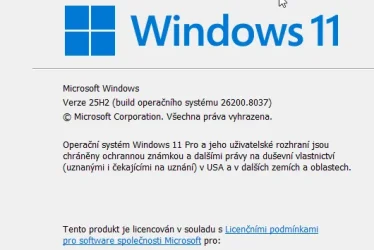
Win Update KB5079473 Windows 11 Cumulative Update build 26100.8037 (24H2) and 26200.8037 (25H2) - March 10


UPDATE 3/21:


 Microsoft Support:

March 10, 2026 - KB5079473 (OS Builds 26200.8037 and 26100.8037)​

This cumulative update for Windows 11, version 25H2 and 24H2 (KB5079473), includes the latest security fixes and improvements, along with non-security updates from last month’s optional preview release. To learn more about differences between security updates, optional non-security preview updates, out-of-band (OOB) updates, and continuous innovation, see Windows monthly updates explained. For information on Windows update terminology, see the different types of Windows software updates.

To view the latest updates about this release, visit the Windows release health dashboard or the update history page for Windows 11, version 25H2 and 24H2.


Announcements and messages

This section provides key notifications related to this release, including announcements, change logs, and end-of-support notices.

Windows Secure Boot certificate expiration​

Important: Secure Boot certificates used by most Windows devices are set to expire starting in June 2026. This might affect the ability of certain personal and business devices to boot securely if not updated in time. To avoid disruption, we recommend reviewing the guidance and taking action to update certificates in advance. For details and preparation steps, see Windows Secure Boot certificate expiration and CA updates.


Change log​

Change dateChange description
March 19, 2026Known issue added: "Signing in with a Microsoft account might fail for Microsoft Teams Free and other apps"
March 10, 2026This update does not include any changes.

Improvements

This security update contains fixes and quality improvements from KB5077181 (released February 10, 2026). The following summary outlines key issues addressed by this update. Also, included are available new features. The bold text within the brackets indicates the item or area of the change.
  • [Secure Boot] With this update, Windows quality updates include additional high confidence device targeting data, increasing coverage of devices eligible to automatically receive new Secure Boot certificates. Devices receive the new certificates only after demonstrating sufficient successful update signals, maintaining a controlled and phased rollout.
  • [File Explorer] Improved: This update improves File Explorer search reliability when searching across multiple drives or "This PC".
  • [Windows Defender Application Control] Improved: This update improves how Windows Defender Application Control (WDAC) handles COM objects allowlisting policies. COM objects were blocked when the endpoint security policy was set higher than the allowlisting policy. With this update, COM objects are allowed as expected.
  • [Windows System Image Manager] Improved: This update improves the reliability of choosing trusted catalog files. It adds a warning dialog that helps you confirm that the file you select comes from a trusted source.
If you've already installed previous updates, your device will download and install only the new updates included in this package.

For more information about security vulnerabilities, see the Security Update Guide and the March 2026 Security Updates.

AI Components

This release updates the following AI components:

AI ComponentVersion
Image Search1.2602.1451.0
Content Extraction1.2602.1451.0
Semantic Analysis1.2602.1451.0
Settings Model1.2602.1451.0

Windows 11 servicing stack update (KB5083532)- 26100.8035​

This update makes quality improvements to the servicing stack, which is the component that installs Windows updates. Servicing stack updates (SSU) ensure that you have a robust and reliable servicing stack so that your devices can receive and install Microsoft updates. To learn more about SSUs, see Simplifying on-premises deployment of servicing stack updates.

Known issues in this update

1 Signing in with a Microsoft account might fail for Microsoft Teams Free and other apps

Symptom

After installing this update, you might experience an issue signing into apps with a Microsoft account. Even when the device has a working internet connection, an error might appear during sign in that indicates a lack of internet connection and prevents access to Microsoft services and apps such as Microsoft Teams Free and OneDrive.

Note: Only sign ins using Microsoft accounts are affected. Businesses using Microsoft Entra ID for app authentication will not experience this issue.
Other applications affected include, but are not limited to, Microsoft Edge, Excel, Word, and Microsoft 365 Copilot. Whenever a feature in these applications requires signing into a Microsoft account, a similar error message can be encountered.

Workaround

This issue occurs when the device enters a specific network connectivity state and might resolve on its own. If you encounter this issue, restart the device while keeping it connected to the internet. This should repair the device connectivity state and prevent the issue from occurring.

Warning: If the device is restarted without an active internet connection, it might return to a connectivity state where the issue can occur again.

Microsoft is working to release a resolution for this issue in the next few days. Additional information will be shared as soon as it becomes available.

How to get this update

Before you install this update

Microsoft combines the latest servicing stack update (SSU) for your operating system with the latest cumulative update (LCU). For general information about SSUs, see Servicing stack updates and Servicing Stack Updates (SSU): Frequently Asked Questions.

Install this update

To install this update, use one of the following Windows and Microsoft release channels.

AvailableNext Step
Included
This update downloads and installs automatically from Windows Update and Microsoft Update.

Arm64 instructions

Before you install this update, the standalone package(s) for this update is available from the Microsoft Update Catalog website. This KB contains one or more MSU files that require installation in a specific order.

You can install this update using Method 1 (install all MSU files together) or Method 2 (install each MSU file individually, in order).

Method 1: Install all MSU files together

Download all MSU files for KB5079473 from Microsoft Update Catalog and place them in the same folder (for example, C:/Packages). Use Deployment Image Servicing and Management (DISM.exe) to install the target update. DISM will use the folder specified in PackagePath to discover and install one or more prerequisite MSU files as needed.

Updating Windows PC

To apply this update to a running Windows PC, run the following command from an elevated Command Prompt:

DISM /Online /Add-Package /PackagePath:c:\packages\Windows11.0-KB5079473-arm64.msu

Or, run the following command from an elevated Windows PowerShell prompt:

Add-WindowsPackage -Online -PackagePath "c:\packages\Windows11.0-KB5079473-arm64.msu"

Or use Windows Update Standalone Installer to install the target update.

Updating Windows Installation media

To apply this update to Windows Installation media, see Update Windows installation media with Dynamic Update.

Note: When downloading other Dynamic Update packages, ensure they match the same month as this KB. If the SafeOS Dynamic Update or Setup Dynamic Update is not available for the same month as this KB, use the most recently published version of each.

To add this update to a mounted image, run the following command from an elevated Command Prompt:

DISM /Image:mountdir /Add-Package /PackagePath:Windows11.0-KB5079473-arm64.msu

Or, run the following command from an elevated Windows PowerShell prompt:

Add-WindowsPackage -Path "c:\offline" -PackagePath "Windows11.0-KB5079473-arm64.msu" -PreventPending

Method 2: Install each MSU file individually, in order

Download and install each MSU file individually either using DISM or Windows Update Standalone Installer in the following order:
  1. windows11.0-kb5043080-arm64 - Download link will be available soon.
  2. windows11.0-kb5079473-arm64 - Download link will be available soon.
Note: This latest cumulative update includes updates for AI components. Even though the AI component updates are included in the update, the AI components are only applicable to Windows Copilot+ PCs and will not install on Windows PC or Windows Server.

x64 instructions

Before you install this update, the standalone package(s) for this update is available from the Microsoft Update Catalog website. This KB contains one or more MSU files that require installation in a specific order.
You can install this update using Method 1 (install all MSU files together) or Method 2 (install each MSU file individually, in order).

Method 1: Install all MSU files together

Download all MSU files for KB5079473 from Microsoft Update Catalog and place them in the same folder (for example, C:/Packages). Use Deployment Image Servicing and Management (DISM.exe) to install the target update. DISM will use the folder specified in PackagePath to discover and install one or more prerequisite MSU files as needed.

Updating Windows PC

To apply this update to a running Windows PC, run the following command from an elevated Command Prompt:

DISM /Online /Add-Package /PackagePath:c:\packages\Windows11.0-KB5079473-x64.msu

Or, run the following command from an elevated Windows PowerShell prompt:

Add-WindowsPackage -Online -PackagePath "c:\packages\Windows11.0-KB5079473-x64.msu"

Or use Windows Update Standalone Installer to install the target update.

Updating Windows Installation media

To apply this update to Windows Installation media, see Update Windows installation media with Dynamic Update.

Note: When downloading other Dynamic Update packages, ensure they match the same month as this KB. If the SafeOS Dynamic Update or Setup Dynamic Update is not available for the same month as this KB, use the most recently published version of each.

To add this update to a mounted image, run the following command from an elevated Command Prompt:

DISM /Image:mountdir /Add-Package /PackagePath:Windows11.0-KB5079473-x64.msu

Or, run the following command from an elevated Windows PowerShell prompt:

Add-WindowsPackage -Path "c:\offline" -PackagePath "Windows11.0-KB5079473-x64.msu" -PreventPending

Method 2: Install each MSU file individually, in order

Download and install each MSU file individually either using DISM or Windows Update Standalone Installer in the following order:
  1. windows11.0-kb5043080-x64 - Download link will be available soon.
  2. windows11.0-kb5079473-x64 - Download link will be available soon.
Note: This latest cumulative update includes updates for AI components. Even though the AI component updates are included in the update, the AI components are only applicable to Windows Copilot+ PCs and will not install on Windows PC or Windows Server.

If you want to remove the LCU

Before you decide to remove the LCU, see Understanding the risks: Why you should not uninstall security updates.

To remove the LCU after installing the combined SSU and LCU package, use the DISM/Remove-Package command line option with the LCU package name as the argument. You can find the package name by using this command: DISM /online /get-packages.

Running Windows Update Standalone Installer (wusa.exe) with the /uninstall switch on the combined package will not work because the combined package contains the SSU. You cannot remove the SSU from the system after installation.

File information

For a list of the files provided in this update, download the file information for cumulative update 5079473.

For a list of the files provided in the servicing stack update, download the file information for the SSU (KB5083532) - version 26100.8035.


 Source:


Check Windows Updates


ISO from Microsoft Media Creation Tool (MCT):


UUP Dump:

64-bit ISO download:

ARM64 ISO download:

 
Last edited:
Is it possible to run this Settings link in the default browser, Chrome in my case? Or it's yet another place of MS Edge promotion.

In my system the link opens in the default browser (Firefox)
 

My Computer My Computer

At a glance

Windows 11 Pro 25H2i7-12700K 2.7GhzKINGSTON FURY Beast 32Gb (4x8Gb) DDR4-3600
OS
Windows 11 Pro 25H2
Computer type
PC/Desktop
CPU
i7-12700K 2.7Ghz
Motherboard
Asus TUF GAMING Z690-PLUS WIFI D4
Memory
KINGSTON FURY Beast 32Gb (4x8Gb) DDR4-3600
Hard Drives
Kingston KC3000 PCIe 4.0 NVMe M.2 SSD
SAMSUNG SSD 850 PRO
WD Caviar Gold 2Tb
PSU
GIGABYTE AORUS 850W 80+ GOLD
Case
CC-COUGAR GEMINI S Iron-Gray ATX
Cooling
GIGABYTE AORUS WATERFORCE 240 Liquid Cooler
Keyboard
Logitech MK850
Mouse
Logitech M720 Triathlon
No issues here. Installed. DISM:OK, SFC some errors and repaired, Packages to be cleaned; 3. After cleanup the usual 2.
20 drivers replaced in the C:\Windows\System32\drivers dir. Still no sign of a CA2023 intermediate certificate. Still CA2011.

Package version distribution list; (Previous 26200.7922 update: 160 in total)

Item: 1742 074 x
Item: 26100.1 017 x
Item: 9319 001 x
Item: 9325 001 x
Item: 5503 001 x
Item: 6717 001 x
Item: 6584 001 x
Item: 7920 058 x
Item: 7922 006 x
Item: 8036 056 x
Item: 8037 006 x
-------------------------
#Items total : 222 Added up several versions.
WinPack Count : 222 Total # of packages
Number of Packages are equal.

62 additional packages compared to the previous update... ?
 
Last edited:

My Computers My Computers

  • At a glance

    Win 11 Pro "25H2" Build 26200.8653, Zorin OS ProIntel® Core™ i7-12700KF 12th Gen. (S1700)32GB DDR5 5600-36 Vengeance (2x16)PCIe4.0 Asus NVIDIA RTX3060Ti
    OS
    Win 11 Pro "25H2" Build 26200.8653, Zorin OS Pro
    Computer type
    PC/Desktop
    Manufacturer/Model
    Self built
    CPU
    Intel® Core™ i7-12700KF 12th Gen. (S1700)
    Motherboard
    ASUS Prime Z690-A, BIOS v4505 (Z690 Intel Chipset)
    Memory
    32GB DDR5 5600-36 Vengeance (2x16)
    Graphics Card(s)
    PCIe4.0 Asus NVIDIA RTX3060Ti
    Sound Card
    Onboard; Realtek
    Monitor(s) Displays
    34" LG 34UC79G-B Curved 21:9 144Hz
    Screen Resolution
    2560x1080 (No HDR)
    Hard Drives
    250Gb Samsung 870PRO NVMe (Win 11 Pro)
    1Tb Samsung 980PRO NVMe
    1Tb Samsung 970EVO NVMe
    2Tb Samsung 990PRO NVMe with heatsink.
    4Tb WDC WD40EZRZ Blue SATA (Int.)
    4Tb WDC WD40EZRZ Blue SATA (Int.)
    3Tb WDC WD30EFRZ Red SATA (Int.)
    256Gb Samsung 840PRO SSD (RHEL 9,5)
    256Gb Samsung 850PRO SSD (Zorin OS Pro 18)
    PSU
    Coolermaster 850W V2 Gold with internal 12cm exaust fan
    Case
    Be-Quiet Pure Base 600.
    Cooling
    3x Be-Quiet! 12/14cm "Silent Wings 4" casefans, 1x Arctic Freezer i35 CPU towerblock with fan.
    Keyboard
    Steelseries APEX 7 keyboard.
    Mouse
    Logitech G-502 Hero
    Internet Speed
    1Gb
    Browser
    Brave
    Antivirus
    F-Secure
    Other Info
    No Noise system.
    256Gb Kingston Travler USB 3.0 drive.
    64Gb Sandisk USB 3.2 drive. (Ventoy)
    8Gb Philips USB 3.0 drive. (Win. Inst.)
    8Gb Philips USB 3.0 drive. (Rescue disk)
    2Tb WD USB 3.0 Passport drive.
    USB Ext. 500Gb WD SATA drive.
    External USB 3.0 C.A. CD/DVD* burner.
  • At a glance

    Windows 11 Pro 25H2Intel® Core™ i7-6700K 6th Gen. (S1151)32Gb DDR4 2400 Corsair Vengeance (4x8)ASUS GeForce GTX1080
    Operating System
    Windows 11 Pro 25H2
    Computer type
    PC/Desktop
    Manufacturer/Model
    Selfbuild
    CPU
    Intel® Core™ i7-6700K 6th Gen. (S1151)
    Motherboard
    ASUS Maximus VIII Ranger (Intel Chipset Z170)
    Memory
    32Gb DDR4 2400 Corsair Vengeance (4x8)
    Graphics card(s)
    ASUS GeForce GTX1080
    Sound Card
    Onboard; Realtek
    Monitor(s) Displays
    LG IPS277L 27" WideLED, IPS
    Screen Resolution
    1920x1080
    Hard Drives
    Samsung 850 Pro SSD
    PSU
    Zalman ZM600-HP with internal exhaust fan. Heatpipes & Modular cables.
    Case
    Cooler Master Aero
    Cooling
    Scythe Mugen 4 dual fan towerblock.
    Keyboard
    Red Dragon
    Mouse
    Red Dragon
    Internet Speed
    1Gb
    Browser
    Chrome
    Antivirus
    F-Secure
I got this error message on several machines when I hit restart after it finished installing the update to 26200.8037.
Everything looked fine after the update was done and the machines up and running with 26200.8037.
Did anybody get this error on 1st restart?
No. This is not an standard error. You do have a laptop/PC that has a Intel Graphics card. Most users use a seperate videocard from AMD or NVIDIA.
There maybe an issue after the first reboot. If this message disappeared after a 2nd, 3rth etc. reboot that issue has been fixed. A temporary error when updating your Windows system. It can happen when drivers are replaced. (some drivers are replaced by this update; c.a. 20 in total at the first quick look.)

This update rebooted several times.
1st - Logging off, 0% - 30%, Reboots. (Normal, Update things with are safe to replace. Not active after the next step.)
2nd - Booting, 30% - 100% Reboots. (Normal, Reboot makes things active, Is finishing the rest of updates.)
3rth - Booting, Updating and logging in. (Extra)

The updating regime seems to be changed since a several versions ago. Usually you could log in after the end of 2.

If your system doesn't shows this error anymore after this update; your system is OK. (You can check if you have the latest drivers installed to be sure. If there aren't one; that's OK also. Check Intels forums for this issue. If you have seen this, many other people have seen this behavior also. Maybe Intel can explain the reason why..... They must have an explanation for this.)
 

My Computers My Computers

  • At a glance

    Win 11 Pro "25H2" Build 26200.8653, Zorin OS ProIntel® Core™ i7-12700KF 12th Gen. (S1700)32GB DDR5 5600-36 Vengeance (2x16)PCIe4.0 Asus NVIDIA RTX3060Ti
    OS
    Win 11 Pro "25H2" Build 26200.8653, Zorin OS Pro
    Computer type
    PC/Desktop
    Manufacturer/Model
    Self built
    CPU
    Intel® Core™ i7-12700KF 12th Gen. (S1700)
    Motherboard
    ASUS Prime Z690-A, BIOS v4505 (Z690 Intel Chipset)
    Memory
    32GB DDR5 5600-36 Vengeance (2x16)
    Graphics Card(s)
    PCIe4.0 Asus NVIDIA RTX3060Ti
    Sound Card
    Onboard; Realtek
    Monitor(s) Displays
    34" LG 34UC79G-B Curved 21:9 144Hz
    Screen Resolution
    2560x1080 (No HDR)
    Hard Drives
    250Gb Samsung 870PRO NVMe (Win 11 Pro)
    1Tb Samsung 980PRO NVMe
    1Tb Samsung 970EVO NVMe
    2Tb Samsung 990PRO NVMe with heatsink.
    4Tb WDC WD40EZRZ Blue SATA (Int.)
    4Tb WDC WD40EZRZ Blue SATA (Int.)
    3Tb WDC WD30EFRZ Red SATA (Int.)
    256Gb Samsung 840PRO SSD (RHEL 9,5)
    256Gb Samsung 850PRO SSD (Zorin OS Pro 18)
    PSU
    Coolermaster 850W V2 Gold with internal 12cm exaust fan
    Case
    Be-Quiet Pure Base 600.
    Cooling
    3x Be-Quiet! 12/14cm "Silent Wings 4" casefans, 1x Arctic Freezer i35 CPU towerblock with fan.
    Keyboard
    Steelseries APEX 7 keyboard.
    Mouse
    Logitech G-502 Hero
    Internet Speed
    1Gb
    Browser
    Brave
    Antivirus
    F-Secure
    Other Info
    No Noise system.
    256Gb Kingston Travler USB 3.0 drive.
    64Gb Sandisk USB 3.2 drive. (Ventoy)
    8Gb Philips USB 3.0 drive. (Win. Inst.)
    8Gb Philips USB 3.0 drive. (Rescue disk)
    2Tb WD USB 3.0 Passport drive.
    USB Ext. 500Gb WD SATA drive.
    External USB 3.0 C.A. CD/DVD* burner.
  • At a glance

    Windows 11 Pro 25H2Intel® Core™ i7-6700K 6th Gen. (S1151)32Gb DDR4 2400 Corsair Vengeance (4x8)ASUS GeForce GTX1080
    Operating System
    Windows 11 Pro 25H2
    Computer type
    PC/Desktop
    Manufacturer/Model
    Selfbuild
    CPU
    Intel® Core™ i7-6700K 6th Gen. (S1151)
    Motherboard
    ASUS Maximus VIII Ranger (Intel Chipset Z170)
    Memory
    32Gb DDR4 2400 Corsair Vengeance (4x8)
    Graphics card(s)
    ASUS GeForce GTX1080
    Sound Card
    Onboard; Realtek
    Monitor(s) Displays
    LG IPS277L 27" WideLED, IPS
    Screen Resolution
    1920x1080
    Hard Drives
    Samsung 850 Pro SSD
    PSU
    Zalman ZM600-HP with internal exhaust fan. Heatpipes & Modular cables.
    Case
    Cooler Master Aero
    Cooling
    Scythe Mugen 4 dual fan towerblock.
    Keyboard
    Red Dragon
    Mouse
    Red Dragon
    Internet Speed
    1Gb
    Browser
    Chrome
    Antivirus
    F-Secure
You do have a laptop/PC that has a Intel Graphics card. Most users use a seperate videocard from AMD or NVIDIA.

More than 60% of the world's laptops/desktops use Intel graphics.
 

My Computer My Computer

At a glance

Windows 11
OS
Windows 11
Computer type
Laptop
I've noticed a new trend. If you resize icons in a folder, often the icons disappear until you change directory and come back. :think: :coffee: Doesn't always happen so I can't find the common denominator. :oops:
 

My Computer My Computer

At a glance

Windows 11 EducationIntel® Core™ i9-13900K Desktop Processor 16 (...G.Skill Ripjaws V Series 32gb (2x16gb) DDR4 3...Asus Dual Geforce Rtx™ 3060 TI Edition 8gb Gddr6
OS
Windows 11 Education
Computer type
PC/Desktop
CPU
Intel® Core™ i9-13900K Desktop Processor 16 (8P+8E)
Motherboard
Asus TUF Gaming Z790-PLUS WIFI D4
Memory
G.Skill Ripjaws V Series 32gb (2x16gb) DDR4 3600mhz
Graphics Card(s)
Asus Dual Geforce Rtx™ 3060 TI Edition 8gb Gddr6
Monitor(s) Displays
BenQ EW3270U 31.5” 3840x2160 UHD 16:9 HDR LED 4K LG 27UK850-W 27'' 4K UHD IPS LED Monitor with HDR10
Screen Resolution
3840x2160
Hard Drives
Samsung 990 with heatsink PRO PCIe 4.0 Gen 4 NVMe® SSD 1TB
WD_BLACK SN850X NVMe M.2 2280 1TB PCI-Express 4.0
Crucial T500 2TB Gen4
Samsung 970 Evo M.2 2280 2tb Pcie Gen3. X4
PSU
Corsair AXi Series AX860i Digital 860W 80 PLUS PSU
Case
Fractal Meshify C ATX Mid Tower Case
Keyboard
Logi MX Keys
Mouse
Logi M705
Internet Speed
400 mbs
Browser
Firefox
Antivirus
Eset NOD32
Other Info
Love fast boots
Everything went fine here! Regarding sdks installation there is also net sdk 10.0.200 which I installed it today from the official site and now I am having it installed together with the net sdk 10.0.104 which was installed yesterday via windows update! I suppose that I should also keep installed the 10.0.104 version...Am I right?
 

My Computer My Computer

At a glance

win 11 pro 25 h2
OS
win 11 pro 25 h2
Computer type
PC/Desktop
In my system the link opens in the default browser (Firefox)
Thank you! If this is possible with Firefox, it also may work with Chrome. Apparently Chrome changes less internal settings than FF. I looked at the Edge command line using Process Explorer and noticed the fragment microsoft-edge:https://... which may explain start of this browser. If I remove this prefix (as I tested in CMD), this link is opened in default browser. The only question, where this link is in OS, somewhere in the Registry perhaps.
 

My Computer My Computer

At a glance

Windows 11 Pro 25H2AMD Rysen 5 4600H32 GB (2 x 16 GB Samsung SO-DIMM DDR4-3200)GeForce GTX 1650 Ti, 4 GB GDDR6
OS
Windows 11 Pro 25H2
Computer type
Laptop
Manufacturer/Model
Lenovo Legion 5-15ARH05
CPU
AMD Rysen 5 4600H
Memory
32 GB (2 x 16 GB Samsung SO-DIMM DDR4-3200)
Graphics Card(s)
GeForce GTX 1650 Ti, 4 GB GDDR6
Screen Resolution
1920x1080
Hard Drives
SSD M.2 512 GB SAMSUNG MZALQ512; SSD M.2 1 TB Seagate FireCuda 530
Mouse
Logitech M650L in Bluetooth mode
Soon it will open in Copilot!
Still, completely unnecessary feature!
 

My Computers My Computers

  • At a glance

    Windows 11 Pro
    OS
    Windows 11 Pro
    Computer type
    PC/Desktop
    Manufacturer/Model
    ASUS ROG Strix
  • At a glance

    Windows 11 Pro
    Operating System
    Windows 11 Pro
    Computer type
    Laptop
    Manufacturer/Model
    ASUS VivoBook
  • ASUS VivoBook 'Lite' ~ Windows 11 Home
Thank you! If this is possible with Firefox, it also may work with Chrome. Apparently Chrome changes less internal settings than FF. I looked at the Edge command line using Process Explorer and noticed the fragment microsoft-edge:https://... which may explain start of this browser. If I remove this prefix (as I tested in CMD), this link is opened in default browser. The only question, where this link is in OS, somewhere in the Registry perhaps.

I don't think this is a browser-specific issue (Chrome vs Firefox), but rather a Windows behavior governed by regional settings.

One of the recent Windows updates changed the way links and widgets behave. While they used to force open in Edge, they now respect the system's default browser (Firefox in my case). This change is a direct result of Microsoft’s compliance with the Digital Markets Act (DMA), which specifically applies to users within the European Economic Area (EEA).

If you are located outside the EU/EEA, Windows likely still hardcodes these links to the microsoft-edge: protocol to promote their own ecosystem. For those of us in the EU, Microsoft was legally forced to stop this practice and allow the default browser to take over these requests.
 

My Computer My Computer

At a glance

Windows 11 Pro 25H2i7-12700K 2.7GhzKINGSTON FURY Beast 32Gb (4x8Gb) DDR4-3600
OS
Windows 11 Pro 25H2
Computer type
PC/Desktop
CPU
i7-12700K 2.7Ghz
Motherboard
Asus TUF GAMING Z690-PLUS WIFI D4
Memory
KINGSTON FURY Beast 32Gb (4x8Gb) DDR4-3600
Hard Drives
Kingston KC3000 PCIe 4.0 NVMe M.2 SSD
SAMSUNG SSD 850 PRO
WD Caviar Gold 2Tb
PSU
GIGABYTE AORUS 850W 80+ GOLD
Case
CC-COUGAR GEMINI S Iron-Gray ATX
Cooling
GIGABYTE AORUS WATERFORCE 240 Liquid Cooler
Keyboard
Logitech MK850
Mouse
Logitech M720 Triathlon
Is it possible to run this Settings link in the default browser, Chrome in my case? Or it's yet another place of MS Edge promotion.
Sure is, mine opens in my Vivaldi browser no issues.
 

Attachments

  • Screenshot 2026-03-11 084352.webp
    Screenshot 2026-03-11 084352.webp
    64 KB · Views: 2

My Computers My Computers

  • At a glance

    Windows 11 25H2Intel Core Ultra 9 275HX (24-Core)64GB DDR5 6400MT/sNVIDIA GeForce RTX 5080 and Intel UHD Graphics
    OS
    Windows 11 25H2
    Computer type
    Laptop
    Manufacturer/Model
    Alienware 18 Area-51
    CPU
    Intel Core Ultra 9 275HX (24-Core)
    Motherboard
    Alienware
    Memory
    64GB DDR5 6400MT/s
    Graphics Card(s)
    NVIDIA GeForce RTX 5080 and Intel UHD Graphics
    Sound Card
    Onboard, Realtek high-performance Audio chips (ALC3329 & ALC1708))
    Monitor(s) Displays
    300HZ 18-inch QHD 500 nit Comfort View+
    Screen Resolution
    2560 x 1600
    Hard Drives
    2TB NVMe M.2 PCIe Gen 5 SSD
    Case
    Magnesium Alloy
    Cooling
    Advanced Cryo-Tech Quad-Fan Cooling system & large vapor chamber
    Keyboard
    Cherry MX ultra low profile mechanical keyboard with per key AlienFX RGB lighting
    Mouse
    Logitech MX Master 4
    Browser
    Vivaldi (main), Firefox, Chrome, Edge
    Antivirus
    MS Defender and Malwarebytes Free
  • At a glance

    Windows 11 25H2Qualcomm Snapdragon X Elite (12 Core) ARM bas...16GB LPDDR5Qualcomm Adreno X1-85
    Operating System
    Windows 11 25H2
    Computer type
    Laptop
    Manufacturer/Model
    Microsoft Surface Laptop 7
    CPU
    Qualcomm Snapdragon X Elite (12 Core) ARM based CPU
    Motherboard
    Microsoft Corp.
    Memory
    16GB LPDDR5
    Graphics card(s)
    Qualcomm Adreno X1-85
    Sound Card
    Omnisonic speakers with Dolby Atmos spatial sound
    Monitor(s) Displays
    120 Hz 13.8-inch 600 nit PixelSense Flow touchscreen
    Screen Resolution
    2304x1536
    Hard Drives
    1TB NVMe Gen 4 SSD
    Case
    Anodized Aluminum
    Cooling
    Traditional active cooling fan system
    Keyboard
    Mechanical QWERTY, backlit when in use
    Mouse
    Logitech MX Master 4 and Surface Arc Mouse
    Browser
    Vivaldi (main), Firefox, Chrome, Edge
    Antivirus
    MS Defender and Malwarebytes Free
I had a hell of a time with this update.....

First off, my system would constantly want to reboot - log in, WU says system needs to reboot, then repeat.

After about ten times with no change I went ahead and attempted to do a clean install -- it had been a few months, so what could go wrong.......

Then I got hit with MOK errors from my Ventoy boot USB. After disabling Secure Boot I was finally able to get my system back to a working desktop. After install, I was able to enable Secure Boot (according to msinfo32 and HWInfo it's enabled) and I'm now in the process of getting my system back to where it was.

I need to update my Ventoy and do some more testing on it to make sure it's got the latest Secure Boot keys.

...sigh...
 

My Computer My Computer

At a glance

Windows 11 Pro 25H2 (26200.8457)AMD Ryzen 7 7800X3D32gb Team Group (T-Force) DDR5-6000Zotac nVidia GeForce RTX 4070 SUPER - 12gb
OS
Windows 11 Pro 25H2 (26200.8457)
Computer type
PC/Desktop
Manufacturer/Model
Pre-built
CPU
AMD Ryzen 7 7800X3D
Motherboard
MSI Pro B650-VC WiFi
Memory
32gb Team Group (T-Force) DDR5-6000
Graphics Card(s)
Zotac nVidia GeForce RTX 4070 SUPER - 12gb
Sound Card
Sound BlasterX G6
Monitor(s) Displays
Koorui G2421V and ViewSonic VX2453
Screen Resolution
P:2560x1440 S:1920x1080
Hard Drives
WD Blue SN5000 - 500gb NVME
WD Blue SN580 - 2TB NVME
Seagate 4TB HDD - ST4000VN008-2DR166
Keyboard
Mountain Everest
Mouse
Logitech G502 Hero
Internet Speed
T-Mobile Home Internet
Browser
Firefox
Other Info
QNAP TS-469 Pro NAS
TP-Link W7200 (2 unit mesh network)
Elgato Streamdeck
More than 60% of the world's laptops/desktops use Intel graphics.
Figures to backup that claim???
Maybe that was the case back in 2013; PC shipments continue decline, but graphics are on the up but today? NVIDIA dominates 94%, AMD 5% and Intel 1% as off Q3 2025 sold machines; NVIDIA Grabs 94% AIB GPU Market Share, AMD Falls to 5% According to these figures and in the past the bulk of all Windows costumers (I am not talking about the millions of servers that don't need sophisticated graphic cards, business laptops. A screen will do for local usage. And Linux users don't care about sophisticated graphics. They will. The market wants a separate OS that is not Windows and can game also. Those several distributions are appearing now.) belongs to NVIDIA 1st, AMD 2nd and way back there in the margins Intel. It is what it is. So my claim still stands. Many PC's that are fitted with an Intel CPU have a graphical option in their CPU's but are using a different brand graphics card according to the users needs. I for one choose a CPU without this option (had already a RTX card) but still one out of the overclock range. (Ending with 'KF') The same applies to AMD WX or F, some X.
 

My Computers My Computers

  • At a glance

    Win 11 Pro "25H2" Build 26200.8653, Zorin OS ProIntel® Core™ i7-12700KF 12th Gen. (S1700)32GB DDR5 5600-36 Vengeance (2x16)PCIe4.0 Asus NVIDIA RTX3060Ti
    OS
    Win 11 Pro "25H2" Build 26200.8653, Zorin OS Pro
    Computer type
    PC/Desktop
    Manufacturer/Model
    Self built
    CPU
    Intel® Core™ i7-12700KF 12th Gen. (S1700)
    Motherboard
    ASUS Prime Z690-A, BIOS v4505 (Z690 Intel Chipset)
    Memory
    32GB DDR5 5600-36 Vengeance (2x16)
    Graphics Card(s)
    PCIe4.0 Asus NVIDIA RTX3060Ti
    Sound Card
    Onboard; Realtek
    Monitor(s) Displays
    34" LG 34UC79G-B Curved 21:9 144Hz
    Screen Resolution
    2560x1080 (No HDR)
    Hard Drives
    250Gb Samsung 870PRO NVMe (Win 11 Pro)
    1Tb Samsung 980PRO NVMe
    1Tb Samsung 970EVO NVMe
    2Tb Samsung 990PRO NVMe with heatsink.
    4Tb WDC WD40EZRZ Blue SATA (Int.)
    4Tb WDC WD40EZRZ Blue SATA (Int.)
    3Tb WDC WD30EFRZ Red SATA (Int.)
    256Gb Samsung 840PRO SSD (RHEL 9,5)
    256Gb Samsung 850PRO SSD (Zorin OS Pro 18)
    PSU
    Coolermaster 850W V2 Gold with internal 12cm exaust fan
    Case
    Be-Quiet Pure Base 600.
    Cooling
    3x Be-Quiet! 12/14cm "Silent Wings 4" casefans, 1x Arctic Freezer i35 CPU towerblock with fan.
    Keyboard
    Steelseries APEX 7 keyboard.
    Mouse
    Logitech G-502 Hero
    Internet Speed
    1Gb
    Browser
    Brave
    Antivirus
    F-Secure
    Other Info
    No Noise system.
    256Gb Kingston Travler USB 3.0 drive.
    64Gb Sandisk USB 3.2 drive. (Ventoy)
    8Gb Philips USB 3.0 drive. (Win. Inst.)
    8Gb Philips USB 3.0 drive. (Rescue disk)
    2Tb WD USB 3.0 Passport drive.
    USB Ext. 500Gb WD SATA drive.
    External USB 3.0 C.A. CD/DVD* burner.
  • At a glance

    Windows 11 Pro 25H2Intel® Core™ i7-6700K 6th Gen. (S1151)32Gb DDR4 2400 Corsair Vengeance (4x8)ASUS GeForce GTX1080
    Operating System
    Windows 11 Pro 25H2
    Computer type
    PC/Desktop
    Manufacturer/Model
    Selfbuild
    CPU
    Intel® Core™ i7-6700K 6th Gen. (S1151)
    Motherboard
    ASUS Maximus VIII Ranger (Intel Chipset Z170)
    Memory
    32Gb DDR4 2400 Corsair Vengeance (4x8)
    Graphics card(s)
    ASUS GeForce GTX1080
    Sound Card
    Onboard; Realtek
    Monitor(s) Displays
    LG IPS277L 27" WideLED, IPS
    Screen Resolution
    1920x1080
    Hard Drives
    Samsung 850 Pro SSD
    PSU
    Zalman ZM600-HP with internal exhaust fan. Heatpipes & Modular cables.
    Case
    Cooler Master Aero
    Cooling
    Scythe Mugen 4 dual fan towerblock.
    Keyboard
    Red Dragon
    Mouse
    Red Dragon
    Internet Speed
    1Gb
    Browser
    Chrome
    Antivirus
    F-Secure
Could you please publish this script. It looks like a good one and I would like to use it. Thanks in advance.
If it suits you, I can send you something like this.

DISM.webp
 

My Computer My Computer

At a glance

Windows 11 Stable, Beta, Dev, CanaryAMD Ryzen 9 PRO 5950X128 GbIntel(R) Arc(TM) A380 Graphics (2 ГБ)
OS
Windows 11 Stable, Beta, Dev, Canary
Computer type
PC/Desktop
Manufacturer/Model
Micro-Star International Co., Ltd. MS-7D54
CPU
AMD Ryzen 9 PRO 5950X
Motherboard
MSI MAG X570S Tomahawk Max WiFi (MS-7D54) (2 PCI-E x1, 2 PCI-E x16, 2 M.2, 4 DDR4 DIMM, Audio, Video, 2.5GbE LAN, WiFi)
Memory
128 Gb
Graphics Card(s)
Intel(R) Arc(TM) A380 Graphics (2 ГБ)
Sound Card
Устройство с поддержкой High Definition Audio
Monitor(s) Displays
HP X34 [34" LCD] (6CM1300J5J) {2021}
Screen Resolution
3440x1440
Hard Drives
KINGSTON SFYRD2000G (2000 ГБ, PCI-E 4.0 x4)
PSU
Be Quiet! Dark Rock Pro 4
Case
Cooler Master HAF XB EVO
Internet Speed
1000 Mb/s
Browser
Chrome
Antivirus
Windows Defender

My Computer My Computer

At a glance

Win 11 Insider Release Preview and Beta chann...i5 Core [email protected] (Unsupported for Win 11)12GBGeneric PnP Monitor (1920x1080@60Hz) Intel HD...
OS
Win 11 Insider Release Preview and Beta channels.
Computer type
Laptop
Manufacturer/Model
HP ENVY Bought: March 2017
CPU
i5 Core [email protected] (Unsupported for Win 11)
Motherboard
HP 81AD (U3E1)
Memory
12GB
Graphics Card(s)
Generic PnP Monitor (1920x1080@60Hz) Intel HD Graphics 620 (HP)
Sound Card
Conexant ISST audio
Monitor(s) Displays
Generic PnP Monitor
Screen Resolution
1536x864 pixels
Hard Drives
HGST HTS721010A9E630
PSU
Well...PSU you too!! What's this mean?
Case
HP ENVY SILVER
Cooling
A fan.
Keyboard
USA
Mouse
Logitec Anywhere 2
Internet Speed
Good enough for me! Fast!
Browser
Edge/Waterfox
Antivirus
Windows Defender
Other Info
No 'mo.
Finally, no problem, but the fear I had...
 

Attachments

  • winver.webp
    winver.webp
    26 KB · Views: 2

My Computer My Computer

At a glance

Windows 11 Pro 25H2 build 26200.8655AMD Ryzen 7 7700XRAM: 64 GB DDR5AMD Radeon RX 7800 XT (16 GB)
OS
Windows 11 Pro 25H2 build 26200.8655
Computer type
PC/Desktop
Manufacturer/Model
Custom build (Gigabyte)
CPU
AMD Ryzen 7 7700X
Motherboard
Gigabyte B650M GAMING X AX
Memory
RAM: 64 GB DDR5
Graphics Card(s)
AMD Radeon RX 7800 XT (16 GB)
Sound Card
Realtek (onboard)
Monitor(s) Displays
Samsung
Screen Resolution
1920 x 1080
Hard Drives
Samsung 990 PRO 1 TB (NVM-e),
Keyboard
Logitech MX Master
Mouse
Logitech
Internet Speed
13ms/250Mbps/25Mbps
Browser
Microsoft Edge
Antivirus
Bitdefender
Other Info
UEFI, Secure Boot ON, TPM 2.0 ON
If this is possible with Firefox, it also may work with Chrome.
It'll work with any default browser, it's simply a go-link.

12720.gif
 

My Computers My Computers

  • At a glance

    Windows 11 Pro
    OS
    Windows 11 Pro
    Computer type
    PC/Desktop
    Manufacturer/Model
    ASUS ROG Strix
  • At a glance

    Windows 11 Pro
    Operating System
    Windows 11 Pro
    Computer type
    Laptop
    Manufacturer/Model
    ASUS VivoBook
  • ASUS VivoBook 'Lite' ~ Windows 11 Home

Attachments

My Computer My Computer

At a glance

Windows 11 Stable, Beta, Dev, CanaryAMD Ryzen 9 PRO 5950X128 GbIntel(R) Arc(TM) A380 Graphics (2 ГБ)
OS
Windows 11 Stable, Beta, Dev, Canary
Computer type
PC/Desktop
Manufacturer/Model
Micro-Star International Co., Ltd. MS-7D54
CPU
AMD Ryzen 9 PRO 5950X
Motherboard
MSI MAG X570S Tomahawk Max WiFi (MS-7D54) (2 PCI-E x1, 2 PCI-E x16, 2 M.2, 4 DDR4 DIMM, Audio, Video, 2.5GbE LAN, WiFi)
Memory
128 Gb
Graphics Card(s)
Intel(R) Arc(TM) A380 Graphics (2 ГБ)
Sound Card
Устройство с поддержкой High Definition Audio
Monitor(s) Displays
HP X34 [34" LCD] (6CM1300J5J) {2021}
Screen Resolution
3440x1440
Hard Drives
KINGSTON SFYRD2000G (2000 ГБ, PCI-E 4.0 x4)
PSU
Be Quiet! Dark Rock Pro 4
Case
Cooler Master HAF XB EVO
Internet Speed
1000 Mb/s
Browser
Chrome
Antivirus
Windows Defender
I have been getting this error any time I reboot after installing an update. This has been happening at least a month for me.
I've never seen that error, could be associated with a specific GPU or drivers.
 

My Computers My Computers

  • At a glance

    Win 11 Pro 25H2, Build 26200.8655Intel Core i5 1450064GB DDR4GeForce RTX 4060
    OS
    Win 11 Pro 25H2, Build 26200.8655
    Computer type
    PC/Desktop
    Manufacturer/Model
    Home Brew
    CPU
    Intel Core i5 14500
    Motherboard
    Gigabyte B760M G P WIFI
    Memory
    64GB DDR4
    Graphics Card(s)
    GeForce RTX 4060
    Sound Card
    Chipset Realtek
    Monitor(s) Displays
    LG 45" Ultragear, Acer 24" 1080p
    Screen Resolution
    5120x1440, 1920x1080
    Hard Drives
    Crucial P310 2TB 2280 PCIe Gen4 3D NAND NVMe M.2 SSD (O/S)
    Silicon Power 2TB US75 NVMe PCIe Gen4 M.2 2280 SSD (backup)
    Crucial BX500 2TB 3D NAND (2nd backup)
    Seagate 4TB Ironwolf, rotating HDD archive files
    External off-line backup Drives: 2 NVMe 4TB drives in external enclosures
    PSU
    Thermaltake Toughpower GF3 750W
    Case
    LIAN LI LANCOOL 216 E-ATX PC Case
    Cooling
    Lots of fans!
    Keyboard
    Microsoft Comfort Curve 2000
    Mouse
    Logitech G305
    Internet Speed
    Verizon FiOS 1GB
    Browser
    Firefox
    Antivirus
    Malware Bytes & Windows Defender Security
  • At a glance

    Win 11 Pro 25H2, Build 26200.8524Intel Core i5 1440032GB DDR5Intel 700 Embedded GPU
    Operating System
    Win 11 Pro 25H2, Build 26200.8524
    Computer type
    PC/Desktop
    Manufacturer/Model
    Home Brew
    CPU
    Intel Core i5 14400
    Motherboard
    Gigabyte B760M DS3H AX
    Memory
    32GB DDR5
    Graphics card(s)
    Intel 700 Embedded GPU
    Sound Card
    Realtek Embedded
    Monitor(s) Displays
    27" HP 1080p
    Screen Resolution
    1920x1080
    Hard Drives
    Crucial P310 2TB 2280 PCIe Gen4 eD NAND PCIe SSD
    Samsung EVO 990 2TB NVMe Gen4 SSD
    Samsung 2TB SATA SSD
    PSU
    Thermaltake Smart BM3 650W
    Case
    Okinos Micro ATX Case
    Cooling
    Fans
    Keyboard
    Microsoft Comfort Curve 2000
    Mouse
    Logitech G305
    Internet Speed
    Verizon FiOS 1GB
    Browser
    Firefox
    Antivirus
    Malware Bytes & Windows Defender Security
No issues with my laptop using the Nvidia GPU with HDMI monitor connected. Does have the Intel GPU of course but I have the RTX3060 selected as primary.
 

My Computer My Computer

At a glance

11 Pro 25H2i7-10750H16GB Samsung DDR4 3200Intel + Nvidia RTX3060 Laptop
OS
11 Pro 25H2
Computer type
Laptop
Manufacturer/Model
MSI
CPU
i7-10750H
Motherboard
MSI MS-17F5
Memory
16GB Samsung DDR4 3200
Graphics Card(s)
Intel + Nvidia RTX3060 Laptop
Sound Card
Realtek
Monitor(s) Displays
Samsung 24" Curved (HDMI)
Screen Resolution
1920x1080
Hard Drives
Sabrent Rocket Gen3 1Tb Smasung EVO 870 1TB
Antivirus
Bitdefender
I got this error message on several machines when I hit restart after it finished installing the update to 26200.8037.
Everything looked fine after the update was done and the machines up and running with 26200.8037.
Did anybody get this error on 1st restart?

First try "Repair", if that did not help, try "Reset". You may need to do a restart after each action.

Screenshot 2026-03-11 132030.webp
 

My Computers My Computers

  • At a glance

    Windows 11 Pro 25H2 26200.8655Intel® Core™ Ultra 7 265 1.8GHz to 5.3GHz (Ar...SK Hynix 32GB DDR5 5600 Desktop RAM UDIMM Non...Dell NVIDIA® GeForce RTX™ 4060 8GB GDDR6 & (i...
    OS
    Windows 11 Pro 25H2 26200.8655
    Computer type
    PC/Desktop
    Manufacturer/Model
    Dell Tower Plus EBT2250, DOB: 06/15/2025
    CPU
    Intel® Core™ Ultra 7 265 1.8GHz to 5.3GHz (Arrow Lake)
    Motherboard
    Dell Inc. 02D3NT A00 (U3E1)
    Memory
    SK Hynix 32GB DDR5 5600 Desktop RAM UDIMM Non-ECC PC5-5600B
    Graphics Card(s)
    Dell NVIDIA® GeForce RTX™ 4060 8GB GDDR6 & (iGPU) Integrated Intel® UHD Graphics
    Sound Card
    Chipset Realtek High-Definition Audio with Dolby Atmos
    Monitor(s) Displays
    Dell Ultra Sharp U2515H 25-Inch Screen LED-Lit
    Screen Resolution
    2560 X 1440
    Hard Drives
    Samsung (NVMe PM9C1a 1024GB) M.2 PCIe NVMe Solid State Drive (OS), with Samsung Piccolo (S4LY022) 6-Core 4 Channel Controller.

    Samsung T7 500GB SSD, USB-C External Drive
    PSU
    Dell 460W
    Case
    Dell Tower Plus EBT 2250
    Cooling
    Fan
    Keyboard
    Dell Wired Keyboard - KB216
    Mouse
    Logitech M510
    Internet Speed
    Intel Killer E3100G 2.5 Gigabit Ethernet Controller
    Browser
    Microsoft Edge
    Antivirus
    Microsoft Windows Security
    Other Info
    The Samsung NVMe PM9C1a 1024GB SSD does not use a Phison NAND controller. Instead, it uses Samsung's in-house developed Piccolo (S4LY022) 6-Core 4 Channel Controller. The PM9C1a utilizes a controller built using Samsung's 5-nanometer process and seventh-generation V-NAND technology. 🤔
  • At a glance

    Windows 11 Pro 25H2 26200.865510th Generation Intel Core i7-10510U Processo...16GB DDR4 RAMNVIDIA® GeForce® MX250 with 2GB GDDR5 graphic...
    Operating System
    Windows 11 Pro 25H2 26200.8655
    Computer type
    Laptop
    Manufacturer/Model
    Dell Inspiron 15 7000 (7591) 2-in-1, DOB: 11/30/2019
    CPU
    10th Generation Intel Core i7-10510U Processor (8MB Cache, up to 4.9 GHz) Comet Lake
    Motherboard
    Dell 0NNW5N
    Memory
    16GB DDR4 RAM
    Graphics card(s)
    NVIDIA® GeForce® MX250 with 2GB GDDR5 graphics memory
    Sound Card
    Chipset Realtek ALC3254 🤔🤣
    Monitor(s) Displays
    Dell 15.6-inch UHD Truelife Touch Narrow Border WVA Display with Active Pen support
    Screen Resolution
    3840 x 2160
    Hard Drives
    Intel NVME 512GB SSD with 32GB Intel Optane Memory, M.2 80mm PCIe 3.0 RAID

    SanDisk 256GB Extreme microSDXC UHS-I Memory Card
    PSU
    Dell 4-Cell Battery, 68 Whr (Integrated), 90 Watt AC Adapter
    Case
    Dell Inspiron 15 7000 2-in-1 (7591)
    Cooling
    Standard Dell Case Fan & Havit HV-F2056 USB Powered (3 Fans) Laptop Cooling Pad.
    Keyboard
    Dell
    Mouse
    Logitech Wireless Mouse M650L
    Internet Speed
    Wireless/Wired connectivity (WiFi 6 - 802.11 ax)
    Browser
    Microsoft Edge
    Antivirus
    Microsoft Windows Security
    Other Info
    From Dell: 512GB NVME Solid State Drive accelerated by 32GB Intel Optane Memory are the fastest as compared to NAND SSDs. Intel Optane H10 with SSD offers speedy storage and accelerates opening your programs.

Latest Support Threads

Back
Top Bottom