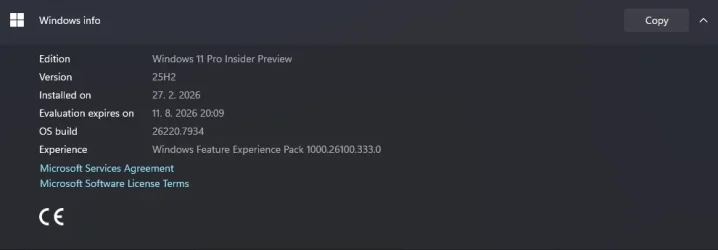
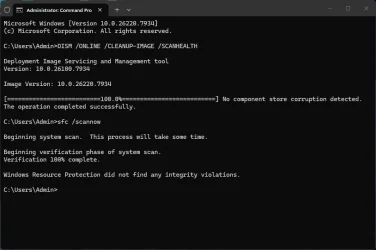
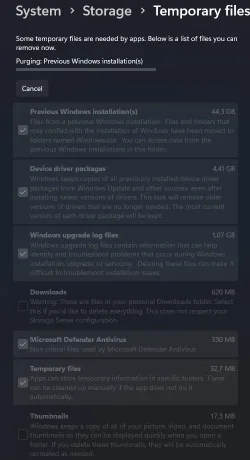
UPDATE 3/6:
 www.elevenforum.com
[UPDATE 3/4/26]: We are rolling out standalone Update Build 26220.7935 (KB5082255). This update does not include anything new and is designed to test our servicing pipeline for builds in the Beta Channel. A restart will be required.
Hello Windows Insiders, today we are releasing Windows 11 Insider PreviewBuild 26220.7934 (KB5077242) to the Beta Channel.
Changes in Beta Channel builds and updates are documented in two buckets: new features, and improvements (including notable fixes) that are being gradually rolled out for Insiders who have turned on the toggle to get the latest updates as they are available (via Settings > Windows Update*) and then new features, and improvements (including notable fixes) rolling out to everyone in the Beta Channel. For more information, see the Reminders section at the bottom of this blog post.
 www.elevenforum.com
This enhances the performance and security of batch file processing when code integrity is enabled, as signature validation will only required to be performed a single time, instead of per statement executed in the batch file.
 www.elevenforum.com
Feedback: Share your thoughts in Feedback Hub (WIN + F) under Developer Platform > Command Line.
Windows Insider Program Team

 blogs.windows.com
Check Windows Updates
UUP Dump:
64-bit ISO download:

ARM64 ISO download:
 www.elevenforum.com
KB5079382 Windows 11 Insider Beta build 26220.7961 (25H2) - March 6
UPDATE 3/13: https://www.elevenforum.com/t/kb5079458-windows-11-insider-beta-build-26220-8062-25h2-march-13.45281/ Windows Insider Blog: Hello Windows Insiders, today we are releasing Windows 11 Insider Preview Build 26220.7961 (KB 5079382) to the Beta Channel. Changes in Beta Channel builds...
www.elevenforum.com
Windows Insider Blog:
[UPDATE 3/4/26]: We are rolling out standalone Update Build 26220.7935 (KB5082255). This update does not include anything new and is designed to test our servicing pipeline for builds in the Beta Channel. A restart will be required.
Hello Windows Insiders, today we are releasing Windows 11 Insider Preview
Changes in Beta Channel builds and updates are documented in two buckets: new features, and improvements (including notable fixes) that are being gradually rolled out for Insiders who have turned on the toggle to get the latest updates as they are available (via Settings > Windows Update*) and then new features, and improvements (including notable fixes) rolling out to everyone in the Beta Channel. For more information, see the Reminders section at the bottom of this blog post.
Enable or Disable Get Latest Updates as soon as available in Windows 11
This tutorial will show you how to turn on or off "Get the latest updates as soon as they are available" in Windows 11. Starting with Windows 11 build 22621.1635, Microsoft added a new "Get the latest updates as soon as they are available" toggle under Settings > Windows Update. When you turn...
www.elevenforum.com
New features gradually being rolled out with toggle on*
[Enhanced security and performance for batch files]
We are giving administrators and Application Control for Business policy authors additional controls over the processing of batch files and CMD scripts. Starting with this release, administrators may enable a more secure mode for processing batch files that ensures they do not change during execution by adding a value to the registry key HKEY_LOCAL_MACHINE\Software\Microsoft\Command Processor named LockBatchFilesInUse (DWORD, value 0 or 1). Policy authors may also use the LockBatchFilesWhenInUse application manifest control documented here to enable this mode.This enhances the performance and security of batch file processing when code integrity is enabled, as signature validation will only required to be performed a single time, instead of per statement executed in the batch file.
Enable or Disable Enhanced Security and Performance for Batch and CMD files in Windows 11
This tutorial will show you how to turn on or off enhanced security and performance for batch and CMD files in Windows 11 Starting with Windows 11 build 26100.8328 (24H2), build 26200.8328 (25H2), and build 28000.2179 (26H1), Administrators and Application Control for Business policy authors...
www.elevenforum.com
Feedback: Share your thoughts in Feedback Hub (WIN + F) under Developer Platform > Command Line.
Changes and Improvements gradually being rolled out with toggle on*
[Shared audio (preview) gets more control]
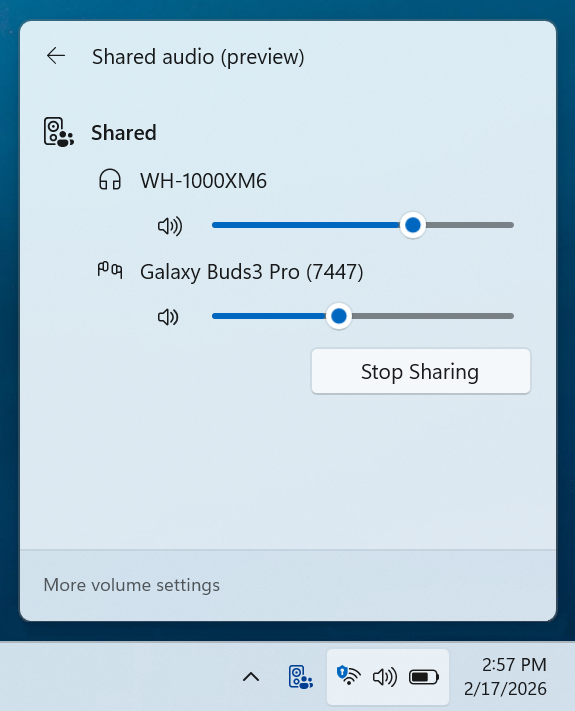
- Shared audio (preview) was first announced last fall, and allows 2 people to share audio between their two capable Bluetooth LE Audio headphones, speakers, earbuds, or hearing aids. With this update Windows now provides individual sliders for each listener which adjusts their volume without affecting the other. You can continue to adjust volume for both listeners at the same time through the main volume controls available through Quick Settings or on-device and keyboard controls.
- You’ll also see a new taskbar indicator while you’re sharing, giving a quick reminder that audio is still being shared. Clicking the indicator is a fast path to open sharing settings to change volume or stop sharing.
- The LE Audio accessory ecosystem also continues to grow. In addition to the accessories announced before, we’re excited to share that the Samsung Galaxy Buds 4 and Buds 4 Pro, Sony WF‑1000XM6, and Xbox Wireless Headset all have support for shared audio!

Use Shared Audio with Two Bluetooth LE Audio Devices in Windows 11
This tutorial will show you how to share and stop sharing output audio with two Bluetooth LE Audio devices on supported Windows 11 Copilot+ PC. Starting with Windows 11 build 26220.7051 (Dev and Beta), Microsoft is gradually rolling out shared audio (preview), a new experience built on...
www.elevenforum.com

Independent sliders for each listener. - Feedback: Share your thoughts in Feedback Hub (WIN + F) under Devices and Drivers > Bluetooth – Audio quality, glitches, choppiness and stuttering.
[Narrator]
- Narrator users can now use a new command Narrator key + \ to read contents of status bar in Apps such as Microsoft Word, Excel, PowerPoint, etc. For example, in Microsoft Word, users can use this to read count of pages or words in a document. In Microsoft Excel, users can select a few data cells and hear sum or average of the data in the selected cells without having to change your focus.

Turn On or Off Narrator in Windows 11
This tutorial will show you how to turn on or off Narrator for your account in Windows 11. Narrator is a screen reader included with Windows 11 that describes what's on your screen. Narrator lets you use your PC without a mouse to complete common tasks if you’re blind or have low vision. It...
www.elevenforum.com
[Taskbar]
- We temporarily paused the rollout of the improved animations when your taskbar is set to autohide, and improved reliability of loading taskbar components in safe mode. Thanks, Insiders, for sharing feedback!
[Storage]
- Improved reliability of removing Windows Update files / windows.old files via Settings > System > Storage.
[Input]
- Improved reliability of typing when using the ADLaM keyboard.
Paint App update rolling out
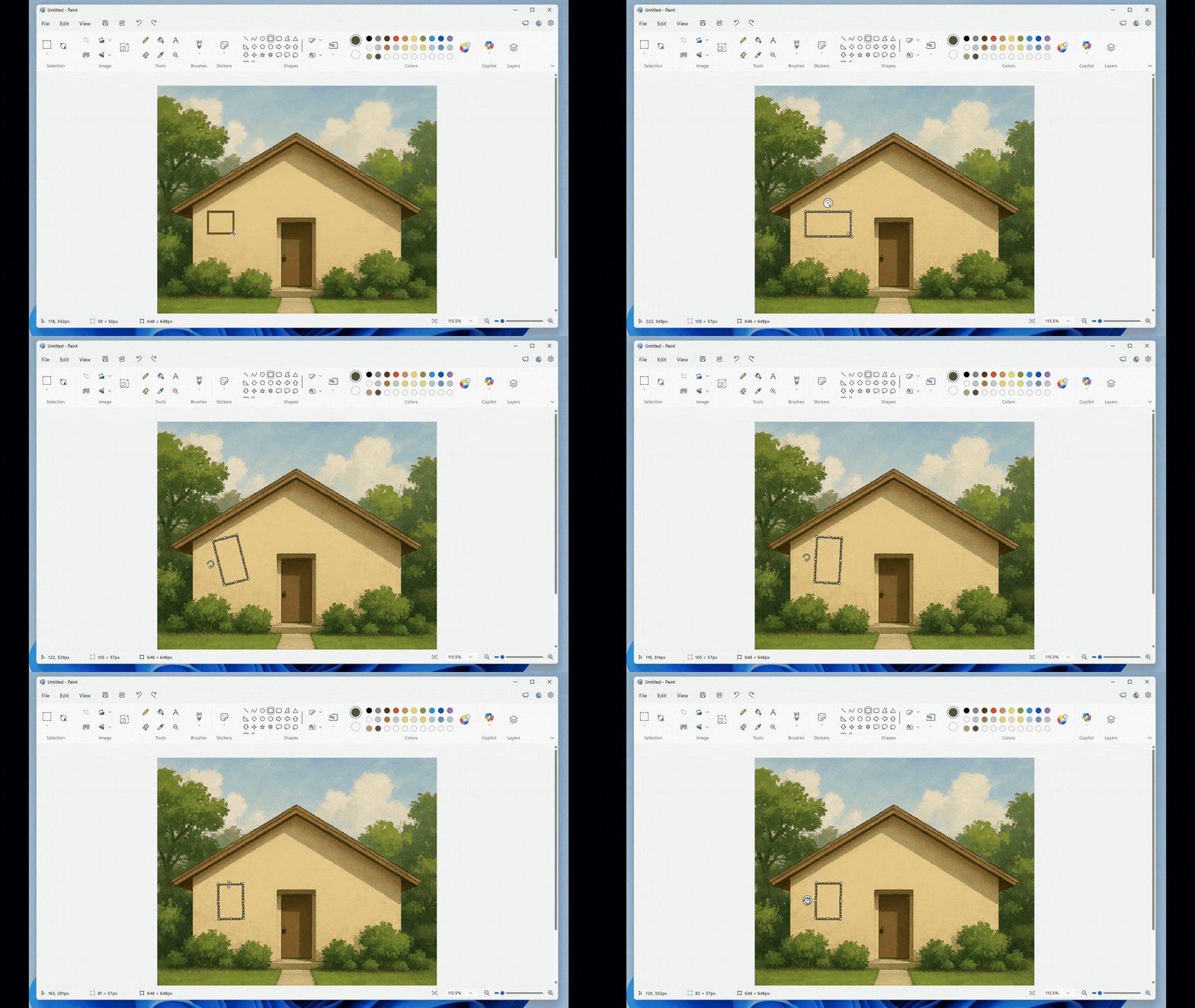
- With Paint version 11.2601.391.0, we’re excited to introduce freeform rotate, a highly requested feature that gives you more control when editing your artwork. You can now rotate shapes, text, and any active selection to any angle. To get started, open Paint and select a shape, text, or selection. When the object is active, use the rotate handle above it to rotate freely in any direction. For more precise control, you can also choose Custom rotate from the Rotate menu and enter a specific angle. Try using freeform rotate in your artwork to adjust elements exactly the way you want and add more flexibility to your creative workflow.

Use Freeform Rotate feature in Paint app on Windows 11
This tutorial will show you how to use the freeform rotate feature on an image in the Paint app in Windows 11. The Paint app included in Windows 11 is a simple and powerful graphics editor with a range of uses. You can edit images quickly or create masterpieces with the tools in this app. Once...
www.elevenforum.com

Paint App GIF showing freeform rotate. - FEEDBACK: Please file feedback in Feedback Hub (WIN + F) under Apps > Paint.
Reminders for Windows Insiders in the Beta Channel
- Updates are based on Windows 11, version 25H2 via an enablement package (Build 26220.7934).
- Many features are rolled out using Controlled Feature Rollout technology, starting with a subset of Insiders and ramping up over time as we monitor feedback to see how they land before pushing them out to everyone in this channel.
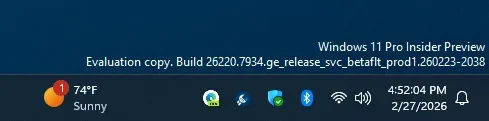
- [New] The desktop watermark shown at the lower right corner of the desktop is normal for Windows Insider pre-release builds.
- For Windows Insiders who want to be the first to get features gradually rolled out to you, you can turn ON the toggle to get the latest updates as they are available via Settings > Windows Update*. Over time, we will increase the rollouts of features to everyone with the toggle turned on. Should you keep this toggle off, new features will gradually be rolled out to your PC over time once they are ready.
- Features and experiences included in these builds may never get released as we try out different concepts and get feedback. Features may change over time, be removed, or replaced and never get released beyond Windows Insiders. Some of these features and experiences could show up in future Windows releases when they’re ready.
- Some features in active development we preview with Windows Insiders may not be fully localized and localization will happen over time as features are finalized. As you see issues with localization in your language, please report those issues to us via Feedback Hub.
- Check out Flight Hub for a complete look at what build is in which Insider channel.
Windows Insider Program Team
Source:
Announcing Windows 11 Insider Preview Build 26220.7934 (Beta Channel)
[UPDATE 3/4/26]: We are rolling out standalone Update Build 26220.7935 (KB5082255). This update does not include anything new and is designed to test our servicing pipeline for builds in the B
blogs.windows.com
Check Windows Updates
UUP Dump:
64-bit ISO download:
Select language for Windows 11 Insider Preview Feature Update (26220.7934) amd64
Select language for Windows 11 Insider Preview Feature Update (26220.7934) amd64 on UUP dump. UUP dump lets you download Unified Update Platform files, like Windows Insider updates, directly from Windows Update.
uupdump.net
ARM64 ISO download:
Select language for Windows 11 Insider Preview Feature Update (26220.7934) arm64
Select language for Windows 11 Insider Preview Feature Update (26220.7934) arm64 on UUP dump. UUP dump lets you download Unified Update Platform files, like Windows Insider updates, directly from Windows Update.
uupdump.net
UUP Dump - Download Windows Insider ISO
UUP Dump is the most practical and easy way to get ISO images of any Insider Windows 10 or Windows 11 version, as soon as Microsoft has released a new build. UUP Dump creates a download configuration file according to your choices, downloads necessary files directly from Microsoft servers, and...
www.elevenforum.com
Last edited:









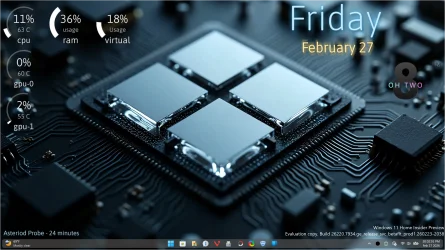
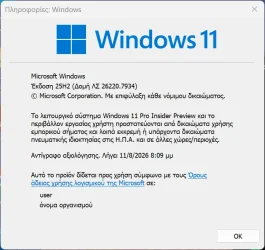

 I was on the RP channel, but the last update moved me over to the 26220 Beta channel, so as of now I'm trying to install this latest Beta channel version--but it keeps on failing for some reason. I shall persevere...