Win Update KB5085516 Windows 11 Out-of-band Update build 26100.8039 (24H2) and 26200.8039 (25H2) - March 21


UPDATE 3.26:


 Microsoft Support:

March 21, 2026 - KB5085516 (OS Builds 26200.8039 and 26100.8039) Out-of-band​


This out-of-band update for Windows 11, version 25H2 and 24H2 (KB5085516) is cumulative. It includes updates from previous security and non-security releases, along with an additional fix. To learn more about differences between security updates, optional non-security preview updates, out-of-band (OOB) updates, and continuous innovation, see Windows monthly updates explained. For information on Windows update terminology, see the different types of Windows software updates.

To view the latest updates about this release, visit the Windows release health dashboard or the update history page for Windows 11, version 25H2 and 24H2.

Improvements

This OOB contains quality improvements from KB5079473 (released March 10, 2026). The following summary outlines key issues addressed by this update. The bold text within the brackets indicates the item or area of the change.
  • [Microsoft account sign in] Fixed: After you install the Windows update released on or after March 10, 2026, some users might experience an issue signing in to apps with a Microsoft account. Even when the device has a working Internet connection, a “no Internet” error appears during sign in and prevents access to Microsoft services and apps such as Microsoft Teams Free and OneDrive.

    Note: Only sign ins using Microsoft accounts are affected. Businesses using Microsoft Entra ID for app authentication will not experience this issue.
This update is offered through Windows Update for devices running Windows 11 that have already installed KB5079473. It is also available for manual download from the Microsoft Update Catalog.

Devices with Get the latest updates as soon as they’re available turned on will receive this update automatically. If this setting is turned off, you can install the update manually by going to Settings > Windows Update and selecting Download & install.

Note: IT administrators using Microsoft Intune or Windows Autopatch should follow the guidance below for installing the OOB update via Windows Update.

AI Components

This release updates the following AI components:

AI ComponentVersion
Image Search1.2602.1451.0
Content Extraction1.2602.1451.0
Semantic Analysis1.2602.1451.0

Windows 11 servicing stack update (KB5083532)- 26100.8035

This update makes quality improvements to the servicing stack, which is the component that installs Windows updates. Servicing stack updates (SSU) ensure that you have a robust and reliable servicing stack so that your devices can receive and install Microsoft updates. To learn more about SSUs, see Simplifying on-premises deployment of servicing stack updates.

Known issues in this update

Microsoft is not currently aware of any issues with this update.

How to get this update

Before you install this update

Microsoft combines the latest servicing stack update (SSU) for your operating system with the latest cumulative update (LCU). For general information about SSUs, see Servicing stack updates.

Install this update

To install this update, use one of the following Windows and Microsoft release channels.

AvailableNext Step
Included
Open Start > Settings Update & Security > Windows Update. In the Optional updates available area, you will find the link to download and install available updates.

Check for optional updates
Included
To install this release from the Microsoft Update Catalog, select the option that matches your device architecture (arm64 or x64), and then follow the instructions.

If you want to remove the LCU

Before you decide to remove the LCU, see Understanding the risks: Why you should not uninstall security updates.

To remove the LCU after installing the combined SSU and LCU package, use the DISM/Remove-Package command line option with the LCU package name as the argument. You can find the package name by using this command: DISM /online /get-packages.

Running Windows Update Standalone Installer (wusa.exe) with the /uninstall switch on the combined package will not work because the combined package contains the SSU. You cannot remove the SSU from the system after installation.

File information

For a list of the files provided in this update, download the file information for cumulative update 5085516.

For a list of the files provided in the servicing stack update, download the file information for the SSU (KB5083532) - version 26100.8035.


 Source:


Check Windows Updates


UUP Dump:

64-bit ISO download:

ARM64 ISO download:

 
Last edited:
1774142287213.webp
 

My Computer

System One

  • OS
    Windows 11 Pro 25H2
    Computer type
    PC/Desktop
    CPU
    i7 10700K
    Motherboard
    MSI Z590 Gaming Carbon Wifi
    Memory
    ddr4 16gb
    Graphics Card(s)
    nvidia 1080 8GB
    Screen Resolution
    1920x1080p
Why does this have a lower version number? 26200-8106 was released on the 13th of march, is it because it was a Release Preview
Do I need to go back to this version or just wait until April's CU Update?


My Computer

System One

  • OS
    Windows 11 Pro
    Computer type
    PC/Desktop
    Manufacturer/Model
    Custom Build
    CPU
    Intel Core i9 12900KF
    Motherboard
    ASUS ROG Maximus Z690 Hero
    Memory
    Corsair 64GB DDR5 Vengeance C40 5200Mhz
    Graphics Card(s)
    ASUS GeForce RTX 3090 ROG Strix OC 24GB
    Sound Card
    OnBoard
    Monitor(s) Displays
    Acer Predator XB323UGP 32" QHD G-SYNC-C 144Hz 1MS IPS LED
    Screen Resolution
    2560 x 1440
    Hard Drives
    1x Samsung 980 Pro Series Gen4 250GB M.2 NVMe
    1x Samsung 980 Pro Series Gen4 500GB M.2 NVMe
    2x Samsung 980 Pro Series Gen4 2TB M.2 NVMe
    PSU
    Corsair AX1200i 1200W 80PLUS Titanium Modular
    Case
    Corsair 4000D Black Case w/ Tempered Glass Side Panel
    Cooling
    Noctua NH-U12A Chromax Black CPU Cooler, 4x Noctua 120mm Fans
    Keyboard
    Logitech MK545
    Mouse
    Logitech MX Master 3
    Internet Speed
    Fixed Wireless 150mbps/75mbps
    Browser
    Firefox
    Antivirus
    Kaspersky
    Other Info
    Thrustmaster TS-PC RACER
    Fanatec CSL Elite Pedals with the Load Cell Kit
    Yamaha Amp with Bose Speakers
Downloading and installing.

1774145685651.webp
1774145866223.webp
Done:

Edition Windows 11 Pro
Version 25H2
Installed on ‎8/‎29/‎2025
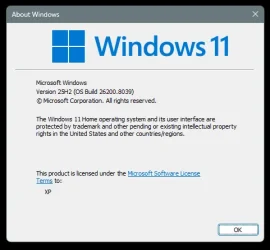
OS build 26200.8039
Experience Windows Feature Experience Pack 1000.26100.300.0
 
Last edited:

My Computer

System One

  • OS
    Windows 11 Pro 25H2
    Computer type
    PC/Desktop
    Manufacturer/Model
    Dell XPS 8930
    CPU
    Intel I9-9900K
    Memory
    64GB
    Graphics Card(s)
    NVIDIA RTX 2060
    Sound Card
    NVIDIA High Definition Audio
    Monitor(s) Displays
    4k Samsung
    Screen Resolution
    3840 x 2160
    Hard Drives
    512GB NVMe, ADATA SU 800, 2TB HDD
Why does this have a lower version number? 26200-8106 was released on the 13th of march, is it because it was a Release Preview
Do I need to go back to this version or just wait until April's CU Update?

Believe this is a public build update, our RP 26200-8106 supersedes this so we're good.
 

My Computers

System One System Two

  • OS
    Windows 11 25H2
    Computer type
    Laptop
    Manufacturer/Model
    Alienware 18 Area-51
    CPU
    Intel Core Ultra 9 275HX (24-Core)
    Motherboard
    Alienware
    Memory
    64GB DDR5 6400MT/s
    Graphics Card(s)
    NVIDIA GeForce RTX 5080 and Intel UHD Graphics
    Sound Card
    Onboard, Realtek high-performance Audio chips (ALC3329 & ALC1708))
    Monitor(s) Displays
    300HZ 18-inch QHD 500 nit Comfort View+
    Screen Resolution
    2560 x 1600
    Hard Drives
    2TB NVMe M.2 PCIe Gen 5 SSD
    Case
    Magnesium Alloy
    Cooling
    Advanced Cryo-Tech Quad-Fan Cooling system & large vapor chamber
    Keyboard
    Cherry MX ultra low profile mechanical keyboard with per key AlienFX RGB lighting
    Mouse
    Logitech MX Master 4
    Browser
    Vivaldi (main), Firefox, Chrome, Edge
    Antivirus
    MS Defender and Malwarebytes Free
  • Operating System
    Windows 11 25H2
    Computer type
    Laptop
    Manufacturer/Model
    Microsoft Surface Laptop 7
    CPU
    Qualcomm Snapdragon X Elite (12 Core) ARM based CPU
    Motherboard
    Microsoft Corp.
    Memory
    16GB LPDDR5
    Graphics card(s)
    Qualcomm Adreno X1-85
    Sound Card
    Omnisonic speakers with Dolby Atmos spatial sound
    Monitor(s) Displays
    120 Hz 13.8-inch 600 nit PixelSense Flow touchscreen
    Screen Resolution
    2304x1536
    Hard Drives
    1TB NVMe Gen 4 SSD
    Case
    Anodized Aluminum
    Cooling
    Traditional active cooling fan system
    Keyboard
    Mechanical QWERTY, backlit when in use
    Mouse
    Logitech MX Master 4 and Surface Arc Mouse
    Browser
    Vivaldi (main), Firefox, Chrome, Edge
    Antivirus
    MS Defender and Malwarebytes Free
Why?

Screenshot 2026-03-22 055632.webp
 

My Computer

System One

  • OS
    Windows 11 Pro 25H2
    Computer type
    PC/Desktop
    CPU
    Intel Core i5 12th generation
    Motherboard
    GIGABYTE
    Memory
    16GB
    PSU
    750W
installed and done just restoring using dism commands
 

My Computer

System One

  • OS
    11
    Computer type
    PC/Desktop
    Manufacturer/Model
    to be filled by o.e.m
    CPU
    amd ryzen 5 5600x
    Motherboard
    asrock
    Memory
    ddr4
    Graphics Card(s)
    nvidia
    Monitor(s) Displays
    lg
    Screen Resolution
    1920x1080
    Hard Drives
    wd blue sa510 2.5 2tb
    wd blue sa510 2.5 1tb
    Keyboard
    razor
    Antivirus
    windows defender
I did not have the Microsoft account sign-in issue which this update fixes.

Both System One and System Two were updated to 25H2 26200.8039 problem free.
 

My Computers

System One System Two

  • OS
    Windows 11 Pro
    Computer type
    Laptop
    Manufacturer/Model
    Dell XPS 16 DA16260
    CPU
    Intel Series 3 Core Ultra X9 388H
    Memory
    64GB LPDDR5x 9600 MT/s
    Graphics Card(s)
    Intel Arc graphics B390 Panther Lake
    Monitor(s) Displays
    16" 3.2K Tandem OLED Infinity Edge
    Screen Resolution
    3200 x 2000 16:10 236 PPI
    Hard Drives
    1 Terabyte M.2 PCIe NVMe SSD
    Case
    Black Anodized Aluminum
    Cooling
    Vapor Chamber Cooling
    Mouse
    None
    Internet Speed
    942 Mbps Netgear Mesh + 2 Satellites
    Browser
    Microsoft Edge (Chromium)
    Antivirus
    Windows Security (Defender)
    Other Info
    NPU delivering 67 TOPS
    Microsoft 365 subscription
    Microsoft OneDrive 1TB Cloud
    Microsoft Visual Studio
    Microsoft Visual Studio Code
    Microsoft Sysinternals Suite
    Microsoft BitLocker
    Microsoft Copilot
    Dell Support Assist
    Dell Command | Update
    Macrium Reflect X subscription
    1Password Password Manager
    Amazon Kindle for PC
    Lightroom/Photoshop subscription
    Interactive Brokers Trader Workstation
  • Operating System
    Windows 11 Pro
    Computer type
    Laptop
    Manufacturer/Model
    Microsoft Surface Laptop 7
    CPU
    Snapdragon® X Elite (12 Core) with Hexagon NPU delivering 45 TOPS
    Memory
    32GB LPDDR5x 8448 MT/s
    Graphics card(s)
    Integrated Adreno GPU
    Sound Card
    Omnisonic speakers with Dolby Atmos spatial sound
    Monitor(s) Displays
    13.8″ PixelSense Flow touchscreen 120 Hz 600 NIT
    Screen Resolution
    2304 × 1536 (201 PPI), 3:2 aspect ratio
    Hard Drives
    1 TB PCIe NVMe Gen 4 SSD
    Case
    Black Anodized Aluminum
    Cooling
    Vapor Chamber Cooling
    Mouse
    None
    Internet Speed
    942 Mbps Netgear Mesh + 2 Satellites
    Browser
    Microsoft Edge (Chromium)
    Antivirus
    Windows Security (Defender)
    Other Info
    Microsoft 365 subscription (Office)
    Microsoft OneDrive 1TB Cloud
    Microsoft Visual Studio 2026
    Microsoft Visual Studio Code
    Interactive Brokers Trader Workstation
    Lightroom/Photoshop subscription
    1Password Password Manager
    Microsoft Sysinternals
    Amazon Kindle for PC
    Microsoft BitLocker
    Microsoft Copilot
Because they did not fix that problem yet, they fixed it in Beta and Dev, but not on public build. 🤷‍♂️

This machine showed 380 MB before I tried to delete them with Disk Cleanup. 😵‍💫
1774152829268.webp


After deleting it still showed 190 MB that I could not get rid of. Other machines had only 190 MB and they were deleted with Disk Cleanup. 😵‍💫😵‍💫🤷‍♂️

1774153472974.webp
 
Last edited:

My Computer

System One

  • OS
    Windows 11 Pro 25H2
    Computer type
    PC/Desktop
    Manufacturer/Model
    Dell XPS 8930
    CPU
    Intel I9-9900K
    Memory
    64GB
    Graphics Card(s)
    NVIDIA RTX 2060
    Sound Card
    NVIDIA High Definition Audio
    Monitor(s) Displays
    4k Samsung
    Screen Resolution
    3840 x 2160
    Hard Drives
    512GB NVMe, ADATA SU 800, 2TB HDD
What a surprise! A Saturday Windows Update is VERY rare, isn't it?
Installed with no issues.
 

My Computer

System One

  • OS
    Windows 11 64-bit
    Computer type
    Laptop
    Manufacturer/Model
    Samsung
    CPU
    Intel® Core™ i7-1065G7 CPU @ 1.30GHz
    Motherboard
    SAMSUNG ELECTRONICS CO., LTD. Model NP950QCG-K01US
    Memory
    12GB
    Graphics Card(s)
    Intel Iris Graphics
    Hard Drives
    SAMSUNG MZVLB512HBJQ-000 SSD 476.94 GB
    Mouse
    Logitech MX Mobile BlueTooth
    Internet Speed
    686.6 Mbps download 23.6 Mbps upload Latency: 8 ms Server: Chicago
    Browser
    Edge (Default) and FireFox installed.
1774160462370.webp
1774161242278.webp
 
Last edited:

My Computer

System One

  • OS
    W11 Pro and Insider Dev
    Computer type
    PC/Desktop
    Manufacturer/Model
    Home brewed
    CPU
    AMD Ryzen 9 7900x
    Motherboard
    ASROCK b650 PRO RS
    Memory
    2x16GB Kingston 6000MHz, Cl 32 @ 6200MHz Cl30
    Graphics Card(s)
    Gigabyte Rx 6600XT Gaming OC 8G Pro
    Sound Card
    MB, Realtek Ac1220p
    Monitor(s) Displays
    3 x 27"
    Screen Resolution
    1080p
    Hard Drives
    Kingston KC3000. 1TBSamsung 970 evo Plus 500GB, Crucial P1 NVMe 1TB, Lexar NVMe 2 TB, Silicon Power M.2 SATA 500GB
    PSU
    Seasonic 750W
    Case
    Custom Raidmax
    Cooling
    Arctic Liquid Freezer III 360mm
    Internet Speed
    20/19 mbps
Both comps updated smoothly.
 

My Computers

System One System Two

  • OS
    windows 11 25H2
    Computer type
    PC/Desktop
    Manufacturer/Model
    Dell Optiplex 3060
    CPU
    I5-8500
    Motherboard
    Dell
    Memory
    8GB
    Monitor(s) Displays
    2 x Dell 24 inch
    Screen Resolution
    2560 x 1440
    Hard Drives
    250GB NVMe SSD, 2x 250 GB SSD
    PSU
    Intel(R) Core(TM) i5-8500 CPU @ 3.00GHz 3.00 GHz
    Mouse
    Logitech M310t
    Internet Speed
    100/20
    Browser
    Edge
    Antivirus
    Win Defender
  • Operating System
    Win 11 25H2
    Computer type
    Laptop
    Manufacturer/Model
    HP Elitebook 840 G3
    CPU
    I5-6300U
    Memory
    8GB
    Graphics card(s)
    FHD
    Hard Drives
    256 SSD
    Internet Speed
    100/20
    Browser
    Edge

My Computers

System One System Two

  • OS
    Win 11 Pro 25H2 26200.8524
    Computer type
    PC/Desktop
    Manufacturer/Model
    Self Built
    CPU
    Intel® Core™ i7-14700K
    Motherboard
    ASUS TUF Z690-PLUS WIFI BIOS 4505 11/29/25
    Memory
    G.SKILL Ripjaws S5 Series 64GB (2 x 32GB) DDR5
    Graphics Card(s)
    ASUS GeForce RTX 4070 Super 12GB
    Sound Card
    Sound Blaster AE-5 Plus
    Monitor(s) Displays
    ASUS TUF Gaming 27" 2K HDR Gaming
    Screen Resolution
    2560 x 1440
    Hard Drives
    Samsung 990 Pro 1TB NVMe (Win 11 25H2)
    SK hynix P41 500GB NVMe 25H2 DEV/Games
    SK hynix P41 2TB NVMe (x3)
    Crucial P3 Plus 4TB
    PSU
    Corsair RM850x Shift
    Case
    Antec Dark Phantom DP502 FLUX
    Cooling
    Corsair Nautilus 360 RS AIO
    Keyboard
    Logitech MK 320
    Mouse
    Razer Basilisk V3
    Internet Speed
    350Mbs
    Browser
    Firefox
    Antivirus
    Winows Security
    Other Info
    MR 8.1 Home

    System 3 Specs
    Win 11 Pro 25H2 26200.8524
    ASUS PRIME Z370-P II BIOS 3004 7/12/21
    Intel Core i7-8700 CPU @ 3.20GHz
    32GB DDR4 RAM (4x8)
    iGPU Intel UHD Graphics 630
  • Operating System
    Win 11 Pro 25H2 26200.8524
    Computer type
    PC/Desktop
    Manufacturer/Model
    Self Built
    CPU
    Intel Core i7-11700F
    Motherboard
    Asus TUF Gaming Z590 Plus WiFi (BIOS 2803)
    Memory
    64 GB DDR4
    Graphics card(s)
    MSI GeForce RTX 3060 Ventus 2X 12GB
    Sound Card
    SoundBlaster Audigy Fx V2
    Monitor(s) Displays
    Samsung F27T350
    Screen Resolution
    1920x1080
    Hard Drives
    Samsung 980 Pro 1TB
    Samsung 970 EVO Plus 2TB
    Samsung 870 EVO 500GB SSD
    PSU
    Corsair HX750
    Case
    Cougar MX330-G Window
    Cooling
    Thermalright Frozen Edge 240 Black AIO
    Internet Speed
    350Mbps
    Browser
    Firefox
    Antivirus
    Windows Security
no issues after install here
 

My Computers

System One System Two

  • OS
    Windows 11 Pro
    Computer type
    PC/Desktop
    Manufacturer/Model
    BeeLink
    CPU
    AMD Ryzen 9 6900HX
    Memory
    32 GB
    Graphics Card(s)
    AMD Radeon Graphics
    Monitor(s) Displays
    Lenovo L24i-30
    Screen Resolution
    1920x1080
    Hard Drives
    Crucial M2 500GB SSD
    External: Kinstion 1TB
    External Sandisk 1TB
    Keyboard
    USB Gaming Keyboard
    Mouse
    Lenovo
    Browser
    Microsoft Edge, Vivaldi
    Antivirus
    Trend Micro Device Security Pro
  • Operating System
    Win 11 Pro
    Computer type
    PC/Desktop
    Manufacturer/Model
    BeeLink
    CPU
    AMD Ryzen 9 6900HX
    Memory
    32 GB
    Graphics card(s)
    Raedon 680M
    Monitor(s) Displays
    Lenovo 24"
    Hard Drives
    1 TB M.2 SSD
    Case
    Mini
    Mouse
    Lenovo Wireless
    Internet Speed
    1 GB
    Antivirus
    Trend Micro
did a clean install install on a unsupported machine and i finally got the new start menu and speed test thingy . re ran updates got this one it kept the new start menu gained the drag tray . but lost speed test go figure that one out
 

My Computer

System One

  • OS
    WINDOWS 11 WINDOWS 10
    Computer type
    PC/Desktop
    Manufacturer/Model
    HP H8 1360T
    CPU
    Intel(R) Core(TM) i7 -3770K CPU 3.50 GZ 3501 4 CORE
    Motherboard
    PEGATRON 2AD5
    Memory
    32.0 GB (31.9 GB usable)
    Graphics Card(s)
    AMD RADEON TM R5240 INTELL HD GRAPHICS 4600 TIGER 1+1 USB
    Sound Card
    AMD HD . IDT
    Monitor(s) Displays
    AOC WAL MART SPECIAL . HP 2311 IX IPS LED DELL 1708 FP
    Screen Resolution
    1920 X 1080 1600X900 1280X940
    Hard Drives
    1 FAXING S 100 512GB 1 KINGSTON 120 GB SSD 1 X12 SSD 512 GB
    PSU
    300 WATT HP
    Case
    FULL
    Cooling
    ON BOARD FAN
    Keyboard
    LOGITEC K 520 WIRELESS
    Mouse
    LOGITEC M 510 WIRELESS
    Internet Speed
    55 UP 11.2 DOWN
    Browser
    CHROME EDGE
    Antivirus
    WINDOWS SECUIRTY
    Other Info
    NON SUPPORTED HARDWARE FOR WINDOWS 11
It's ok

Screenshot 2026-03-22 085004.webp
 

My Computer

System One

  • OS
    Microsoft Windows 11 Pro 25H2 build 26200.8037
    Computer type
    PC/Desktop
    CPU
    Intel i9 9900K
    Motherboard
    ASUS ROG Strix Z390-E gaming
    Memory
    64 Gb DDR4 (4x16 Gb) HyperX Predator RGB @3200 MHz Cl16
    Graphics Card(s)
    ASUS ROG Strix GeForce RTX 2070 Super 8G GDDR6
    Monitor(s) Displays
    1 - SAMSUNG LED U28E590D 4K 60Hz <----> 2 - SAMSUNG ODYSSEY LC27G75TQSUXEN 2K GSYNC 240 Hz
    Screen Resolution
    1 - 3840x2160 2 - 2560x1440
    Hard Drives
    raid 0:
    -) SAMSUNG SSD 1 TB Serie 970 EVO PLUS M. 2
    -) SAMSUNG SSD 1 TB Serie 970 EVO PLUS M. 2
    PSU
    ASUS ROG-THOR-850P
    Case
    ASUS ROG Strix Helios
    Cooling
    ASUS ROG RYUO 240
    Keyboard
    ASUS ROG Strix Flare Red
    Mouse
    ASUS ROG Pugio II
    Internet Speed
    FTTH 2,5 Giga
    Browser
    Microsoft Edge
After deleting it still showed 190 MB that I could not get rid of


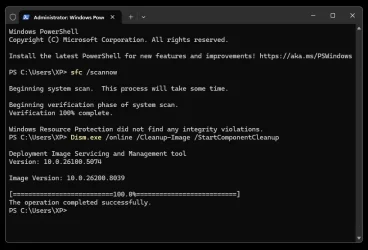
The following command fixes the Disk Cleanup 19x MB issue...

Dism.exe /online /Cleanup-Image /StartComponentCleanup /ResetBase
 

My Computers

System One System Two

  • OS
    Win 11 Home ♦♦♦26200.8457 ♦♦♦♦♦♦♦25H2
    Computer type
    PC/Desktop
    Manufacturer/Model
    Built by Ghot® [May 2020]
    CPU
    AMD Ryzen 7 3700X
    Motherboard
    Asus Pro WS X570-ACE (BIOS 5302)
    Memory
    G.Skill (F4-3200C14D-16GTZKW)
    Graphics Card(s)
    EVGA RTX 2070 (08G-P4-2171-KR)
    Sound Card
    Realtek ALC1220P / ALC S1220A
    Monitor(s) Displays
    Dell U3011 30"
    Screen Resolution
    2560 x 1600
    Hard Drives
    2x Samsung 860 EVO 500GB,
    WD 4TB Black FZBX - SATA III,
    WD 8TB Black FZBX - SATA III,
    DRW-24B1ST CD/DVD Burner
    PSU
    PC Power & Cooling 750W Quad EPS12V
    Case
    Cooler Master ATCS 840 Tower
    Cooling
    CM Hyper 212 EVO (push/pull)
    Keyboard
    Ducky DK9008 Shine II Blue LED
    Mouse
    Logitech Optical M-100
    Internet Speed
    300/300
    Browser
    Firefox (latest)
    Antivirus
    Bitdefender Total Security
    Other Info
    Speakers: Klipsch Pro Media 2.1
  • Operating System
    Windows XP Pro 32bit w/SP3
    Computer type
    PC/Desktop
    Manufacturer/Model
    Built by Ghot® (not in use)
    CPU
    AMD Athlon 64 X2 5000+ (OC'd @ 3.2Ghz)
    Motherboard
    ASUS M2N32-SLI Deluxe Wireless Edition
    Memory
    TWIN2X2048-6400C4DHX (2 x 1GB, DDR2 800)
    Graphics card(s)
    EVGA 256-P2-N758-TR GeForce 8600GT SSC
    Sound Card
    Onboard
    Monitor(s) Displays
    ViewSonic G90FB Black 19" Professional (CRT)
    Screen Resolution
    up to 2048 x 1536
    Hard Drives
    WD 36GB 10,000rpm Raptor SATA
    Seagate 80GB 7200rpm SATA
    Lite-On LTR-52246S CD/RW
    Lite-On LH-18A1P CD/DVD Burner
    PSU
    PC Power & Cooling Silencer 750 Quad EPS12V
    Case
    Generic Beige case, 80mm fans
    Cooling
    ZALMAN 9500A 92mm CPU Cooler
    Keyboard
    Logitech Classic Keybooard 200
    Mouse
    Logitech Optical M-BT96a
    Internet Speed
    300/300
    Browser
    Firefox 3.x ??
    Antivirus
    Symantec (Norton)
    Other Info
    Still assembled, still runs. Haven't turned it on for 15 years?
Installing rn
 

My Computer

System One

  • OS
    Windows 11
    Computer type
    Laptop
    Manufacturer/Model
    HP
    Memory
    15GB RAM
    Hard Drives
    SSD 1TB
    Browser
    Chrome
Didn't really need, but installed anyway...

Image1.webp Image1.webp

No weirdness, but don't see any speed test anywhere.
 
Last edited:

My Computers

System One System Two

  • OS
    Win 11 Home ♦♦♦26200.8457 ♦♦♦♦♦♦♦25H2
    Computer type
    PC/Desktop
    Manufacturer/Model
    Built by Ghot® [May 2020]
    CPU
    AMD Ryzen 7 3700X
    Motherboard
    Asus Pro WS X570-ACE (BIOS 5302)
    Memory
    G.Skill (F4-3200C14D-16GTZKW)
    Graphics Card(s)
    EVGA RTX 2070 (08G-P4-2171-KR)
    Sound Card
    Realtek ALC1220P / ALC S1220A
    Monitor(s) Displays
    Dell U3011 30"
    Screen Resolution
    2560 x 1600
    Hard Drives
    2x Samsung 860 EVO 500GB,
    WD 4TB Black FZBX - SATA III,
    WD 8TB Black FZBX - SATA III,
    DRW-24B1ST CD/DVD Burner
    PSU
    PC Power & Cooling 750W Quad EPS12V
    Case
    Cooler Master ATCS 840 Tower
    Cooling
    CM Hyper 212 EVO (push/pull)
    Keyboard
    Ducky DK9008 Shine II Blue LED
    Mouse
    Logitech Optical M-100
    Internet Speed
    300/300
    Browser
    Firefox (latest)
    Antivirus
    Bitdefender Total Security
    Other Info
    Speakers: Klipsch Pro Media 2.1
  • Operating System
    Windows XP Pro 32bit w/SP3
    Computer type
    PC/Desktop
    Manufacturer/Model
    Built by Ghot® (not in use)
    CPU
    AMD Athlon 64 X2 5000+ (OC'd @ 3.2Ghz)
    Motherboard
    ASUS M2N32-SLI Deluxe Wireless Edition
    Memory
    TWIN2X2048-6400C4DHX (2 x 1GB, DDR2 800)
    Graphics card(s)
    EVGA 256-P2-N758-TR GeForce 8600GT SSC
    Sound Card
    Onboard
    Monitor(s) Displays
    ViewSonic G90FB Black 19" Professional (CRT)
    Screen Resolution
    up to 2048 x 1536
    Hard Drives
    WD 36GB 10,000rpm Raptor SATA
    Seagate 80GB 7200rpm SATA
    Lite-On LTR-52246S CD/RW
    Lite-On LH-18A1P CD/DVD Burner
    PSU
    PC Power & Cooling Silencer 750 Quad EPS12V
    Case
    Generic Beige case, 80mm fans
    Cooling
    ZALMAN 9500A 92mm CPU Cooler
    Keyboard
    Logitech Classic Keybooard 200
    Mouse
    Logitech Optical M-BT96a
    Internet Speed
    300/300
    Browser
    Firefox 3.x ??
    Antivirus
    Symantec (Norton)
    Other Info
    Still assembled, still runs. Haven't turned it on for 15 years?
Didn't get offered this update by WU - including as an 'optional' update.

I tried to install it from the relevant .msu files - said 'not applicable' to my version.
 

My Computer

System One

  • OS
    Windows 11 Pro 25H2 (Build 26200.8524)
    Computer type
    PC/Desktop
    Manufacturer/Model
    Dell Pro Max Tower T2 FCT2250
    CPU
    Intel Core Ultra 9 285 5.6 GHz
    Motherboard
    64-bit operating system, x64-based processor
    Memory
    32.00 GB
    Graphics Card(s)
    Intel Integrated Graphics (128 MB)
    Sound Card
    Realtek Audio
    Monitor(s) Displays
    Dell P2714H Monitor
    Screen Resolution
    1920 x 1080
    Hard Drives
    1 x 512GB M.2 XG10d SED KIOXIA PCIe solid state drive (Internal)
    1 x 2TB Seagate ST2000DM008-2UB102 HDD (Internal)
    1 x 1TB Seagate STGX4000400 External HDD
    1 x 4TB Seagate STGX4000400 External HDD
    1 x 6TB WD Elements AE 2689 External HDD
    PSU
    500 Watts
    Cooling
    Air
    Keyboard
    Microsoft Wired Keyboard 600
    Mouse
    Microsoft USB Basic Optical Mouse v2.0
    Browser
    Firefox
    Antivirus
    Windows Defender + Malwarebytes Premium
    Other Info
    BaseBoard Manufacturer Dell Inc.
    BaseBoard Product 022RY57
    BaseBoard Version A01
Back
Top Bottom