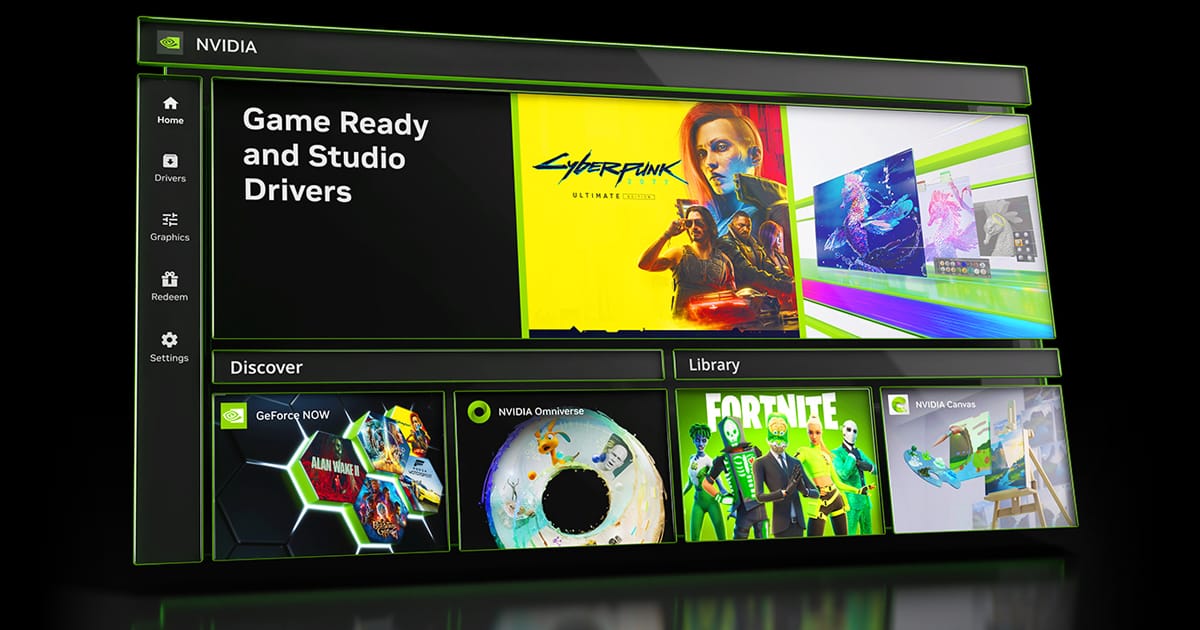
Latest NVIDIA GeForce Graphics Drivers for Windows 11


Support has ended for Maxwell, Pascal, and Volta-series GeForce GPUs.

Support Plan for Maxwell, Pascal, and Volta-series GeForce GPUs

List of Maxwell, Pascal and Volta Series GeForce GPUs

GeForce 582.28 graphics driver as a security update released 1/29/2026 for Maxwell, Pascal, and Volta-series GeForce GPUs.


 NVIDIA App


Release Date: July 17, 2026

What's new in NVIDIA App 11.0.8

New Updates:

  • ShadowPlay 240 FPS Recording
    • The NVIDIA app now supports 240 FPS ShadowPlay recording, for GeForce RTX 50 and 40 Series GPUs, providing competitive gamers and creators with ultra-smooth, high-resolution source footage. Configure via Alt+Z > Settings > Video Capture
  • Control Panel Updates
    • Added features for users to confine the taskbar to a single display and maximize windows to all displays. Access via System > Displays > Surround
DLSS Override Support Added For :
  • ‘83
  • Active Matter
  • Bus Bound
  • Cthulhu: The Cosmic Abyss
  • Dawn of Defiance
  • Far Far West
  • INDUSTRIA 2
  • MONGIL: STAR DIVE
  • MOUSE: P.I. For Hire
  • NTE (Neverness to Everness)
  • PRAGMATA
  • Samson
  • Screamer
  • Subliminal
  • Sudden Strike 5
  • Twinmotion
  • Windrose
Optimal Settings Support Added For:
  • Cairn
  • Crimson Desert
  • DEATH STRANDING 2: ON THE BEACH
  • Marathon
  • Monster Hunter Stories 3: Twisted Reflection
  • Nioh 3
  • PRAGMATA
  • Quarantine Zone: The Last Check
  • Resident Evil Requiem
  • The Seven Deadly Sins: Origin
  • Windrose
Squashed Bugs:
  • Fixed an issue where Shadowplay recordings fail when game title contains special character
  • Various stability fixes to improve overall app reliability


 NVIDIA GeForce HOTFIX Driver (WHQL)

Version: 610.82
Release Date for Desktops and Notebooks: July 22, 2026


GeForce Hotfix Display Driver version 610.82 is based on our latest Game Ready Driver 610.74

This hotfix addresses the following:
  • [Halo: Campaign Evolved] Stability issues on GeForce RTX 50 series when using 610.xx drivers. [6259837]
  • [Path of Exile 2] Fixed intermittent long pauses that could occur after extended gameplay sessions in DX12 mode [5090018]
Click here to download the GeForce Hotfix display driver version 610.82 for Windows 10 x64 / Windows 11 x64


 NVIDIA GeForce GAME READY Driver (WHQL)


Version: 610.74
Release Date for Desktops and Notebooks: July 07, 2026

Desktop DCH: GEFORCE GAME READY DRIVER 64-bit Windows 10, Windows 11 Download

Notebook DCH: GEFORCE GAME READY DRIVER 64-bit Windows 10, Windows 11 Download

GeForce GRD 610.74 Feedback Thread

NVIDIA GeForce Driver Release Highlights

Game Ready Driver Release Notes (PDF)

Control Panel User's Guide (PDF)

Note: After 20 years of dedicated service, the classic NVIDIA Control Panel is officially retiring for Game Ready and Studio Drivers. For NVIDIA RTX PRO users, the NVIDIA Control Panel will continue to be supported until we have migrated professional features to the NVIDIA app.

Existing installs of the NVIDIA Control Panel will remain on users’ systems, unless they perform a clean installation, and users who still need the NVIDIA Control Panel can continue to download it from the Microsoft Store, but we won’t be adding features, fixes, or other changes.

The NVIDIA app contains all of the modern functionality of the NVIDIA Control Panel available for GeForce RTX GPUs, and much more, while running faster and more efficiently.

Game Ready for DOOM: The Dark Ages | Revelations
This new Game Ready Driver provides the best gaming experience for the latest new games supporting DLSS and RTX technologies including DOOM: The Dark Ages | Revelations and Assassin's Creed Black Flag Resynced.

Fixed Gaming Bugs
> N/A

Fixed General Bugs
> Tencent Meeting: Flickering may be observed when Smooth Motion is enabled globally [6329207]

Open Issues
> Prefer Maximum Performance” Power Management Mode may not be applied correctly [6007998]


 NVIDIA Studio DRIVER (WHQL)

Version: 610.62
Release Date for Desktops and Notebooks: June 16, 2026

Desktop DCH: GEFORCE GAME READY DRIVER 64-bit Windows 10, Windows 11 Download

Notebook DCH: GEFORCE GAME READY DRIVER 64-bit Windows 10, Windows 11 Download

NVIDIA Studio Driver Release Highlights

Studio Driver Release Notes (PDF)

Control Panel User's Guide (PDF)

Note: After 20 years of dedicated service, the classic NVIDIA Control Panel is officially retiring for Game Ready and Studio Drivers. For NVIDIA RTX PRO users, the NVIDIA Control Panel will continue to be supported until we have migrated professional features to the NVIDIA app.

Existing installs of the NVIDIA Control Panel will remain on users’ systems, unless they perform a clean installation, and users who still need the NVIDIA Control Panel can continue to download it from the Microsoft Store, but we won’t be adding features, fixes, or other changes.

The NVIDIA app contains all of the modern functionality of the NVIDIA Control Panel available for GeForce RTX GPUs, and much more, while running faster and more efficiently.

NVIDIA Studio Drivers provide artists, creators, and 3D developers the best performance and reliability when working with creative applications. To achieve the highest level of reliability, Studio Drivers undergo extensive testing against multi-app creator workflows and multiple revisions of the top creative applications from Adobe to Autodesk and beyond.

Applications

The June NVIDIA Studio Driver provides optimal support for the latest new creative applications and updates including NVIDIA Broadcast 2.2, Reallusion Character Creator 5.1, and the latest multi-GPU optimizations for llama.cpp and ComfyUI.

Fixed Application Bugs
> World of Warcraft: Gaming stability improvements [5563205]
> Apex Legends: Occasional visual corruption after extended gameplay [6239327]
> Users may observe DLSS settings being grayed out in certain games after updating to display driver 615.47 [6262805]
> Improved gaming stability in multi-monitor configurations when using V-SYNC with DLSS Frame Generation [6158481]
> Resolved an issue that could cause jittering or ghosting in some DirectX 11 games when Smooth Motion is enabled [5937897]
> Resolved an issue that could cause some games to crash when launched with Smooth Motion enabled [5466398]

Fixed General Bugs
> [Ada] Resolves a frame pacing issue on certain monitors when G-SYNC is enabled [6226972]
> Resolved an issue that prevented the EDID from being read on certain monitors causing them to be identified as "NVIDIA NV-Failsafe” [6005508]
> Resolved an issue where certain monitors would not wake from sleep mode [5806798/5635230]
> General stability improvements when the system fails to create a new allocation [5449920]

Open Issues
> “Prefer Maximum Performance” Power Management Mode may not be applied correctly [6007998]

 
Last edited:
Hi everyone,

- NVIDIA GeForce GPU Drivers (DCH - Game Ready) :
Drivers : 591.86 (32.0.15.9186 WHQL [20/01/2026]) | Download : Link | Release Notes : Link

Game Ready :

This new Game Ready Driver provides the best gaming experience for the latest new games supporting DLSS 4 technology including ARC Raiders: Headwind Update and Arknights: Endfield. In addition, there is Game Ready support for Highguard which features DLSS Super Resolution.

Fixed Issues :

Fixed Gaming Bugs :
  • Total War: Three Kingdoms: Artifacts may be observed during gameplay when Screen Space Reflections is enabled [5745647]
Fixed General Bugs :
  • Color banding observed with SDR content when Windows Automatic Color Management enabled [5754551]
  • Asus G14 may freeze on startup when Asus Ultimate Mode is enabled [5754849]
Open Issues :
  • Call of Duty: Modern Warfare: Image corruption after driver update [5733427]
 

My Computer My Computer

At a glance

Windows 11 ProAMD Ryzen 7 7800X3DG.Skill Trident Z5 Neo RGB DDR5 6000MHz CL30 ...ASUS ROG Strix RTX 4080 OC
OS
Windows 11 Pro
Computer type
PC/Desktop
CPU
AMD Ryzen 7 7800X3D
Motherboard
ASUS ROG Strix B650E-F Gaming WiFi
Memory
G.Skill Trident Z5 Neo RGB DDR5 6000MHz CL30 - 32GB (2 x 16GB)
Graphics Card(s)
ASUS ROG Strix RTX 4080 OC
Monitor(s) Displays
ASUS ROG Strix XG35VQ
Screen Resolution
3440 x 1440 Full RGB @ 100Hz
Hard Drives
SSD Samsung 990 PRO 1TB
SSD Samsung 970 EVO Plus 500GB
PSU
Seasonic Focus GX 850W ATX 3.0
Case
NZXT H5 Flow
Cooling
NZXT Kraken X53
Keyboard
Logitech G513
Mouse
Logitech G502
:shawn:

New NVIDIA Game Ready WHQL driver 591.86 version released. See first post for more details.
 

My Computers My Computers

  • At a glance

    Windows 11 Pro for WorkstationsIntel i7-8700K 5 GHz64 GB (4x16GB) G.SKILL TridentZ RGB DDR4 3600...ASUS ROG-STRIX-GTX1080TI-O11G-GAMING (11GB GD...
    OS
    Windows 11 Pro for Workstations
    Computer type
    PC/Desktop
    Manufacturer/Model
    Custom self build
    CPU
    Intel i7-8700K 5 GHz
    Motherboard
    ASUS ROG Maximus XI Formula Z390
    Memory
    64 GB (4x16GB) G.SKILL TridentZ RGB DDR4 3600 MHz (F4-3600C18D-32GTZR)
    Graphics Card(s)
    ASUS ROG-STRIX-GTX1080TI-O11G-GAMING (11GB GDDR5X)
    Sound Card
    Integrated Digital Audio (S/PDIF)
    Monitor(s) Displays
    2 x Samsung Odyssey G75 27"
    Screen Resolution
    2560x1440
    Hard Drives
    1TB Samsung 990 PRO M.2,
    4TB Samsung 990 PRO M.2,
    TerraMaster F8 SSD Plus NAS
    PSU
    Seasonic Prime Titanium 850W
    Case
    Thermaltake Core P3 wall mounted
    Cooling
    Corsair Hydro H115i
    Keyboard
    Amazon Basics Wired Full Keyboard MD005
    Mouse
    Logitech MX Master 4
    Internet Speed
    2 Gbps Download and 100 Mbps Upload
    Browser
    Chrome and Edge
    Antivirus
    Microsoft Defender
    Other Info
    Logitech Z625 speaker system,
    Logitech BRIO 4K Pro webcam,
    HP Color LaserJet Pro MFP M477fdn,
    CyberPower CP1500PFCLCD
    Galaxy S23 Plus phone
  • At a glance

    Windows 11 ProSnapdragon X Elite (12 core) 3.42 GHz16 GB LPDDR5x-7467 MHz
    Operating System
    Windows 11 Pro
    Computer type
    Laptop
    Manufacturer/Model
    Surface Laptop 7 Copilot+ PC
    CPU
    Snapdragon X Elite (12 core) 3.42 GHz
    Memory
    16 GB LPDDR5x-7467 MHz
    Monitor(s) Displays
    15" HDR
    Screen Resolution
    2496 x 1664
    Hard Drives
    1 TB SSD
    Internet Speed
    Wi-Fi 7 and Bluetooth 5.4
    Browser
    Chrome and Edge
    Antivirus
    Microsoft Defender
 

My Computers My Computers

  • At a glance

    Windows 11 Pro for WorkstationsIntel i7-8700K 5 GHz64 GB (4x16GB) G.SKILL TridentZ RGB DDR4 3600...ASUS ROG-STRIX-GTX1080TI-O11G-GAMING (11GB GD...
    OS
    Windows 11 Pro for Workstations
    Computer type
    PC/Desktop
    Manufacturer/Model
    Custom self build
    CPU
    Intel i7-8700K 5 GHz
    Motherboard
    ASUS ROG Maximus XI Formula Z390
    Memory
    64 GB (4x16GB) G.SKILL TridentZ RGB DDR4 3600 MHz (F4-3600C18D-32GTZR)
    Graphics Card(s)
    ASUS ROG-STRIX-GTX1080TI-O11G-GAMING (11GB GDDR5X)
    Sound Card
    Integrated Digital Audio (S/PDIF)
    Monitor(s) Displays
    2 x Samsung Odyssey G75 27"
    Screen Resolution
    2560x1440
    Hard Drives
    1TB Samsung 990 PRO M.2,
    4TB Samsung 990 PRO M.2,
    TerraMaster F8 SSD Plus NAS
    PSU
    Seasonic Prime Titanium 850W
    Case
    Thermaltake Core P3 wall mounted
    Cooling
    Corsair Hydro H115i
    Keyboard
    Amazon Basics Wired Full Keyboard MD005
    Mouse
    Logitech MX Master 4
    Internet Speed
    2 Gbps Download and 100 Mbps Upload
    Browser
    Chrome and Edge
    Antivirus
    Microsoft Defender
    Other Info
    Logitech Z625 speaker system,
    Logitech BRIO 4K Pro webcam,
    HP Color LaserJet Pro MFP M477fdn,
    CyberPower CP1500PFCLCD
    Galaxy S23 Plus phone
  • At a glance

    Windows 11 ProSnapdragon X Elite (12 core) 3.42 GHz16 GB LPDDR5x-7467 MHz
    Operating System
    Windows 11 Pro
    Computer type
    Laptop
    Manufacturer/Model
    Surface Laptop 7 Copilot+ PC
    CPU
    Snapdragon X Elite (12 core) 3.42 GHz
    Memory
    16 GB LPDDR5x-7467 MHz
    Monitor(s) Displays
    15" HDR
    Screen Resolution
    2496 x 1664
    Hard Drives
    1 TB SSD
    Internet Speed
    Wi-Fi 7 and Bluetooth 5.4
    Browser
    Chrome and Edge
    Antivirus
    Microsoft Defender
It seems as though the new Nvidia graphics drivers v591.86 have caused an issue with detecting my third fan on my gfx card.. and its not showing up in EVGA X1 Precision for turning on the fans ever time I boot.
as it was not an issue before..

I will downgrade to last version and report back...

EDIT:

nope a downgrade to v591.74 its still only showing 2 of three fans in both the
- EVGA X1 Precision
and
- GPUz (odd and half the sensors are missing...)

X-(

odd since the 3rd fan is spinning...
 
Last edited:

My Computers My Computers

  • At a glance

    Windows 11 Pro (x64)(v25H2)(26200.8894)AMD Ryzen 9 3900X 12-Core/24-threads64GB, 2x G.Skill 32GB (PC3200)(DDR4-2137)ASUS PRIME GeForce RTX 5070 12GB OC Edition, ...
    OS
    Windows 11 Pro (x64)(v25H2)(26200.8894)
    Computer type
    PC/Desktop
    Manufacturer/Model
    [Self-built](custom-build)(June 2020)
    CPU
    AMD Ryzen 9 3900X 12-Core/24-threads
    Motherboard
    Asus PRIME X570-PRO (BIOS_r5044 [01/04/2026])
    Memory
    64GB, 2x G.Skill 32GB (PC3200)(DDR4-2137)
    Graphics Card(s)
    ASUS PRIME GeForce RTX 5070 12GB OC Edition, GPU by NVIDIA.
    Sound Card
    Realtek® ALC1220A 8-Channel High Definition Audio CODEC
    Monitor(s) Displays
    24" DELL Gaming Monitor - G2422HS - DisplayPort used
    Screen Resolution
    1920x1080p at 165Hz (16:9 Aspect Ratio)
    Hard Drives
    2TB Samsung 980 Pro (NVMe)(SSD)
    4TB Samsung 990 Pro (NVMe)(SSD)
    2TB Samsung 870 EVO (SSD)

    NVMe 2TB
    -- OS(Win11 Pro x64),
    -- programs,
    -- programming(MS Visual Studios 2022 Community Ed.),
    -- music

    NVMe 4TB
    video game installs.

    #3 FILE Server!
    PSU
    Thermaltake TOUGHPOWER DPS G RGB Titanium Certified 1250Watt
    Case
    Corsair Graphite Series 780T Full Tower PC Case
    Cooling
    AMD Wraith cooler (stock) & 3x Corsair case fans
    Keyboard
    Redragon K580 VATA RGB LED Backlit Mechanical Gaming Keyboard (brown switches).
    Mouse
    Redragon M602 RGB Wired USB Gaming mouse
    Internet Speed
    2,100Mbps Download, 300Mbps Upload
    Browser
    Firefox & Google Chrome
    Antivirus
    n/a aka "ABOVE TOP SECRET!" lol ;)
    Other Info
    My System is the ULTIMATE GAMING RIG ^_^
    TP-Link BE9300 Tri-Band Wi-Fi 7 Wireless 2.5Gigabit Router
    Model Archer BE550 (v1.0)
    Arris S34 Cable Modem

    printer/scanner/copier: Brother DCP-7065DN

    Nvidia GFX Drivers: (v610.74)
    Realtek UAD Drivers: (v6.0.10010.1)
    Realtek LAN Drivers:(v1125.30.50.508)(2026-06-21)
    Intel LAN Drivers: (v14.01.24.00)(2025-10-03)
  • At a glance

    Windows 11 Pro x64AMD Ryzen 7 5800H32GB GSkill DDR4 2x 16GB sticksRyzen 7 5800H integrated AMD Radeon Graphics ...
    Operating System
    Windows 11 Pro x64
    Computer type
    Laptop
    Manufacturer/Model
    DELL G15 Ryzen edition, model 5515
    CPU
    AMD Ryzen 7 5800H
    Motherboard
    DELL G15 Ryzen edition
    Memory
    32GB GSkill DDR4 2x 16GB sticks
    Graphics card(s)
    Ryzen 7 5800H integrated AMD Radeon Graphics and Nvidia GeForce 3060 6GB
    Sound Card
    Realtek ALC3254 with Nahimic 3D Audio for Gamers
    Monitor(s) Displays
    built-in
    Screen Resolution
    1920x1080
    Hard Drives
    512GB NVMe SSD, 1TB Samsung 970 EVO NVMe SSD
    PSU
    unknown
    Case
    laptop
    Keyboard
    built-in
    Mouse
    Logitech B100 USB
    Internet Speed
    2,100Mbps download, 300Mbps upload
    Browser
    Firefox & Google Chrome

My Computers My Computers

  • At a glance

    Windows 11 Enterprise 25H2 26200 7462Intel XEON E5-2699 v364GB Teamgroup UD4-3600NVIDIA GeForce GTX 1080 Ti
    OS
    Windows 11 Enterprise 25H2 26200 7462
    Computer type
    PC/Desktop
    Manufacturer/Model
    Custom Build
    CPU
    Intel XEON E5-2699 v3
    Motherboard
    ASUS X99-A
    Memory
    64GB Teamgroup UD4-3600
    Graphics Card(s)
    NVIDIA GeForce GTX 1080 Ti
    Sound Card
    Integrated
    Monitor(s) Displays
    ACER X34 Predator
    Screen Resolution
    3440 x 1440
    Hard Drives
    Crucial CT1000P 3P SSD8 1TB
    Crucial CT1000 BX500 SSD 1TB
    PSU
    GameMax Pro
    Case
    Fractal Design
    Cooling
    Corsair H110iGT + 6 140mm Fans
    Keyboard
    Corsair K4
    Mouse
    G-Skill G502
    Internet Speed
    300MBs
    Browser
    Chrome
    Antivirus
    OEM
    Other Info
    ASUS RT-AC87U Router
  • At a glance

    25H2 26200.50748GB
    Operating System
    25H2 26200.5074
    Computer type
    Laptop
    Manufacturer/Model
    ASUS X555LA
    Memory
    8GB
    Browser
    Chrome
    Antivirus
    OEM
I've updated.
In GPU-Z, the third fan isn't detected (I'd never checked before). I ran the "PCI-Express Render Test" and checked my graphics card fans, all three are spinning.
 

My Computer My Computer

At a glance

windows 11
OS
windows 11
I've updated.
In GPU-Z, the third fan isn't detected (I'd never checked before). I ran the "PCI-Express Render Test" and checked my graphics card fans, all three are spinning.
The third fan used to be detected for me before in GPUz... and EVGA X1 app...
I am not sure why it is not now... Windows issue? driver issue? etc?
 

My Computers My Computers

  • At a glance

    Windows 11 Pro (x64)(v25H2)(26200.8894)AMD Ryzen 9 3900X 12-Core/24-threads64GB, 2x G.Skill 32GB (PC3200)(DDR4-2137)ASUS PRIME GeForce RTX 5070 12GB OC Edition, ...
    OS
    Windows 11 Pro (x64)(v25H2)(26200.8894)
    Computer type
    PC/Desktop
    Manufacturer/Model
    [Self-built](custom-build)(June 2020)
    CPU
    AMD Ryzen 9 3900X 12-Core/24-threads
    Motherboard
    Asus PRIME X570-PRO (BIOS_r5044 [01/04/2026])
    Memory
    64GB, 2x G.Skill 32GB (PC3200)(DDR4-2137)
    Graphics Card(s)
    ASUS PRIME GeForce RTX 5070 12GB OC Edition, GPU by NVIDIA.
    Sound Card
    Realtek® ALC1220A 8-Channel High Definition Audio CODEC
    Monitor(s) Displays
    24" DELL Gaming Monitor - G2422HS - DisplayPort used
    Screen Resolution
    1920x1080p at 165Hz (16:9 Aspect Ratio)
    Hard Drives
    2TB Samsung 980 Pro (NVMe)(SSD)
    4TB Samsung 990 Pro (NVMe)(SSD)
    2TB Samsung 870 EVO (SSD)

    NVMe 2TB
    -- OS(Win11 Pro x64),
    -- programs,
    -- programming(MS Visual Studios 2022 Community Ed.),
    -- music

    NVMe 4TB
    video game installs.

    #3 FILE Server!
    PSU
    Thermaltake TOUGHPOWER DPS G RGB Titanium Certified 1250Watt
    Case
    Corsair Graphite Series 780T Full Tower PC Case
    Cooling
    AMD Wraith cooler (stock) & 3x Corsair case fans
    Keyboard
    Redragon K580 VATA RGB LED Backlit Mechanical Gaming Keyboard (brown switches).
    Mouse
    Redragon M602 RGB Wired USB Gaming mouse
    Internet Speed
    2,100Mbps Download, 300Mbps Upload
    Browser
    Firefox & Google Chrome
    Antivirus
    n/a aka "ABOVE TOP SECRET!" lol ;)
    Other Info
    My System is the ULTIMATE GAMING RIG ^_^
    TP-Link BE9300 Tri-Band Wi-Fi 7 Wireless 2.5Gigabit Router
    Model Archer BE550 (v1.0)
    Arris S34 Cable Modem

    printer/scanner/copier: Brother DCP-7065DN

    Nvidia GFX Drivers: (v610.74)
    Realtek UAD Drivers: (v6.0.10010.1)
    Realtek LAN Drivers:(v1125.30.50.508)(2026-06-21)
    Intel LAN Drivers: (v14.01.24.00)(2025-10-03)
  • At a glance

    Windows 11 Pro x64AMD Ryzen 7 5800H32GB GSkill DDR4 2x 16GB sticksRyzen 7 5800H integrated AMD Radeon Graphics ...
    Operating System
    Windows 11 Pro x64
    Computer type
    Laptop
    Manufacturer/Model
    DELL G15 Ryzen edition, model 5515
    CPU
    AMD Ryzen 7 5800H
    Motherboard
    DELL G15 Ryzen edition
    Memory
    32GB GSkill DDR4 2x 16GB sticks
    Graphics card(s)
    Ryzen 7 5800H integrated AMD Radeon Graphics and Nvidia GeForce 3060 6GB
    Sound Card
    Realtek ALC3254 with Nahimic 3D Audio for Gamers
    Monitor(s) Displays
    built-in
    Screen Resolution
    1920x1080
    Hard Drives
    512GB NVMe SSD, 1TB Samsung 970 EVO NVMe SSD
    PSU
    unknown
    Case
    laptop
    Keyboard
    built-in
    Mouse
    Logitech B100 USB
    Internet Speed
    2,100Mbps download, 300Mbps upload
    Browser
    Firefox & Google Chrome
I think it's an Nvidia driver issue because you said it was detected before the driver update.

You're right to revert to the previous driver. I updated and physically checked all three fans, but I rarely use this system. I'll do a web search...
 

My Computer My Computer

At a glance

windows 11
OS
windows 11
I think it's an Nvidia driver issue because you said it was detected before the driver update.

You're right to revert to the previous driver. I updated and physically checked all three fans, but I rarely use this system. I'll do a web search...
I tried rolling back to v591.74 the last driver update but that didn't help at all..
odd... maybe a Windows issue too...
well it was working before.
 

My Computers My Computers

  • At a glance

    Windows 11 Pro (x64)(v25H2)(26200.8894)AMD Ryzen 9 3900X 12-Core/24-threads64GB, 2x G.Skill 32GB (PC3200)(DDR4-2137)ASUS PRIME GeForce RTX 5070 12GB OC Edition, ...
    OS
    Windows 11 Pro (x64)(v25H2)(26200.8894)
    Computer type
    PC/Desktop
    Manufacturer/Model
    [Self-built](custom-build)(June 2020)
    CPU
    AMD Ryzen 9 3900X 12-Core/24-threads
    Motherboard
    Asus PRIME X570-PRO (BIOS_r5044 [01/04/2026])
    Memory
    64GB, 2x G.Skill 32GB (PC3200)(DDR4-2137)
    Graphics Card(s)
    ASUS PRIME GeForce RTX 5070 12GB OC Edition, GPU by NVIDIA.
    Sound Card
    Realtek® ALC1220A 8-Channel High Definition Audio CODEC
    Monitor(s) Displays
    24" DELL Gaming Monitor - G2422HS - DisplayPort used
    Screen Resolution
    1920x1080p at 165Hz (16:9 Aspect Ratio)
    Hard Drives
    2TB Samsung 980 Pro (NVMe)(SSD)
    4TB Samsung 990 Pro (NVMe)(SSD)
    2TB Samsung 870 EVO (SSD)

    NVMe 2TB
    -- OS(Win11 Pro x64),
    -- programs,
    -- programming(MS Visual Studios 2022 Community Ed.),
    -- music

    NVMe 4TB
    video game installs.

    #3 FILE Server!
    PSU
    Thermaltake TOUGHPOWER DPS G RGB Titanium Certified 1250Watt
    Case
    Corsair Graphite Series 780T Full Tower PC Case
    Cooling
    AMD Wraith cooler (stock) & 3x Corsair case fans
    Keyboard
    Redragon K580 VATA RGB LED Backlit Mechanical Gaming Keyboard (brown switches).
    Mouse
    Redragon M602 RGB Wired USB Gaming mouse
    Internet Speed
    2,100Mbps Download, 300Mbps Upload
    Browser
    Firefox & Google Chrome
    Antivirus
    n/a aka "ABOVE TOP SECRET!" lol ;)
    Other Info
    My System is the ULTIMATE GAMING RIG ^_^
    TP-Link BE9300 Tri-Band Wi-Fi 7 Wireless 2.5Gigabit Router
    Model Archer BE550 (v1.0)
    Arris S34 Cable Modem

    printer/scanner/copier: Brother DCP-7065DN

    Nvidia GFX Drivers: (v610.74)
    Realtek UAD Drivers: (v6.0.10010.1)
    Realtek LAN Drivers:(v1125.30.50.508)(2026-06-21)
    Intel LAN Drivers: (v14.01.24.00)(2025-10-03)
  • At a glance

    Windows 11 Pro x64AMD Ryzen 7 5800H32GB GSkill DDR4 2x 16GB sticksRyzen 7 5800H integrated AMD Radeon Graphics ...
    Operating System
    Windows 11 Pro x64
    Computer type
    Laptop
    Manufacturer/Model
    DELL G15 Ryzen edition, model 5515
    CPU
    AMD Ryzen 7 5800H
    Motherboard
    DELL G15 Ryzen edition
    Memory
    32GB GSkill DDR4 2x 16GB sticks
    Graphics card(s)
    Ryzen 7 5800H integrated AMD Radeon Graphics and Nvidia GeForce 3060 6GB
    Sound Card
    Realtek ALC3254 with Nahimic 3D Audio for Gamers
    Monitor(s) Displays
    built-in
    Screen Resolution
    1920x1080
    Hard Drives
    512GB NVMe SSD, 1TB Samsung 970 EVO NVMe SSD
    PSU
    unknown
    Case
    laptop
    Keyboard
    built-in
    Mouse
    Logitech B100 USB
    Internet Speed
    2,100Mbps download, 300Mbps upload
    Browser
    Firefox & Google Chrome
I just saw your previous edited post.

Try other monitoring software; that's what I'm going to do. I'll also check the Nvidia forum and Reddit (I like Reddit :) problems are reported quickly). I rarely use my desktop computer, but I don't want to fry my RTX graphics card.

Edit: Perform a DDU driver installation if you haven't already done so.
 

My Computer My Computer

At a glance

windows 11
OS
windows 11
I just saw your previous edited post.

Try other monitoring software; that's what I'm going to do. I'll also check the Nvidia forum and Reddit (I like Reddit :) problems are reported quickly). I rarely use my desktop computer, but I don't want to fry my RTX graphics card.

Edit: Perform a DDU driver installation if you haven't already done so.
I never usually have a problem with a Nvidia gfx driver update so I don't bother with DDU though I keep a copy of that on hand too.

I use the best already... GPUz..
and its not showing up in EVGA X1 app I use to set the fan speeds manually..
 

My Computers My Computers

  • At a glance

    Windows 11 Pro (x64)(v25H2)(26200.8894)AMD Ryzen 9 3900X 12-Core/24-threads64GB, 2x G.Skill 32GB (PC3200)(DDR4-2137)ASUS PRIME GeForce RTX 5070 12GB OC Edition, ...
    OS
    Windows 11 Pro (x64)(v25H2)(26200.8894)
    Computer type
    PC/Desktop
    Manufacturer/Model
    [Self-built](custom-build)(June 2020)
    CPU
    AMD Ryzen 9 3900X 12-Core/24-threads
    Motherboard
    Asus PRIME X570-PRO (BIOS_r5044 [01/04/2026])
    Memory
    64GB, 2x G.Skill 32GB (PC3200)(DDR4-2137)
    Graphics Card(s)
    ASUS PRIME GeForce RTX 5070 12GB OC Edition, GPU by NVIDIA.
    Sound Card
    Realtek® ALC1220A 8-Channel High Definition Audio CODEC
    Monitor(s) Displays
    24" DELL Gaming Monitor - G2422HS - DisplayPort used
    Screen Resolution
    1920x1080p at 165Hz (16:9 Aspect Ratio)
    Hard Drives
    2TB Samsung 980 Pro (NVMe)(SSD)
    4TB Samsung 990 Pro (NVMe)(SSD)
    2TB Samsung 870 EVO (SSD)

    NVMe 2TB
    -- OS(Win11 Pro x64),
    -- programs,
    -- programming(MS Visual Studios 2022 Community Ed.),
    -- music

    NVMe 4TB
    video game installs.

    #3 FILE Server!
    PSU
    Thermaltake TOUGHPOWER DPS G RGB Titanium Certified 1250Watt
    Case
    Corsair Graphite Series 780T Full Tower PC Case
    Cooling
    AMD Wraith cooler (stock) & 3x Corsair case fans
    Keyboard
    Redragon K580 VATA RGB LED Backlit Mechanical Gaming Keyboard (brown switches).
    Mouse
    Redragon M602 RGB Wired USB Gaming mouse
    Internet Speed
    2,100Mbps Download, 300Mbps Upload
    Browser
    Firefox & Google Chrome
    Antivirus
    n/a aka "ABOVE TOP SECRET!" lol ;)
    Other Info
    My System is the ULTIMATE GAMING RIG ^_^
    TP-Link BE9300 Tri-Band Wi-Fi 7 Wireless 2.5Gigabit Router
    Model Archer BE550 (v1.0)
    Arris S34 Cable Modem

    printer/scanner/copier: Brother DCP-7065DN

    Nvidia GFX Drivers: (v610.74)
    Realtek UAD Drivers: (v6.0.10010.1)
    Realtek LAN Drivers:(v1125.30.50.508)(2026-06-21)
    Intel LAN Drivers: (v14.01.24.00)(2025-10-03)
  • At a glance

    Windows 11 Pro x64AMD Ryzen 7 5800H32GB GSkill DDR4 2x 16GB sticksRyzen 7 5800H integrated AMD Radeon Graphics ...
    Operating System
    Windows 11 Pro x64
    Computer type
    Laptop
    Manufacturer/Model
    DELL G15 Ryzen edition, model 5515
    CPU
    AMD Ryzen 7 5800H
    Motherboard
    DELL G15 Ryzen edition
    Memory
    32GB GSkill DDR4 2x 16GB sticks
    Graphics card(s)
    Ryzen 7 5800H integrated AMD Radeon Graphics and Nvidia GeForce 3060 6GB
    Sound Card
    Realtek ALC3254 with Nahimic 3D Audio for Gamers
    Monitor(s) Displays
    built-in
    Screen Resolution
    1920x1080
    Hard Drives
    512GB NVMe SSD, 1TB Samsung 970 EVO NVMe SSD
    PSU
    unknown
    Case
    laptop
    Keyboard
    built-in
    Mouse
    Logitech B100 USB
    Internet Speed
    2,100Mbps download, 300Mbps upload
    Browser
    Firefox & Google Chrome
I also never use ddu when I update the driver. I don't need it.

I'll keep an eye on the Nvidia forum and Reddit, and I'll post here if the problem is known and if there's a solution.
 

My Computer My Computer

At a glance

windows 11
OS
windows 11
@Melchior

After a quick Google search, I found that monitoring software can't display the third fan because it's chained with a second fan. This is normal behavior.


However, according to this comment in the link below, only AIB partner software can display the third fan. This is what your EVGA X1 Precision software did before the bug.


I haven't installed my graphics card software yet, it's ASUS. I'll let you know the results as soon as I install it. I'm still using the latest Nvidia driver.

Since getting the graphics card, I'd never physically checked the fans—I completely forgot!

Thanks to you, I did that yesterday.

I'm going to leave the ASUS software installed because throughout the GPU's lifespan and ownership, you need to monitor the three fans from time to time; it's much easier to do with software than physically.
 

My Computer My Computer

At a glance

windows 11
OS
windows 11
After a quick Google search, I found that monitoring software can't display the third fan because it's chained with a second fan. This is normal behavior.
ooh so that is why it may be not showing now..??
Hmm.... it was showing me all three before for years...
all of a sudden its not showing all three in GPUz and EVGA X1 app....
 

My Computers My Computers

  • At a glance

    Windows 11 Pro (x64)(v25H2)(26200.8894)AMD Ryzen 9 3900X 12-Core/24-threads64GB, 2x G.Skill 32GB (PC3200)(DDR4-2137)ASUS PRIME GeForce RTX 5070 12GB OC Edition, ...
    OS
    Windows 11 Pro (x64)(v25H2)(26200.8894)
    Computer type
    PC/Desktop
    Manufacturer/Model
    [Self-built](custom-build)(June 2020)
    CPU
    AMD Ryzen 9 3900X 12-Core/24-threads
    Motherboard
    Asus PRIME X570-PRO (BIOS_r5044 [01/04/2026])
    Memory
    64GB, 2x G.Skill 32GB (PC3200)(DDR4-2137)
    Graphics Card(s)
    ASUS PRIME GeForce RTX 5070 12GB OC Edition, GPU by NVIDIA.
    Sound Card
    Realtek® ALC1220A 8-Channel High Definition Audio CODEC
    Monitor(s) Displays
    24" DELL Gaming Monitor - G2422HS - DisplayPort used
    Screen Resolution
    1920x1080p at 165Hz (16:9 Aspect Ratio)
    Hard Drives
    2TB Samsung 980 Pro (NVMe)(SSD)
    4TB Samsung 990 Pro (NVMe)(SSD)
    2TB Samsung 870 EVO (SSD)

    NVMe 2TB
    -- OS(Win11 Pro x64),
    -- programs,
    -- programming(MS Visual Studios 2022 Community Ed.),
    -- music

    NVMe 4TB
    video game installs.

    #3 FILE Server!
    PSU
    Thermaltake TOUGHPOWER DPS G RGB Titanium Certified 1250Watt
    Case
    Corsair Graphite Series 780T Full Tower PC Case
    Cooling
    AMD Wraith cooler (stock) & 3x Corsair case fans
    Keyboard
    Redragon K580 VATA RGB LED Backlit Mechanical Gaming Keyboard (brown switches).
    Mouse
    Redragon M602 RGB Wired USB Gaming mouse
    Internet Speed
    2,100Mbps Download, 300Mbps Upload
    Browser
    Firefox & Google Chrome
    Antivirus
    n/a aka "ABOVE TOP SECRET!" lol ;)
    Other Info
    My System is the ULTIMATE GAMING RIG ^_^
    TP-Link BE9300 Tri-Band Wi-Fi 7 Wireless 2.5Gigabit Router
    Model Archer BE550 (v1.0)
    Arris S34 Cable Modem

    printer/scanner/copier: Brother DCP-7065DN

    Nvidia GFX Drivers: (v610.74)
    Realtek UAD Drivers: (v6.0.10010.1)
    Realtek LAN Drivers:(v1125.30.50.508)(2026-06-21)
    Intel LAN Drivers: (v14.01.24.00)(2025-10-03)
  • At a glance

    Windows 11 Pro x64AMD Ryzen 7 5800H32GB GSkill DDR4 2x 16GB sticksRyzen 7 5800H integrated AMD Radeon Graphics ...
    Operating System
    Windows 11 Pro x64
    Computer type
    Laptop
    Manufacturer/Model
    DELL G15 Ryzen edition, model 5515
    CPU
    AMD Ryzen 7 5800H
    Motherboard
    DELL G15 Ryzen edition
    Memory
    32GB GSkill DDR4 2x 16GB sticks
    Graphics card(s)
    Ryzen 7 5800H integrated AMD Radeon Graphics and Nvidia GeForce 3060 6GB
    Sound Card
    Realtek ALC3254 with Nahimic 3D Audio for Gamers
    Monitor(s) Displays
    built-in
    Screen Resolution
    1920x1080
    Hard Drives
    512GB NVMe SSD, 1TB Samsung 970 EVO NVMe SSD
    PSU
    unknown
    Case
    laptop
    Keyboard
    built-in
    Mouse
    Logitech B100 USB
    Internet Speed
    2,100Mbps download, 300Mbps upload
    Browser
    Firefox & Google Chrome
New NVIDIA app 11.0.6.383 released. See first post for more details. :alien:
 

My Computers My Computers

  • At a glance

    Windows 11 Pro for WorkstationsIntel i7-8700K 5 GHz64 GB (4x16GB) G.SKILL TridentZ RGB DDR4 3600...ASUS ROG-STRIX-GTX1080TI-O11G-GAMING (11GB GD...
    OS
    Windows 11 Pro for Workstations
    Computer type
    PC/Desktop
    Manufacturer/Model
    Custom self build
    CPU
    Intel i7-8700K 5 GHz
    Motherboard
    ASUS ROG Maximus XI Formula Z390
    Memory
    64 GB (4x16GB) G.SKILL TridentZ RGB DDR4 3600 MHz (F4-3600C18D-32GTZR)
    Graphics Card(s)
    ASUS ROG-STRIX-GTX1080TI-O11G-GAMING (11GB GDDR5X)
    Sound Card
    Integrated Digital Audio (S/PDIF)
    Monitor(s) Displays
    2 x Samsung Odyssey G75 27"
    Screen Resolution
    2560x1440
    Hard Drives
    1TB Samsung 990 PRO M.2,
    4TB Samsung 990 PRO M.2,
    TerraMaster F8 SSD Plus NAS
    PSU
    Seasonic Prime Titanium 850W
    Case
    Thermaltake Core P3 wall mounted
    Cooling
    Corsair Hydro H115i
    Keyboard
    Amazon Basics Wired Full Keyboard MD005
    Mouse
    Logitech MX Master 4
    Internet Speed
    2 Gbps Download and 100 Mbps Upload
    Browser
    Chrome and Edge
    Antivirus
    Microsoft Defender
    Other Info
    Logitech Z625 speaker system,
    Logitech BRIO 4K Pro webcam,
    HP Color LaserJet Pro MFP M477fdn,
    CyberPower CP1500PFCLCD
    Galaxy S23 Plus phone
  • At a glance

    Windows 11 ProSnapdragon X Elite (12 core) 3.42 GHz16 GB LPDDR5x-7467 MHz
    Operating System
    Windows 11 Pro
    Computer type
    Laptop
    Manufacturer/Model
    Surface Laptop 7 Copilot+ PC
    CPU
    Snapdragon X Elite (12 core) 3.42 GHz
    Memory
    16 GB LPDDR5x-7467 MHz
    Monitor(s) Displays
    15" HDR
    Screen Resolution
    2496 x 1664
    Hard Drives
    1 TB SSD
    Internet Speed
    Wi-Fi 7 and Bluetooth 5.4
    Browser
    Chrome and Edge
    Antivirus
    Microsoft Defender
ooh so that is why it may be not showing now..??
Hmm.... it was showing me all three before for years...
all of a sudden its not showing all three in GPUz and EVGA X1 app....
It's when two of the three fans are connected in a daisy chain that GPU-Z only shows two fans. This doesn't mean that all graphics cards with three fans have daisy-chained fans. If your GPU was showing 3 fans in GPU-Z, then the 3 fans are connected separately and you have a problem.

Yesterday, as I already mentioned, I tried GPU-Z, and then before going to sleep, I also tried HWInfo. The result was the same: only two fans were shown.

I installed the ASUS software for my graphics card. I now see all three fans listed. But two are daisy-chained because the software's graphical interface displays "fan speed (center)" and "fan speed (sides)" in the plural, and "fans" is also plural in my language. Therefore, the fans on each side are daisy-chained.

You have a problem, you should try DDU.
 

My Computer My Computer

At a glance

windows 11
OS
windows 11
Why would you want to control each fan separately? One usually controls the temperature at which the fans start or stop and their speed. This is done for all the fans, not for each one separately.
 

My Computers My Computers

  • At a glance

    Windows 11 Pro 23H2 (5699), 25H2 (8875)Mobile DualCore Intel Core 2 Duo T7250, 2000 MHz4GBMobile Intel(R) GMA 4500M (Mobile 4 series)
    OS
    Windows 11 Pro 23H2 (5699), 25H2 (8875)
    Computer type
    Laptop
    Manufacturer/Model
    Acer Extensa 5630EZ
    CPU
    Mobile DualCore Intel Core 2 Duo T7250, 2000 MHz
    Motherboard
    Acer Extensa 5630
    Memory
    4GB
    Graphics Card(s)
    Mobile Intel(R) GMA 4500M (Mobile 4 series)
    Sound Card
    Realtek ALC268 @ Intel 82801IB ICH9 - High Definition Audio Controller
    Monitor(s) Displays
    1
    Screen Resolution
    1280x800
    Hard Drives
    Samsung SSD 850 EVO 250GB SATA Device (250 GB, SATA-III)
    Internet Speed
    VDSL 50 Mbps
    Browser
    MICROSOFT EDGE
    Antivirus
    WINDOWS DEFENDER
    Other Info
    Legacy MBR installation, no TPM, no Secure Boot, no WDDM 2.0 graphics drivers, no SSE4.2, cannot get more unsupported ;) This is only my test laptop. I had installed Windows 11 here before upgrading my main PC. For my main PC I use everyday see my 2nd system specs.
  • At a glance

    Windows 11 Pro v25H2 (build 26200.8875)Intel Core-i7 3770 3.40GHz s1155 (3rd generat...2x Kingston Hyper-X Blu 8GB DDR3-1600GIGABYTE GeForce RTX 3050 WINDFORCE OC V2 6GB...
    Operating System
    Windows 11 Pro v25H2 (build 26200.8875)
    Computer type
    PC/Desktop
    Manufacturer/Model
    Custom-built PC
    CPU
    Intel Core-i7 3770 3.40GHz s1155 (3rd generation)
    Motherboard
    Asus P8H61 s1155 ATX
    Memory
    2x Kingston Hyper-X Blu 8GB DDR3-1600
    Graphics card(s)
    GIGABYTE GeForce RTX 3050 WINDFORCE OC V2 6GB (GV-N3050WF2OCV2-6GD)
    Sound Card
    Realtek HD audio (ALC887)
    Monitor(s) Displays
    Sony Bravia KDL-19L4000 19" LCD TV via VGA
    Screen Resolution
    1440x900 32-bit 60Hz
    Hard Drives
    WD Blue SA510 2.5 1000GB SSD as system disk, Western Digital Caviar Purple 4TB SATA III (WD40PURZ) as second
    PSU
    Thermaltake Litepower RGB 550W Full Wired
    Case
    SUPERCASE MIDI-TOWER
    Cooling
    Deepcool Gamma Archer CPU cooler, 1x 8cm fan at the back
    Keyboard
    Mitsumi 101-key PS/2
    Mouse
    Sunnyline OptiEye PS/2
    Internet Speed
    100Mbps
    Browser
    Microsoft Edge, Mozilla Firefox
    Antivirus
    Microsoft Windows Defender
    Other Info
    Legacy BIOS (MBR) installation, no TPM, no Secure Boot, WDDM 3.0 graphics drivers, WEI score 7.4
For Nvidia GPUs no longer supported since driver version 581.XX, there's a new security driver. I got it via the Nvidia app. It's also available on the Nvidia website through the usual driver search.

GeForce Security Update Driver
version 582.28 released January 28, 2026
 

My Computer My Computer

At a glance

windows 11
OS
windows 11
@spapakons

You're right, but that's not the point. Since the latest Nvidia driver update, Melchior no longer has the three fans displayed in GPU-Z and the software for his EVGA graphics card.
 

My Computer My Computer

At a glance

windows 11
OS
windows 11
It will probably be fixed at a future nVidia driver or Windows Update.
 

My Computers My Computers

  • At a glance

    Windows 11 Pro 23H2 (5699), 25H2 (8875)Mobile DualCore Intel Core 2 Duo T7250, 2000 MHz4GBMobile Intel(R) GMA 4500M (Mobile 4 series)
    OS
    Windows 11 Pro 23H2 (5699), 25H2 (8875)
    Computer type
    Laptop
    Manufacturer/Model
    Acer Extensa 5630EZ
    CPU
    Mobile DualCore Intel Core 2 Duo T7250, 2000 MHz
    Motherboard
    Acer Extensa 5630
    Memory
    4GB
    Graphics Card(s)
    Mobile Intel(R) GMA 4500M (Mobile 4 series)
    Sound Card
    Realtek ALC268 @ Intel 82801IB ICH9 - High Definition Audio Controller
    Monitor(s) Displays
    1
    Screen Resolution
    1280x800
    Hard Drives
    Samsung SSD 850 EVO 250GB SATA Device (250 GB, SATA-III)
    Internet Speed
    VDSL 50 Mbps
    Browser
    MICROSOFT EDGE
    Antivirus
    WINDOWS DEFENDER
    Other Info
    Legacy MBR installation, no TPM, no Secure Boot, no WDDM 2.0 graphics drivers, no SSE4.2, cannot get more unsupported ;) This is only my test laptop. I had installed Windows 11 here before upgrading my main PC. For my main PC I use everyday see my 2nd system specs.
  • At a glance

    Windows 11 Pro v25H2 (build 26200.8875)Intel Core-i7 3770 3.40GHz s1155 (3rd generat...2x Kingston Hyper-X Blu 8GB DDR3-1600GIGABYTE GeForce RTX 3050 WINDFORCE OC V2 6GB...
    Operating System
    Windows 11 Pro v25H2 (build 26200.8875)
    Computer type
    PC/Desktop
    Manufacturer/Model
    Custom-built PC
    CPU
    Intel Core-i7 3770 3.40GHz s1155 (3rd generation)
    Motherboard
    Asus P8H61 s1155 ATX
    Memory
    2x Kingston Hyper-X Blu 8GB DDR3-1600
    Graphics card(s)
    GIGABYTE GeForce RTX 3050 WINDFORCE OC V2 6GB (GV-N3050WF2OCV2-6GD)
    Sound Card
    Realtek HD audio (ALC887)
    Monitor(s) Displays
    Sony Bravia KDL-19L4000 19" LCD TV via VGA
    Screen Resolution
    1440x900 32-bit 60Hz
    Hard Drives
    WD Blue SA510 2.5 1000GB SSD as system disk, Western Digital Caviar Purple 4TB SATA III (WD40PURZ) as second
    PSU
    Thermaltake Litepower RGB 550W Full Wired
    Case
    SUPERCASE MIDI-TOWER
    Cooling
    Deepcool Gamma Archer CPU cooler, 1x 8cm fan at the back
    Keyboard
    Mitsumi 101-key PS/2
    Mouse
    Sunnyline OptiEye PS/2
    Internet Speed
    100Mbps
    Browser
    Microsoft Edge, Mozilla Firefox
    Antivirus
    Microsoft Windows Defender
    Other Info
    Legacy BIOS (MBR) installation, no TPM, no Secure Boot, WDDM 3.0 graphics drivers, WEI score 7.4
Back
Top Bottom