Microsoft Support:
What is Microsoft Ink Canvas?
Microsoft Ink Canvas is an AI-powered, pen-first experience designed for the moments before an idea becomes a document, prompt, image, or plan. Built for visual thinkers who use pen and touch as part of how they create, Ink Canvas gives you a flexible place to start - sketching, annotating, generating images, and summarizing your ideas into text directly on the canvas.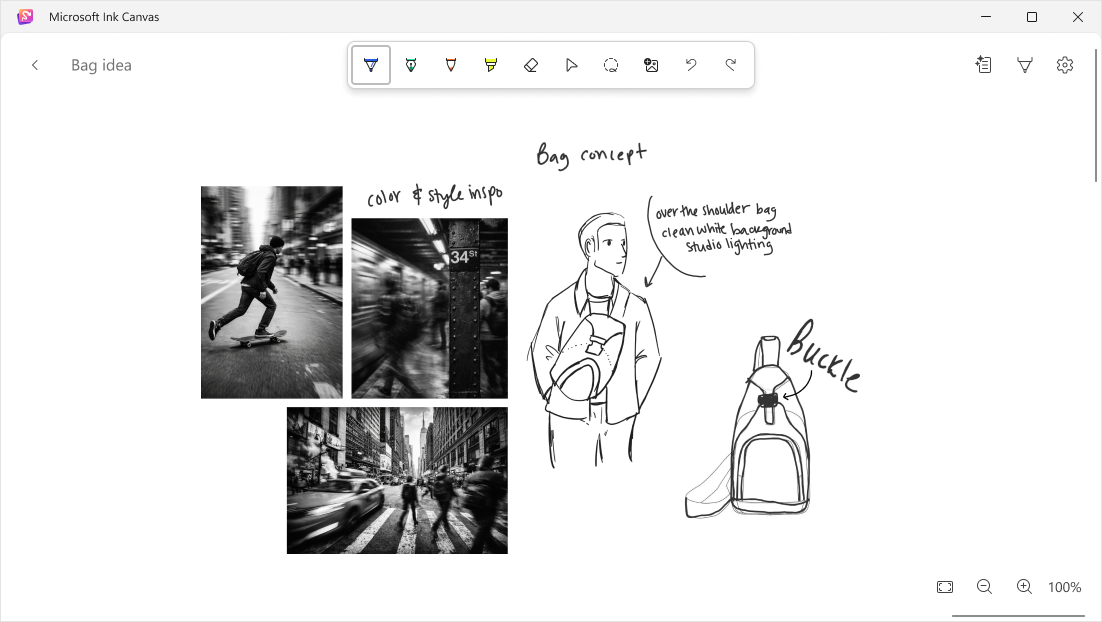
Ink Canvas gives you a place to start thinking visually, then turns that early work into something useful: a summary you can copy into a document, a visual you can adopt for a presentation, or a prompt you can continue refining. As AI becomes more capable, the way we express intent matters more. Ink Canvas helps you use more than keyboard input when an idea is visual, spatial, or still taking shape by making pen, touch, and handwriting part of how you work with Copilot.i
What can you do with Microsoft Ink Canvas?
Ink Canvas gives you a freeform digital workspace where you can start with a blank canvas, bring in visual content, mark it up, and use Copilot features to help move your ideas forward.Create and iterate on the canvas
- Write, sketch, and organize ideas naturally with pen and touch, even when you're offline.
- Drag and drop in images and annotate directly on top of them.
Use Copilot to understand and shape your work
- Lasso selects handwritten notes, sketches, or visual content to give Copilot context form a selected part of the canvas.
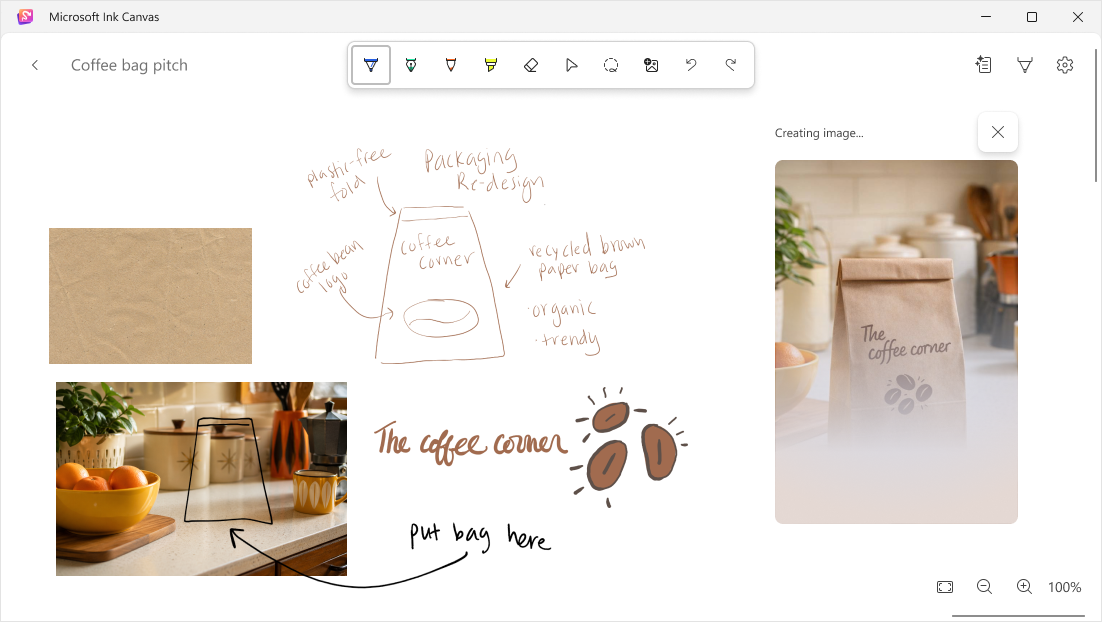
- Generate images from your ideas and iterate visually.
- Click on Text Generation to turn you canvas content into text.
Find and reuse your ideas later
- Ink Canvas can automatically title canvases as you work, helping you identify and return to saved canvases.
- When supported, you can reference saved canvases in Microsoft Copilot so your notes and sketches can help inform the conversation.
How to get Microsoft Ink Canvas
Microsoft Ink Canvas is pre-installed on the new Surface Pro 12-inch (2nd Edition).Starting October 13, 2026, consumers with other supported Surface Pro and Windows devices can download Ink Canvas from the Microsoft Store.ii
Microsoft Ink Canvas (Preview) - Free download and install on Windows | Microsoft Store
Think freely. Create visually. Work with AI—your way. Microsoft Ink Canvas is a freeform, pen-first workspace built for capturing ideas the moment they happen. Launch instantly with your digital pen and turn sketches, notes, images, and diagrams into evolving, expressive canvases. Bring your...
apps.microsoft.com
Open Ink Canvas with Surface Slim Pen
On Surface Pro 12-inch (2nd Edition), a single click of the Slim Pen shortcut button opens a new canvas out of the box, giving you a direct way to capture an idea the moment it starts.iiiOn other supported devices, after installing Ink Canvas, you can manually set the Slim Pen shortcut button to open the app from the pen menu in Windows Settings.
Licensing and requirements
Inking and non-AI features in Microsoft Ink Canvas are available without a Microsoft 365 subscription. Copilot-powered features require a Microsoft 365 subscription. Source:
Introducing Microsoft Ink Canvas | Microsoft Support
Learn about Microsoft Ink Canvas, an AI-powered, pen-first experience.
 support.microsoft.com