Rennsemmel
Member
- Local time
- 3:28 PM
- Posts
- 2
- OS
- Windows 11
Microsoft has introduced a new routine (mopria), and since then, printing takes at least 5 seconds.
Additionally, the printer is "searched for" every time, and then "ready" appears in the quick print preview. (See attachments.)
My printer is an HP OfficeJet 3834 (All-in-One).
How can I revert to instant printing?
I'm not a computer expert, so please provide simple solutions.
Windows Build/Version Edition: Windows 11 Pro; Version: 25H2; OS build: 26200.8655; Feature pack: Windows Feature Experience Pack 1000.26100.315.0
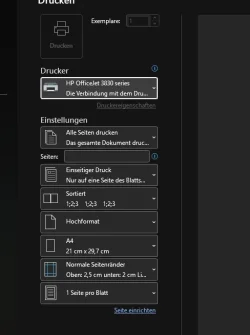
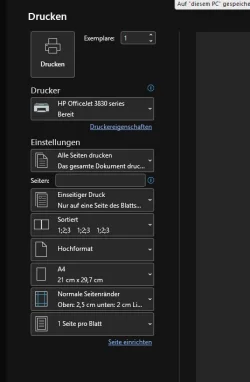
Additionally, the printer is "searched for" every time, and then "ready" appears in the quick print preview. (See attachments.)
My printer is an HP OfficeJet 3834 (All-in-One).
How can I revert to instant printing?
I'm not a computer expert, so please provide simple solutions.
Windows Build/Version Edition: Windows 11 Pro; Version: 25H2; OS build: 26200.8655; Feature pack: Windows Feature Experience Pack 1000.26100.315.0
- Windows Build/Version
- Edition: Windows 11 Pro; Version: 25H2; Betriebssystembuild: 26200.8655; Funktionspaket: Windows Feature Experience Pack 1000.26100.315.0
My Computer
At a glance
Windows 1112th Gen Intel(R) Core(TM) i7-12700K (3.60 GHz)32,0 GB (31,7 GB verwendbar)Intel(R) UHD Graphics 770 (128 MB)
- OS
- Windows 11
- Computer type
- PC/Desktop
- Manufacturer/Model
- Captiva
- CPU
- 12th Gen Intel(R) Core(TM) i7-12700K (3.60 GHz)
- Memory
- 32,0 GB (31,7 GB verwendbar)
- Graphics Card(s)
- Intel(R) UHD Graphics 770 (128 MB)
- Internet Speed
- 50mb
- Browser
- Edge